Based on valuable input received through the Request a Feature (RAF) channel, we’ve rolled out a series of minor enhancements to the Perform module. These updates improve daily workflows for admins, managers, and reviewers—reducing friction and adding flexibility in handling performance processes.
What’s new?
Attachments while adding an employee to PIP
HR or managers can now attach documents during PIP creation. Add detailed plans, supporting evidence, or reference files directly while initiating the Performance Improvement Plan.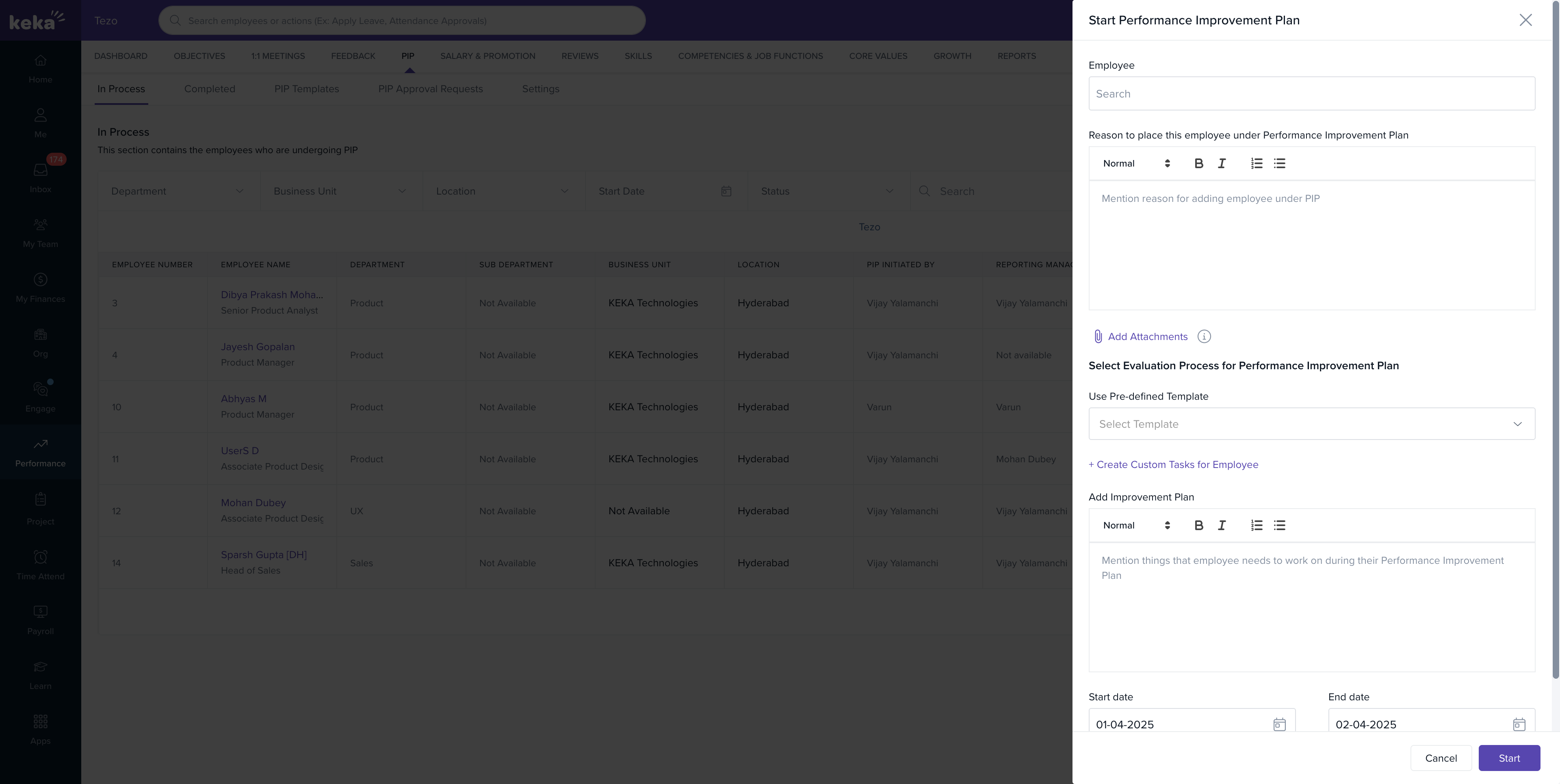
Auto-approval for goals at the last level
In multi-level goal approval chains, goals at the final level will now auto-approve if no action is taken within the configured timeframe—just like in earlier levels—ensuring momentum in goal workflows.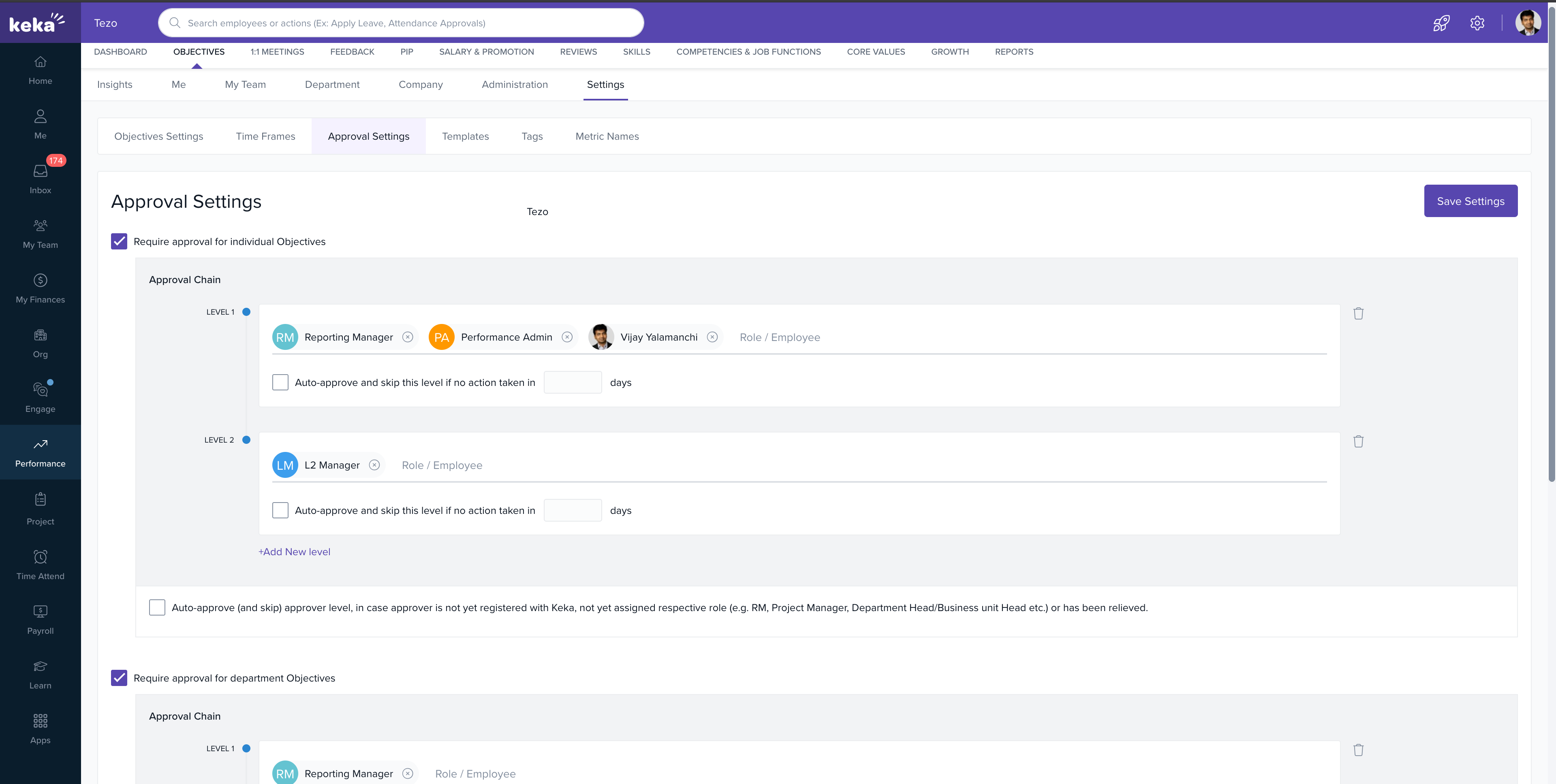
Enhanced status tracking for completed PIPs
The Completed section under PIPs now shows the actual outcome instead of a generic “Completed” status, improving clarity and reporting on performance actions taken.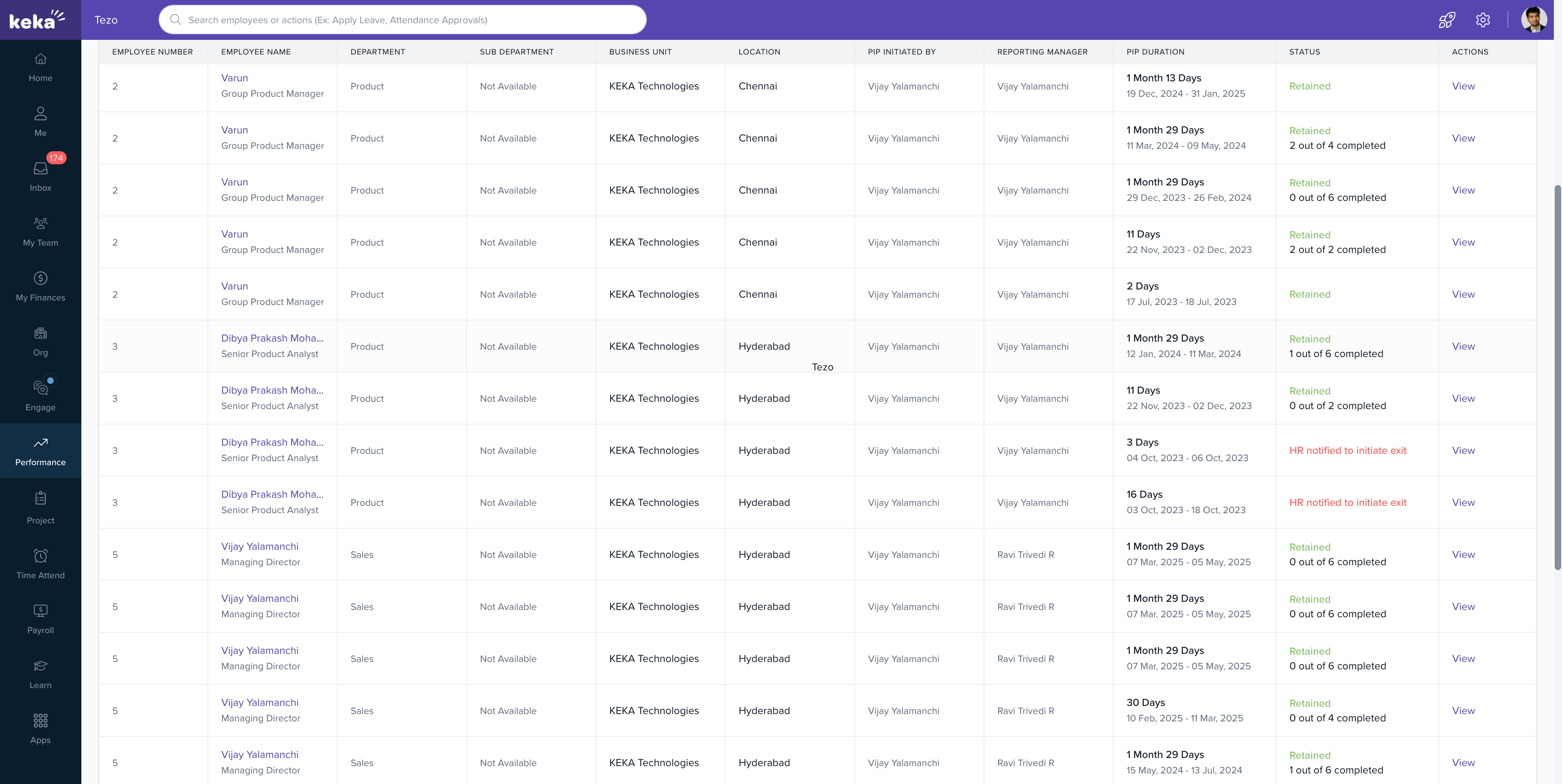
Take PIP actions from the employee profile
Global Admins, Performance Admins, and Managers can now edit or take actions on PIPs directly from the employee's profile, improving accessibility and reducing navigation steps.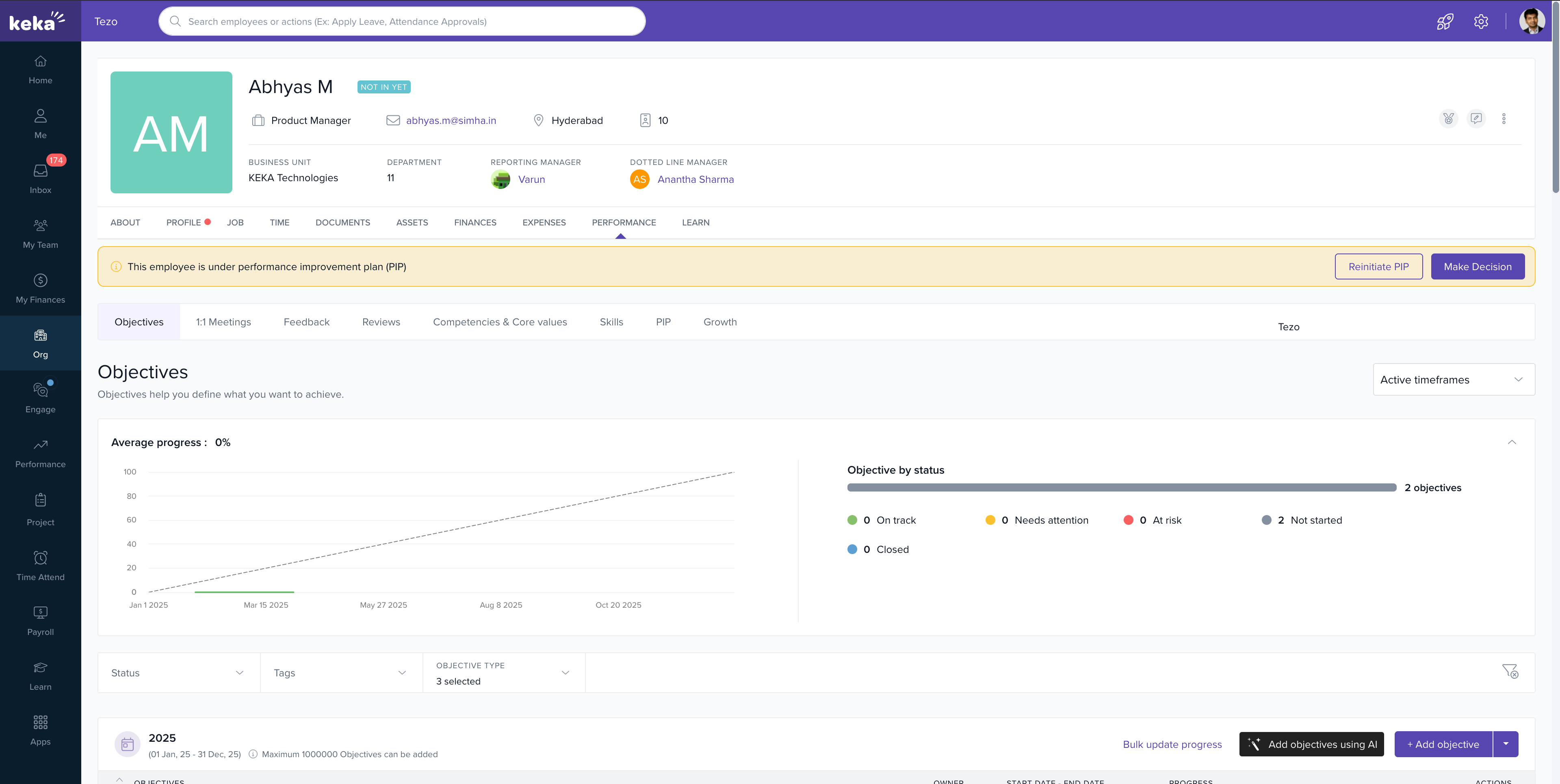
Support for custom roles as PIP validators
Organisations can now assign custom roles (defined in Roles & Permissions) as PIP Task Validators, enabling more flexibility to include relevant stakeholders in performance processes.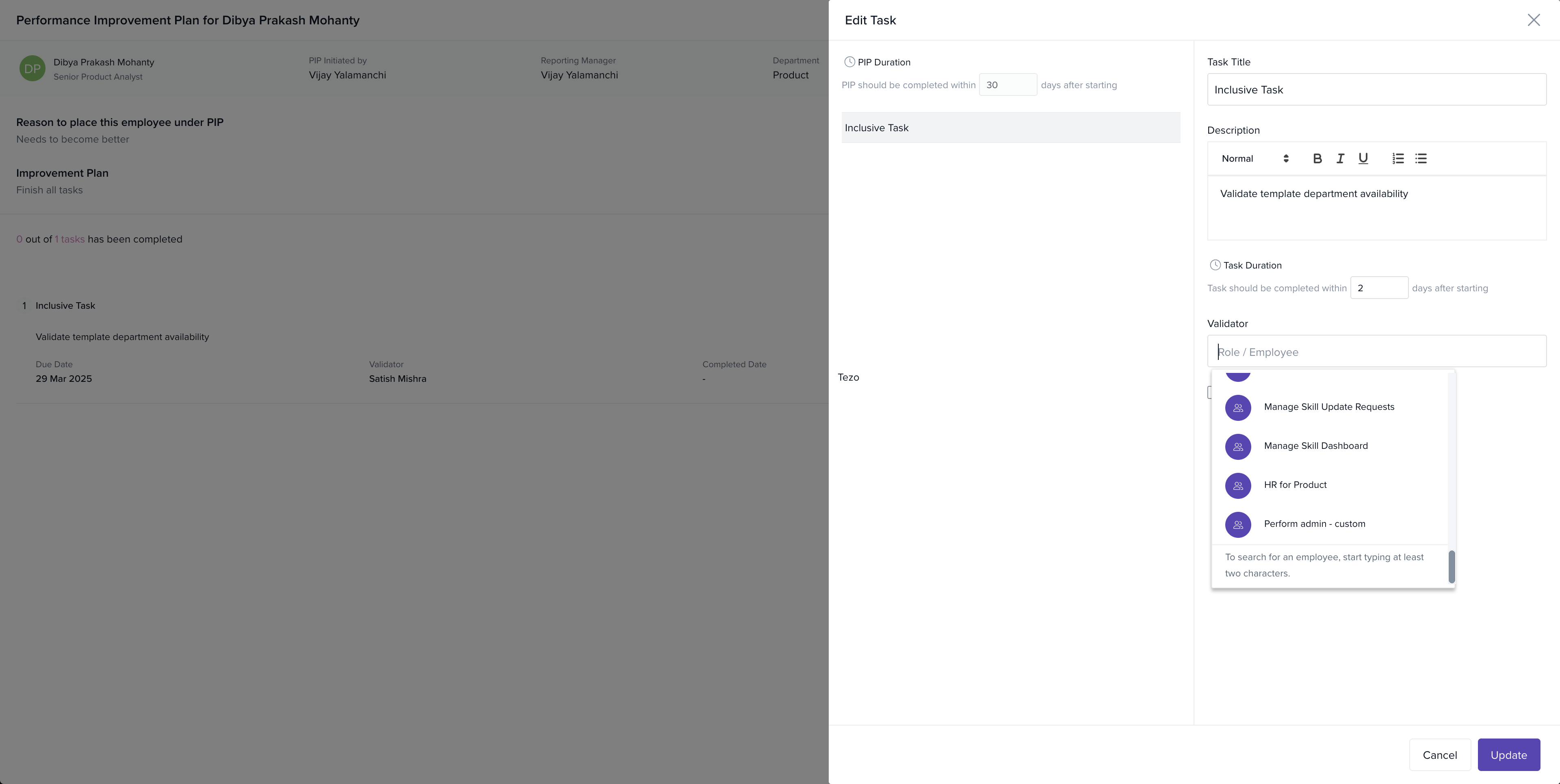
Who can use it?
All features are available to customers using the Perform module, based on their assigned permissions.
To learn more, refer to the article on how to Take PIP Actions from the Employee Profile in Keka.
To learn more, refer to the article on Initiating and managing PIP for your team members.
To know more about Managing goal settings.
To know more about Navigating the Performance Improvement Plan (PIP) Module in Keka HR.
To know more about Maximising Employee Development with New PIP Templates and Task Features.
Please let us know if you find this article helpful.
Comments
0 comments
Please sign in to leave a comment.