Scheduling Zoom 1:1s in Keka just got smarter. With the latest enhancement, users can now automatically block time on their Google or Outlook calendars while scheduling Zoom meetings—ensuring availability is respected and meeting reminders are never missed.
What’s new?
Previously, Keka’s calendar integrations supported time blocking for Microsoft Teams and Google Meet, but not for Zoom—causing missed meetings due to unblocked calendars. This update brings Zoom to parity by enabling calendar blocking during 1:1 scheduling.
Key enhancements:
- Select preferred calendar (Google or Outlook) when scheduling Zoom 1:1s.
- Auto-blocks the selected time on both participant calendars.
- Meeting invite includes Zoom link and agenda, viewable from the connected calendar.
How to access the feature
-
While scheduling a 1:1 meeting, users will see a new option:
“Sync date & time to your calendar”.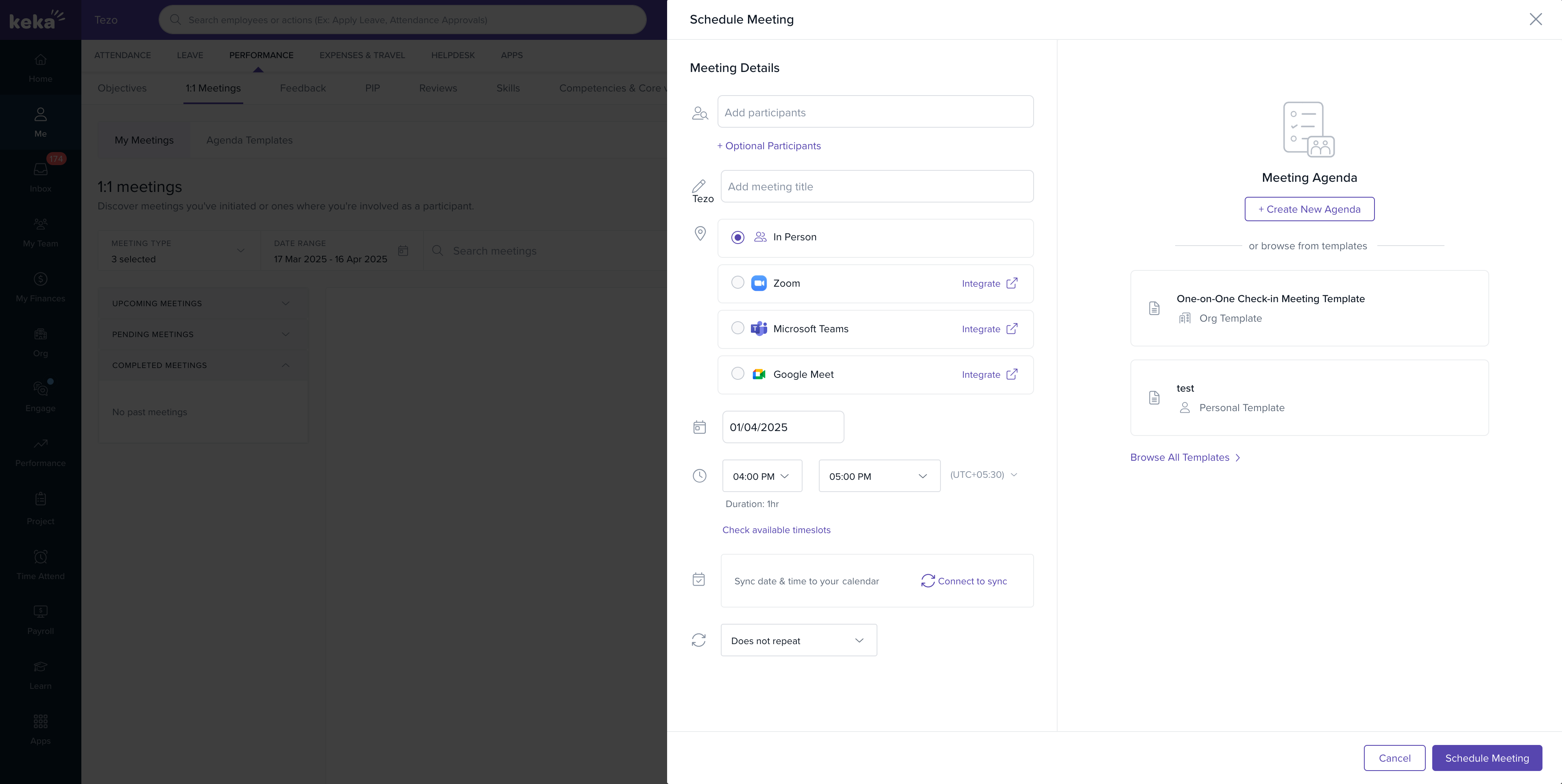
-
Click “Connect to sync” to choose between Google Calendar or Outlook Calendar.
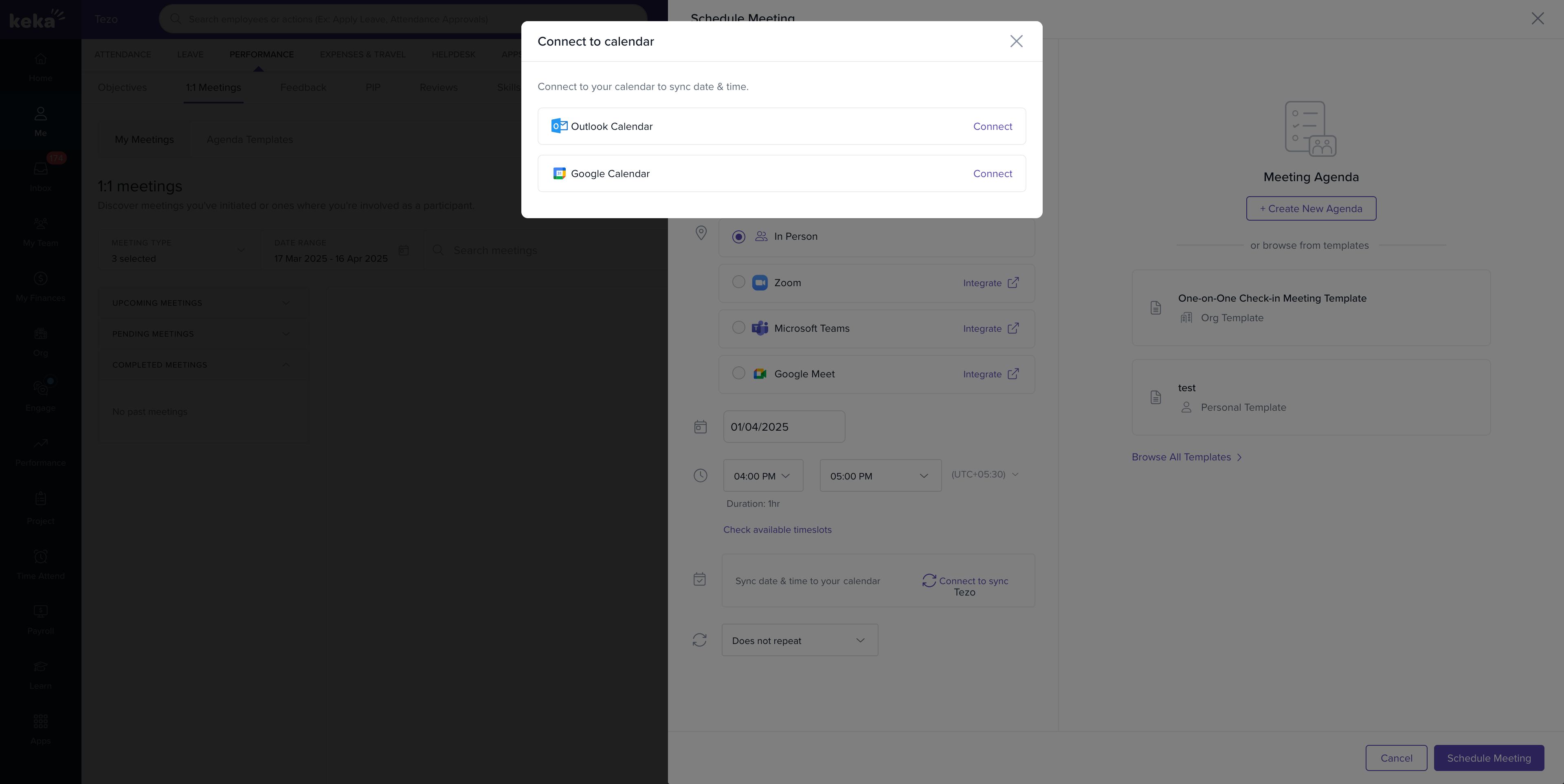
- After authorisation, the calendar is linked, and the meeting slot is blocked automatically for all participants
Who can use it?
This feature is available to all users in the Perform module with Zoom integration enabled.
For detailed setup assistance, please refer to the article.
Please let us know if you find this article helpful.
Comments
0 comments
Please sign in to leave a comment.