Introduction
Keka’s Goal Settings let you customise terminology, visibility, time frames, and approval workflows for goal management. Admins can align goals with company culture, define who creates and sees them, and decide how sub-goals affect progress.
Accessing the Goal Settings
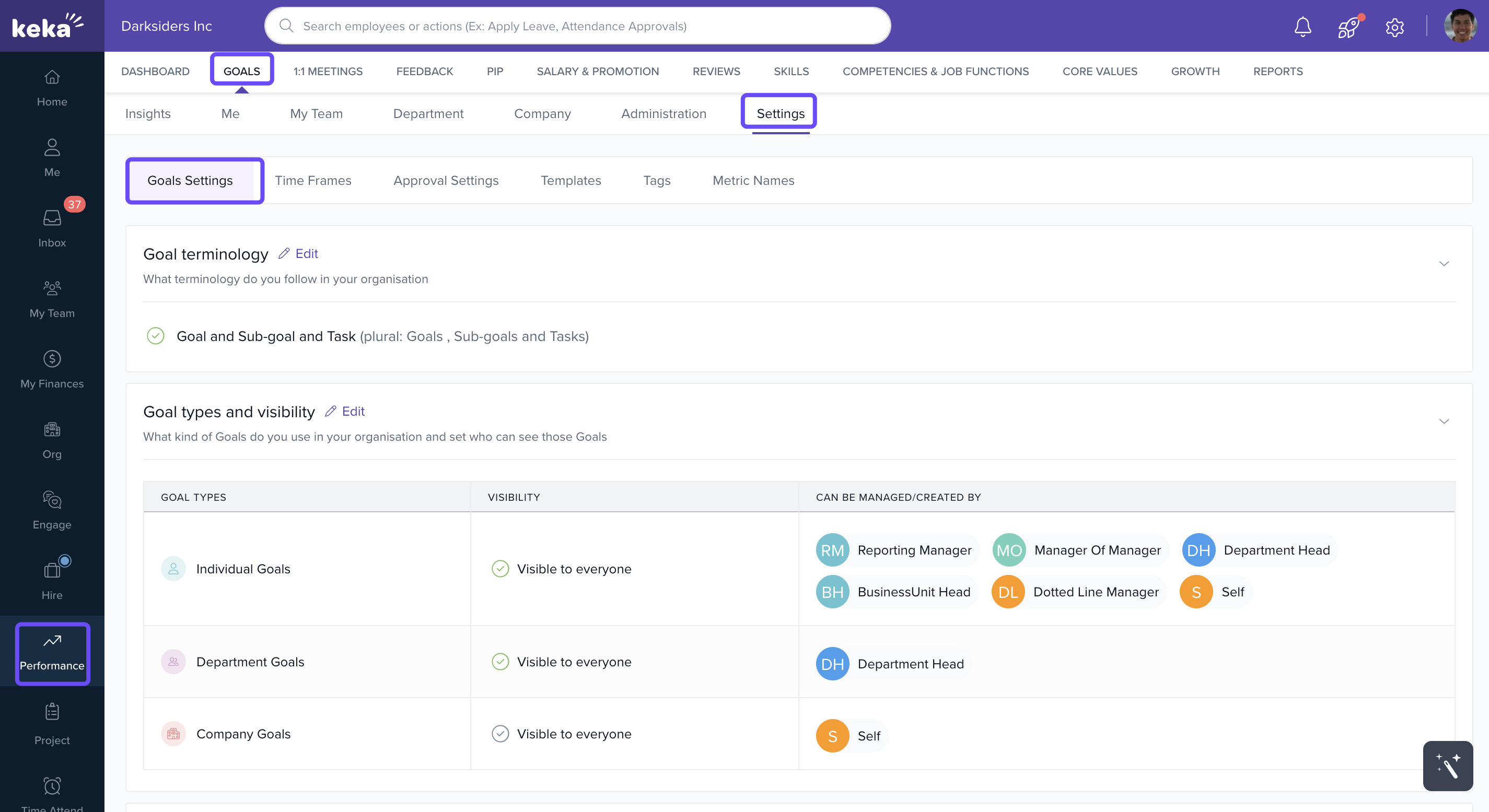
Go to Performance in the left menu.
Click Goals.
Select Settings.
- And then go to Goal Settings.
Goal Terminology Customisation
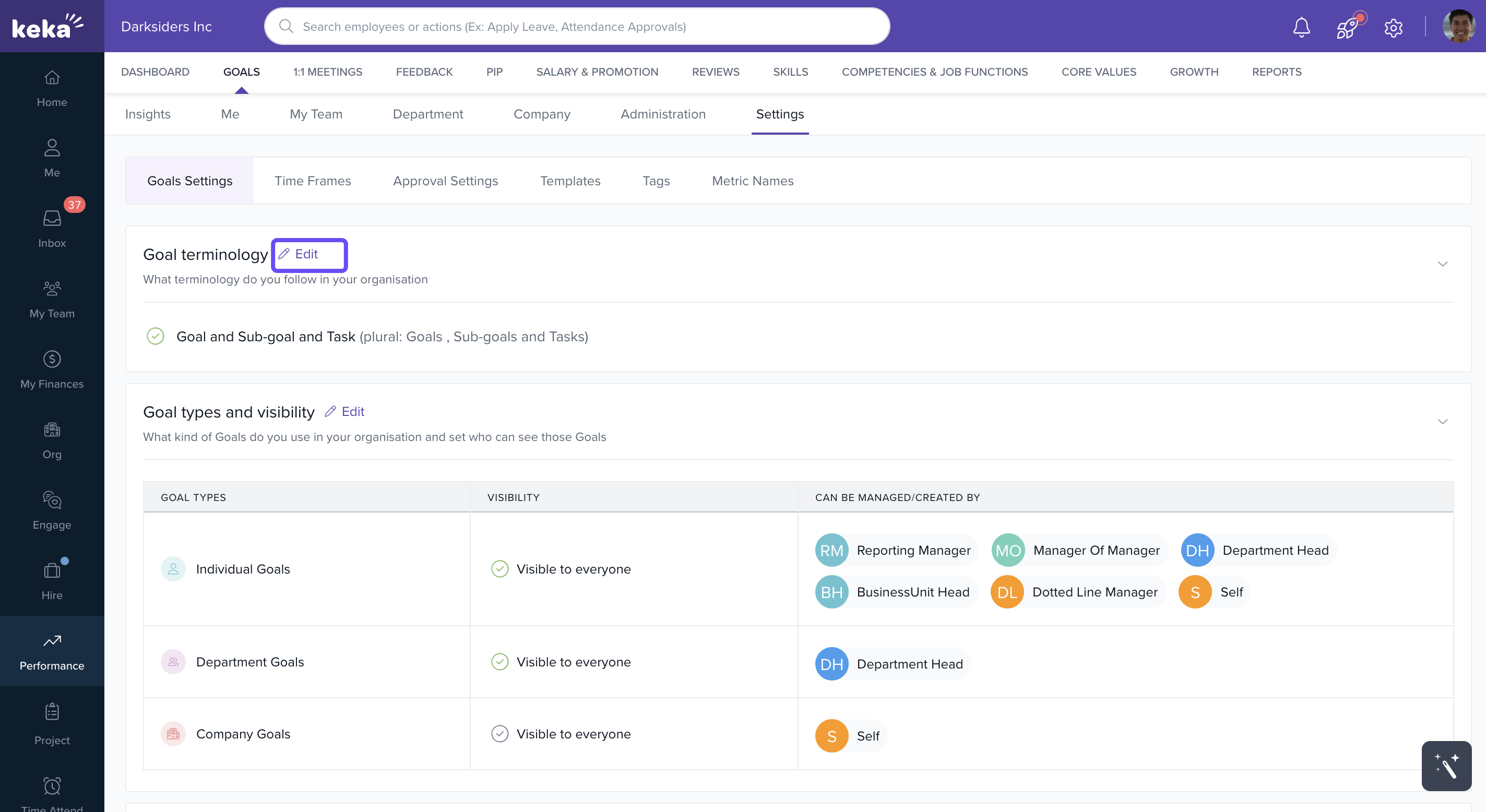
The Settings Tab allows organisations to edit the terminology used for goals, ensuring consistency with internal vocabularies. Whether you refer to them as "Goals and Sub-goals" or another term that aligns with your company's language, this flexibility ensures all employees are on the same page.
Select the Edit option in the Goal Terminology section of Keka HR's Performance Module to customise your goal terminology.
-
Edit how goals and sub-goals are labeled to align with your company’s language.
Choose from presets like Goals, Objectives, KRAs, KPIs, Key Results, or define your own custom terms.
-
Decide whether sub-goals should be mandatory or optional for every goal.
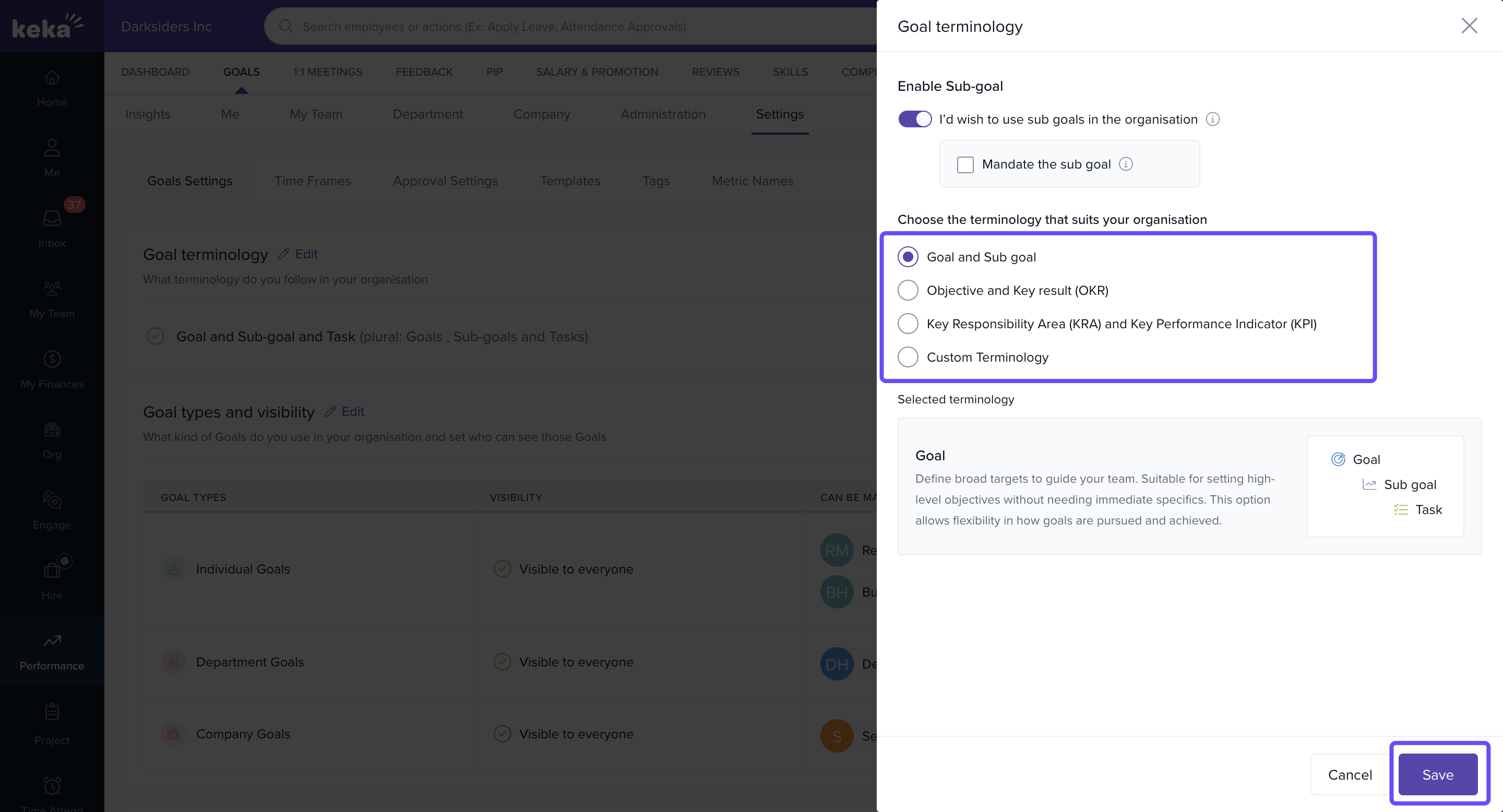
If you select Mandate the sub goal a subgoal has to be created for every goal. if the option is not checked, sub goal is optional.
Goal Types and Visibility
-
Keka supports three types of goals:
Individual Goals
Department Goals
Company Goals
-
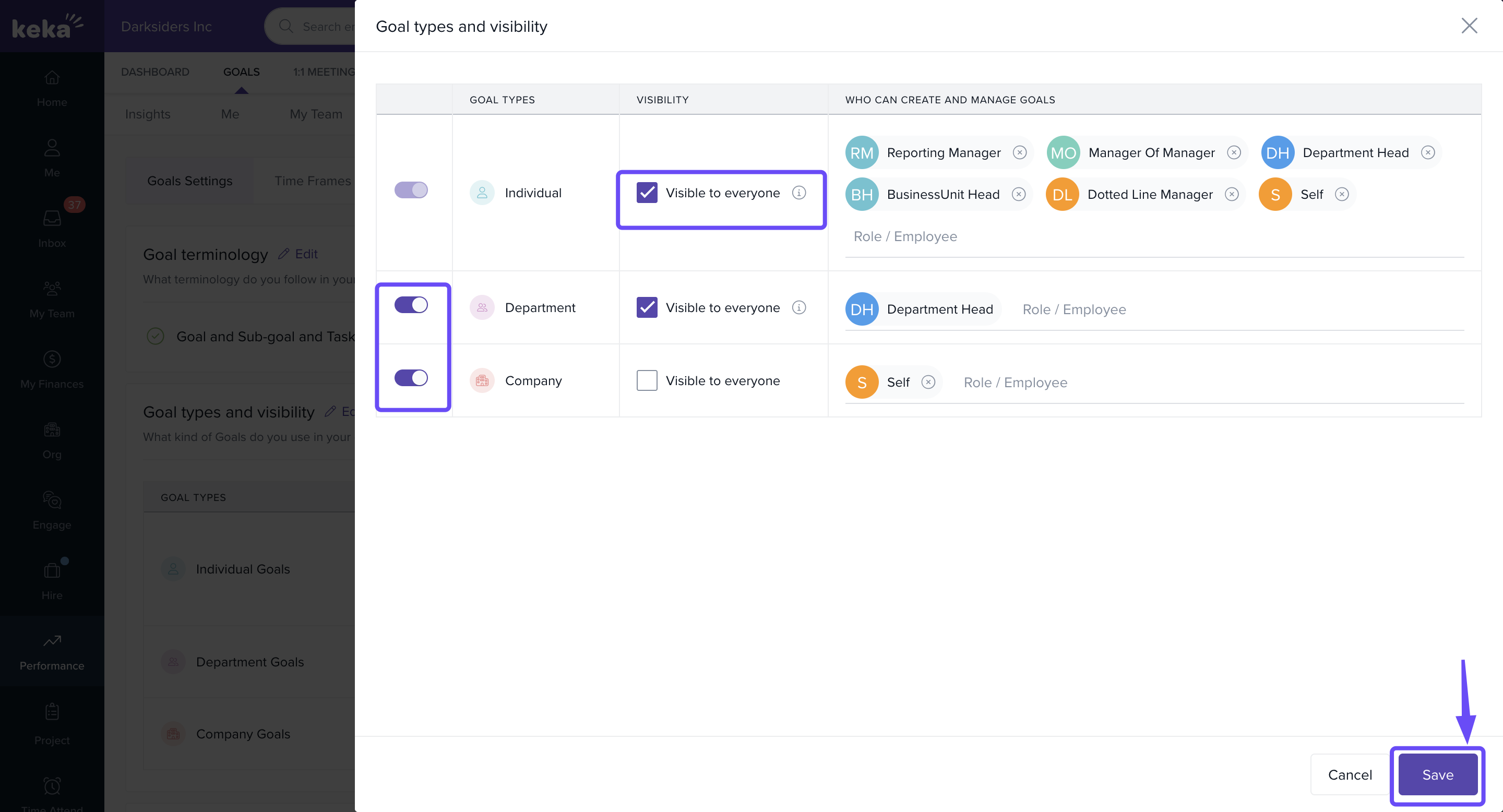
Click on the Edit option.
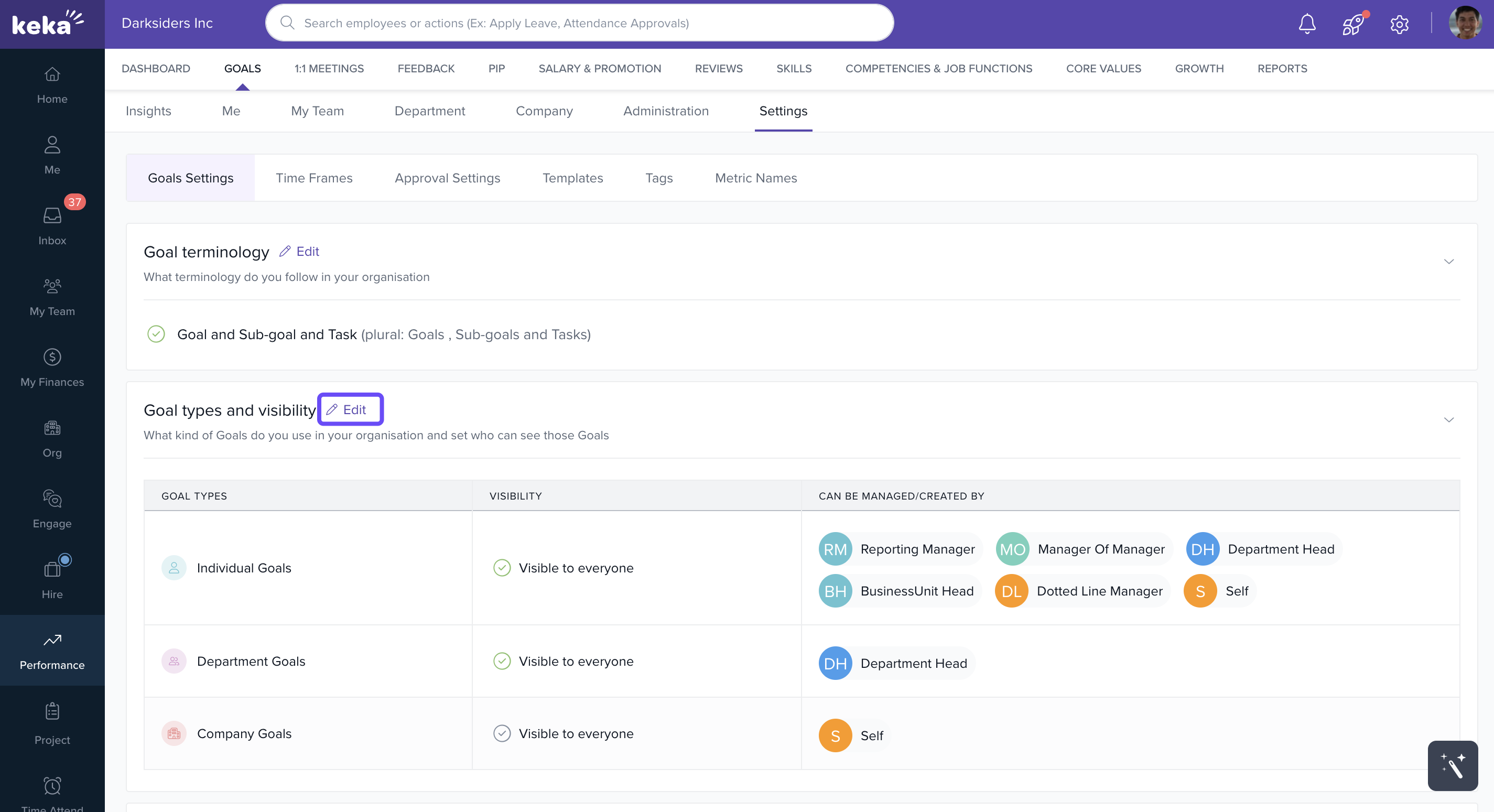
Company Goals may be visible to all, while Individual Goals can be restricted to managers or specific people.
-
In this section, you can:
Set visibility rules (e.g., company goals visible to all, individual goals restricted).
Decide who can create and manage goals (roles include Manager, Department Head, Business Unit Head, Self, or specific employees).
Toggle goals on/off based on business needs.
Advanced Goal Settings
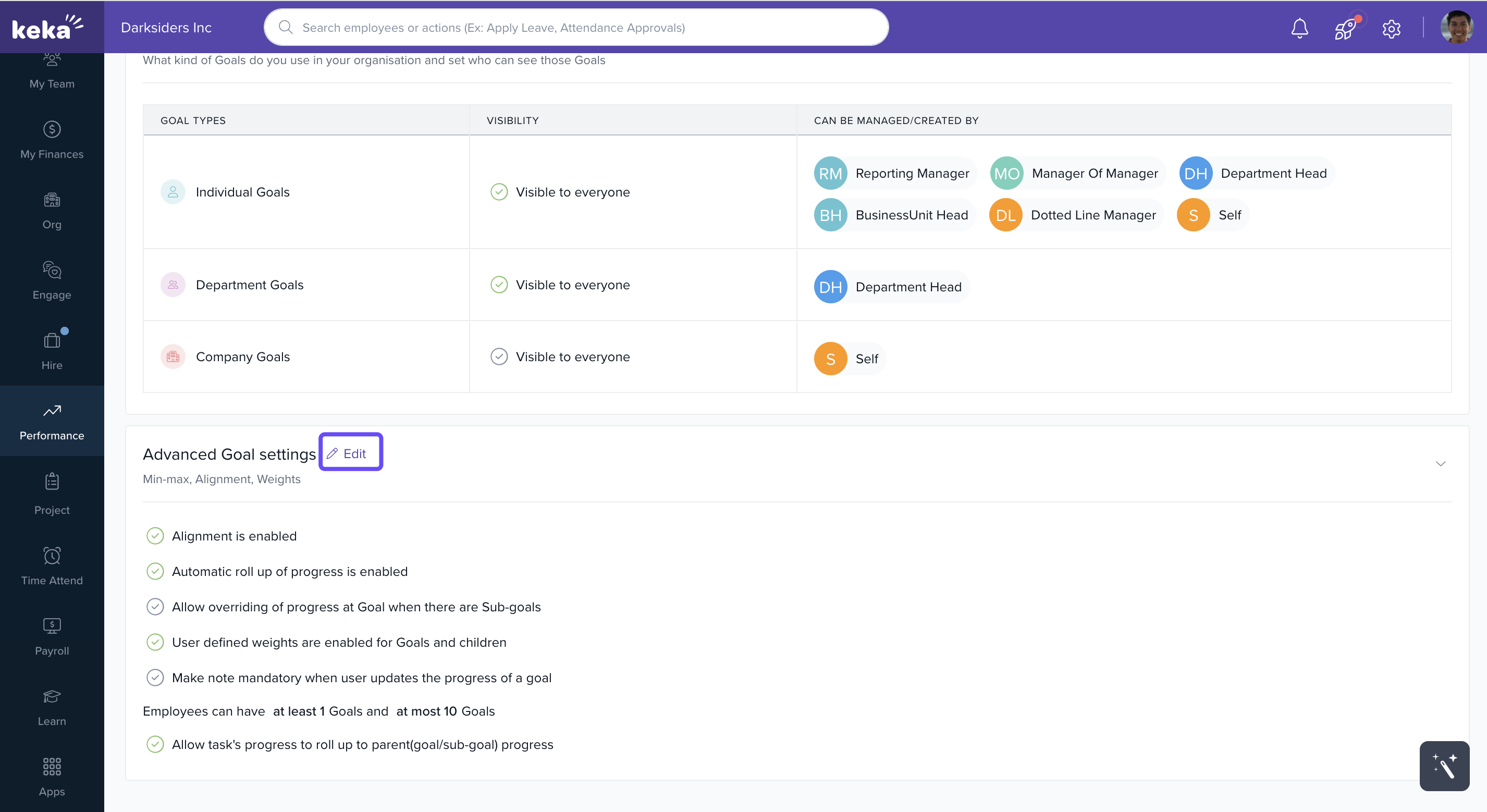
In Keka HR's Advanced Goal Settings, administrators can configure and fine-tune the goal-setting process to better align with the organisation's objectives and strategy.
-
To edit the Advanced Goal Settings, click on the Edit icon.
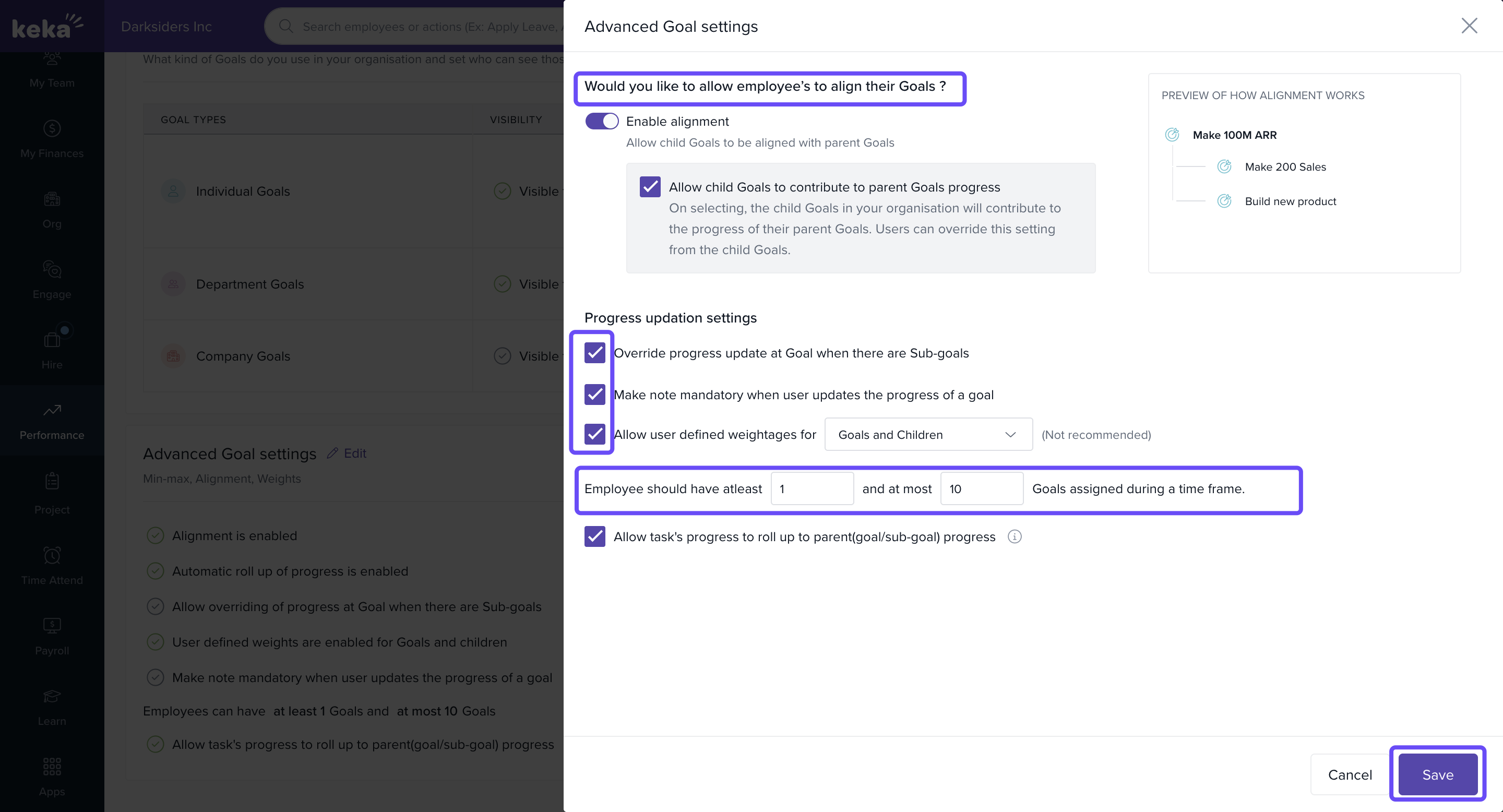
In Keka HR’s Advanced Goal Settings, admins can fine-tune goal management.
-
Admins can:
Enable Alignment: Decide how sub-goals contribute to parent goal progress.
Progress Updates: Choose manual updates or auto-link with sub-goals/tasks.
User-Defined Weights: Adjust weightage for accurate tracking.
Min/Max Goals: Set goal limits per employee to balance workload.
Time Frames: Define goal duration and timelines.
Time Frames
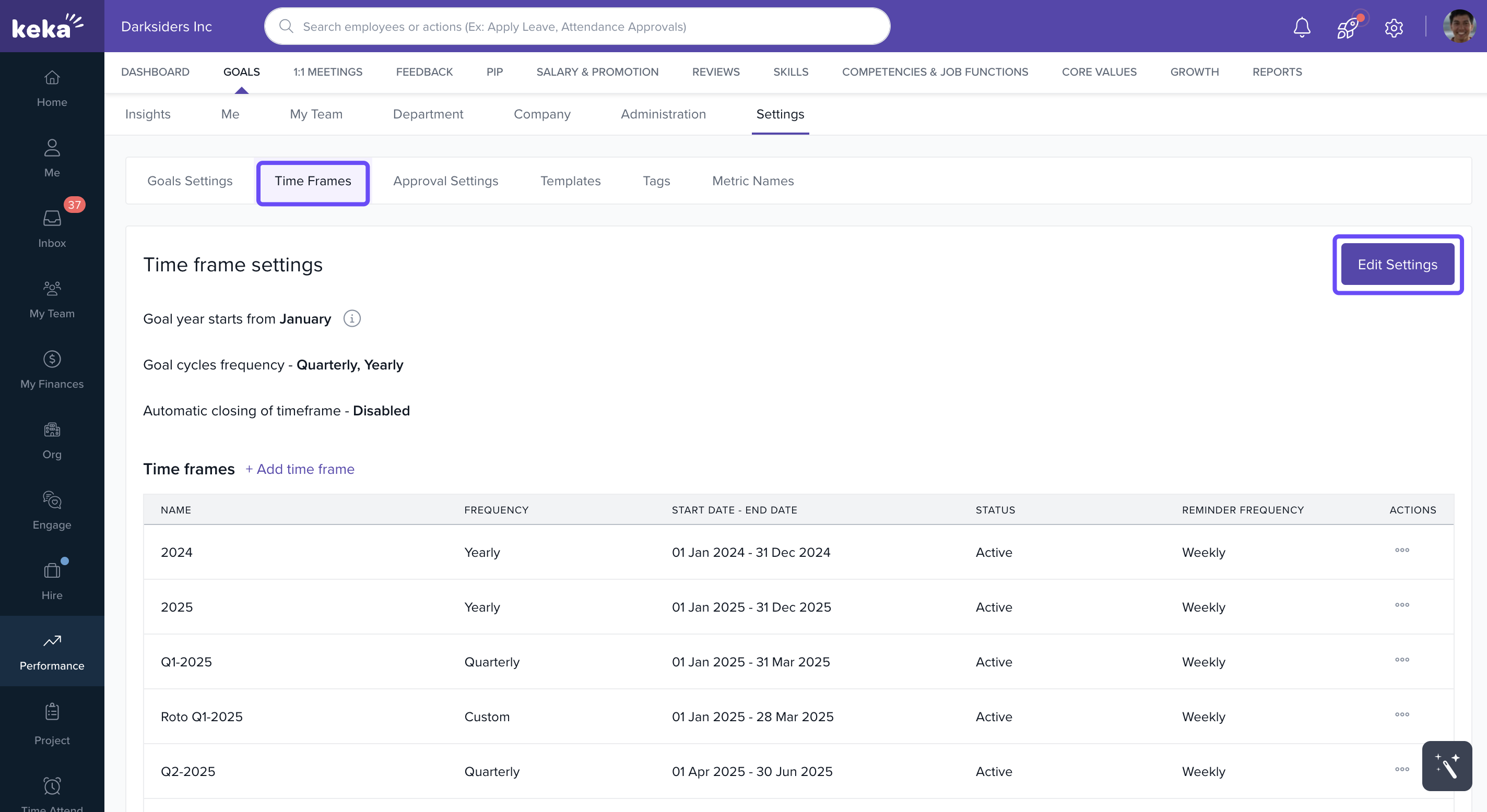
In Keka HR's goal settings, the 'Time Frames' section is crucial for structuring the timeline for goal setting and assessment.
It allows organisations to:
-
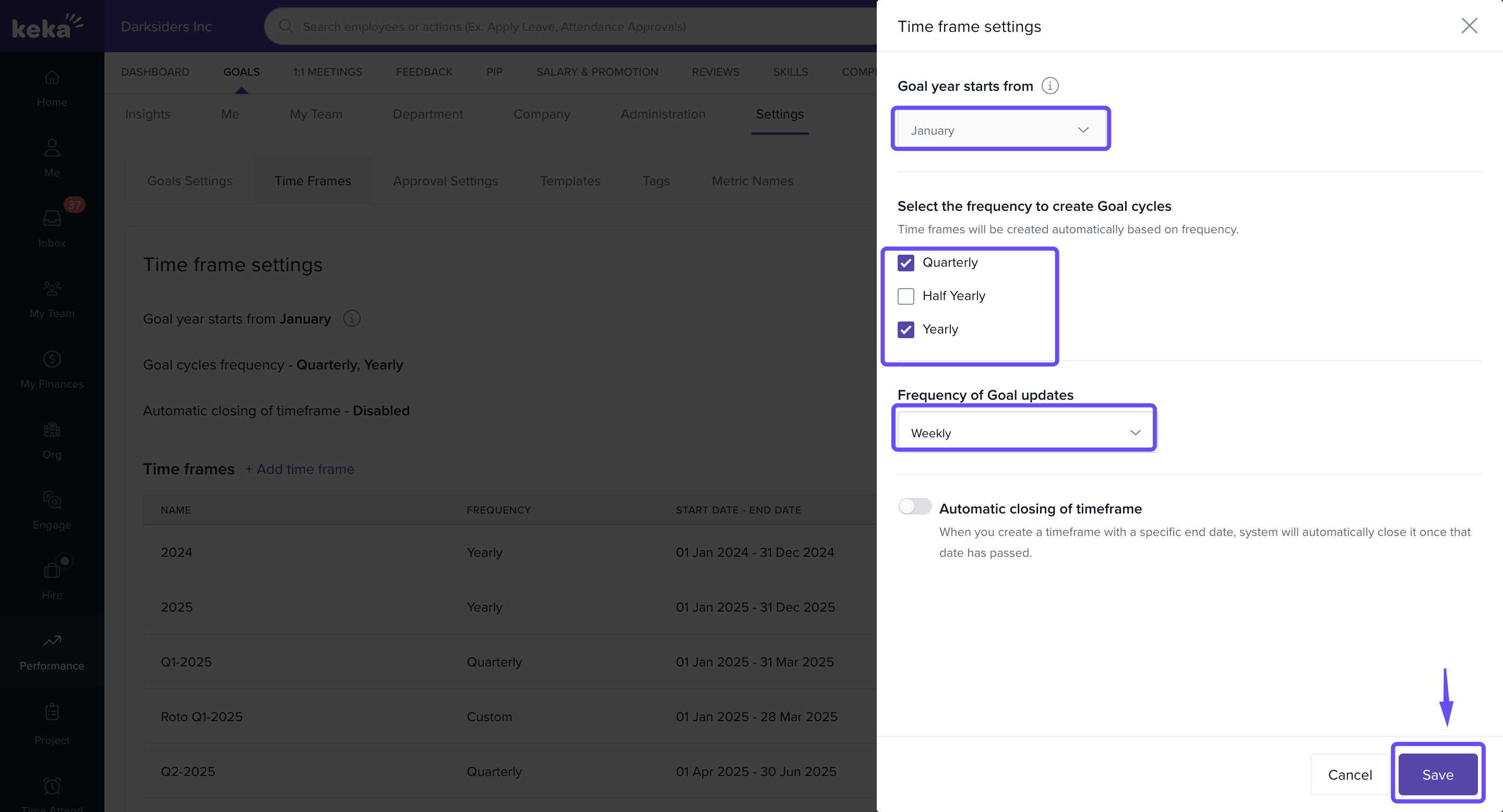
In Keka HR's Goal Settings, the Time Frames section is crucial for structuring the timeline for goal setting and assessment.
-
It allows organisations to:
Define the start of the goal year, typically from January, aligning with the fiscal or calendar year.
Establish goal cycles (e.g., Quarterly, Half-Yearly, Annually) to organize and monitor progress in manageable intervals.
Opt for automatic closing of timeframes to ensure goals are assessed at the right time without manual intervention.
-
This ensures consistency in reviews and reporting.
Approval Settings
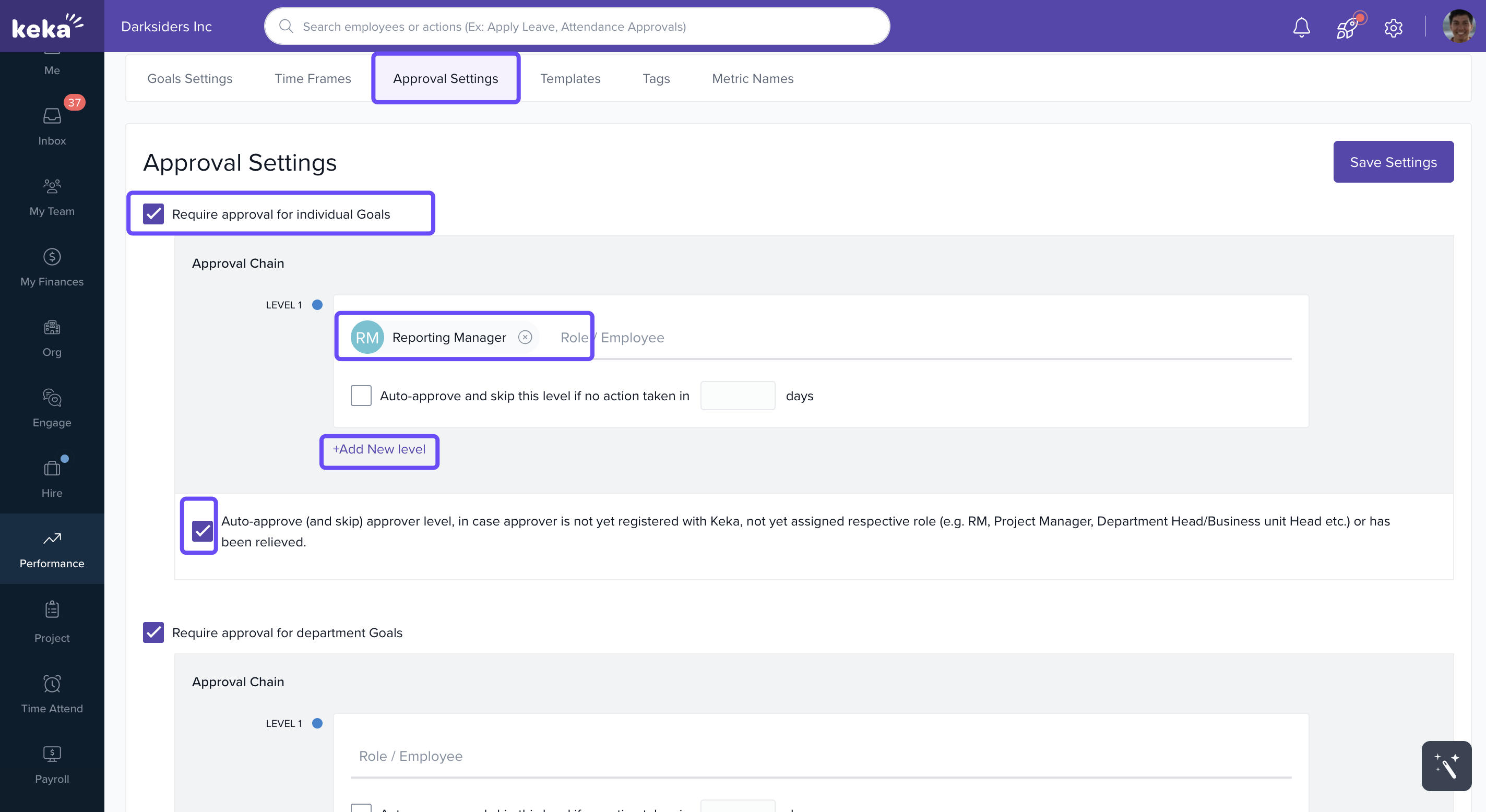
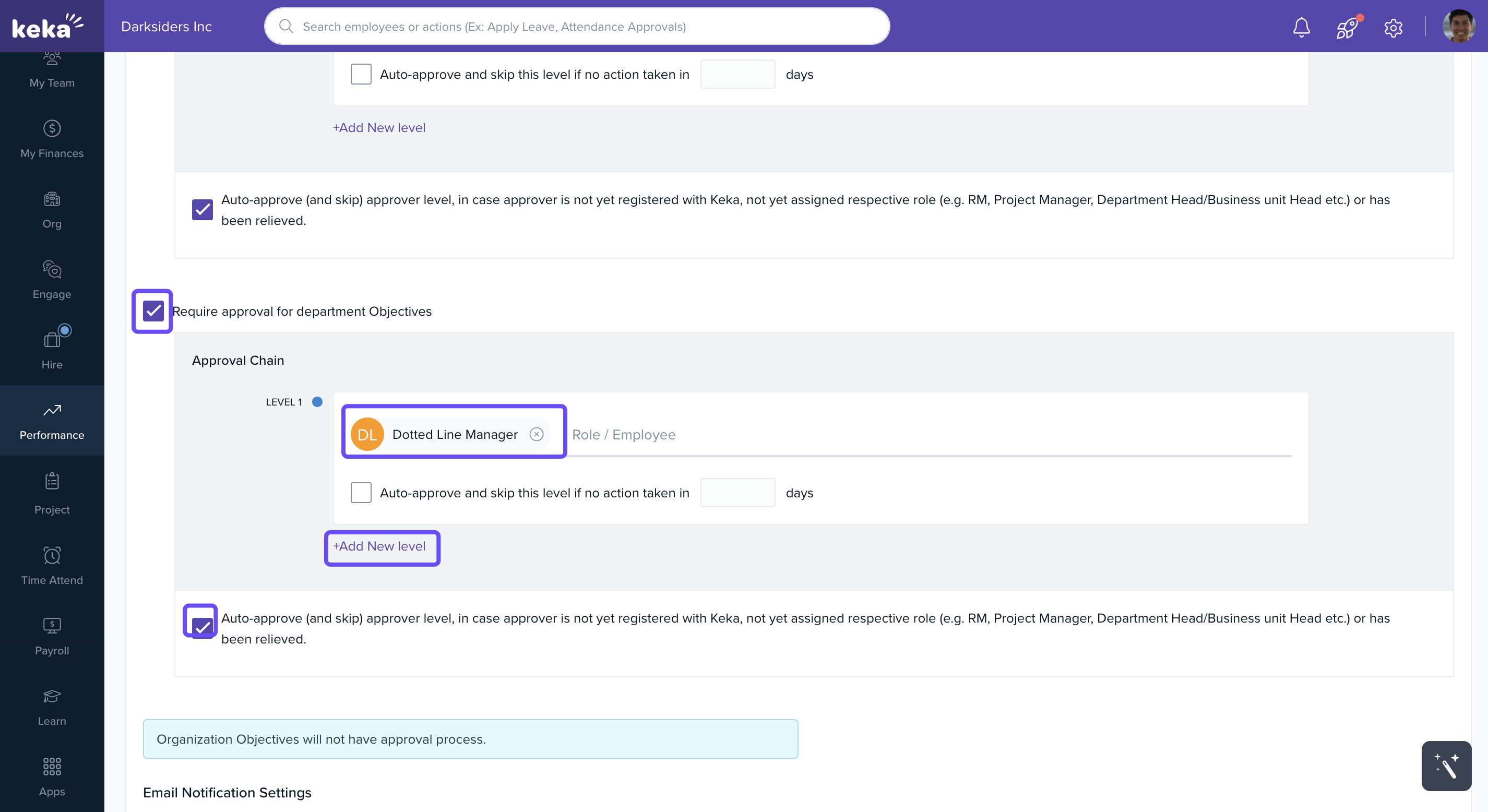
The Approval Settings section in Keka HR’s Goal module ensures that all individual and departmental goals go through the proper review and authorisation process. It enables organisations to enforce:
Mandatory approvals for goal submissions, adding structure and accountability to the process.
-
Customisable multi-level approval chains, involving roles like Reporting Managers, L2 Managers, or others based on organisational hierarchy.
Auto-Approval at Final Level
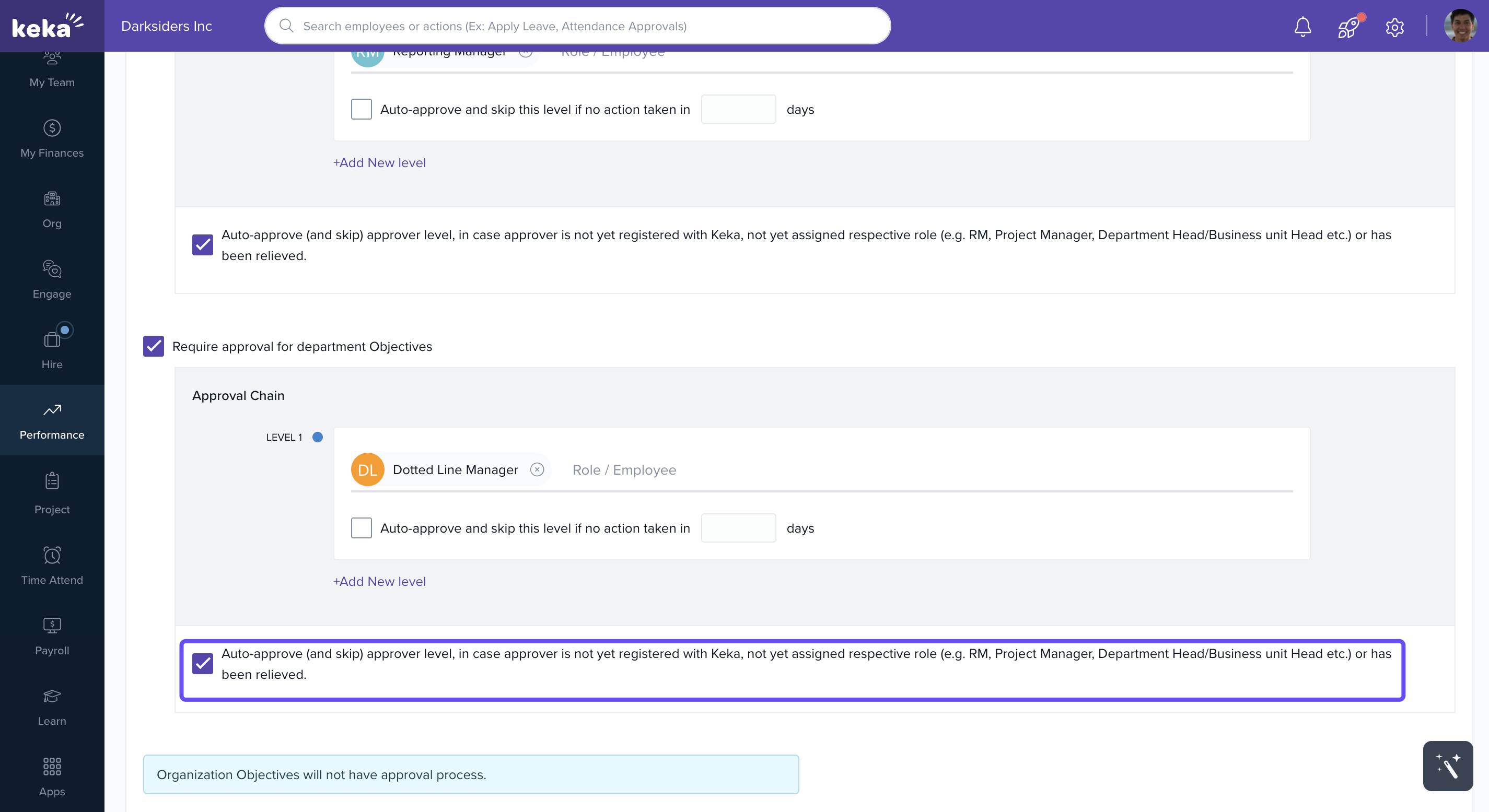
Keka now supports auto-approval at the last level of the goal approval chain.
If no action is taken within the configured number of days at the final stage, the goal will be automatically approved—similar to earlier levels.
-
This feature helps prevent delays and ensures the approval process continues smoothly.
It promotes a well-governed and aligned goal-setting approach, keeping teams on track with company objectives.
Goal settings allow organisations to customise how goals are set and tracked, tailoring the process to their unique needs.
With auto-approval and customisable goal settings, Keka ensures that goal management remains strategic, efficient, and aligned with the organisation’s vision—fostering a culture of continuous improvement and achievement.
- Choose if goal creation needs approval or is auto-approved.
Define approval chains (e.g., Manager → HR → Admin).
If you would like to change the goal year starts from please reach out to support.
Notes & Tips
Tip: Use custom terminology to make goals more relatable to your teams.
Important: Global settings override role-based permissions—review before saving.
Note: Making sub-goals mandatory improves structure but may slow down quick goal creation.
Next Steps
Learn to Create a New Goal.
Explore Using Goal Templates.
See how to bulk assign goals to streamline planning, cut manual work, and maintain team consistency.
Comments
0 comments
Please sign in to leave a comment.