Learn how to charge for damaged assets during recovery in Keka to promote accountability and manage asset-related deductions effectively.
With Keka’s Asset Damage Charge feature, you can now levy charges for damaged assets at the time of recovery or when marking an asset unavailable—not just during an employee’s exit process. This ensures faster resolution, better transparency, and fair handling of asset responsibility.
Charging for a Damaged Asset through an Employee's Profile
Open the Employee Profile of the individual.
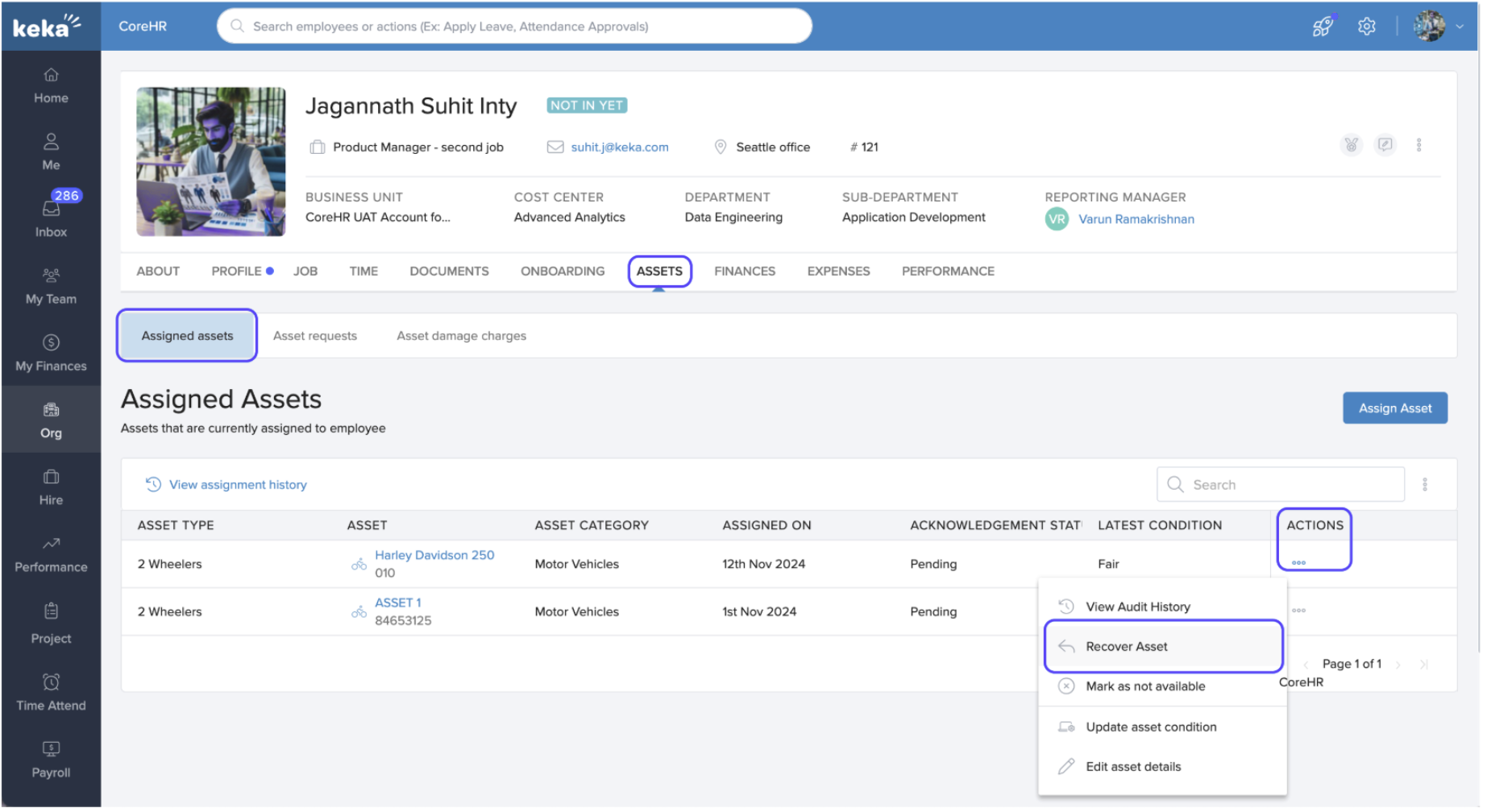
Navigate to the Assets tab > Assigned Assets.
-
In the Actions column, click the three dots (...) and select Recover Asset.
-
In the recovery form:
Tick Charge employee for asset damages.
Enter the amount to be recovered.
-
Select a collection method:
Collect from Payroll
Collect from Outside
Collect During Exit (F&F)
-
Add a date, reason for damage, and attach supporting documents if required.
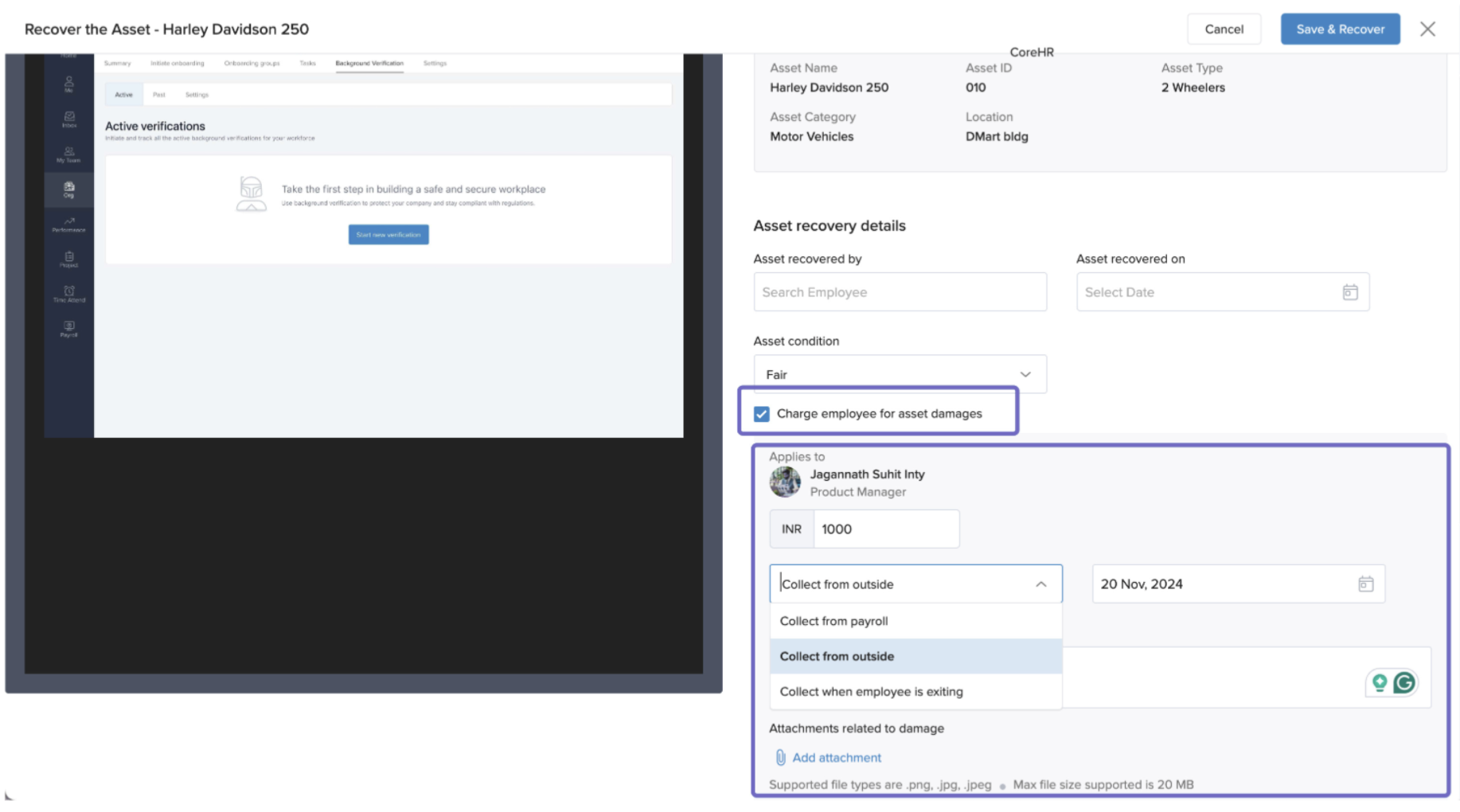
Click Save & Recover.
An email notification will be sent to the employee and the asset manager with details of the charge and recovery.
Three modes of collecting damage charges
-
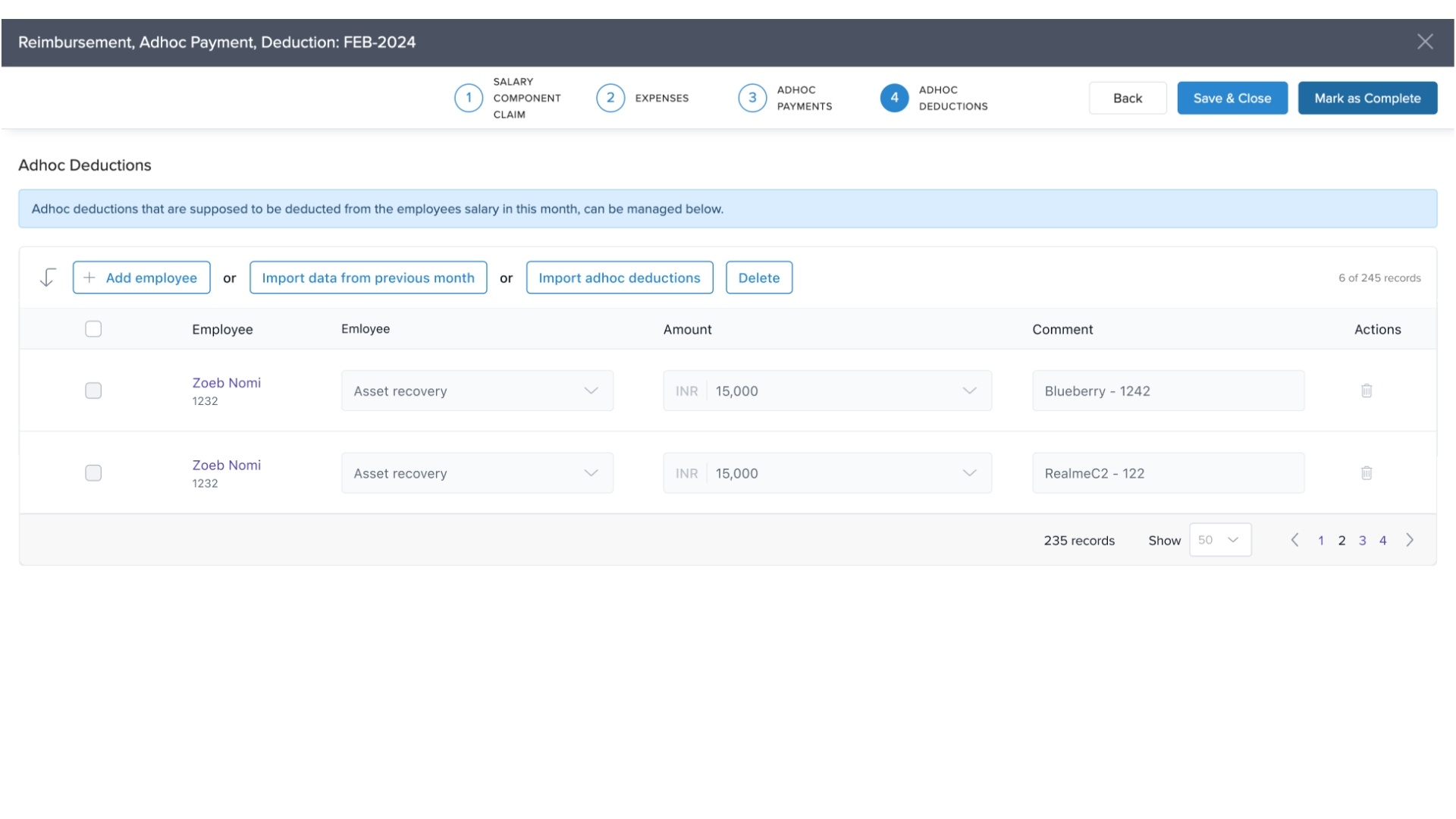
Collect from Payroll
Deduction appears in payroll as an ad-hoc deduction.
-
Once payroll is processed, the charge status updates to Collected.
-
Collect from Outside
Employee pays via cash or external methods.
Privileged users must manually mark the charge as Collected.
-
Collect During Exit (F&F)
Charge is stored in the employee’s profile until exit.
-
Applied automatically during Full-and-Final Settlement (FNF).
-jpg.jpeg)
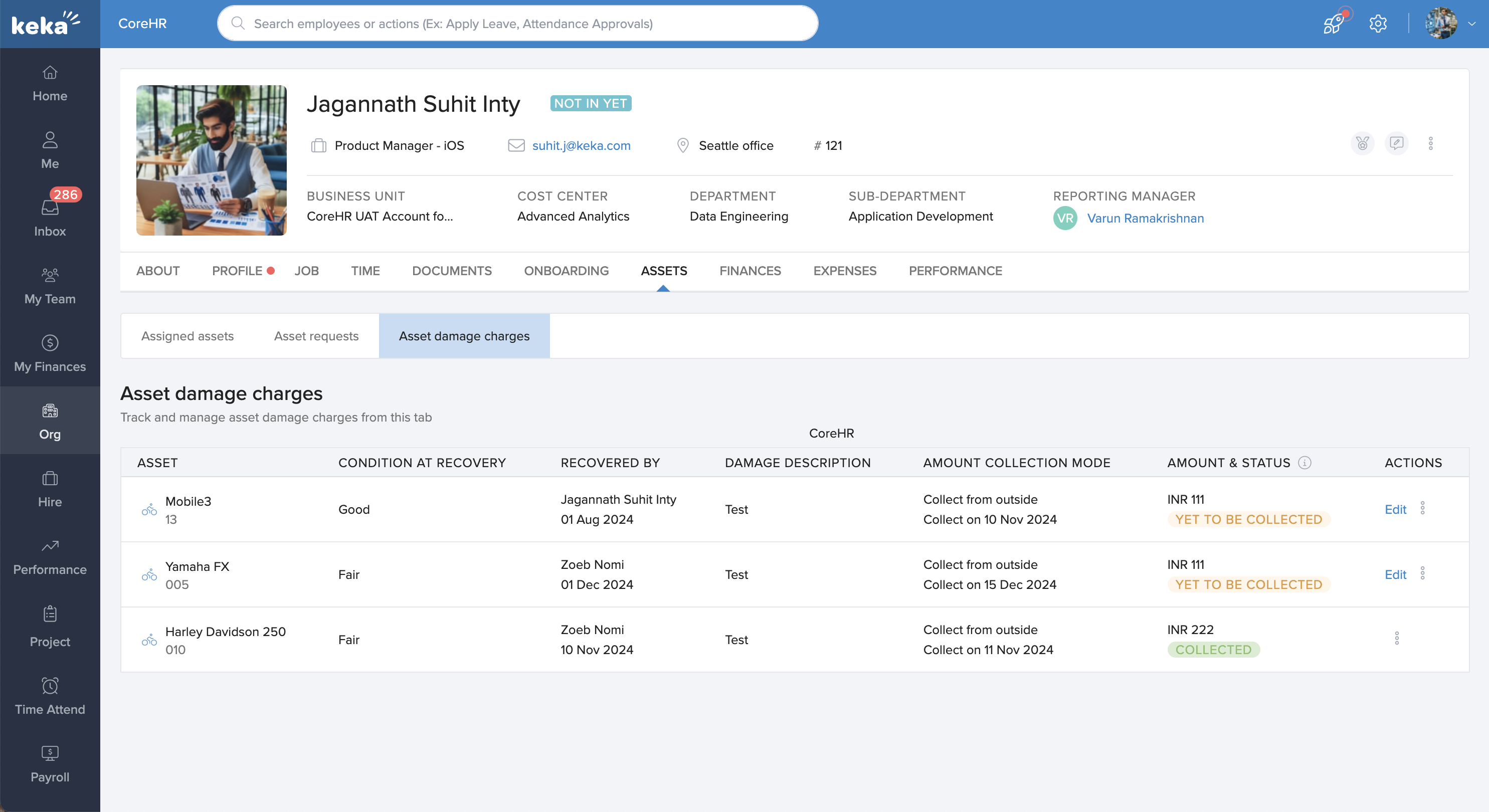
Asset Damage Charges Tab
Employees and managers can view:
All pending damage charges.
Current status of charges (pending, collected, etc.).
This provides full transparency and encourages accountability in asset handling.
Charging for a Damaged Asset at the Asset Level
You can also charge for damages directly at the asset level:
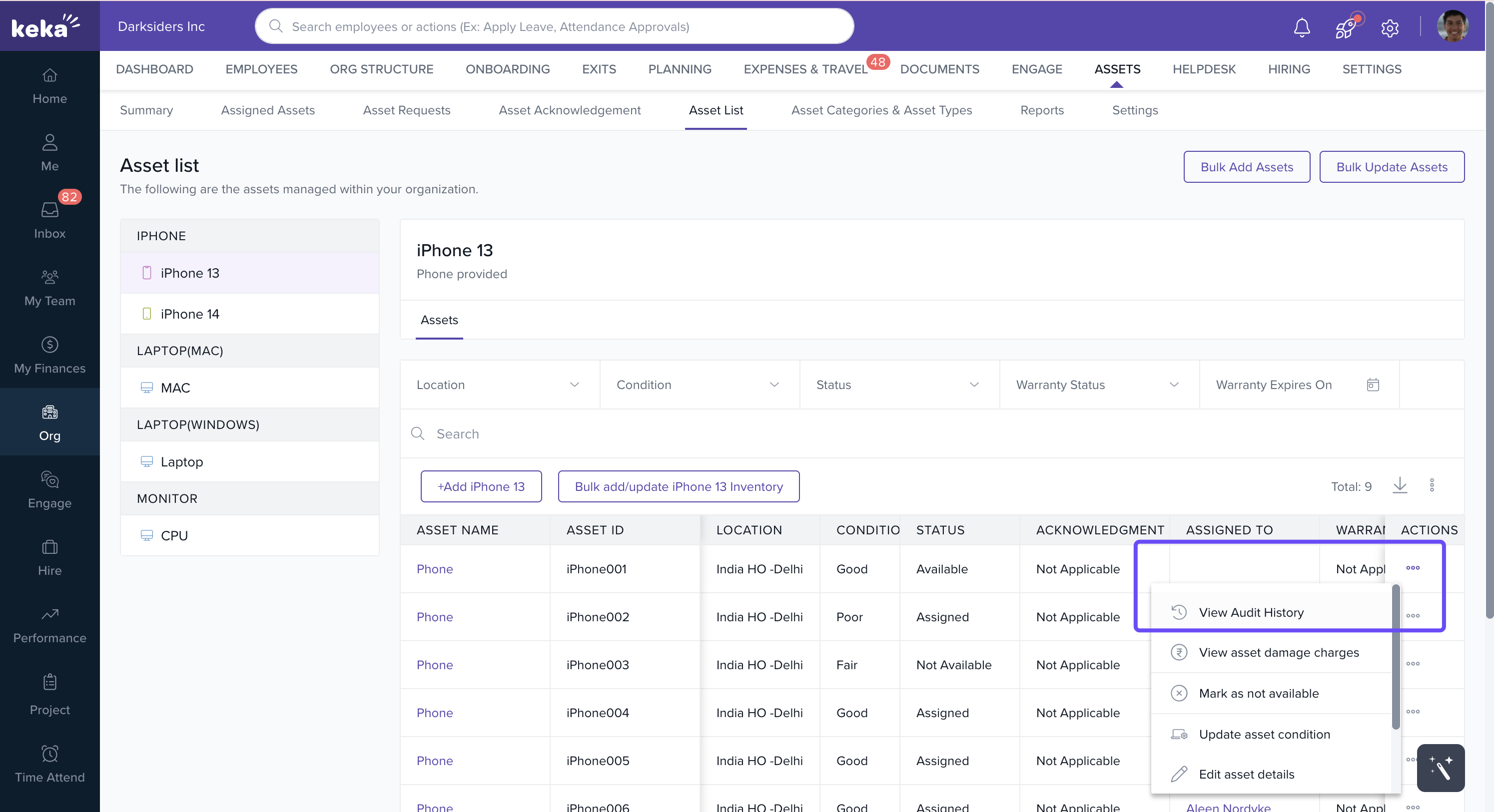
Go to Org > Assets > Asset List.
Select the asset you want to charge for.
View the list of employees the asset has been assigned to.
In the Actions column for the relevant employee, click Recover Asset.
Complete the same process as explained in the employee profile method.
Asset History
Keka maintains a complete audit history of each asset, including:
All past incidents of damage.
Amounts charged.
Current status of recovery.
To access this:
Go to Org > Assets.
Select the asset and click View Audit History.
This ensures full visibility of asset usage patterns and helps prevent recurring damage.
The Asset Damage Charge feature in Keka makes it easy to track, charge, and recover costs for damaged assets—ensuring fairness, efficiency, and accountability.
Comments
0 comments
Please sign in to leave a comment.