What are Assets in Keka?
Effective asset management in Keka helps organizations:
Track asset assignments and ownership.
Monitor asset conditions to plan maintenance or replacements.
Recover charges from employees in case of damages.
Promote accountability among employees.
Keep IT assets (like laptops and desktops) updated, reducing cyber risks.
Why is asset management important?
Asset management is essential in an organization for tracking asset assignments, managing asset conditions, and charging for any damages to promote accountability. It also ensures that tech assets like laptops and desktops are regularly updated to prevent cyber threats.
How to access assets in Keka
Admin view
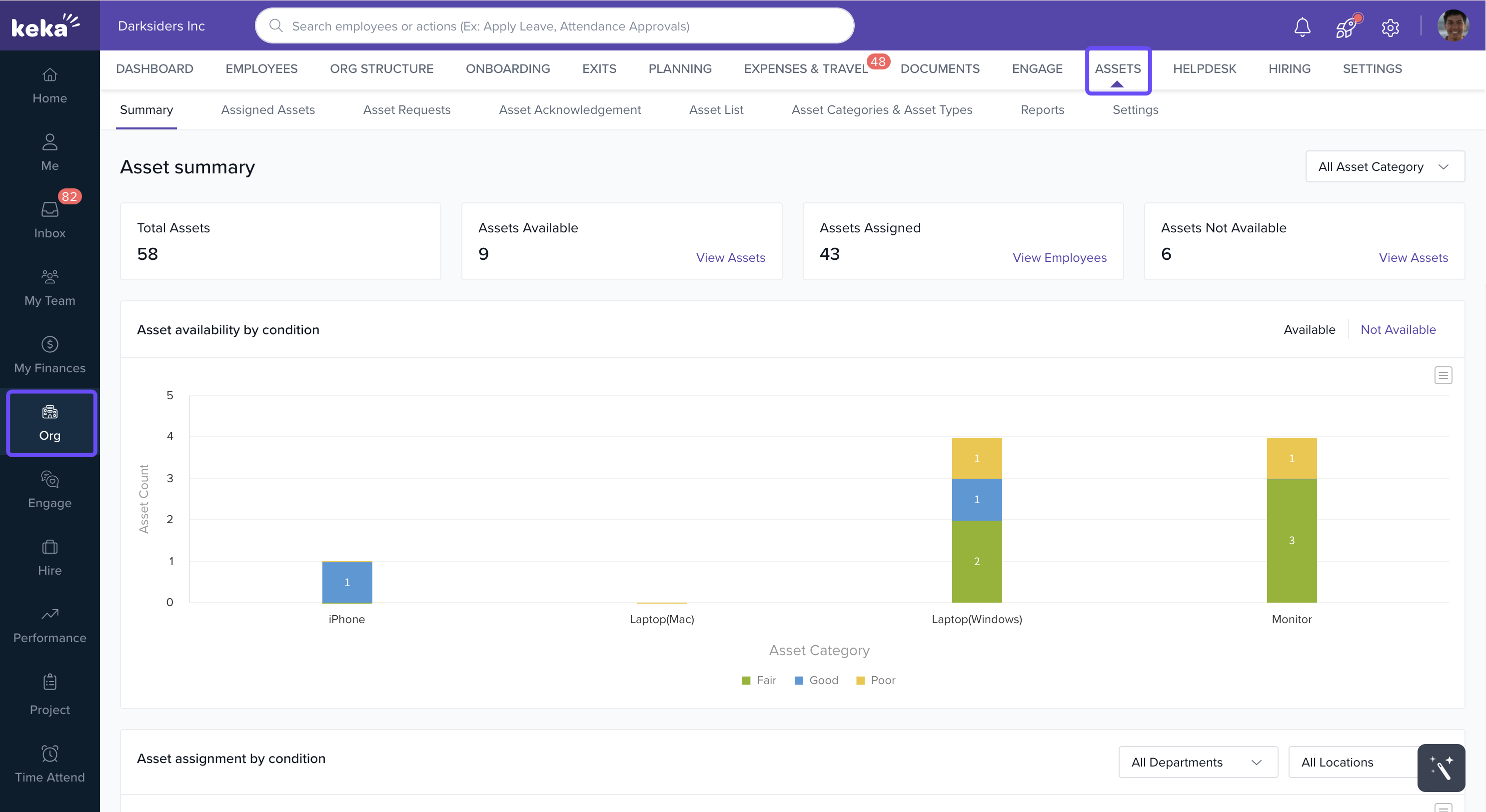
Navigate to Org > Assets from the left navigation pane.
Here, admins can view, add, assign, and manage all assets within the organization.
Employee view
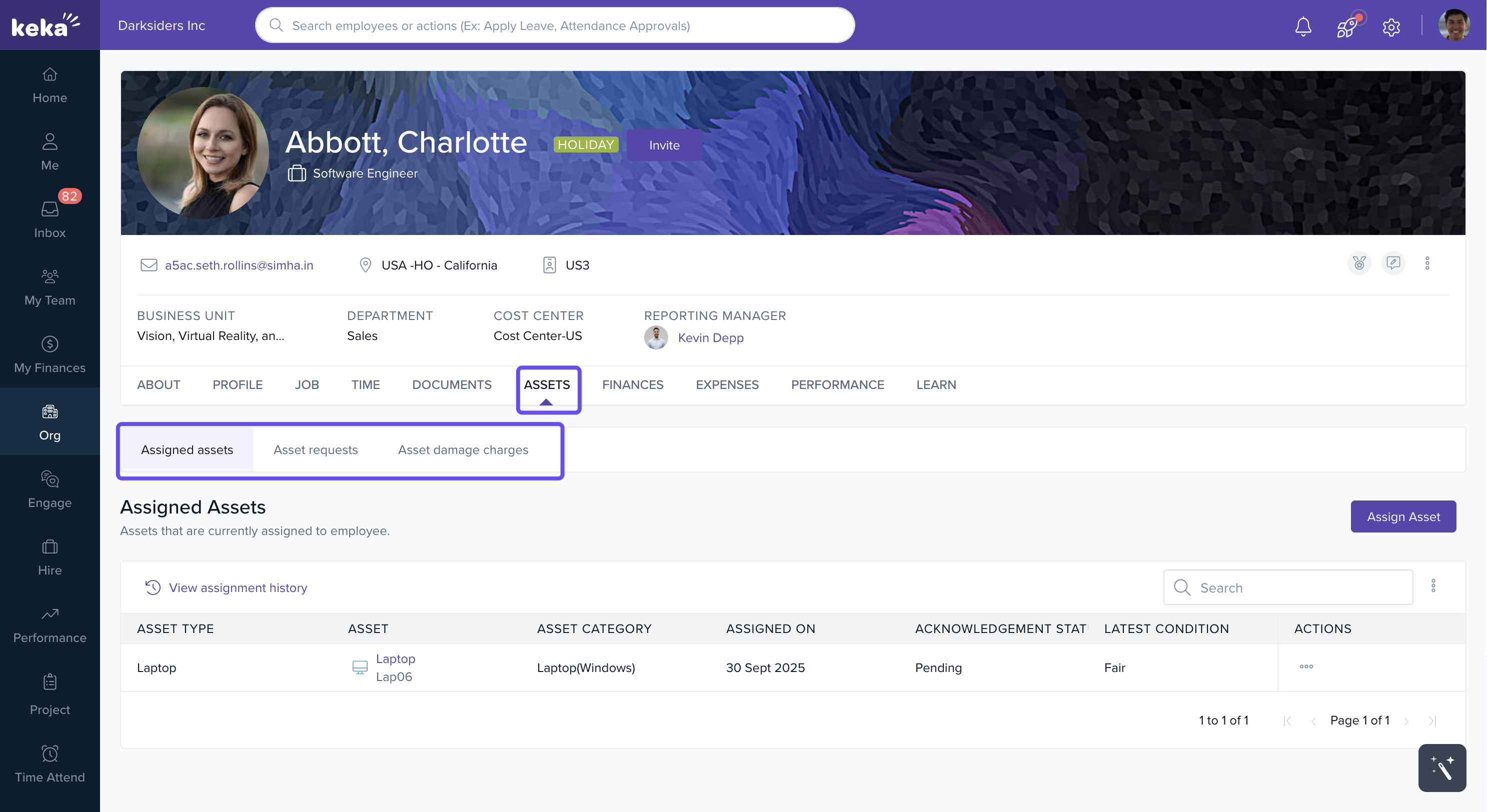
Open the Employee Profile using the search bar.
Go to the Assets tab.
Employees can view the list of assets assigned to them.
Recovering charges for asset damages
Keka allows management to impose charges on employees if an assigned asset is damaged.
For detailed instructions, see the full article: Recovering Charges for Asset Damages
Comments
0 comments
Please sign in to leave a comment.