What is an Asset ID Series?
An Asset ID is a unique identifier assigned to each asset in Keka. It ensures assets can be tracked and reported without duplication.
With Asset ID Series, you can define a structured format (prefix, numbering sequence, suffix) for asset IDs so that every new asset added follows the same numbering logic.
Example: LV-01-TP
Why is it important?
Using an Asset ID Series in Keka helps you:
Ensure every asset has a unique ID.
Avoid errors from manual ID assignment.
Streamline asset tracking for inventory control and reporting.
Maintain consistency across all assets.
Configuring Asset ID Series
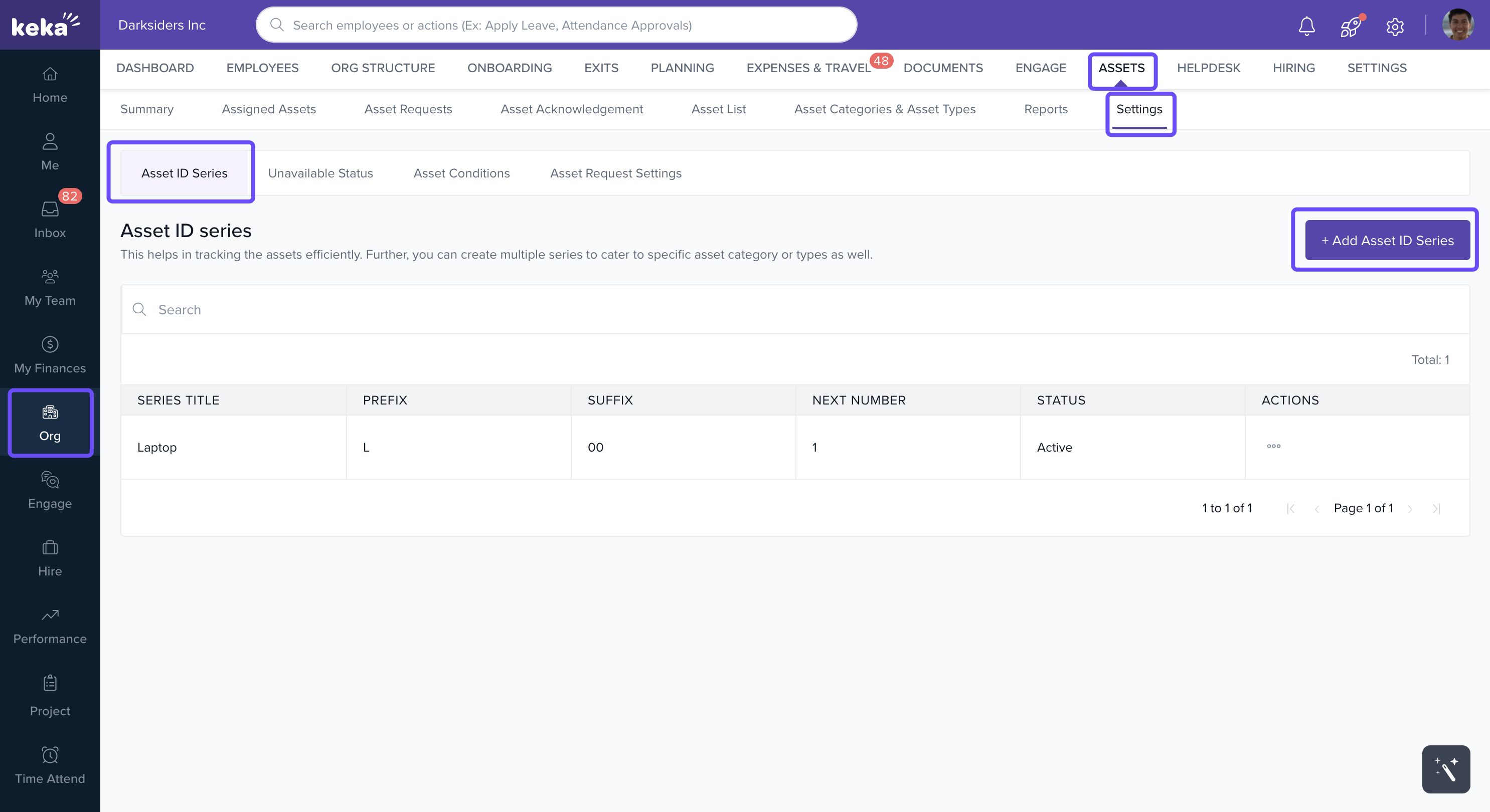
Go to Org > Assets > Settings > Asset ID Series.
-
Click + Add Asset ID Series.
-
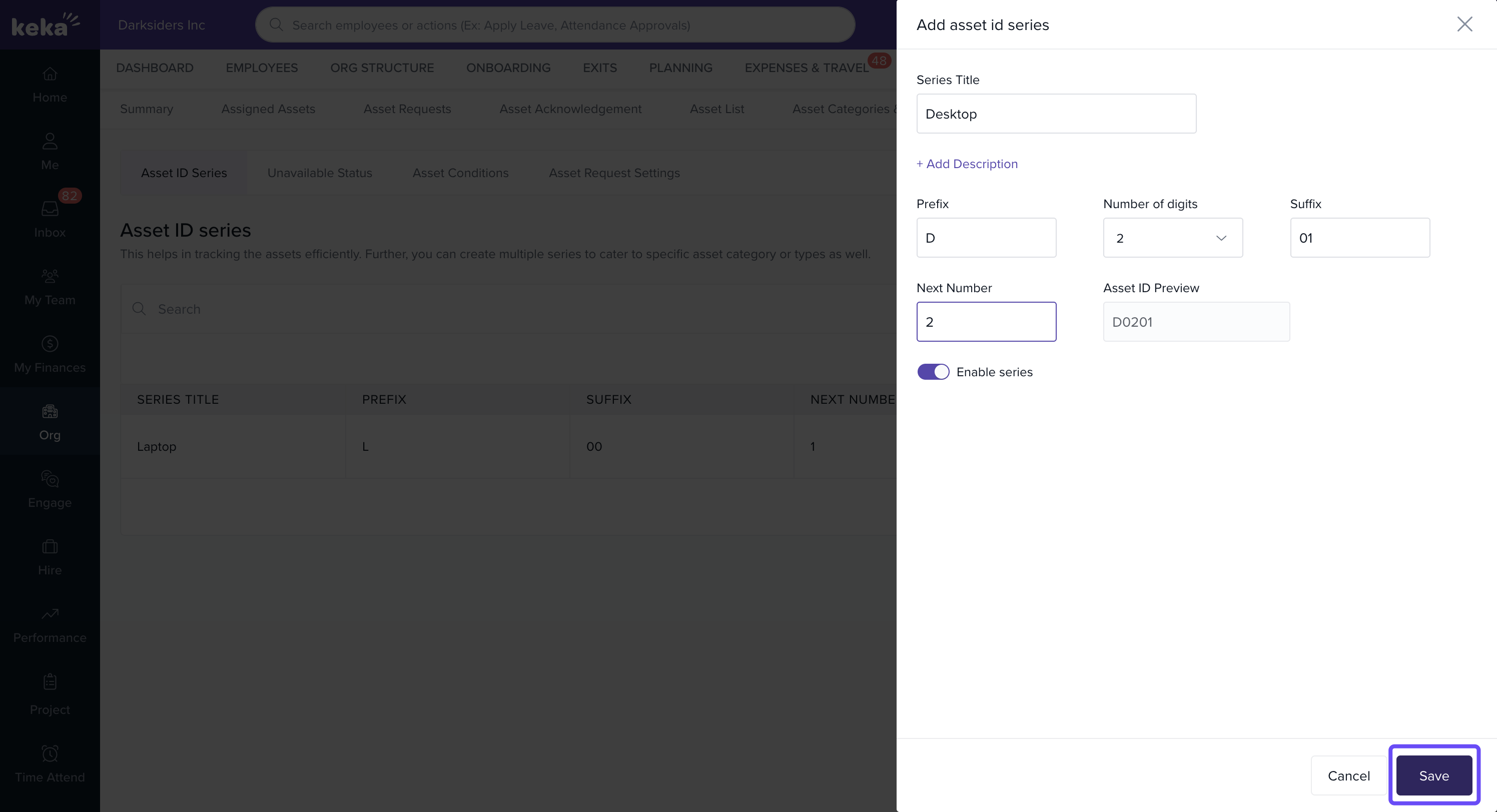
In the Add Asset ID Series window, enter:
Series Title (e.g., Laptop Series, Desktop Series)
Description (optional) for clarity.
-
Define the ID format:
Prefix – e.g.,
LAP-Number of Digits – choose the digit length (e.g.,
4→ 0001).Suffix – optional text at the end (e.g.,
-TP).
-
Set the Next Number:
Defines the starting point of the series.
Example: Enter 1001 → First asset will be
LAP-1001, followed byLAP-1002.
-
Use the Enable Series toggle:
Active → Available when adding assets.
Inactive → Hidden from the Asset ID Series dropdown.
-
Click Save to create the series.
Once saved, you can edit the Asset ID Series from the Asset ID Series page.
Comments
0 comments
Please sign in to leave a comment.