What is Asset Acknowledgement?
Asset acknowledgement is the process where employees confirm they have received an assigned asset and understand their responsibility for it. In Keka, this ensures accountability while giving employees an option to provide comments or raise concerns about the asset.
Why Request Acknowledgement From Employees In Keka?
Requesting asset acknowledgement provides several benefits:
Confirms that employees are aware of their responsibility for the assigned asset.
Allows employees to add comments or raise questions about the asset.
Helps administrators track pending acknowledgements and ensure nothing is missed.
How To Request Asset Acknowledgement
For Admins
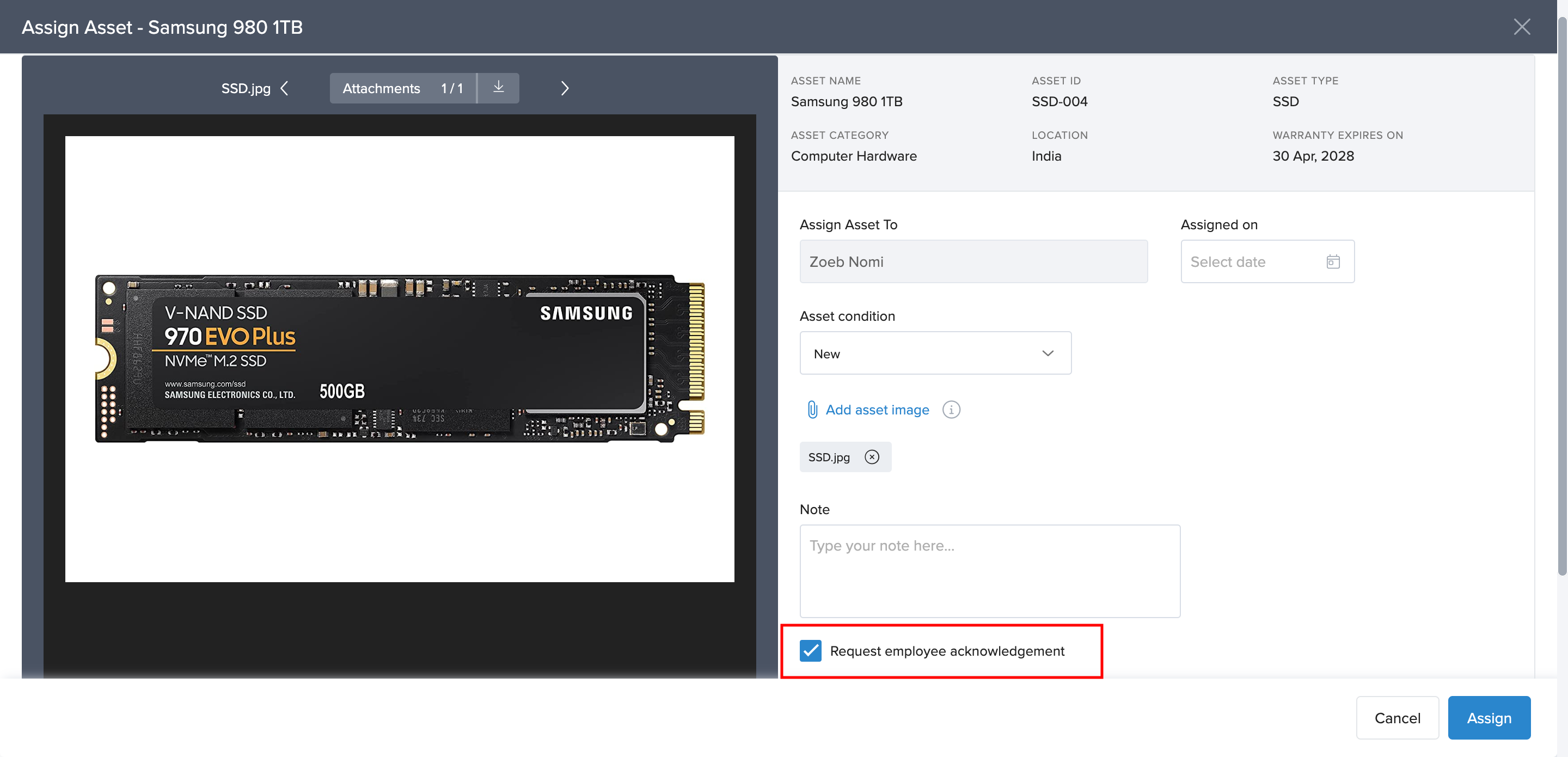
When assigning an asset in Keka, the Request Acknowledgement option is checked by default.
Simply follow the steps in the Assigning Assets guide and ensure this option remains selected.
For Employees
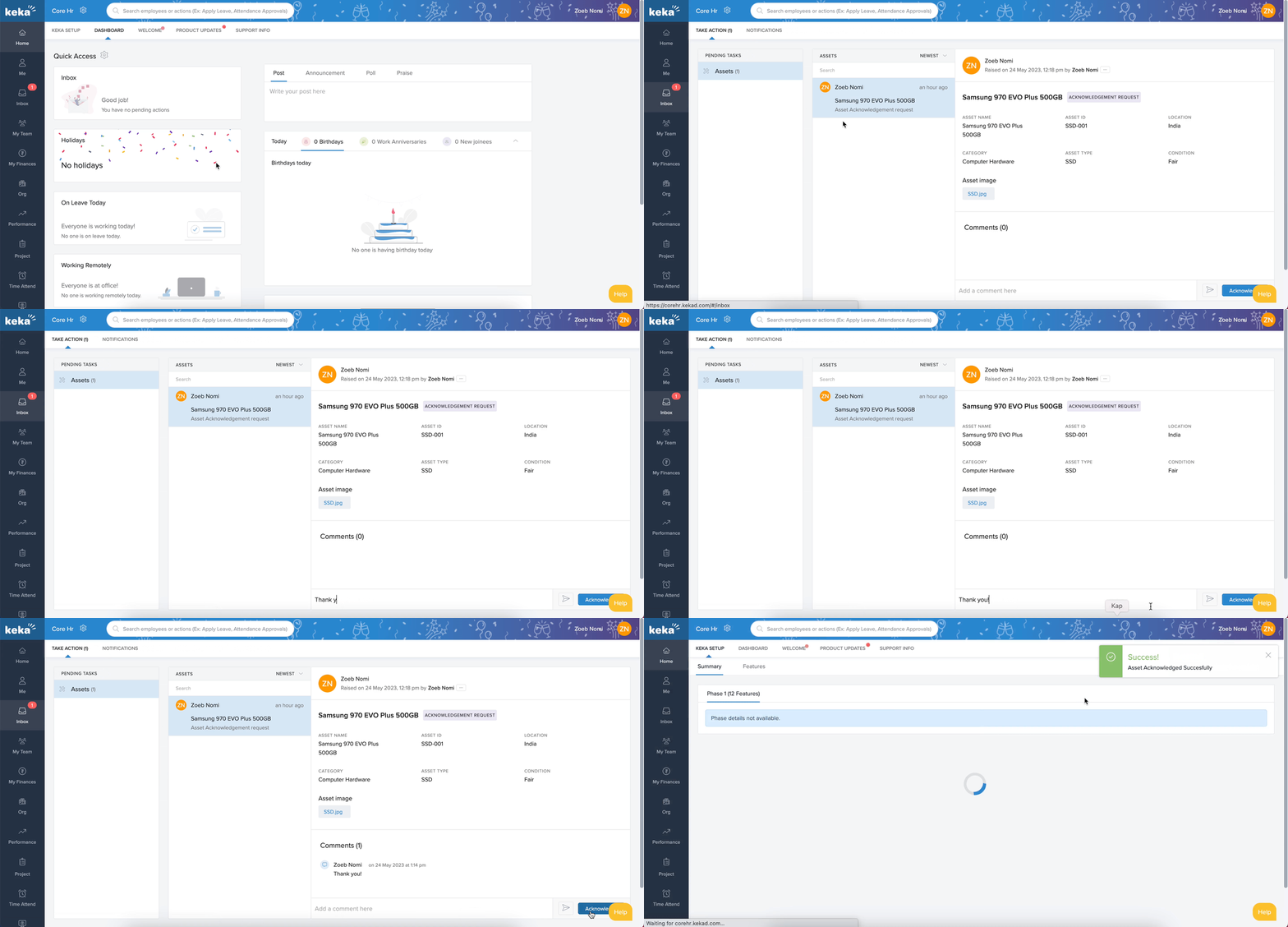
When an asset is assigned, the employee will see a task in their inbox under the Take Action tab.
-
The task includes details such as:
Asset name
Asset ID
Location
Category
Asset type
Condition
Asset image
-
The employee can:
Acknowledge the asset by clicking Acknowledge.
Add optional comments or questions. (Note: Comments cannot be added after acknowledgement.)
Once acknowledged, the task moves to the Archived tab in the employee’s inbox.
Managing Pending Acknowledgements
For Admins
Admins can view and manage pending acknowledgements:
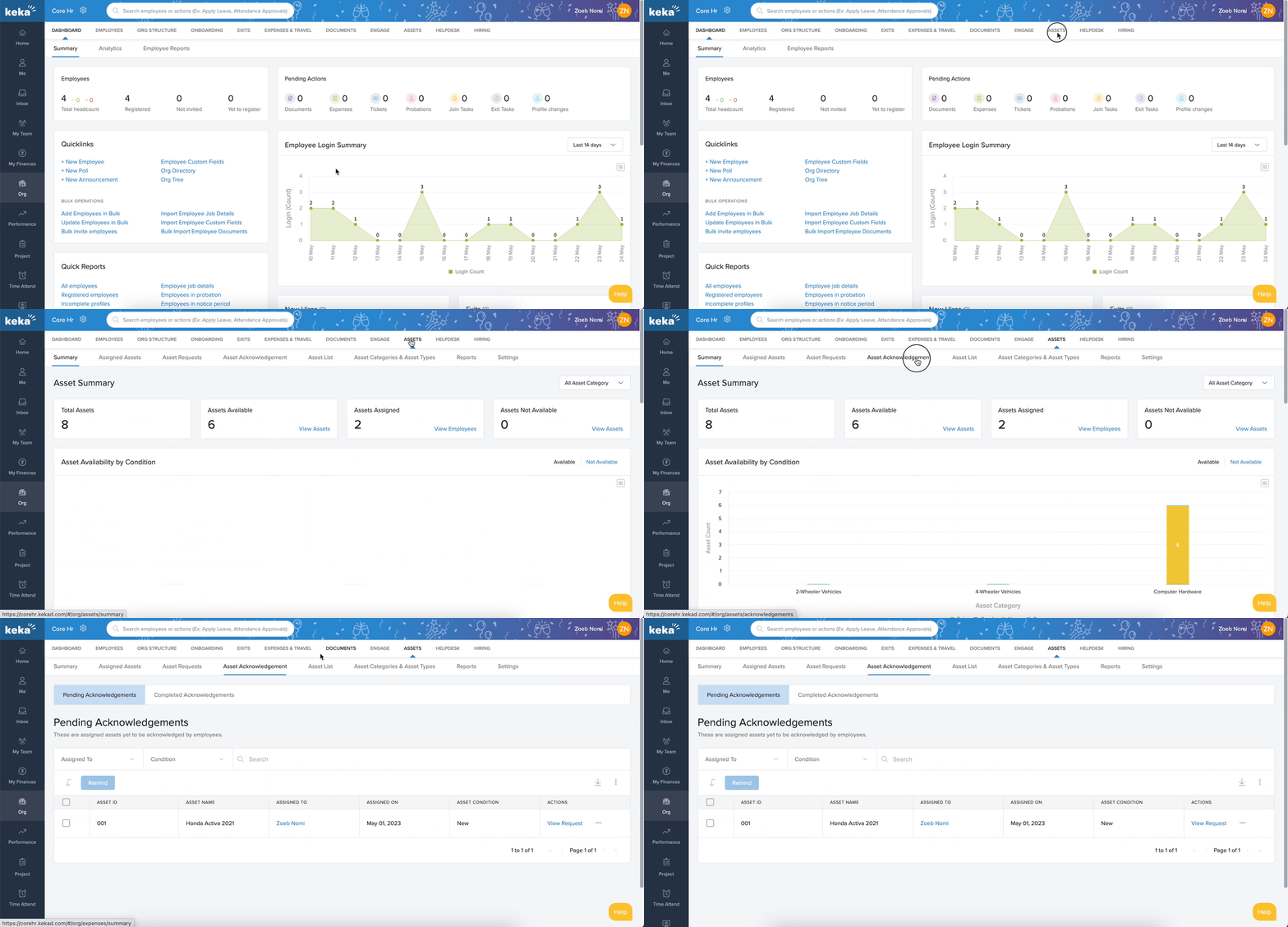
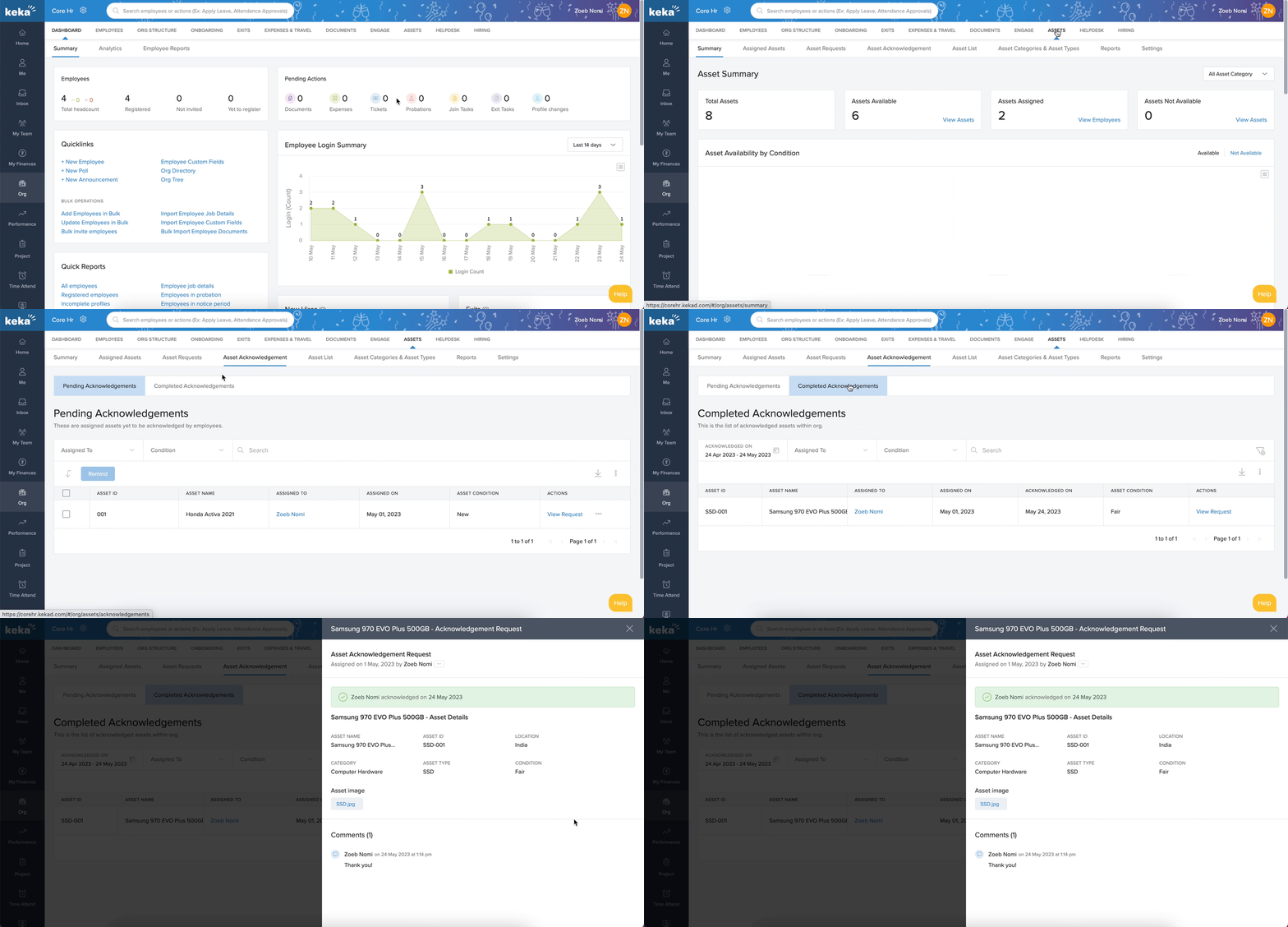
Go to Org > Assets > Asset Acknowledgement > Pending Acknowledgements.
-
The table view shows:
Asset ID
Asset Name
Assigned To
Assigned On
Asset Condition
-
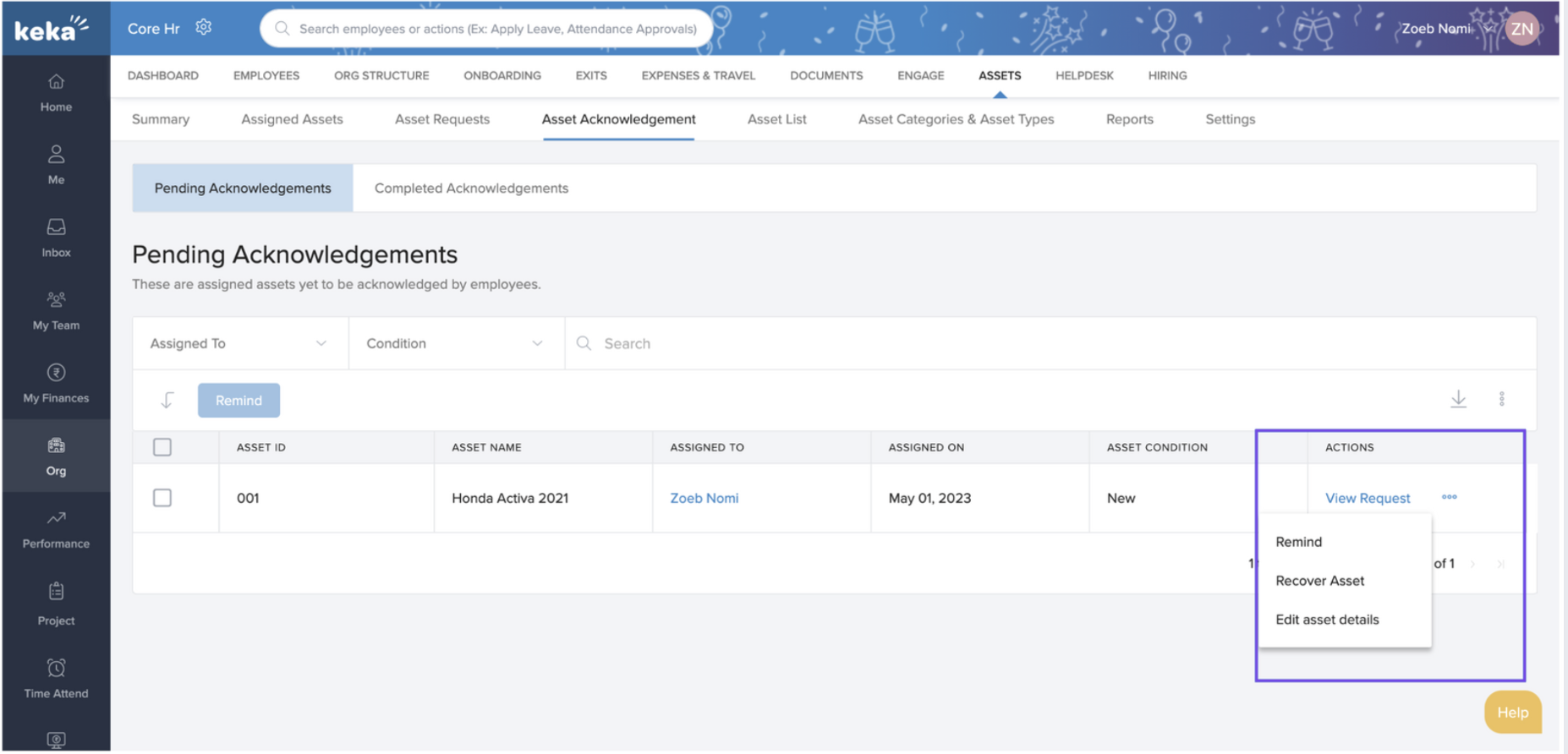
Under Actions, admins can:
View Request – Review employee comments.
Remind – Send a reminder email to the employee.
Recover Asset – Initiate recovery if needed.
Edit Asset Details – Update asset information.
For Employees
Employees cannot manage pending acknowledgements. They only need to complete the acknowledgement task and, if necessary, add comments.
How To Track Completed Acknowledgements
Go to Org > Assets > Asset Acknowledgement > Completed Acknowledgements.
Here, admins can view all completed acknowledgement requests for tracking and audit purposes.
By using the Asset Acknowledgement feature in Keka, organizations can strengthen accountability, track pending confirmations, and maintain accurate records of asset ownership.
Comments
0 comments
Please sign in to leave a comment.