What is Asset Assignment?
Asset assignment is the process of allocating company-owned assets to employees. It helps track ownership, responsibility, and usage of assets, ensuring smooth management across their lifecycle—including maintenance, repair, and recovery.
Why Assign Assets in Keka?
Assigning assets in Keka offers several benefits for organizations, including:
- Clear ownership and accountability of assets
- Improved asset tracking, condition monitoring, and maintenance
- Enhanced visibility of asset utilization
- Efficient allocation of resources
How to Assign Assets
Keka offers two ways to assign assets to employees:
From the Asset List
From the Employee Profile
From the Asset List
-
Go to Org > Assets > Asset List.
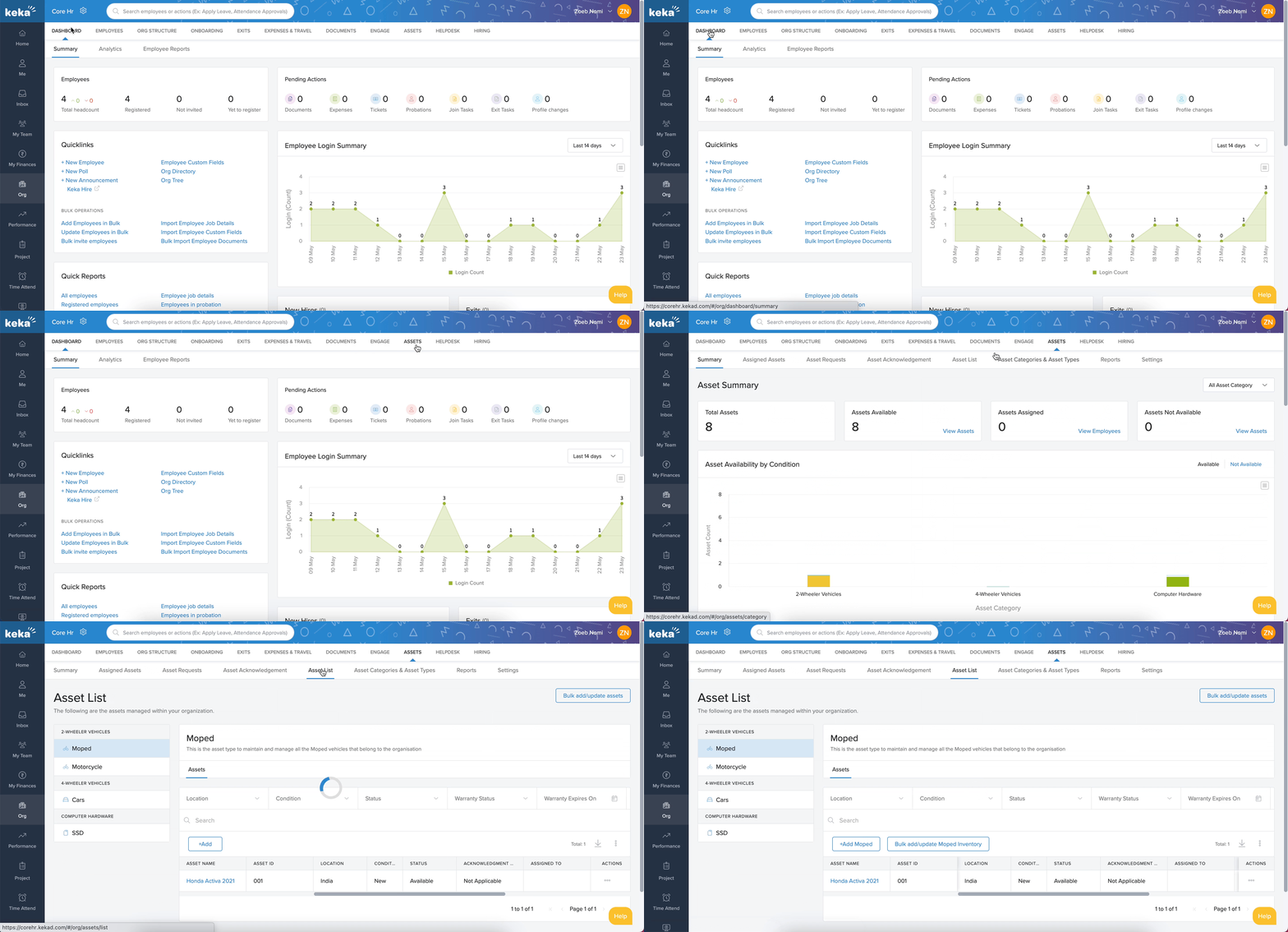
Select the Asset Category and Asset Type from the left panel.
-
Review details of assets under that type, including:
Asset Name
Asset ID
Location
Condition
Status
Acknowledgement Status
Assigned To
Warranty Expiry Status
Warranty Expiry Date
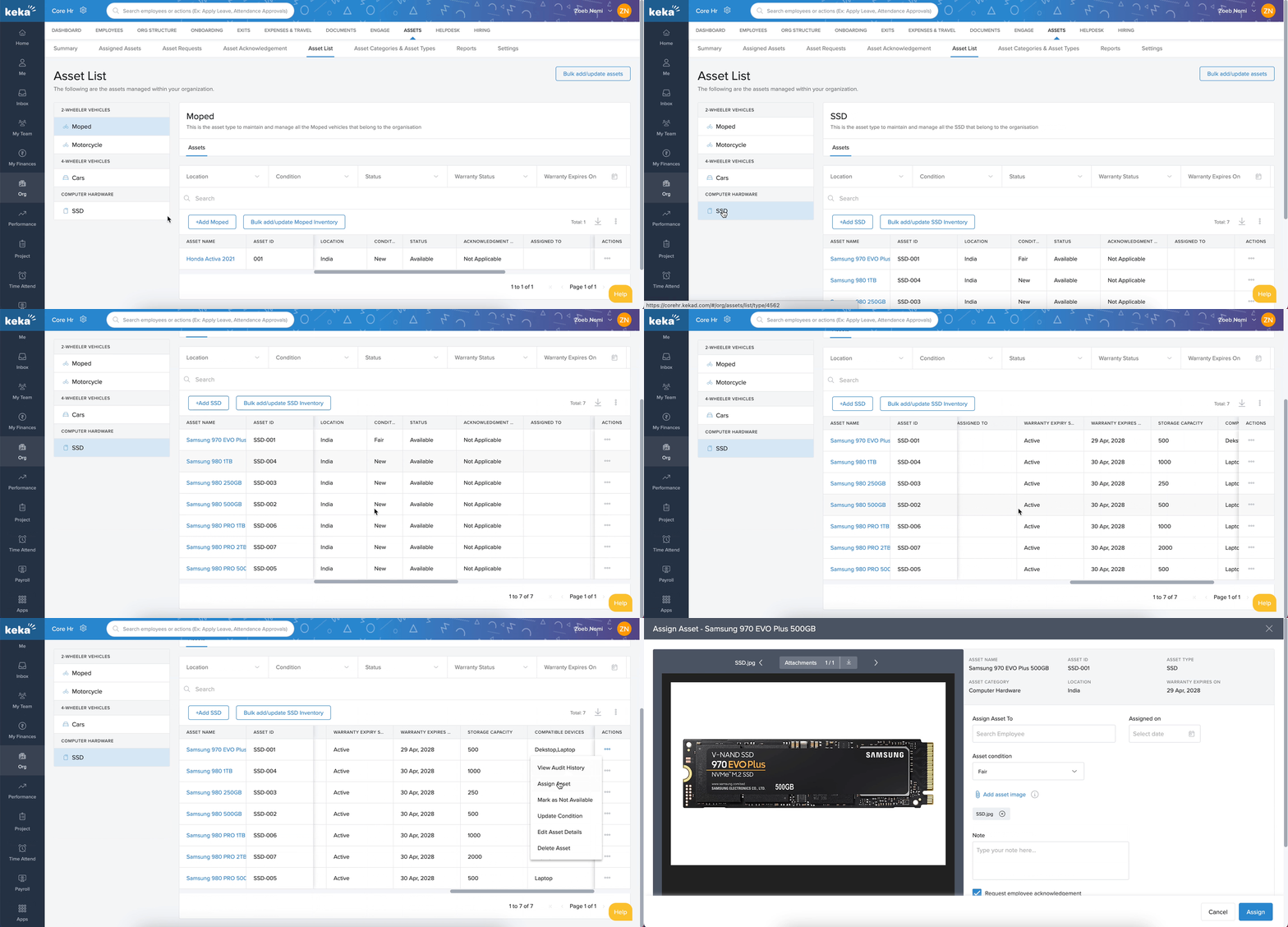
Locate the asset to assign and click the three dots (...) under the Actions column.
Select Assign Asset.
-
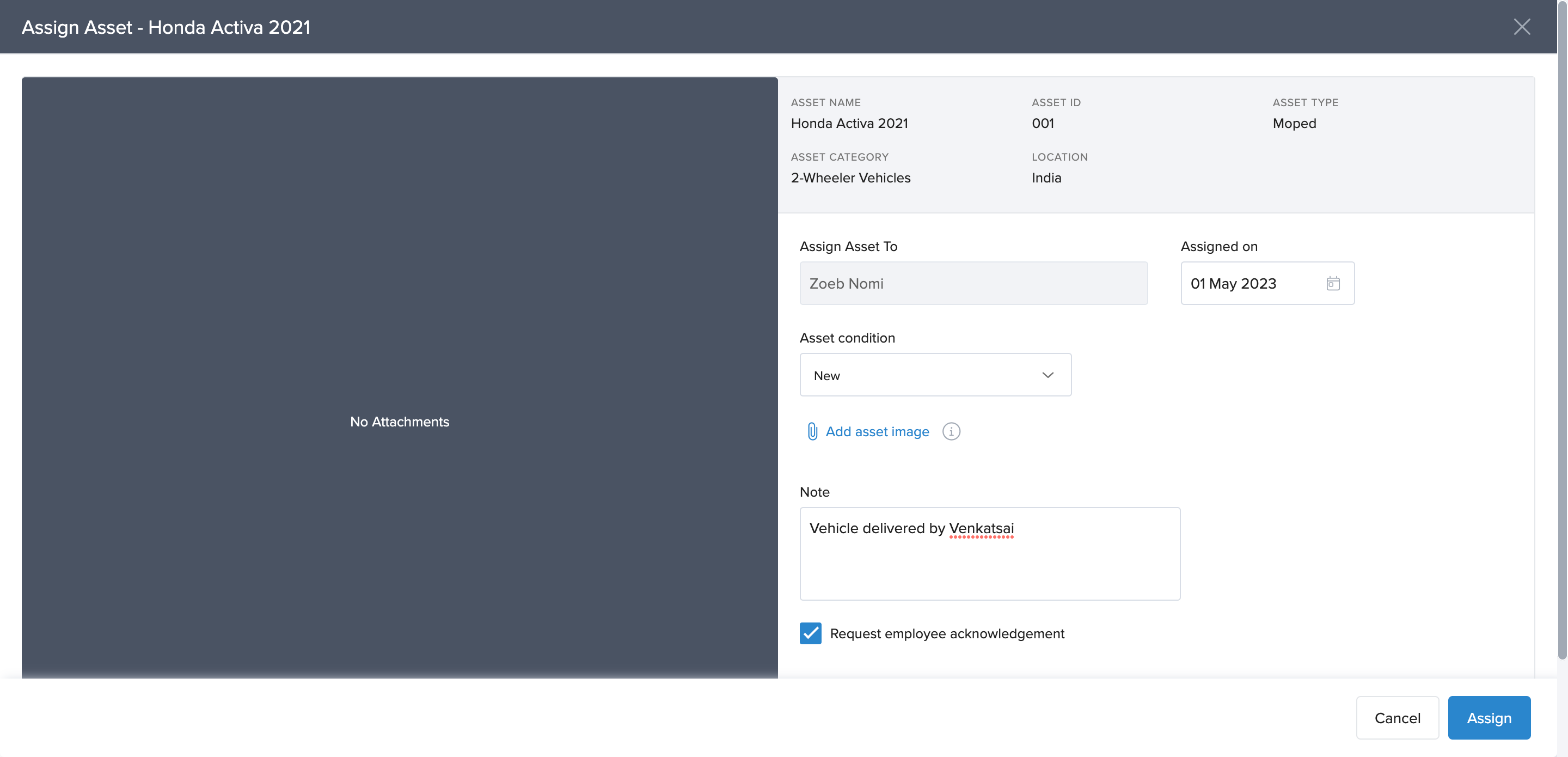
In the pop-up window:
Choose the employee from the Assign Asset To dropdown.
Set the Assignment Date.
Update the Asset Condition, if required.
Choose whether to Request Acknowledgement from the employee.
-
Click Assign.
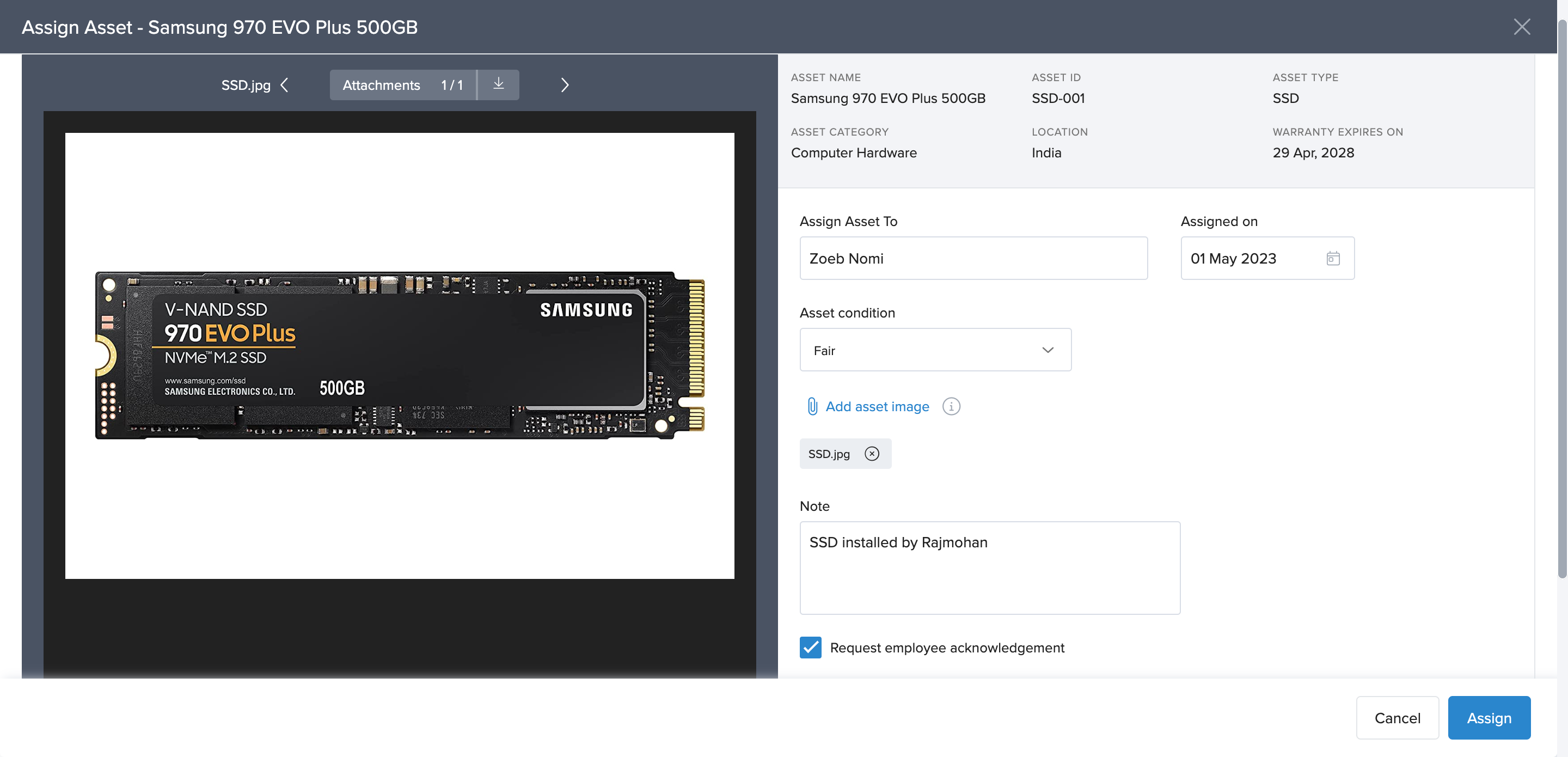
The asset will now be assigned to the selected employee.
From the Employee Profile
Search for the employee using the search bar or employee directory.
Open the Employee Profile.
Navigate to the Assets tab.
-
Under Assigned Assets, click Assign Assets.
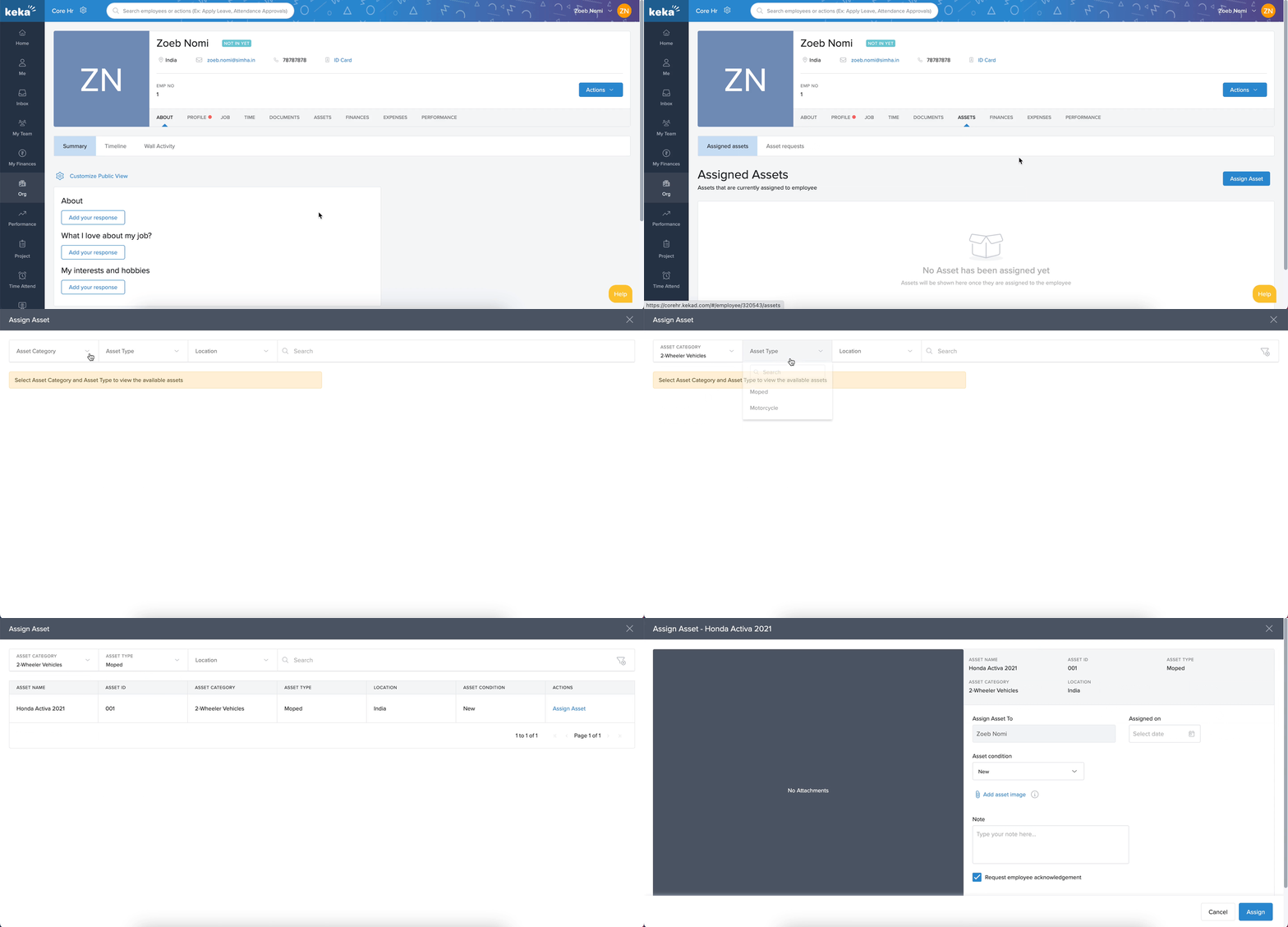
Select the Asset Category and Asset Type.
-
Review details of the available asset, such as:
Asset Name
Asset ID
Asset Category
Asset Type
Location
Asset Condition
Enter the Assignment Date.
Update the Asset Condition, if necessary.
Request Acknowledgement from the employee (optional).
The Assign Asset To field will be pre-filled with the employee’s name.
10. Click Assign to finalize.
Assigned assets
You can find the assigned assets under Assigned assets tab. From here you can also View audit history, recover asset, Mark as not available, Update asset condition and Edit asset details.
Asset Assignment Best Practices
To ensure effective asset management in Keka:
Assign assets to the right employees who need them for work.
Ensure employees are aware of their accountability for the assigned assets.
Use the Acknowledgement option to confirm employee acceptance of responsibility.
By following these steps and best practices, you can easily assign assets in Keka while ensuring accurate tracking, accountability, and lifecycle management.
Comments
0 comments
Please sign in to leave a comment.