Pre-requisites before you can add an asset
To add an asset, you need to set up the following
To start, go to Org > Assets > Asset List in the Keka portal.
Adding a single asset
1. Select the Category and Asset Type under which you want to add the asset.
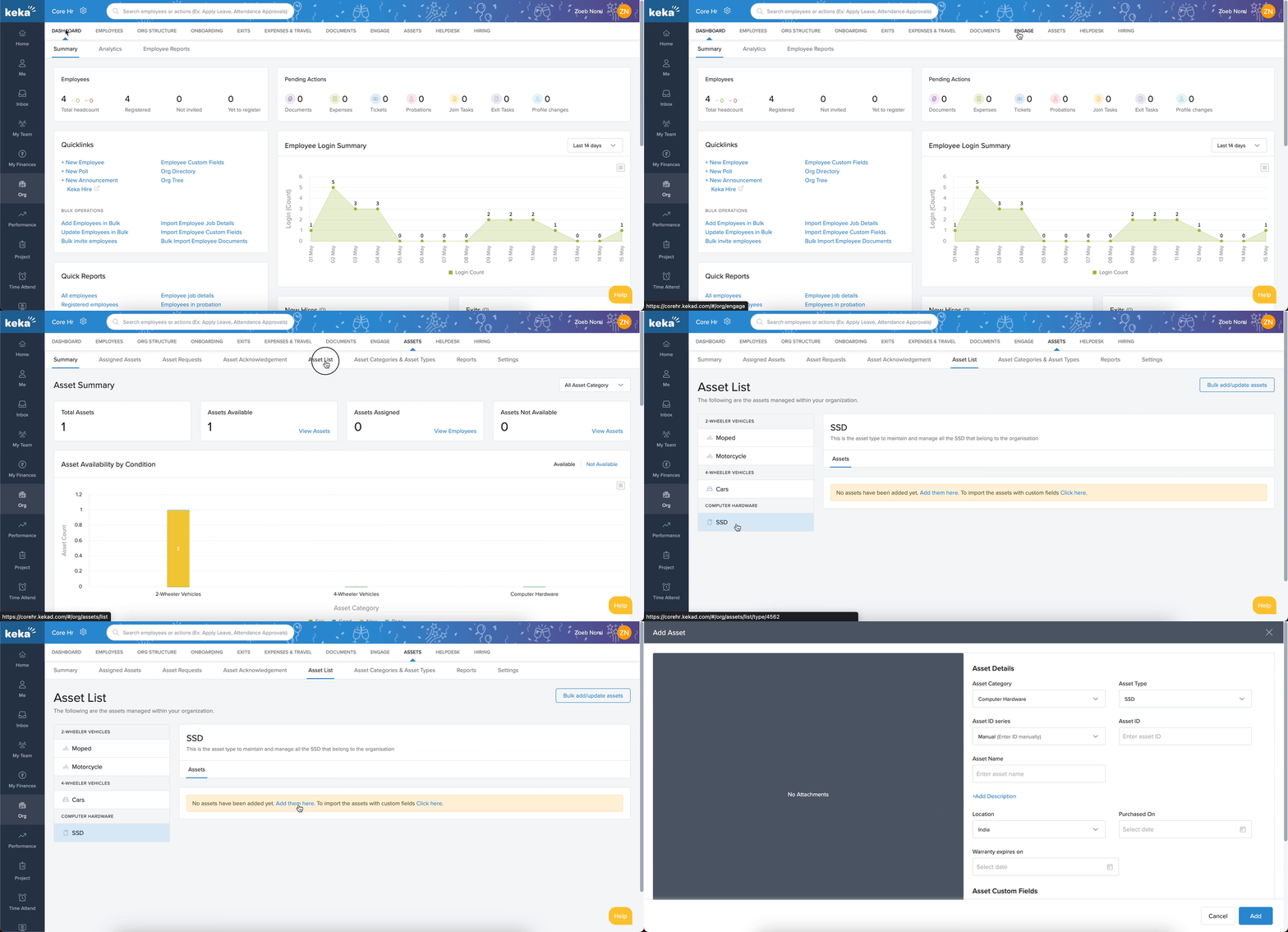
2. Click + Add asset type. The Asset Category and Asset Type fields will be pre-filled.
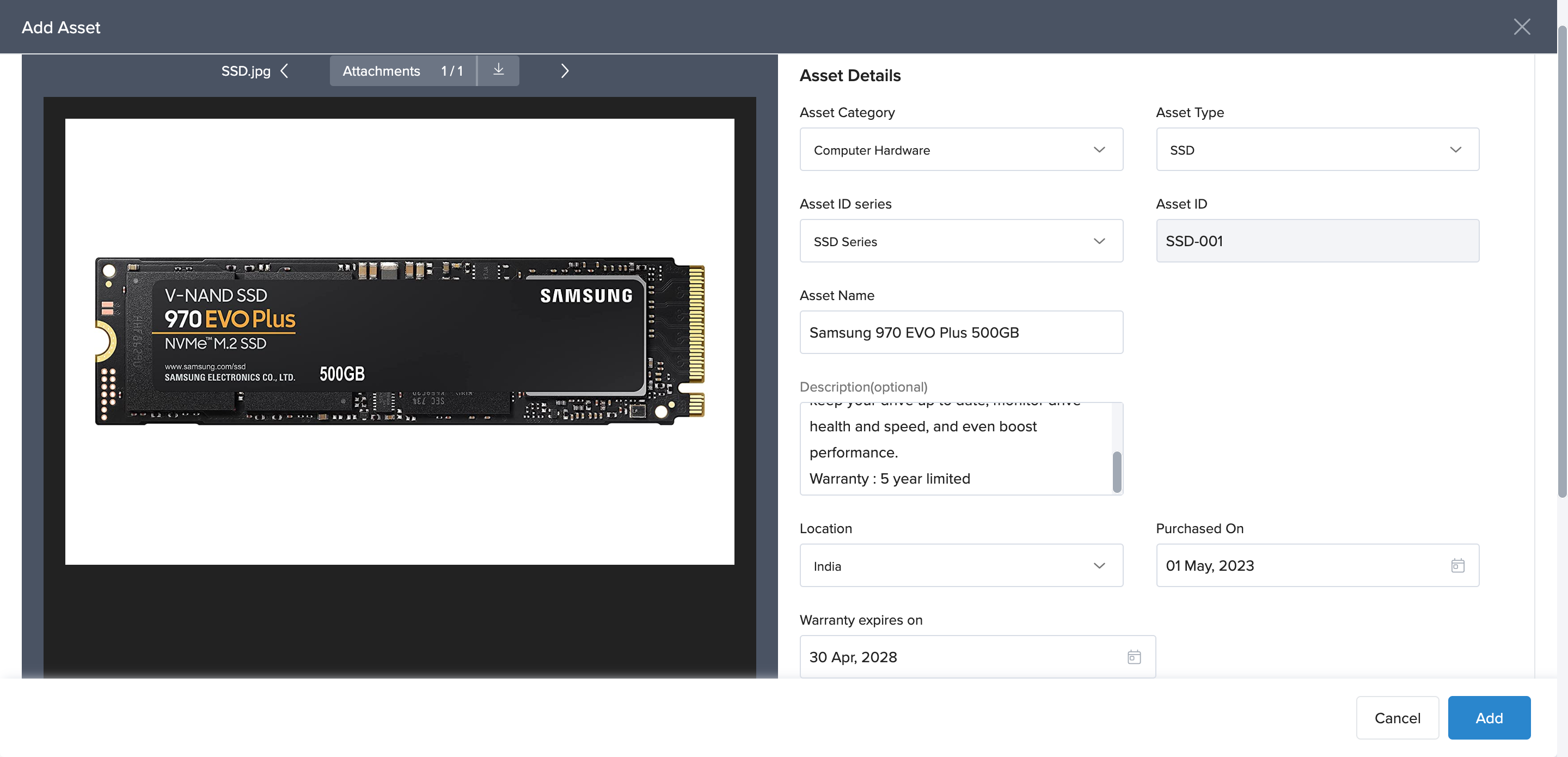
3. Choose the Asset ID series from the dropdown.
The Asset ID will be auto-generated based on your configured logic.
If you prefer, select Manual and enter your own Asset ID.
4. Enter the Asset Name and an optional Description.
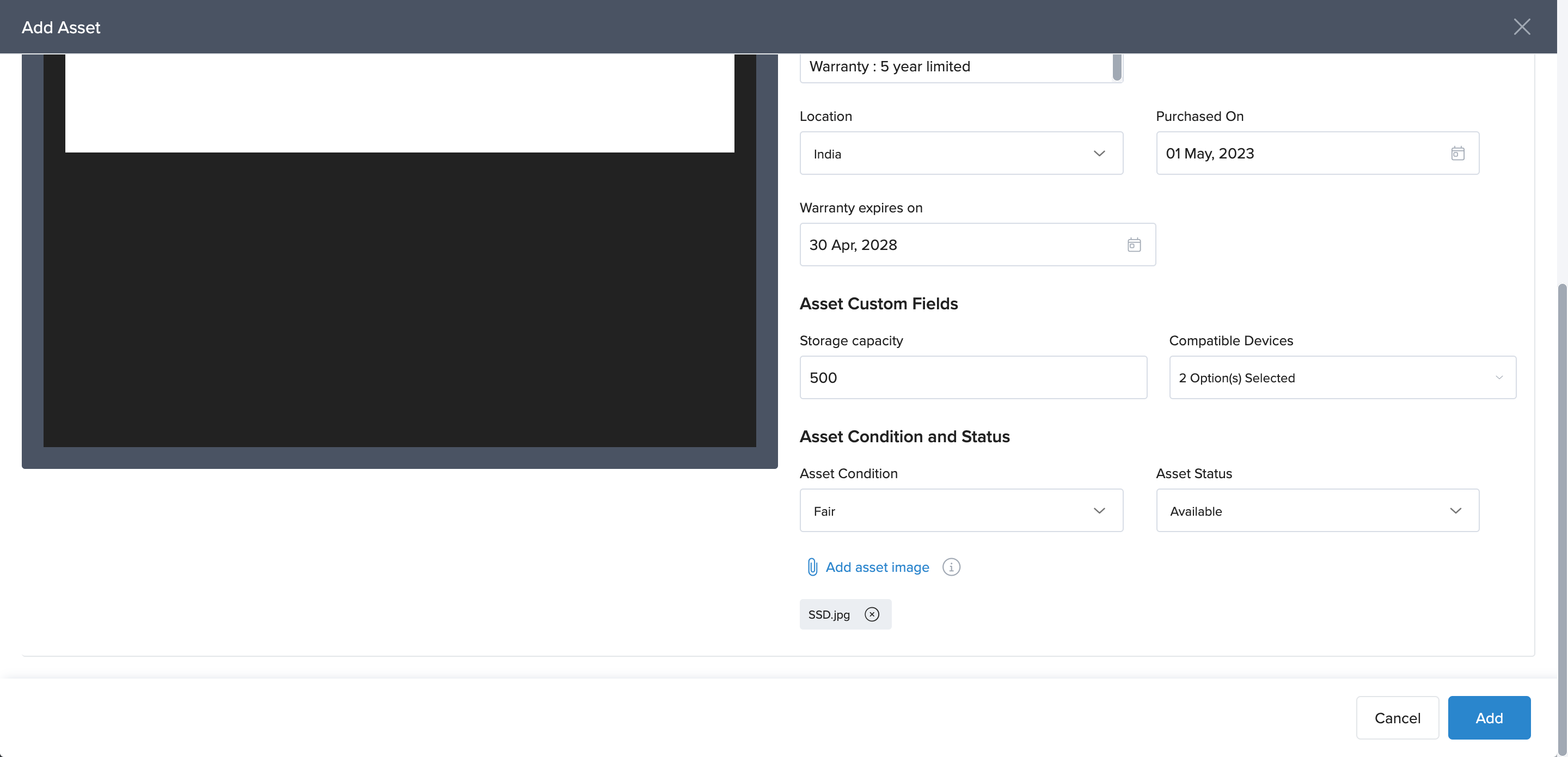
5. Provide additional details like Location, Date of Purchase, Warranty Expiry Date, Asset Custom Fields, Asset Condition, Asset Status, and Asset Image.
6. Click Add to save the asset.
Bulk adding assets
You can add multiple assets at once using two methods:
From the Asset List page in the Org section
From the Data Imports section in Global Settings
Important:
You cannot upload asset images in bulk.
Asset IDs must be entered manually; Asset ID Series cannot be used for auto-sequencing in bulk uploads.
Adding assets in bulk via the Asset List Page
1. Go to Org > Assets > Asset List.
2. Select the Category and Asset Type.
3. Click Bulk add/update asset inventory
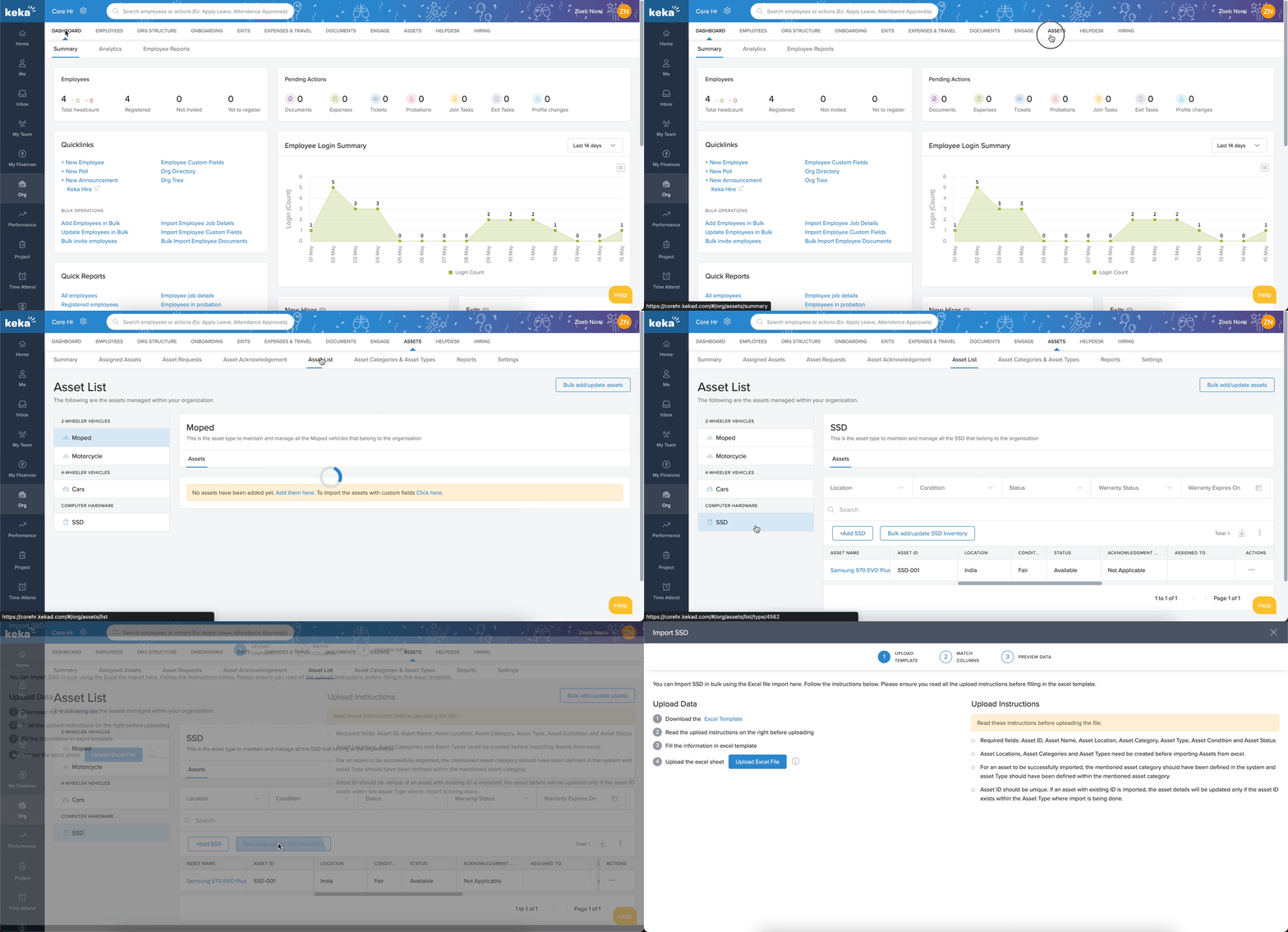
On clicking on Bulk add/update asset inventory you can view the directions to bulk add assets.
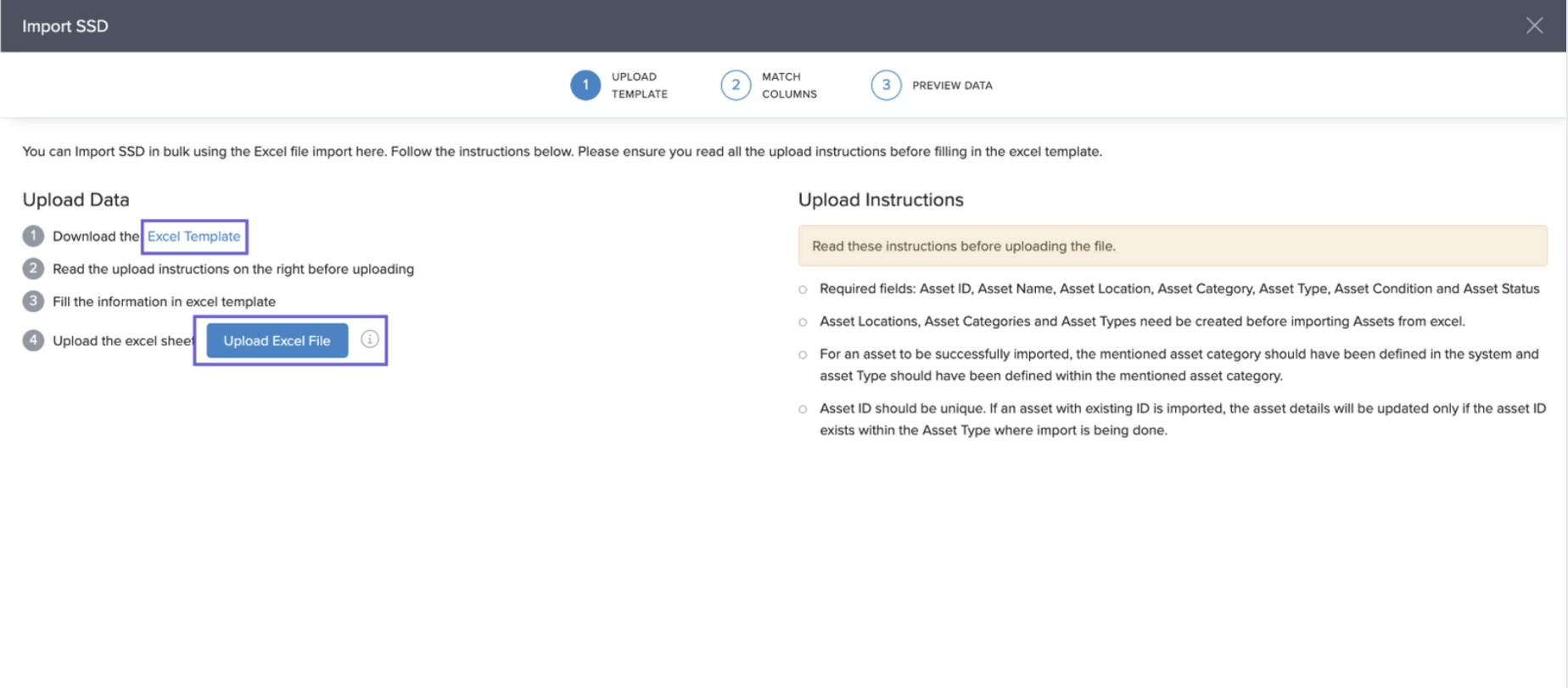
4. Download the Excel Template.
5. Enter the details of each asset in the Excel file.
6. Upload the completed file using the Upload Excel File option.

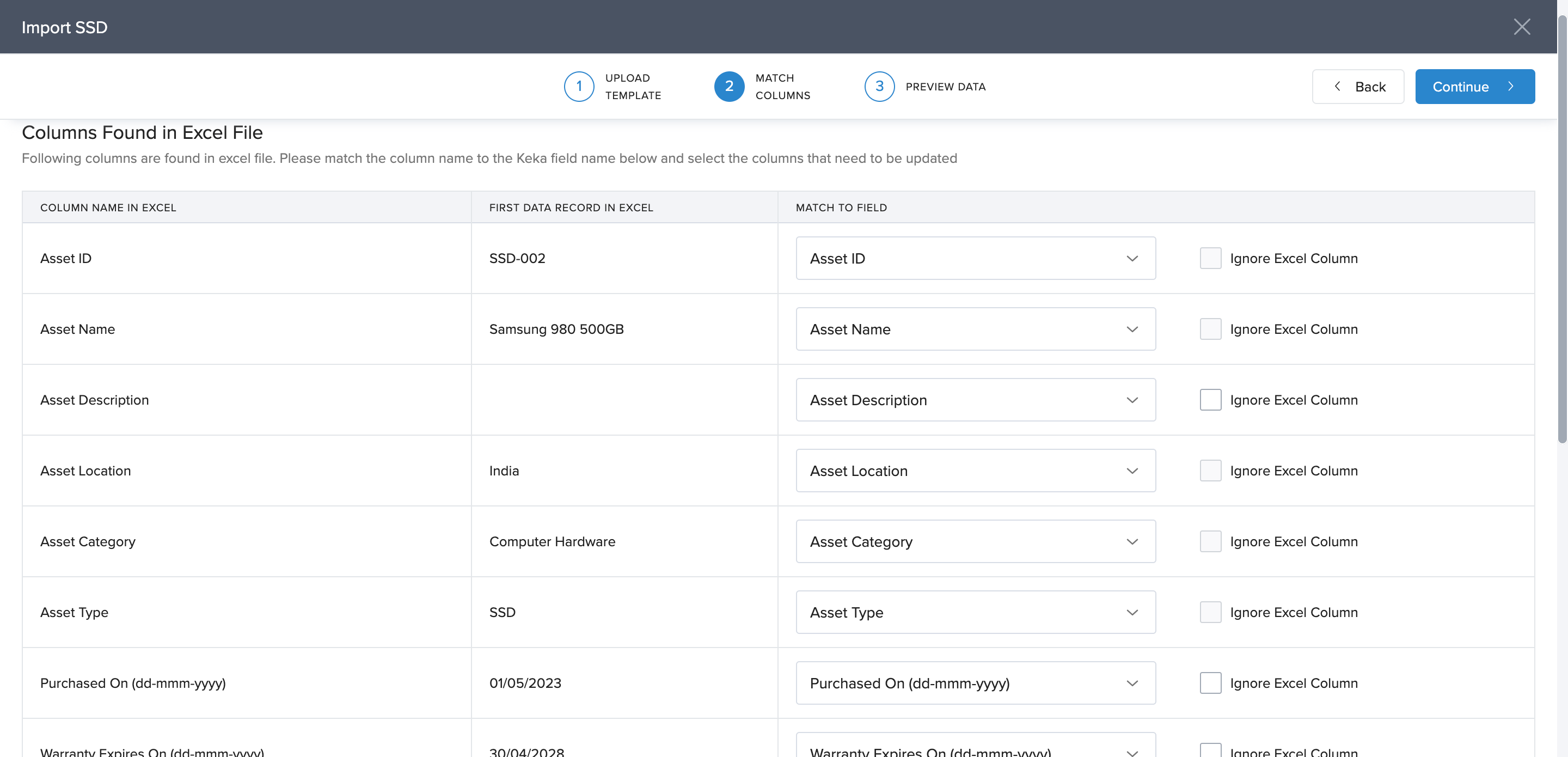
7. Keka will auto-map columns to field names. You can also manually map them.
8. Click Continue. Keka will check for errors:
-
If errors exist, fix them in the Excel file and re-upload.
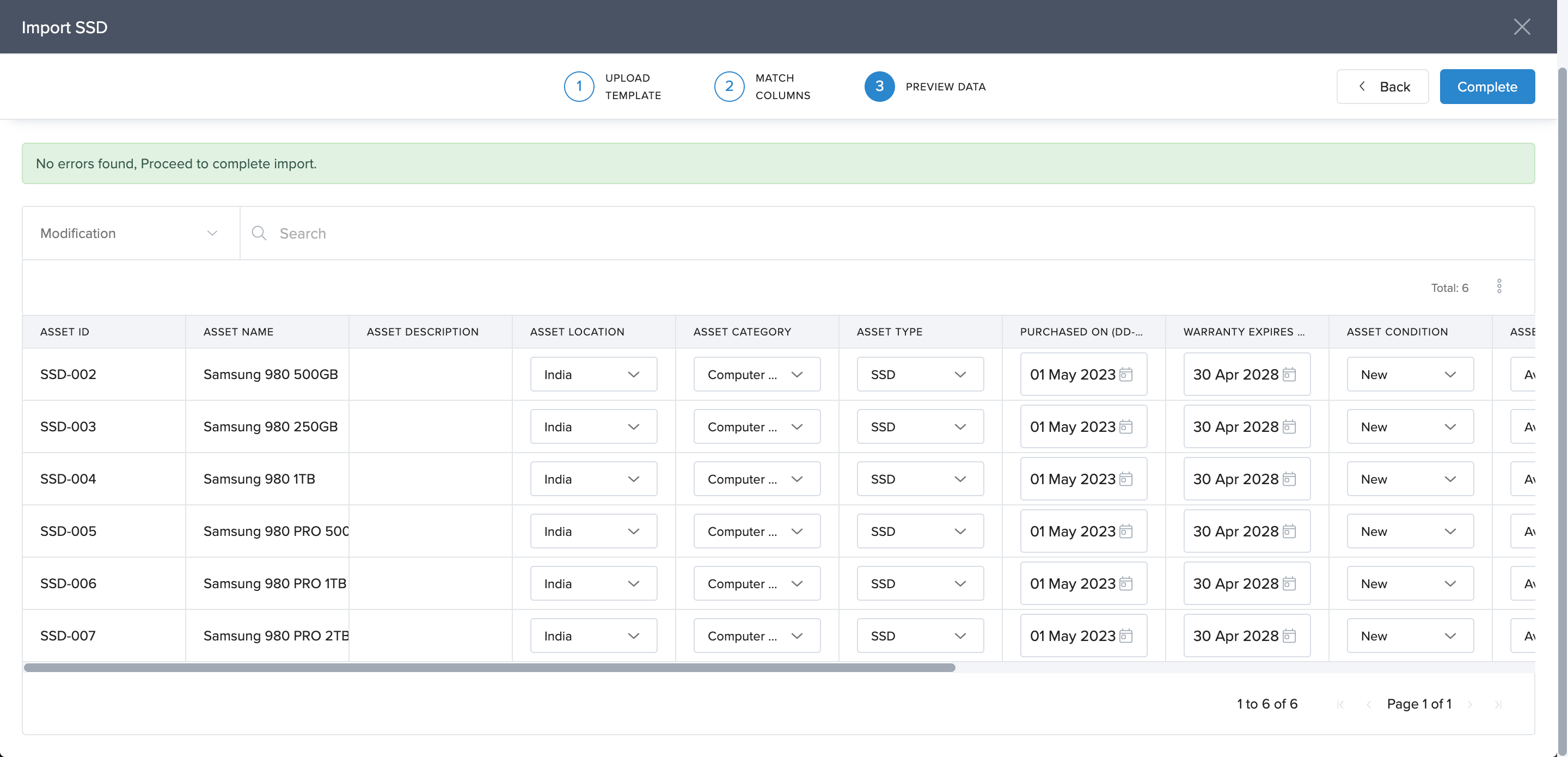
If no errors, click Continue again to add the assets successfully.
On clicking Continue the assets in the Excel file will be added to Keka.
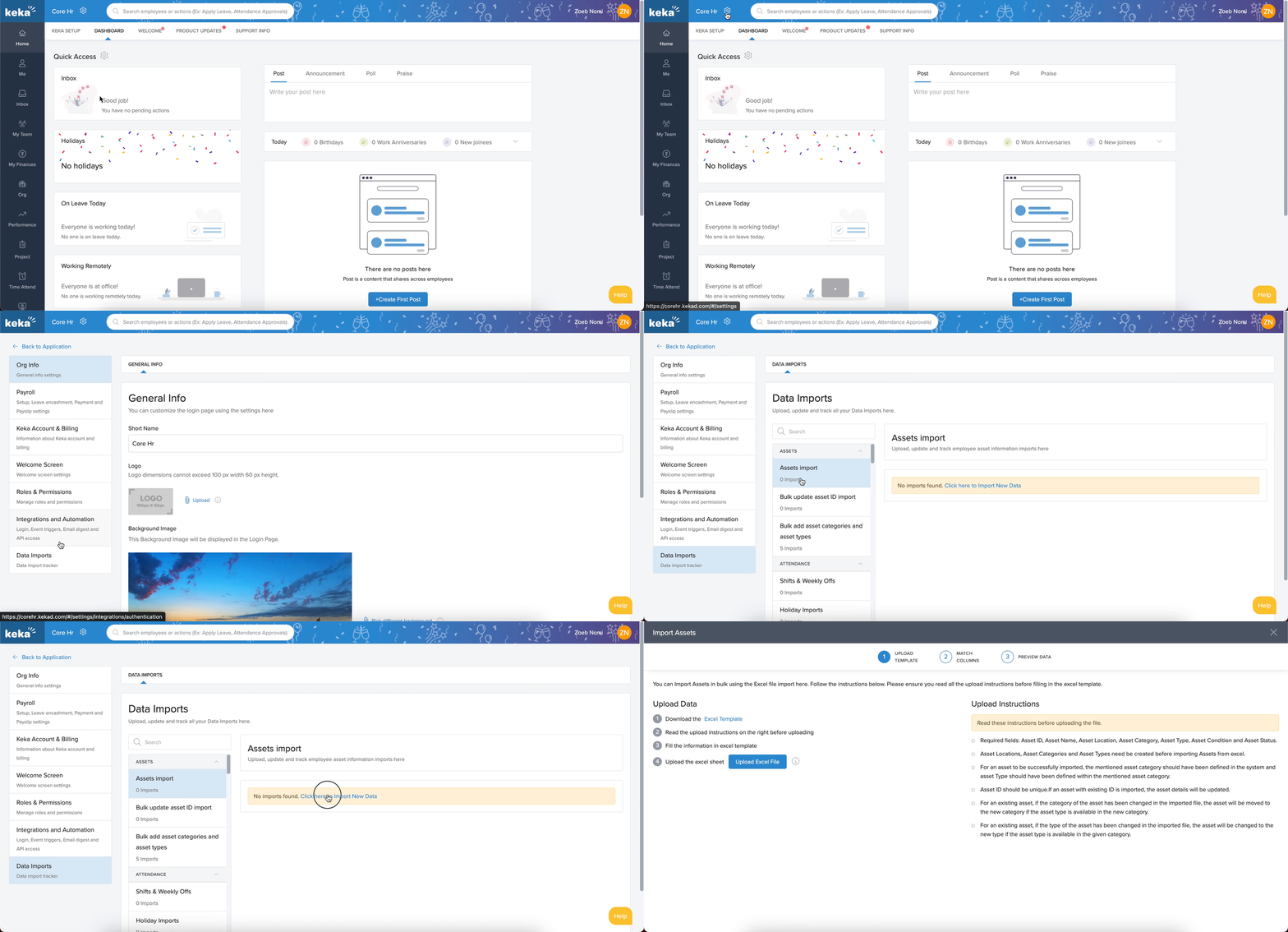
Adding assets in bulk via data imports
- Go to Settings > Data Imports > Assets Import.
- Download the Excel Template from the Import Assets page.
- Fill in the asset details in the file.
- Upload the completed file to bulk add assets.
Comments
0 comments
Please sign in to leave a comment.