What Are Asset Conditions?
Asset conditions represent the current state of an asset—whether it’s fully functional, needs minor repairs, or is unfit for use. In Keka, you can define and manage asset conditions to keep track of asset health and monitor changes over time. This also helps plan for timely upgrades or replacements.
Why Use Asset Conditions?
Tracking asset conditions in Keka helps organizations:
Monitor asset health at any point in time.
Plan maintenance and repairs based on condition.
Prioritize asset upgrades or replacements, saving time and money.
Ensure accountability by linking asset condition to lifecycle stages such as assignment, recovery, and audits.
How to Manage Asset Conditions in Keka
Navigate to Org > Assets > Settings > Asset Conditions.
-
Click + Add Condition.
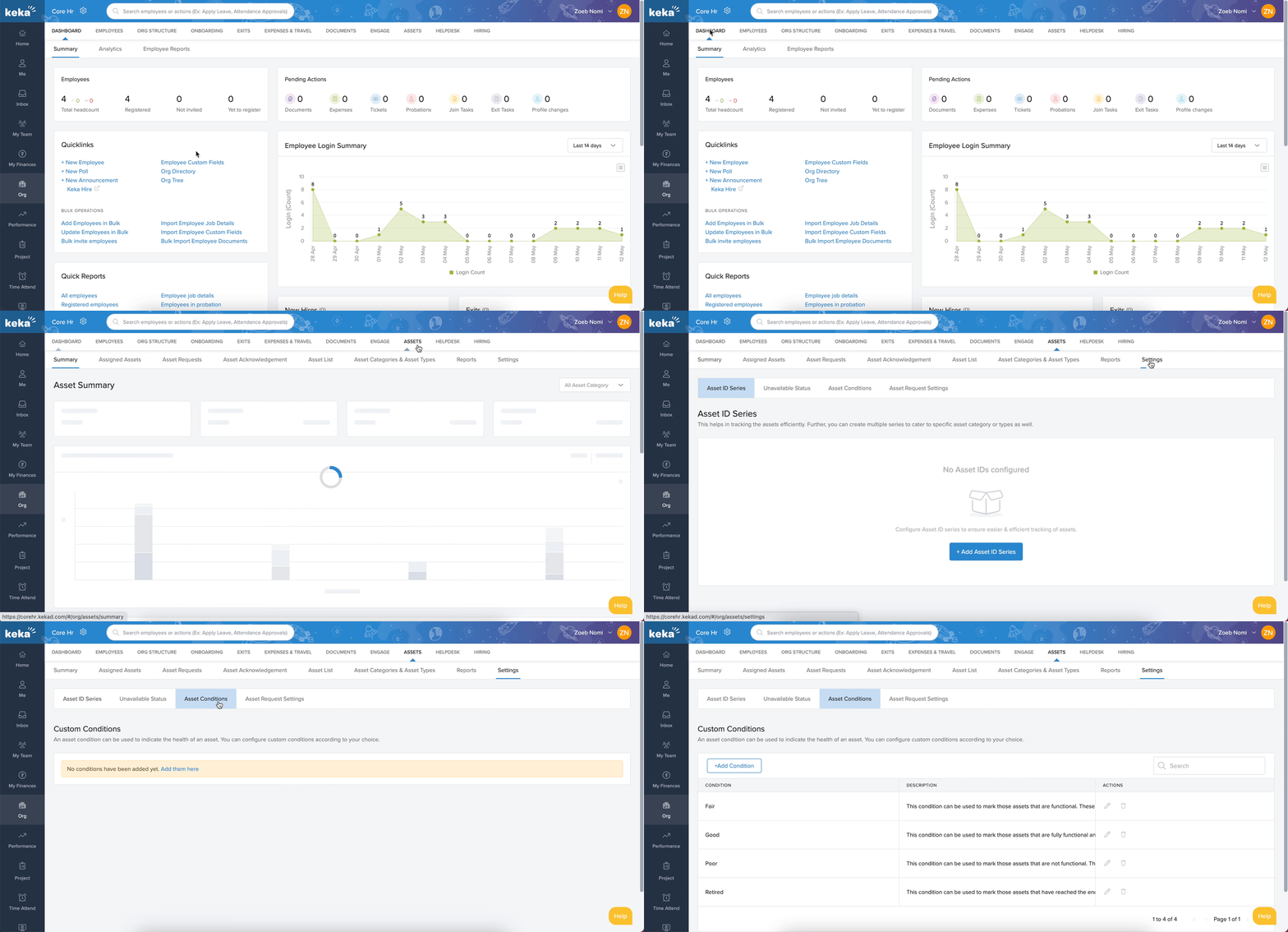
Enter a Condition Name and Description.
Click Add to save.
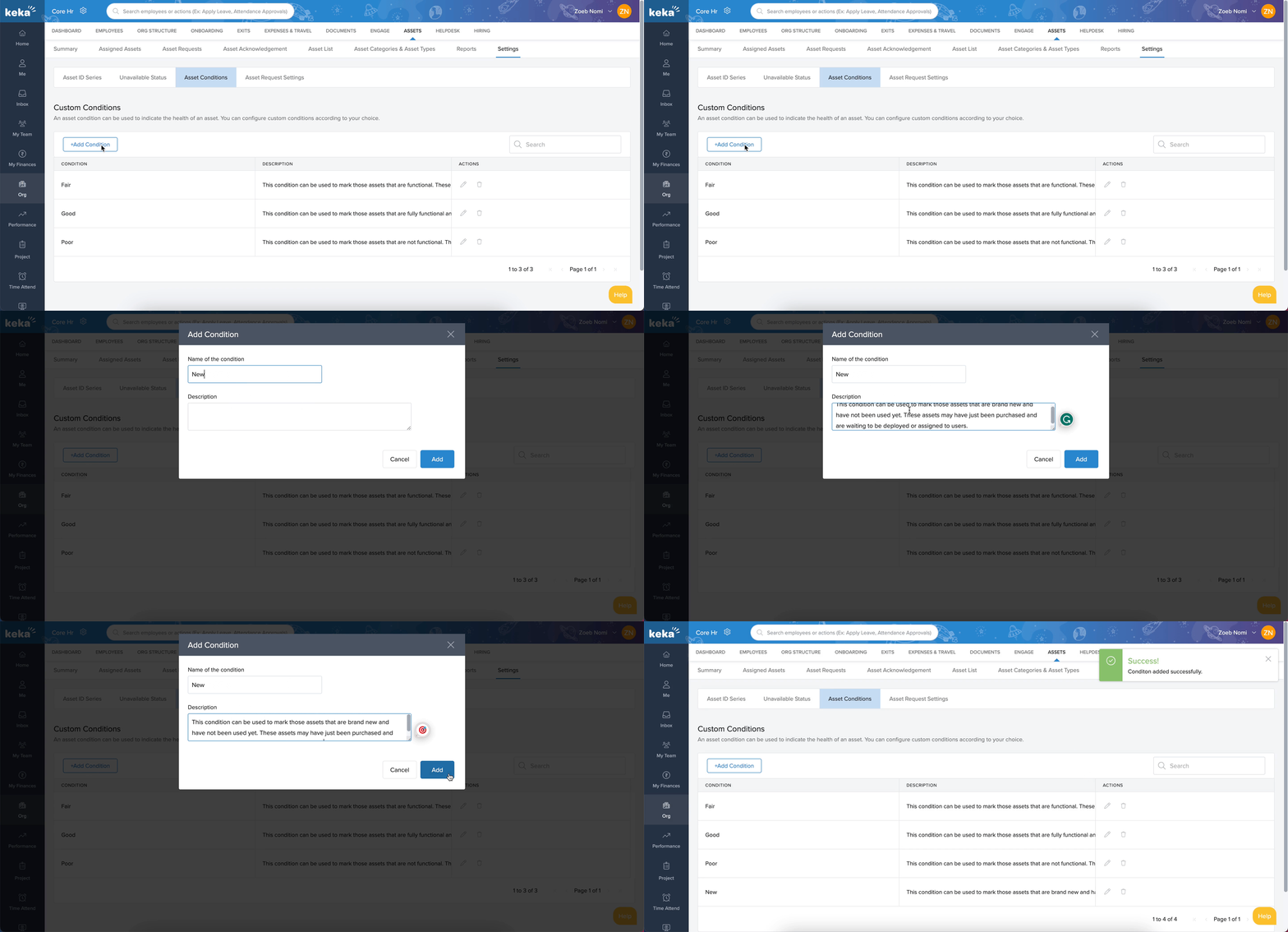
Standard Asset Conditions
Keka provides three default asset conditions. You can edit or delete them if needed:
Good – Asset is fully functional and requires no major repairs.
Fair – Asset is functional but may require minor repairs.
Poor – Asset is non-functional, requires major repairs, or is unfit for use.
Editing or Deleting Asset Conditions
Go to Org > Assets > Settings > Asset Conditions.
Find the condition you want to update.
-
Under Actions, click the Edit or Delete icon.
Edit: Make changes and click Update.
Delete: Confirm by clicking Delete.
How To Assign An Asset Condition To An Asset
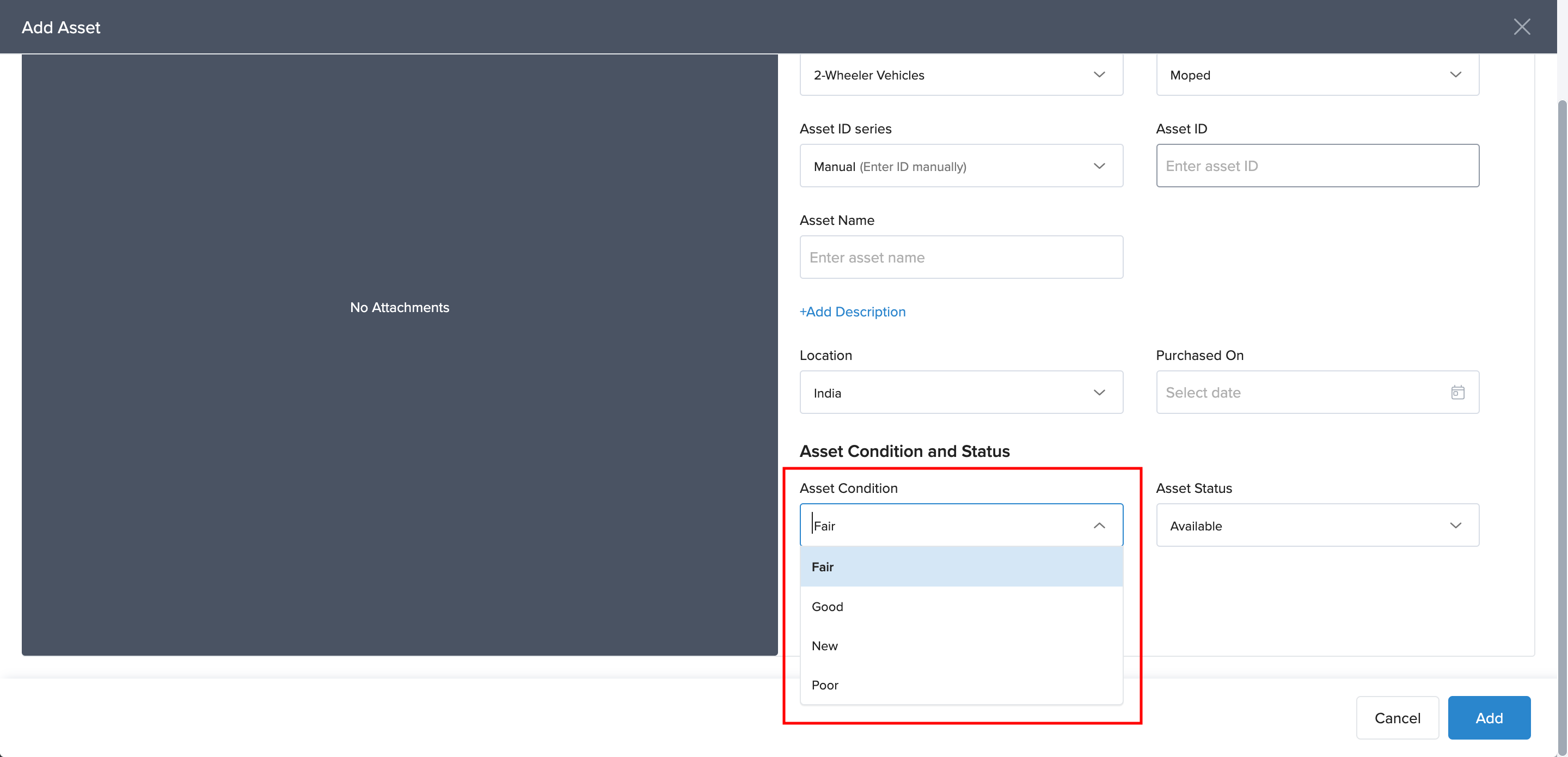
Navigate to Org > Assets > Asset List.
While adding a new asset under a category and type, select the appropriate Asset Condition from the dropdown.
This ensures every asset has an assigned condition for accurate tracking.
By defining, editing, and assigning asset conditions in Keka, you can effectively manage the asset lifecycle—from acquisition to disposal—while ensuring transparency in asset usage and health.
Comments
0 comments
Please sign in to leave a comment.