Organisations that manage recurring, role-based goal templates can now speed up planning and execution with bulk import and goal assignment features. These new tools improve scalability and make template deployment seamless for Performance Admins, Managers, and individual employees.
Bulk import of goal templates with categories
Admins can now upload multiple OKR templates in one go using an Excel sheet.
To use this feature:
- Go to Performance > Objectives > Settings > Templates.
- Download the Excel template.
- Add goal names, sub-goals, categories, and metrics.
- Upload the file to create templates instantly.
This is especially useful when managing templates across departments or recurring OKRs for similar job functions.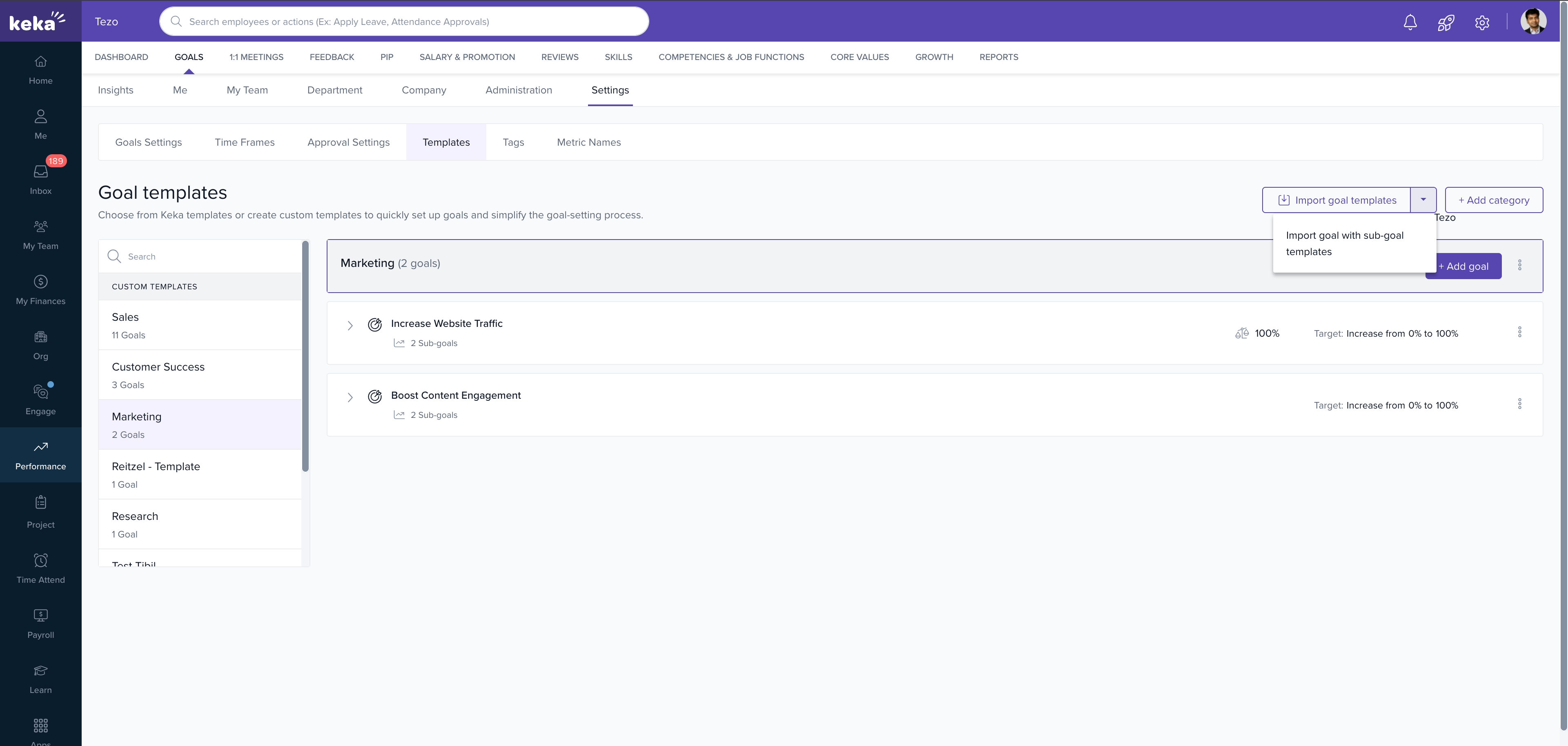
Bulk goal assignment from templates
Managers, Admins, and individual users can now assign multiple goals at once from available templates:
- Go to Performance > Goals > Me (or Manager view for others).
- Select multiple goals across one or more templates.
- Review and edit them in bulk.
- Publish all selected goals together.
This significantly reduces the time and manual effort in assigning objectives at scale.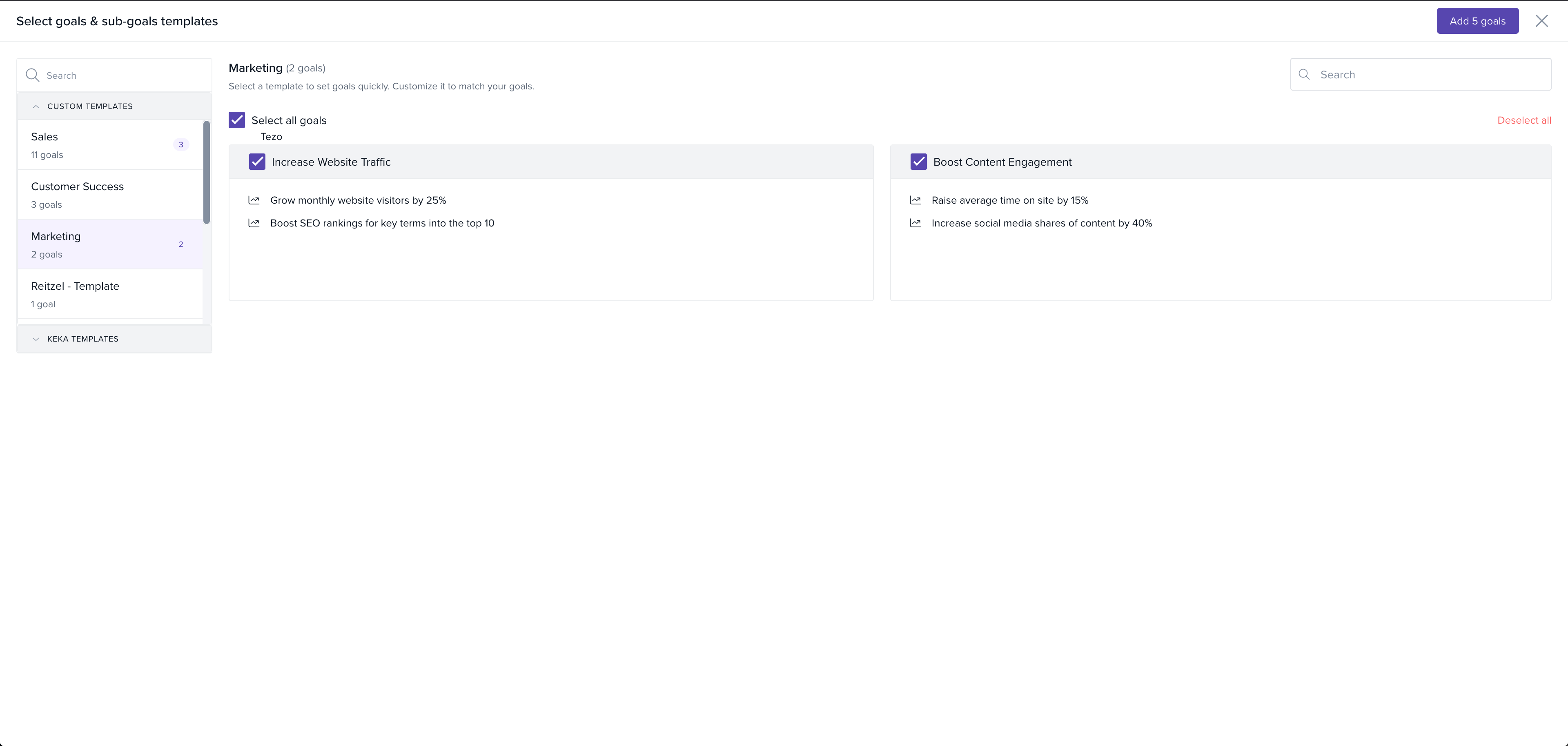
Weightage handling in templates
Templates can now include weightage values for goals and sub-goals, helping standardise performance expectations across similar roles.
This enhancement ensures organisations can drive clarity and alignment in a more structured and scalable manner.
To learn more, refer to the article on how to bulk import Goal Templates with Categories.
To learn more, refer to the article on how to bulk assign multiple goals from templates in Keka.
Please let us know if you find this article helpful.
Comments
0 comments
Please sign in to leave a comment.