Managing large-scale performance programs just got easier. Keka now enables admins to bulk import tasks for both goals and sub-goals, simplifying detailed progress tracking for employees and managers across teams.
This update eliminates the need to manually add each task, especially when dealing with complex, cascading goals. Admins can now import tasks effortlessly in just a few clicks.
What’s new?
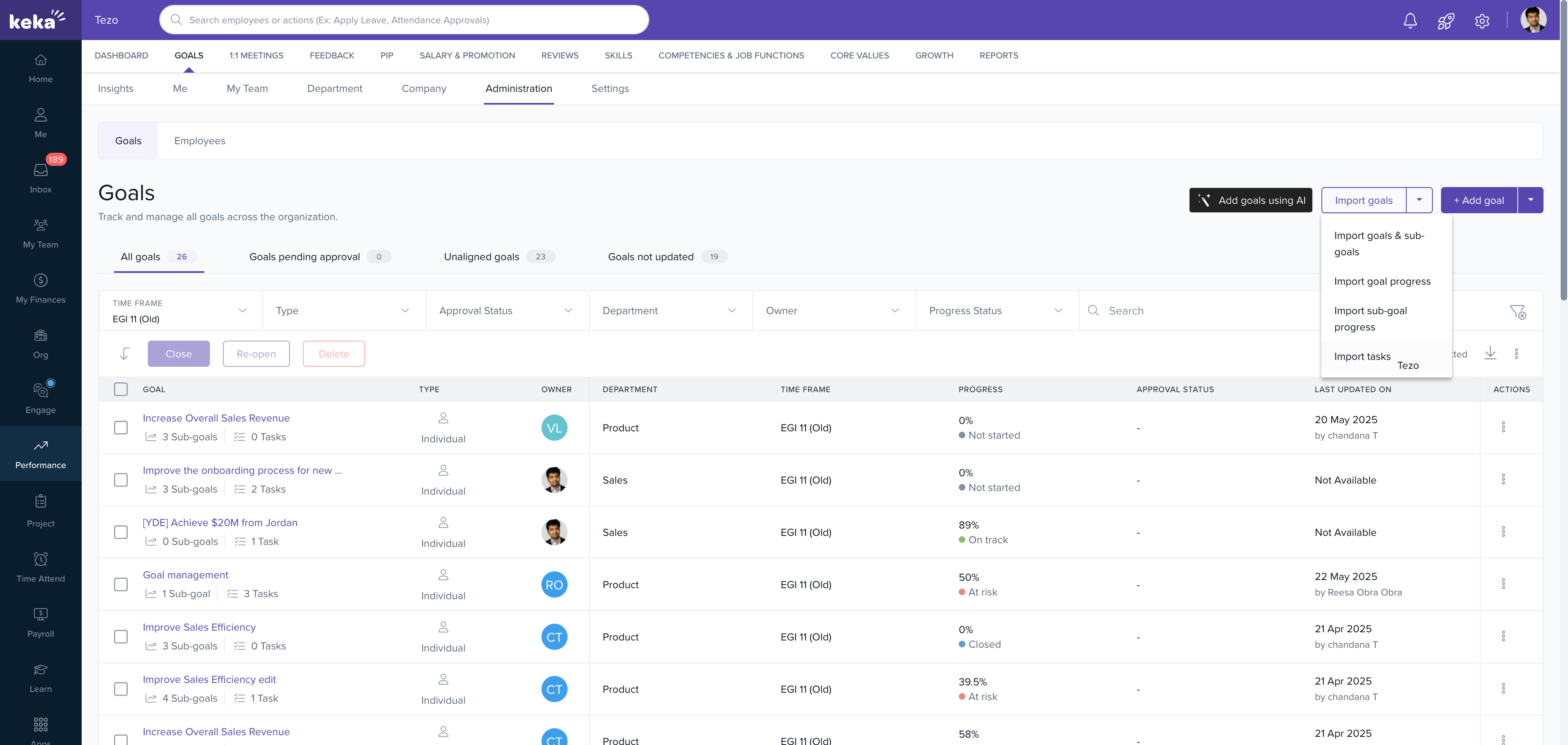
Go to the Performance menu and click on Goals. Then navigate to Administration and select Import Tasks.
- Choose whether to import tasks for goals or sub-goals.
- Select relevant employees and timeframes.
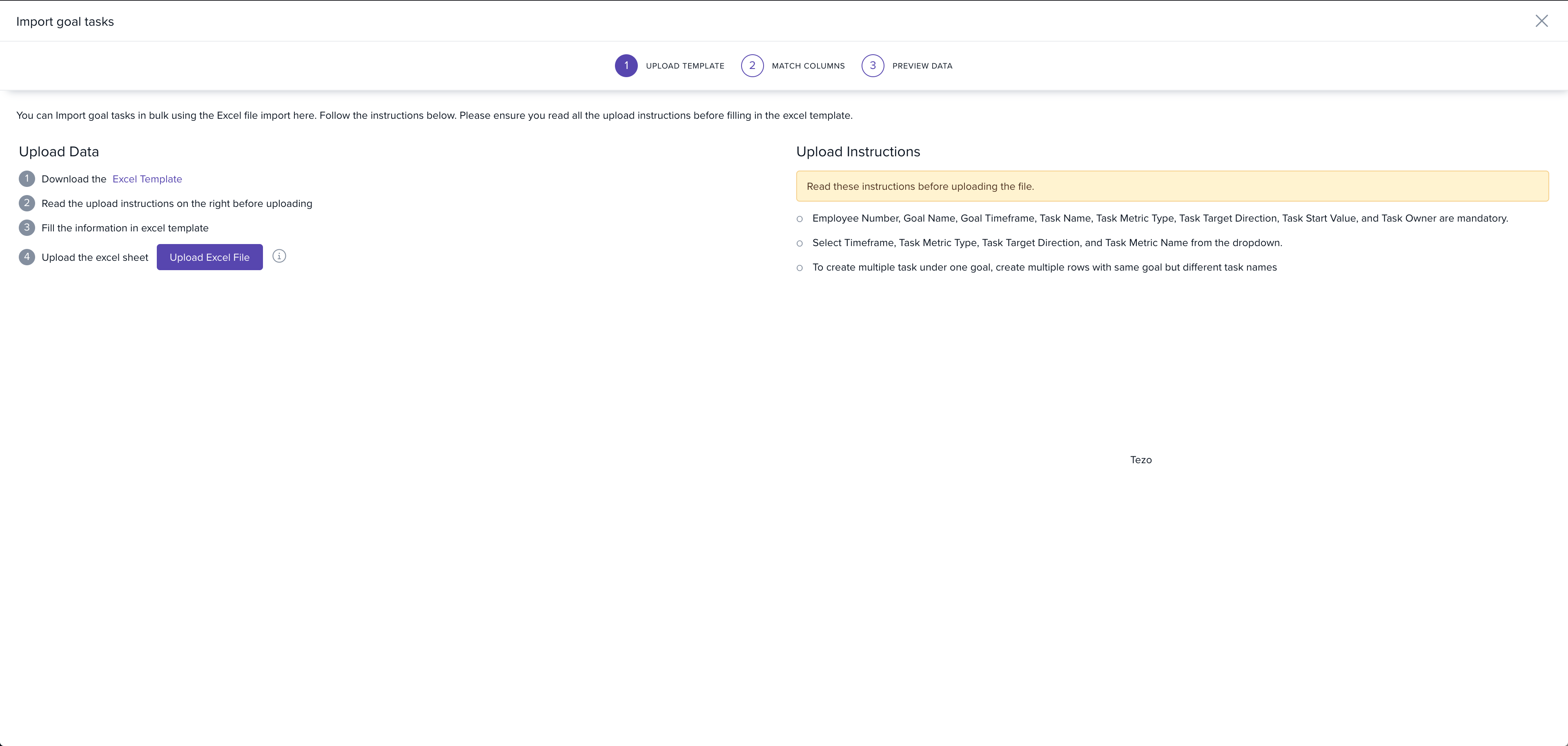
- Download the Excel template, enter the task details, and upload it back.
- Tasks are automatically mapped to the selected goals or sub-goals.
To learn more, refer to the article on how to import tasks for goals and sub-goals.
Please let us know if you find this article helpful.
Comments
0 comments
Please sign in to leave a comment.