Keka Hire introduces a set of thoughtfully designed enhancements that bring more precision, flexibility, and clarity to your recruitment workflows. These improvements are based on customer feedback and internal usage insights—helping recruitment teams increase efficiency and collaboration without adding complexity.
What’s new?
Hiring team in job creation
Now Available: Add Hiring Team members during job creation
Why: Enables early team alignment and smoother collaboration throughout the hiring process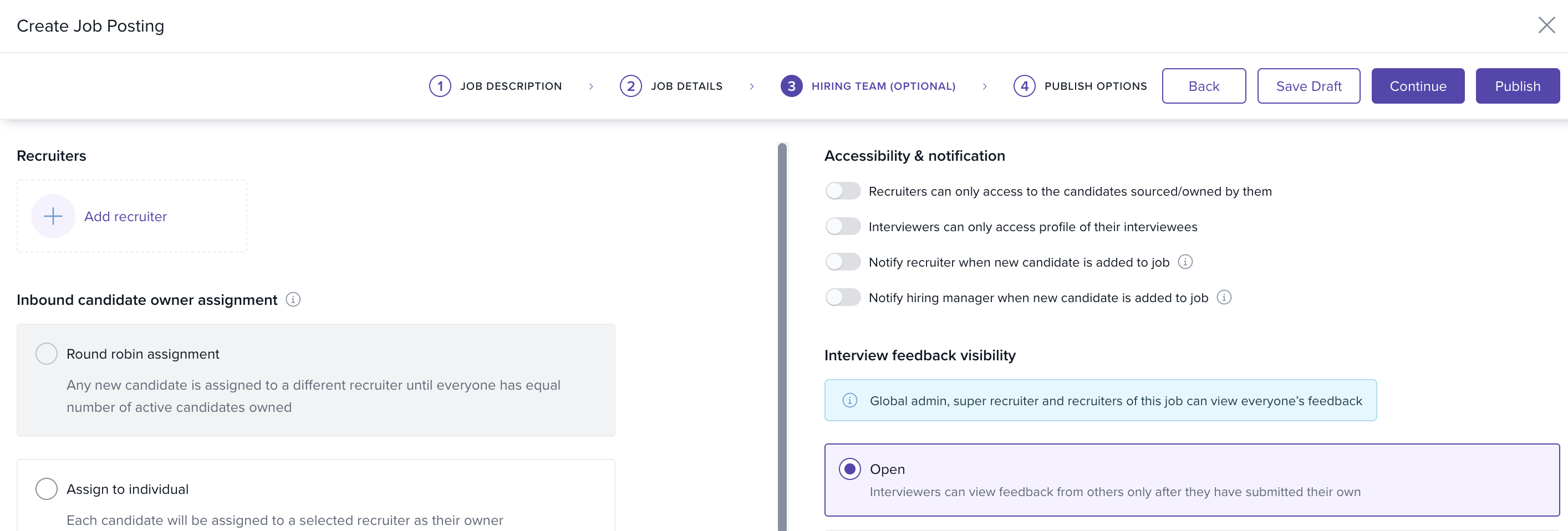
'Send Email' privilege control
Now Available: Admins can control who has permission to send emails in Keka Hire
Why: Adds an extra layer of security and governance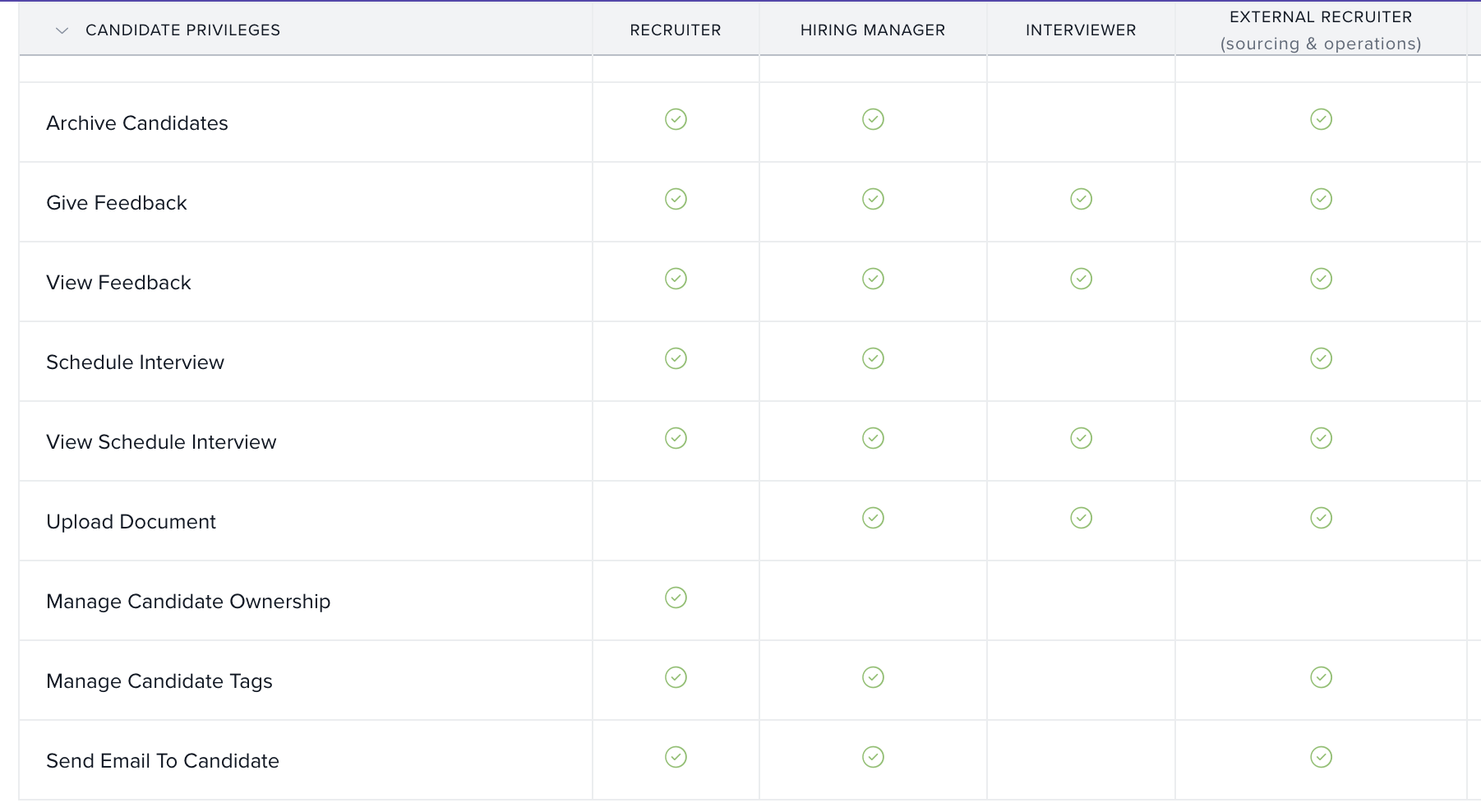
Sub-reason for 'Other' in backfill requisition
Now Available: Choose a sub-reason when ‘Other’ is selected
Why: Supports better tracking and analysis of backfill requisitions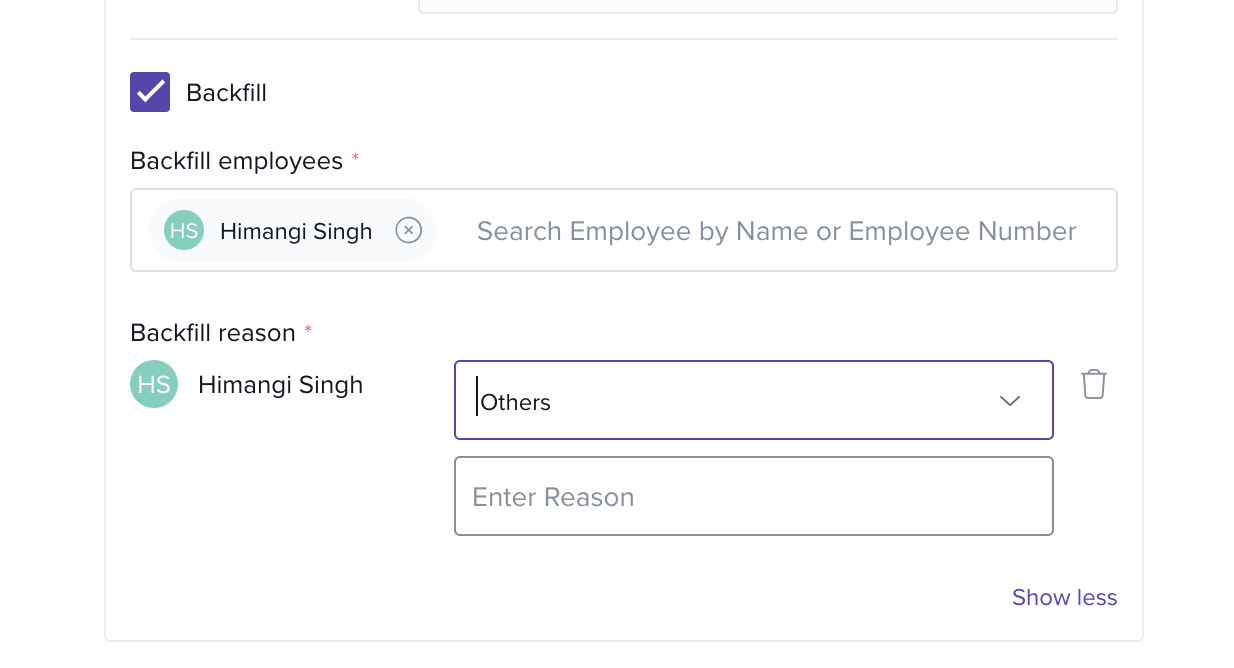
Include/exclude gender in candidate forms
Now Configurable: Enable or disable the Gender field in candidate forms
Why: Ensures compliance with organizational and regional diversity policies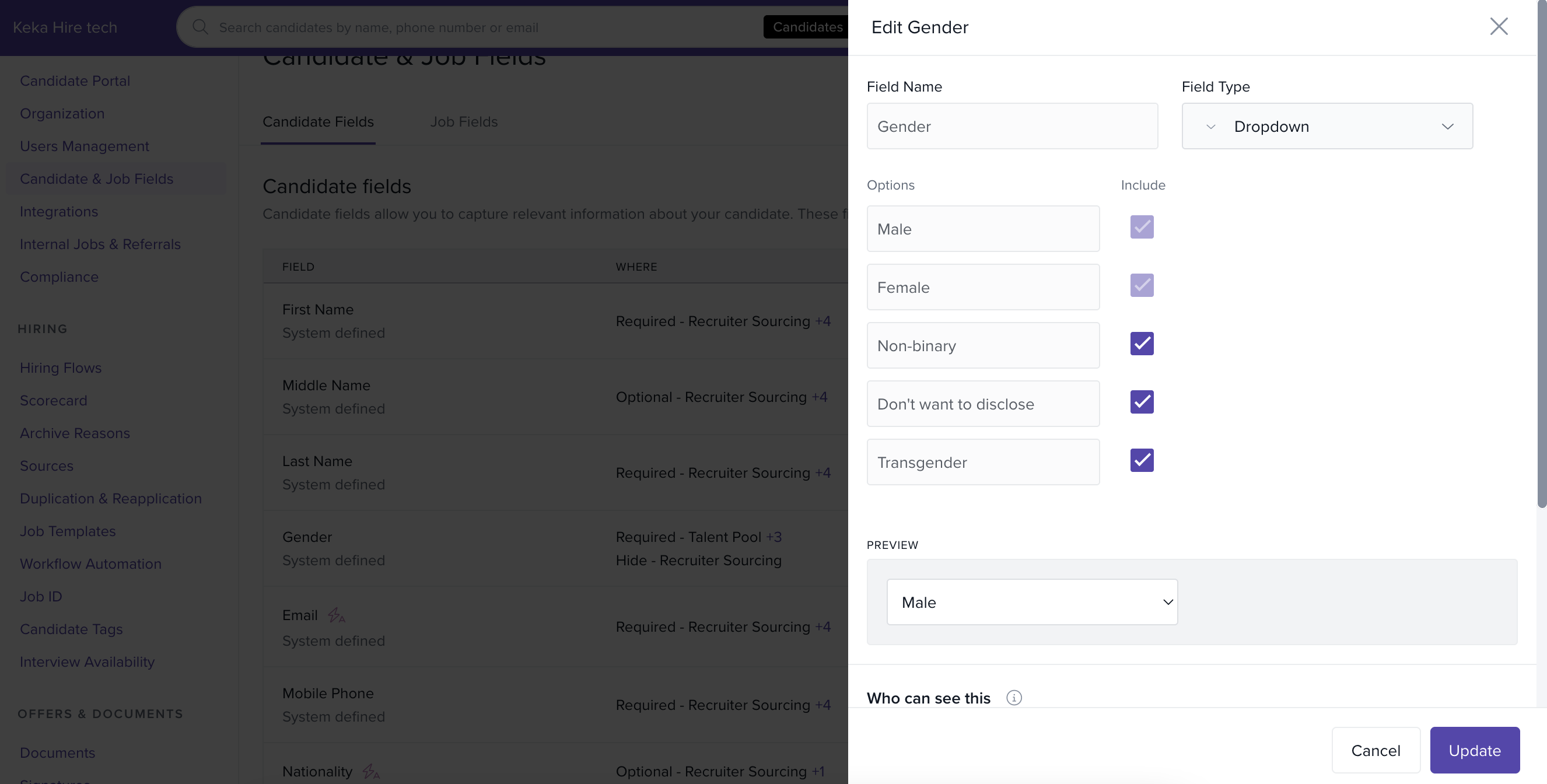
Internal note visibility in preboarding
Now Enabled: Internal notes can be viewed during preboarding
Why: Provides onboarding teams with important hiring context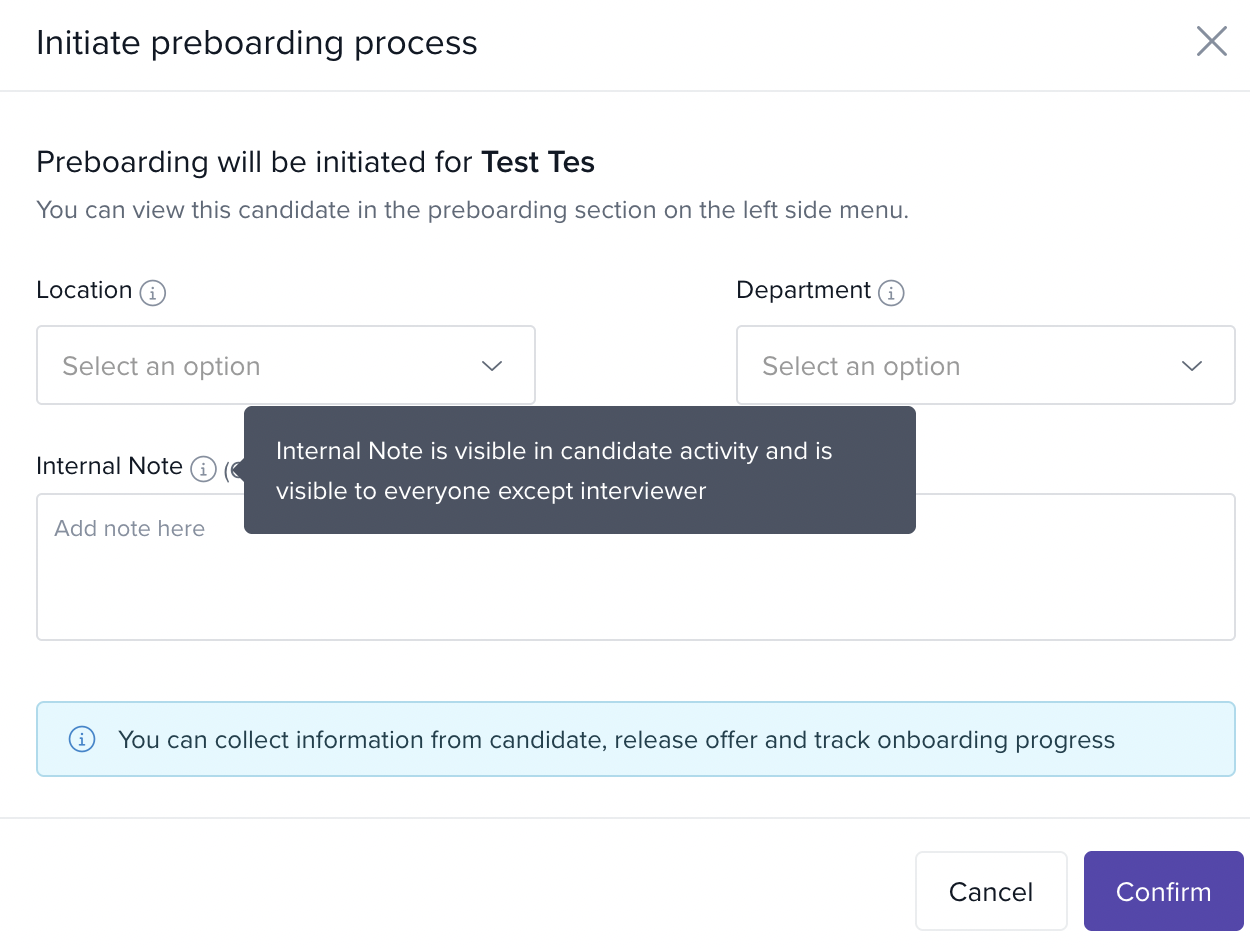
Open positions report by recruiter
Now Live: Generate reports of open positions categorized by recruiter
Why: Enhances visibility and workload tracking across recruitment teams
Org-level minimum JD character limit
Now Configurable: Set a minimum character limit for Job Descriptions
Why: Ensures complete and informative job postings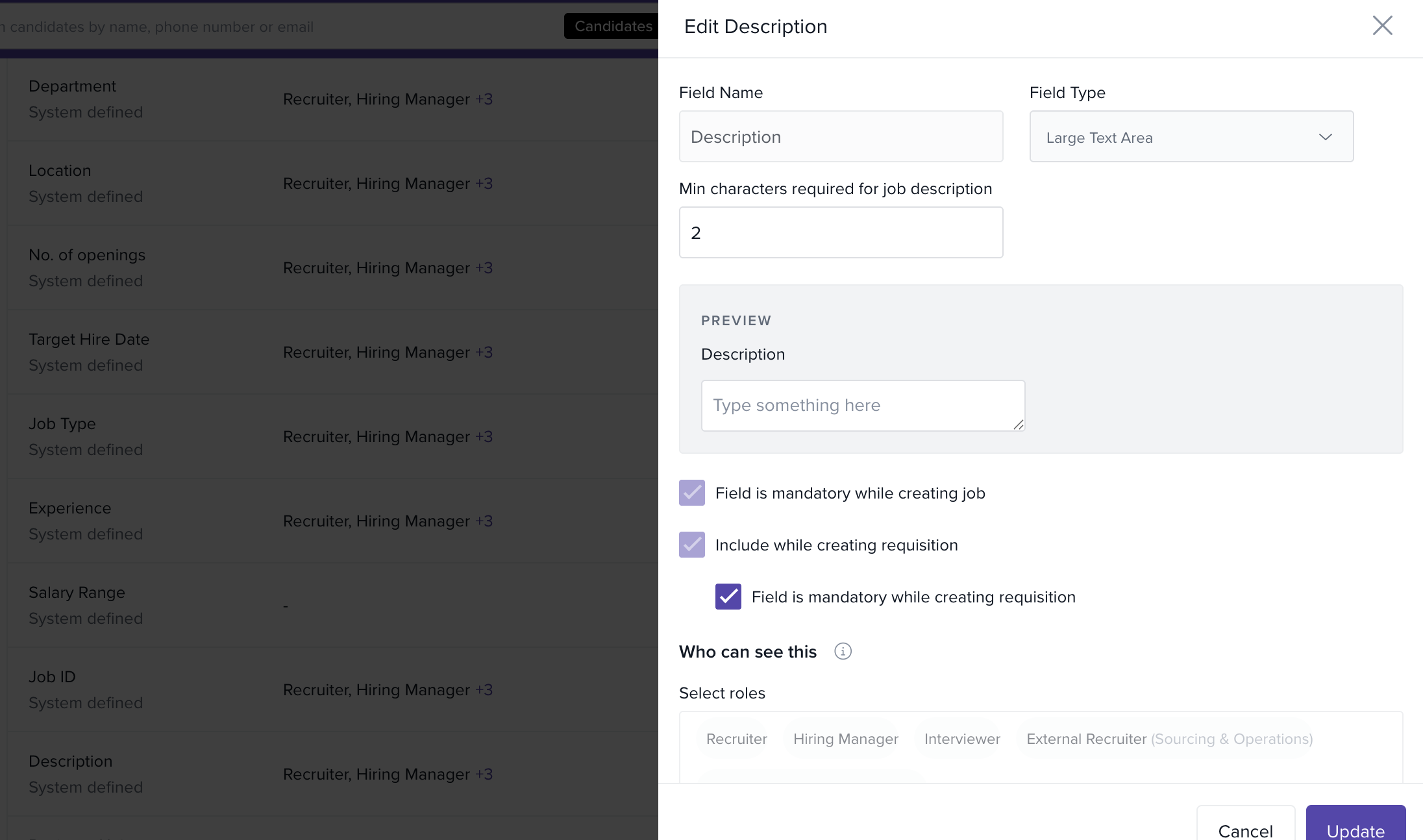
Default time zone in interview scheduling
Now Enabled: Scheduler's system time zone is automatically selected
Why: Prevents confusion and scheduling errors, especially for global teams
Workflow for feedback edits
Now Available: A new workflow trigger for when interview feedback is edited
Why: Improves transparency and tracks changes post-submission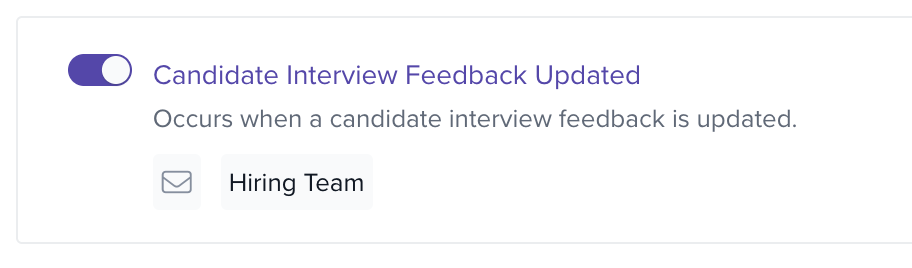
Comments column in archived jobs report
Now Added: Archived Jobs report includes a new Comments column
Why: Improves documentation and audit readiness for closed positions
Candidate owner as recipient in workflows
Now Supported: Candidate Owner can be added as a recipient in workflow actions
Why: Keeps key stakeholders in the loop during candidate movement
'Nationality' field in candidate profiles
Now Available: Optionally add ‘Nationality’ to candidate records
Why: Supports regional hiring regulations and diversity metrics
'Last Approved By' in offer status report
Now Visible: Offer Status Report includes the last approver’s name
Why: Adds traceability and clarity to the approval process
Employee name in referral reports
Now Updated: Referral reports show both employee name and ID
Why: Makes it easier to identify and credit employee referrals
Who can use it?
These features are available to all Keka Hire users. Access may vary based on role and permissions set by the organization.
Related documentation
For step-by-step assistance with the setup process, please refer to the guides provided below:
- Learn more about How to manage 'Send Email' privilege in Keka Hire
- Learn more about How to use 'Sub Reason' for 'Other' in backfill requisitions
- Learn more about How to view internal notes during the preboarding phase
- Learn more about Creating and Managing Job Description Templates
- Learn more about How to schedule an interview on Keka Hire
- Learn more about Workflow Automation in Keka Hire
- Learn more about How to create a job in Keka Hire
- Learn more about How to include or exclude the Gender field in candidate forms in Keka Hire
-
Learn more about How to add a candidate’s owner as a recipient in Hire workflow automation
Please let us know if you find this article helpful.
Comments
0 comments
Please sign in to leave a comment.