Keka now supports performance review configurations that allow a ‘0’ rating in the scale. This feature accommodates organizations that follow a rating system starting from zero. It’s a special-use setting and must be enabled explicitly on request.
What’s new?
- Admins can now configure rating scales to start from or include ‘0’.
- This supports performance systems where zero is a valid rating value.
- Available only when requested—this is not a default setting.
How to enable zero rating?
Only CSMs can enable this setting through Support Operations:
Go to Settings > Keka Support Operations > Performance > Update Rating Scale.
-
Click on Update Rating Scale. Check the option Using 0 rating scale. Click Save.
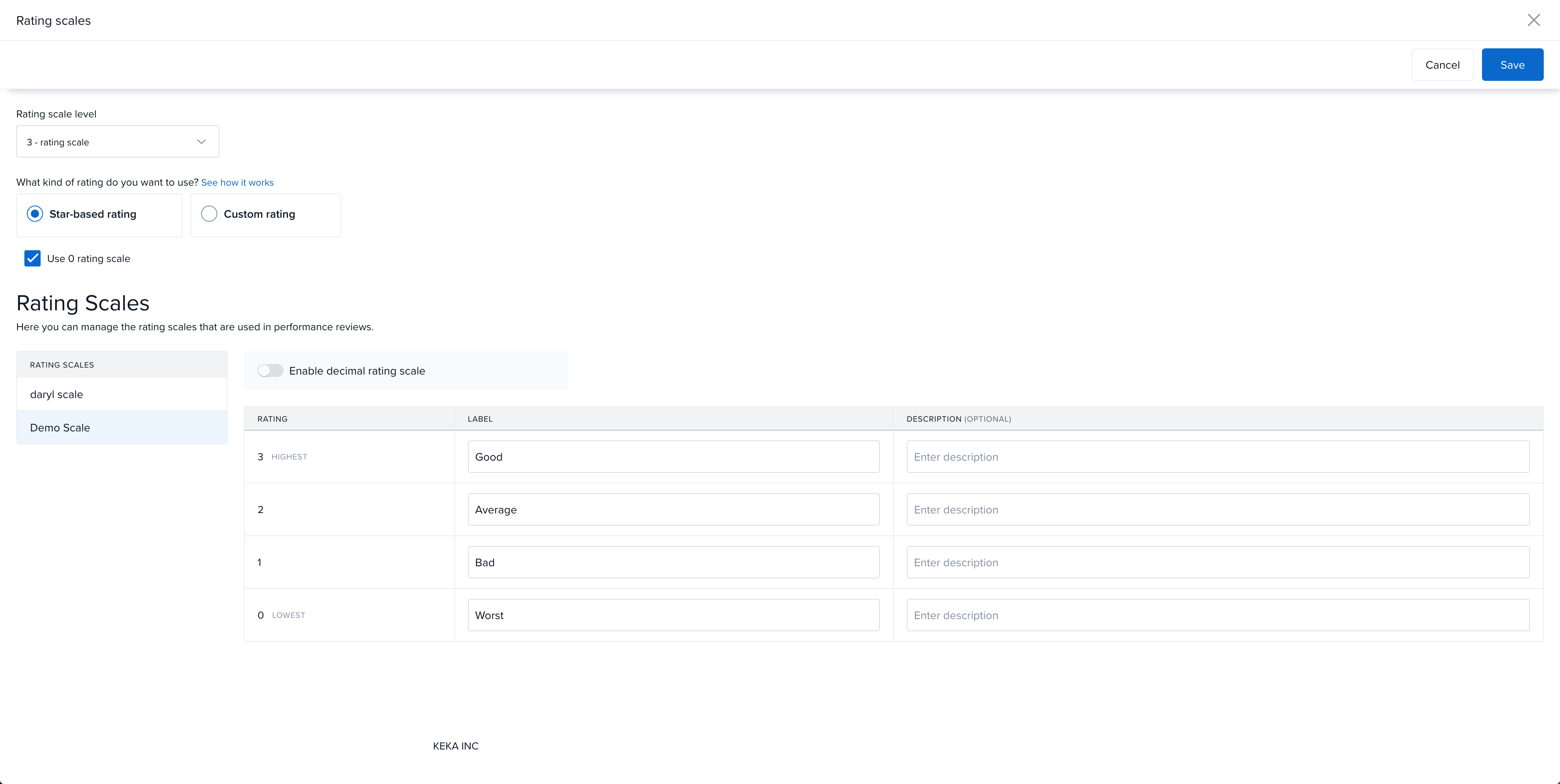
-
Once this is enabled, any new rating scale created under Performance>> Reviews can include ‘0’ in the scale.
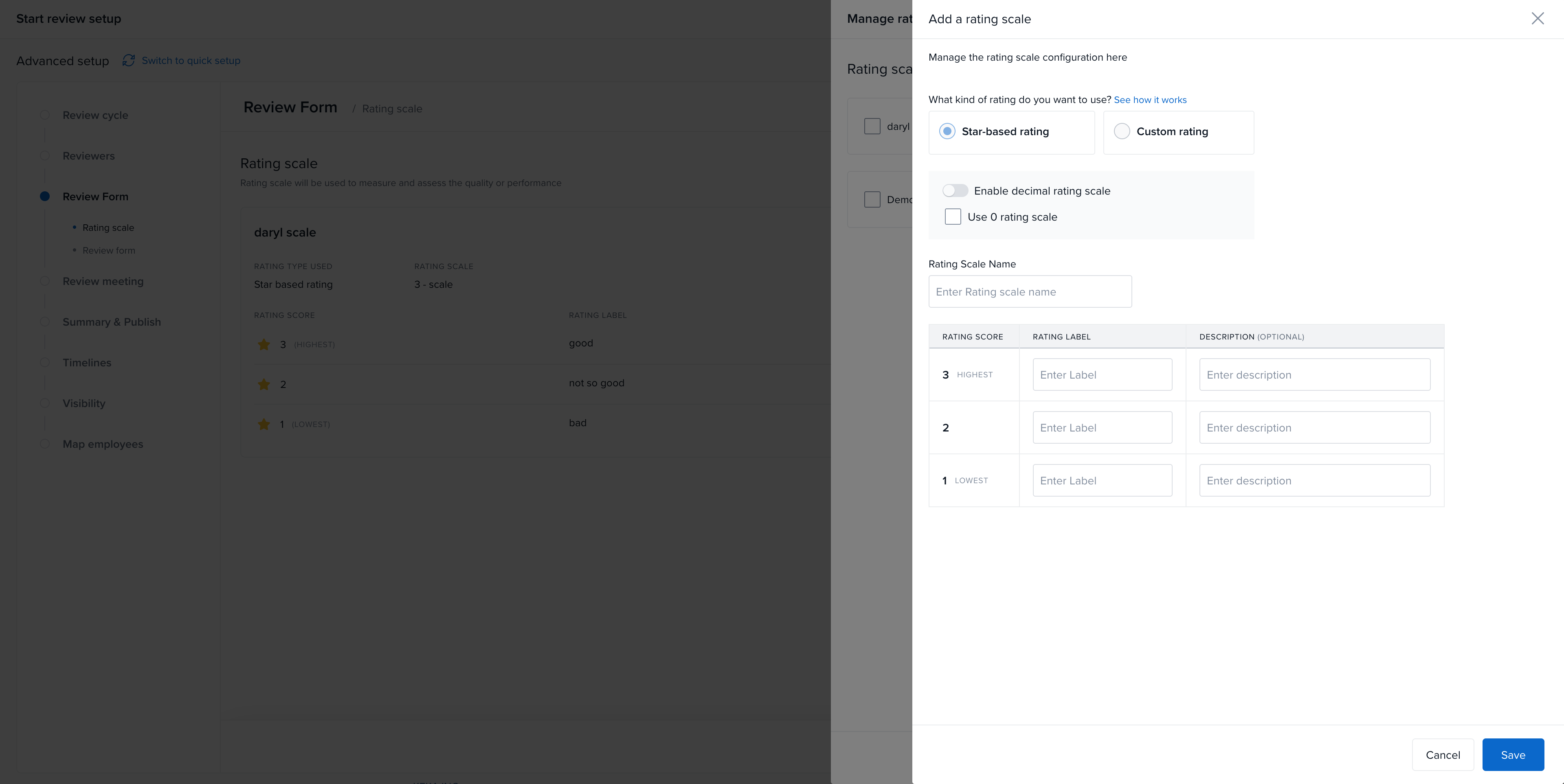
For more detailed information, please refer to the resources linked attached.
Please let us know if you find this article helpful.
Comments
0 comments
Please sign in to leave a comment.