Organisations now have the flexibility to include ‘0’ as a valid rating in performance reviews — ideal for customers whose evaluation models start from zero. This enhancement supports customers who prefer a 0-based scale, where ‘0’ might represent “No performance” or “Not Applicable."
This is a special-use configuration. It should only be enabled on request and is not recommended as a default or general best practice.
To enable this setting manually go to Keka Support Operations. Here's how CSMs can do it:
Navigate to Settings and click on Keka Support Operations.
Under Performance, click on Update Rating Scale.
Enable the checkbox: “Using 0 rating scale ”.
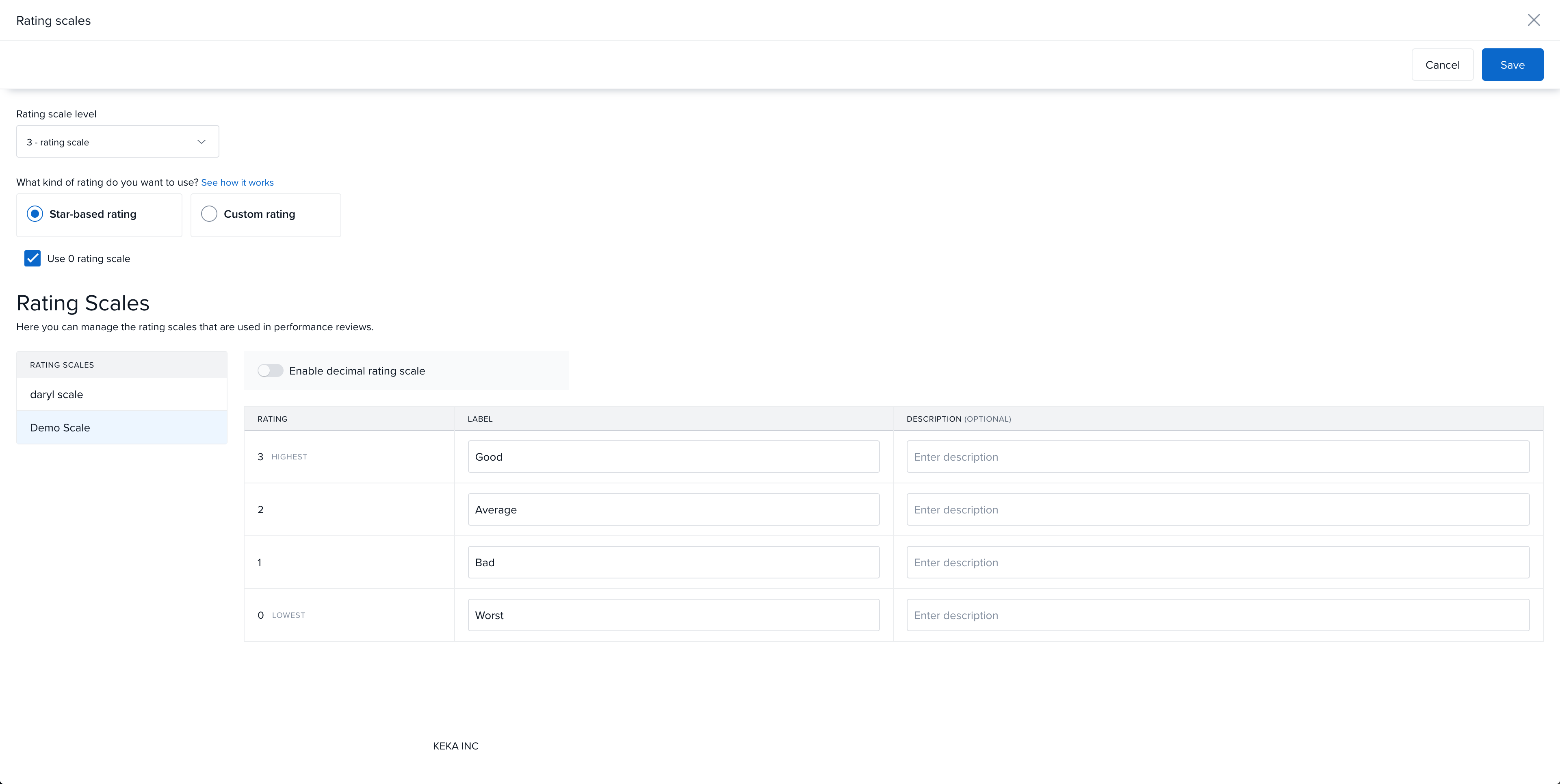
Click Save.
Once enabled any new rating scale created in Reviews under Performance will allow a ‘0’ rating in the scale.
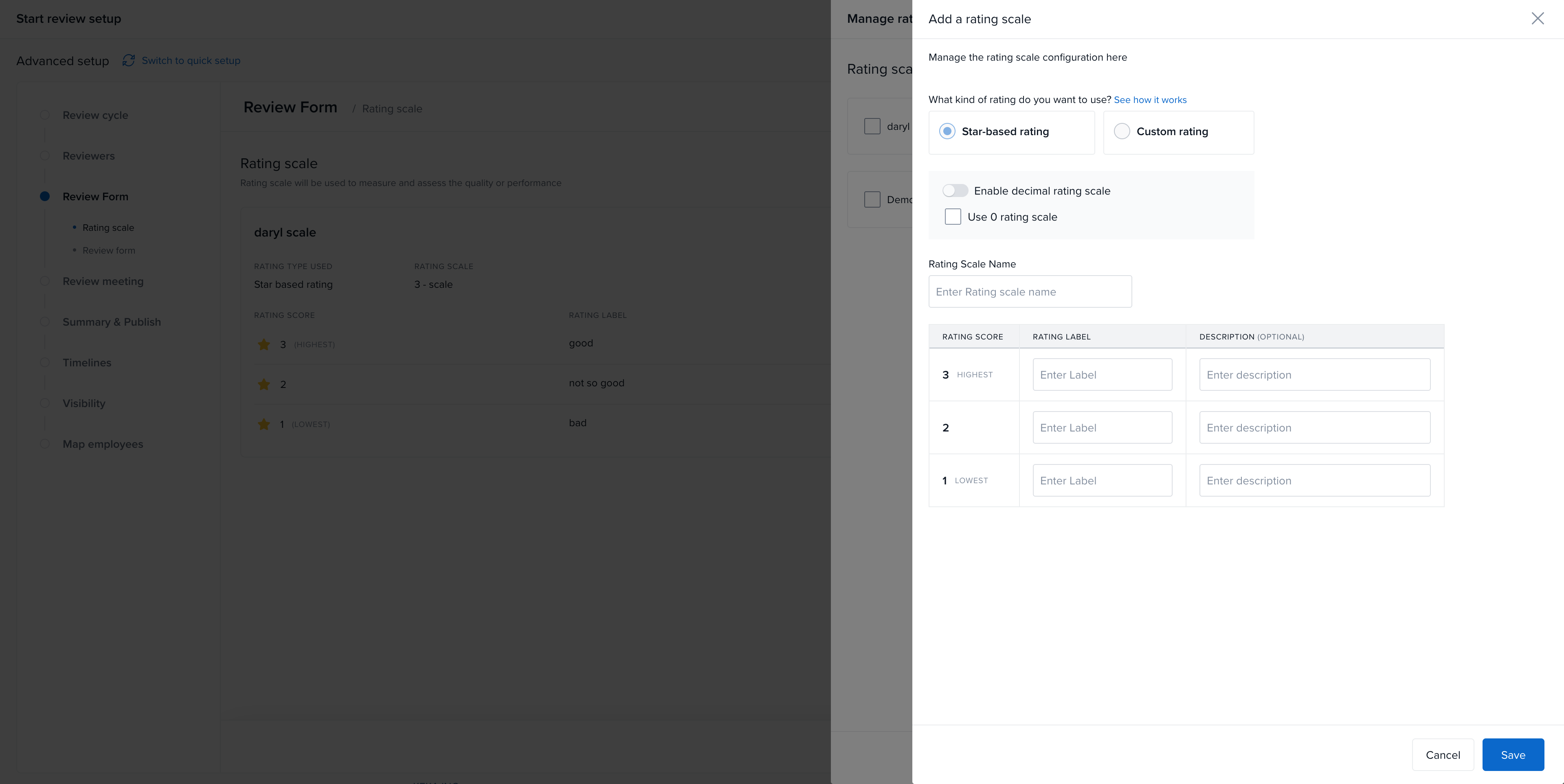
If your organisation needs this setting, please reach out to your Customer Success Manager (CSM) or raise a support ticket for activation.
Comments
0 comments
Please sign in to leave a comment.