Introduction
Hiring the right people at the right time helps your organization grow, improve performance, and stay competitive. Whether you’re filling skill gaps, planning for succession, or expanding your team, Keka Hire allows you to raise hiring requisitions quickly and efficiently.
You can either create a brand-new requisition or save time by cloning an existing one.
Creating a New Hiring Requisition
Option 1: Create a new hiring requisition
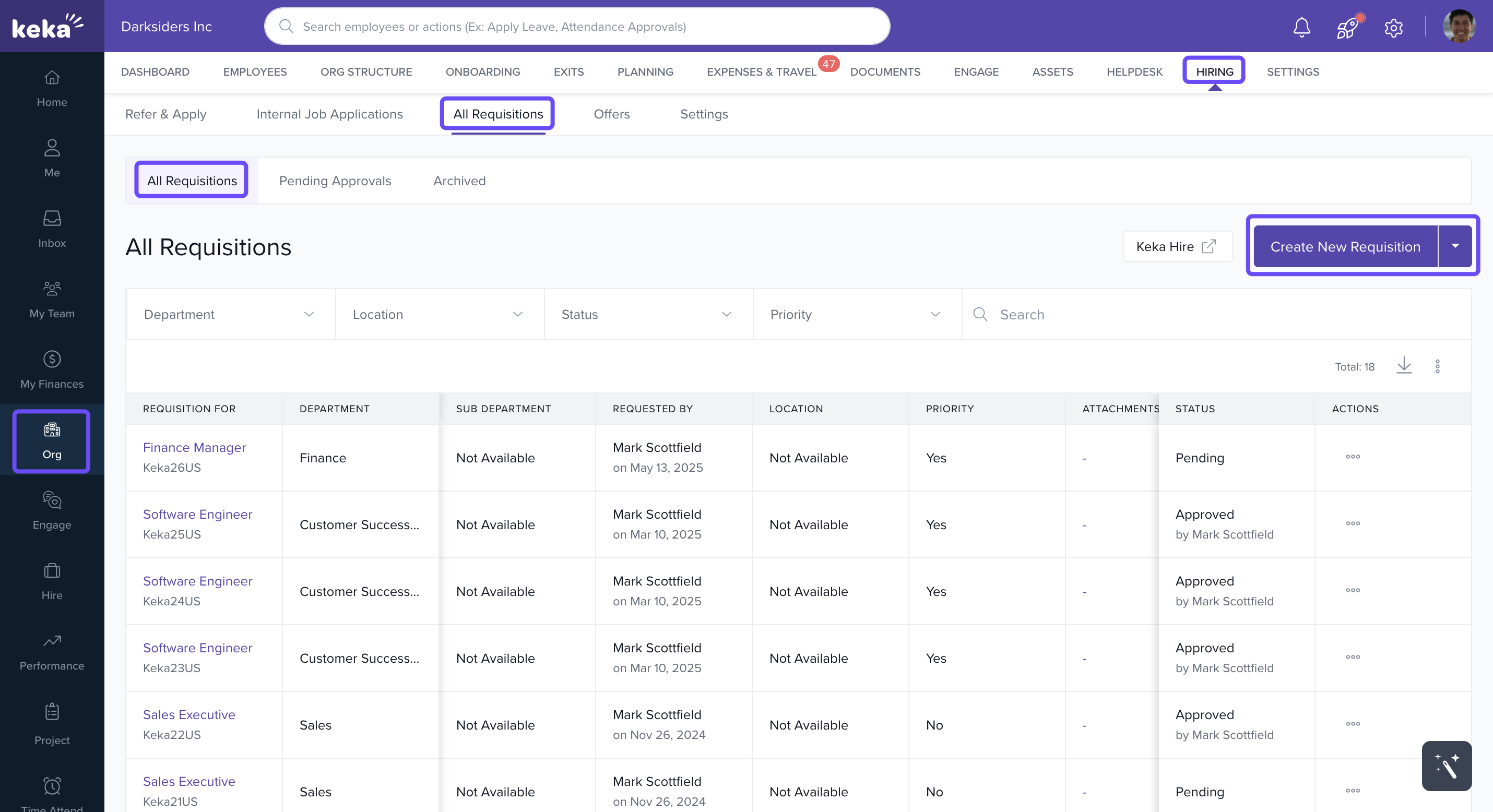
Go to Org → Hiring → All Requisitions.
Click Create New Requisition.
-
In the form that opens:
Select the job title from the drop-down.
Mark as priority if needed by checking the box.
Choose the department and required experience.
-
In the Requisition Type,
Choose New Hire and for each position, enter:
- Location
- Start hire date (when you intend to start hiring)
- Target hire date (when you intend to close hiring)
- To add more positions for the same job, click Add again and enter unique details for each row.
You can add positions with staggered hiring plans (e.g., 2 in Hyderabad for January, 3 in Pune for February) without creating multiple jobs.
Choose Backfill, and for each employee, enter:
- Choose employee
- Backfill reason
- Start hire date (when you intend to start hiring)
- Target hire date (when you intend to close hiring)
- To add more backfill positions for the same job, click Add again and enter unique details for each row.
-
Fill in other details like:
Salary Range
Location
Job Type
Target Hiring Date
Skills
Comments or Notes
-
Add the Job Description in the space provided.
You can pick from the template or regenerate using AI.
On the next screen (optional):
Add hiring team members such as hiring managers or interview panelists.
- Click Create to finalize the requisition.
Option 2: Clone an existing requisition
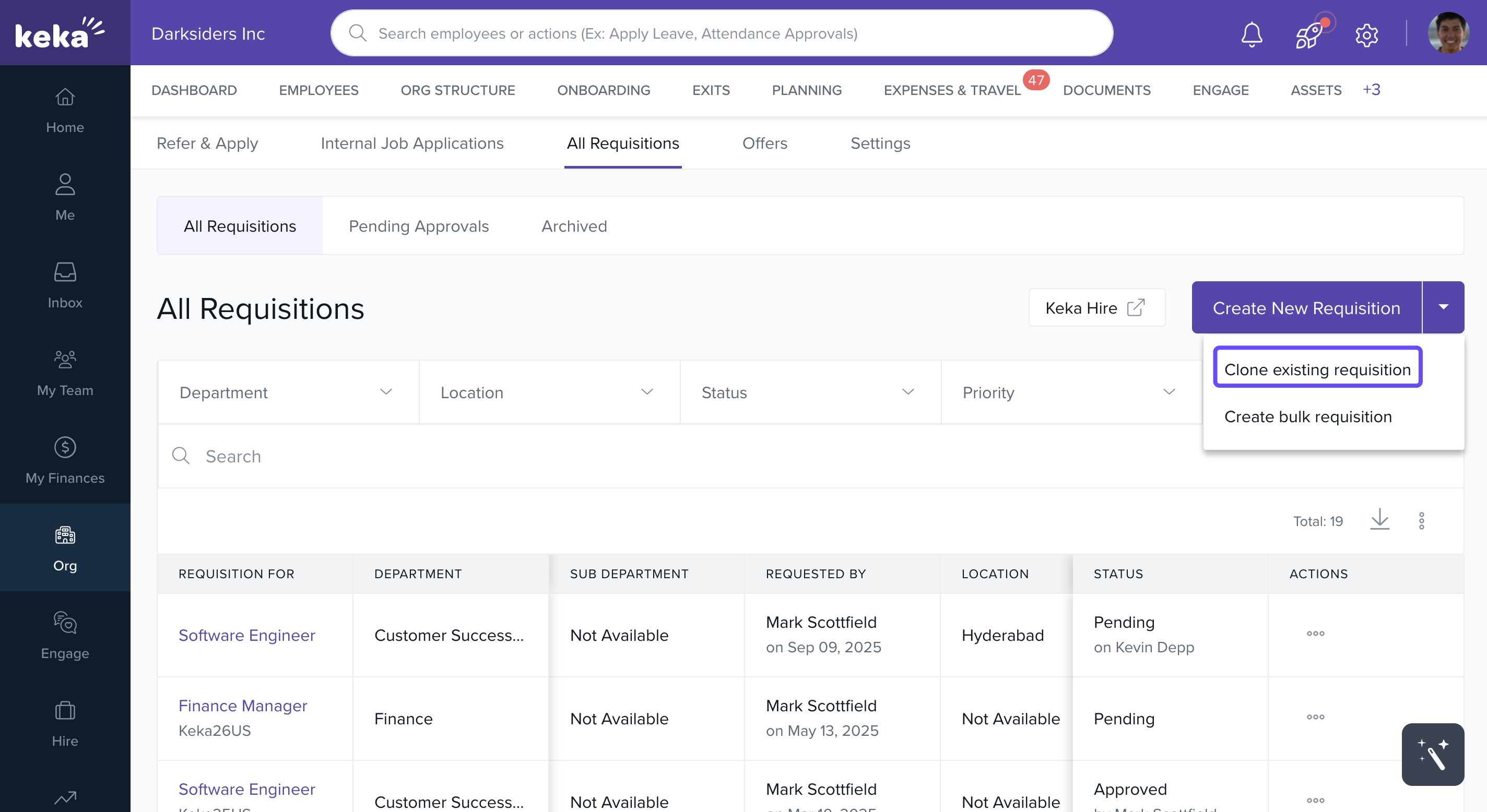
Go to Org → Hiring → All Requisitions.
Click the drop-down next to Create New Requisition, then choose Clone Existing Requisition.
-
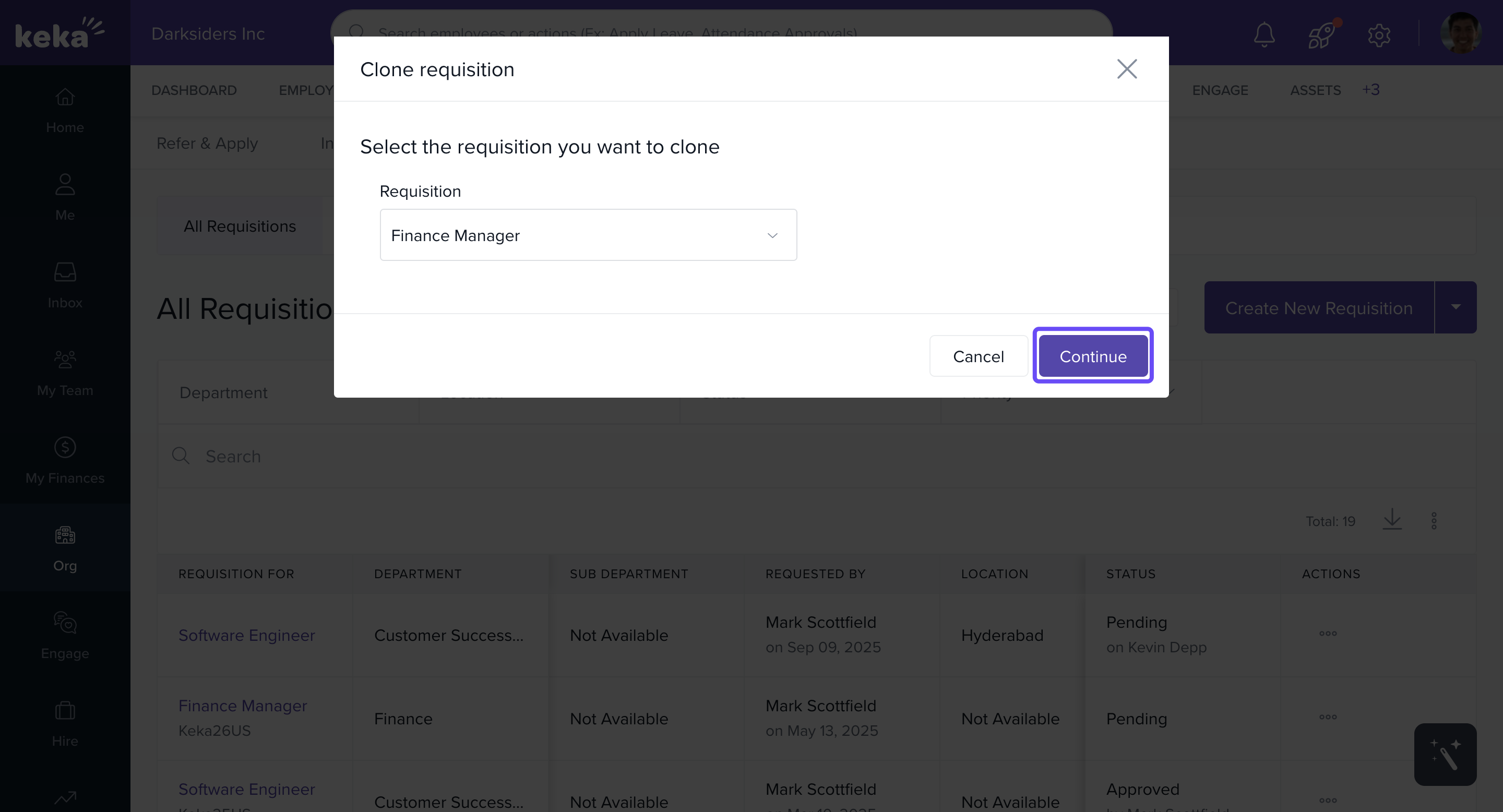
In the overlay that appears:
Select the job position you want to clone.
Click Continue.
-
In the next window:
Update any necessary fields such as experience, salary range, and job description.
You can either type in a new job description or use a template.
Click Create to finish.
Need more help?
Browse our FAQ articles
Or contact one of our product experts for personalized support.
Comments
0 comments
Please sign in to leave a comment.