Introduction
Unconscious bias during the hiring process can affect the quality of decisions. To address this, Keka Hire now lets you configure interview feedback visibility.
This feature allows recruiters and admins to decide whether interviewers can see each other’s feedback — and if so, when. By controlling visibility, you can promote objective evaluations and improve the fairness of your recruitment process.
How It Works
You can set interview feedback visibility when creating or editing a job.
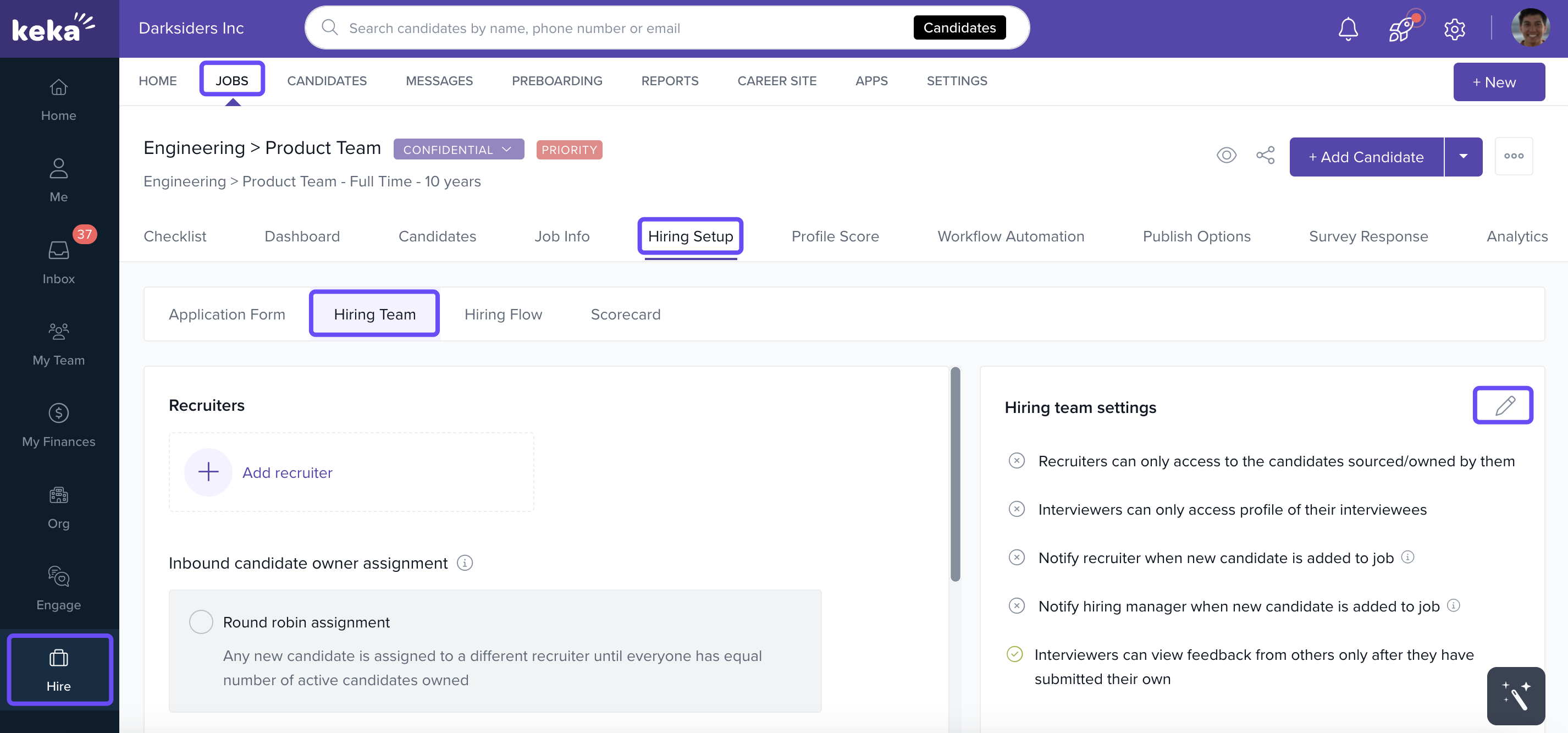
Go to Hire.
Select Jobs.
Click Hiring Setup.
Open the Hiring Team tab.
Click the pencil icon next to “Interview Feedback Visibility” to adjust settings.
Visibility Options
You can choose from three levels of visibility:
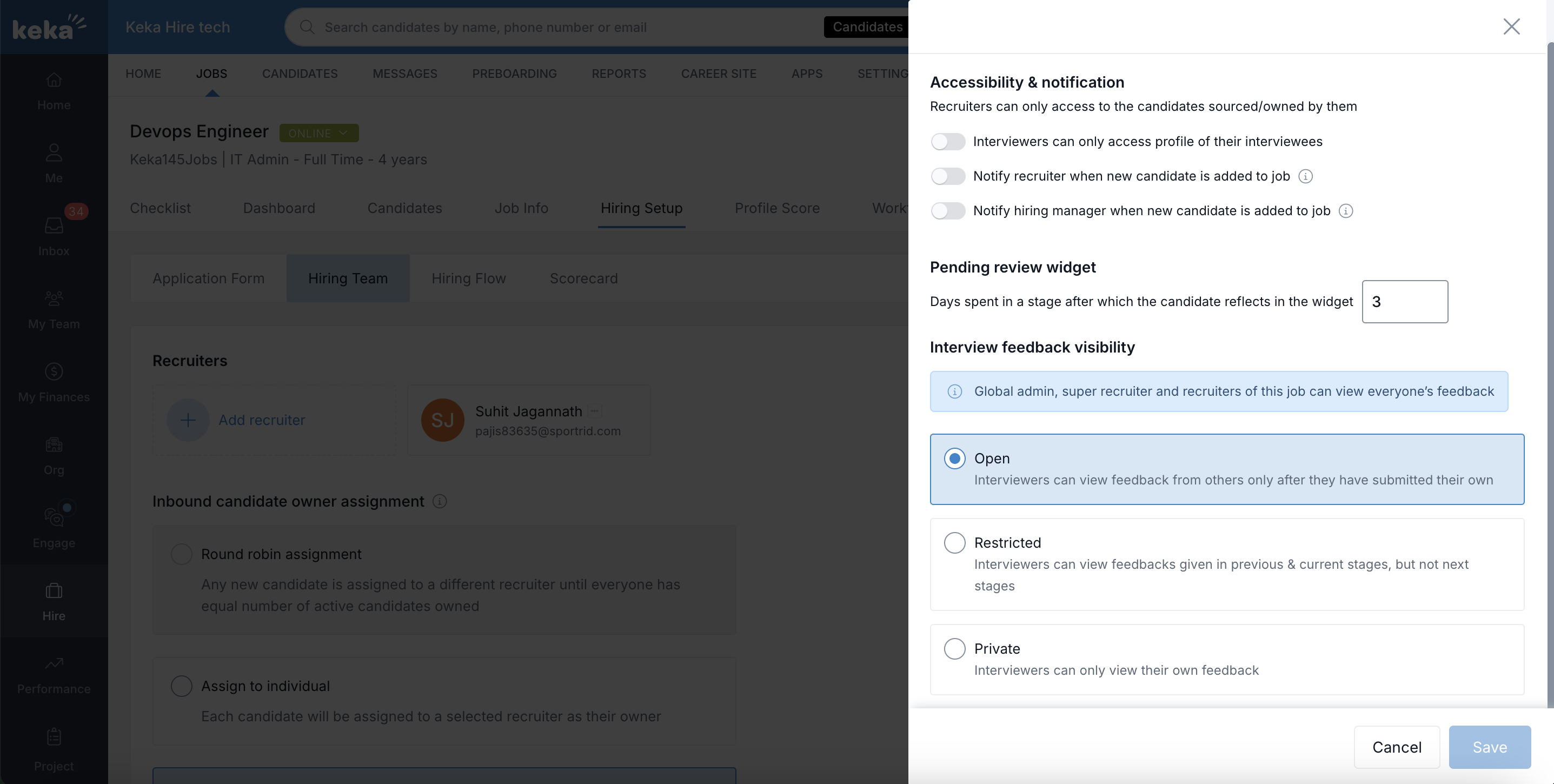
Open
Interviewers can see others’ feedback only after submitting their own.
This prevents their evaluation from being influenced by earlier feedback.
Restricted
Interviewers can view feedback from others in current and previous stages, but not in future stages.
Useful when some visibility is needed to maintain context, but not forward-looking bias.
Private
Interviewers can only see their own feedback.
Ensures complete independence between evaluators, minimizing risk of bias.
Why It Matters
Depending on your configuration, interviewers may see only their own notes, or a controlled view of others’ feedback.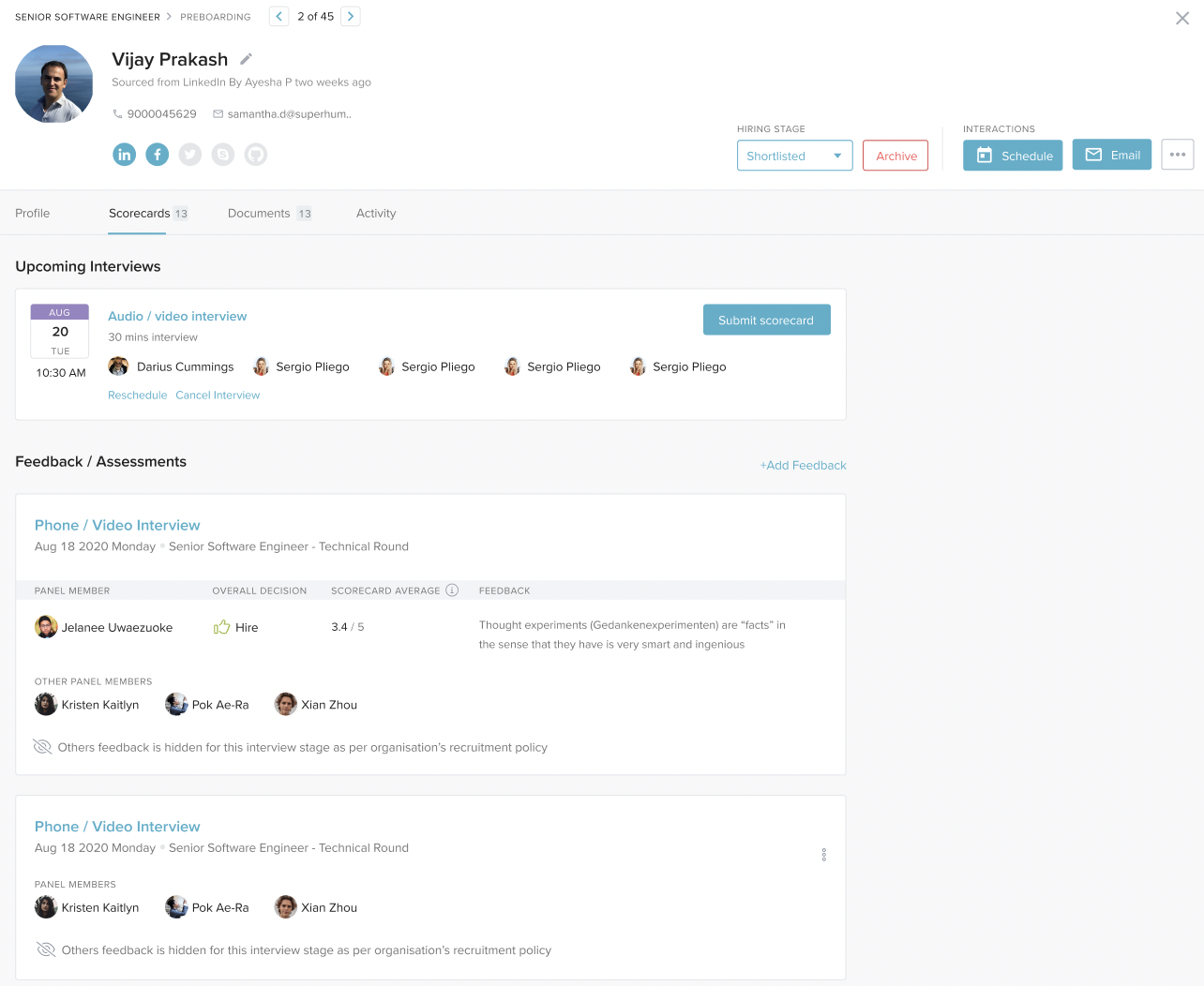
This flexibility gives you:
More objective evaluations — by limiting influence between interviewers
Consistency — feedback is structured and unbiased
Smarter hiring decisions — based on fairer assessments
Next Steps
Try configuring interview feedback visibility in your next job setup. Choose the option that best fits your hiring process — Open, Restricted, or Private — to create a more balanced and bias-free recruitment experience.
Comments
0 comments
Please sign in to leave a comment.