Introduction
Self-scheduling interviews give candidates the power to book interview slots directly from the availability shared by your hiring team.
This feature reduces back-and-forth emails, minimizes admin work, and helps recruiters move faster while giving candidates a better experience.
What is Self-Scheduling?
Instead of recruiters manually coordinating interview times, candidates receive a link to choose from pre-defined time slots. They can also suggest alternatives if needed.
Benefits
Saves time for recruiters and interviewers.
Ensures real-time availability and avoids conflicts.
Empowers candidates to control their schedules.
How Self-Scheduling Works
Invitation – Recruiter sends a scheduling link (via email template).
View Slots – Candidate clicks the link to see slots synced with interviewers’ calendars.
Select Time – Candidate picks a slot, the system auto-confirms, and both parties receive calendar invites.
Reminders – Automated reminders reduce no-shows and keep everyone prepared.
Both interviewers and recruiters play specific roles in this process.
Interviewer’s Actions
Set Availability
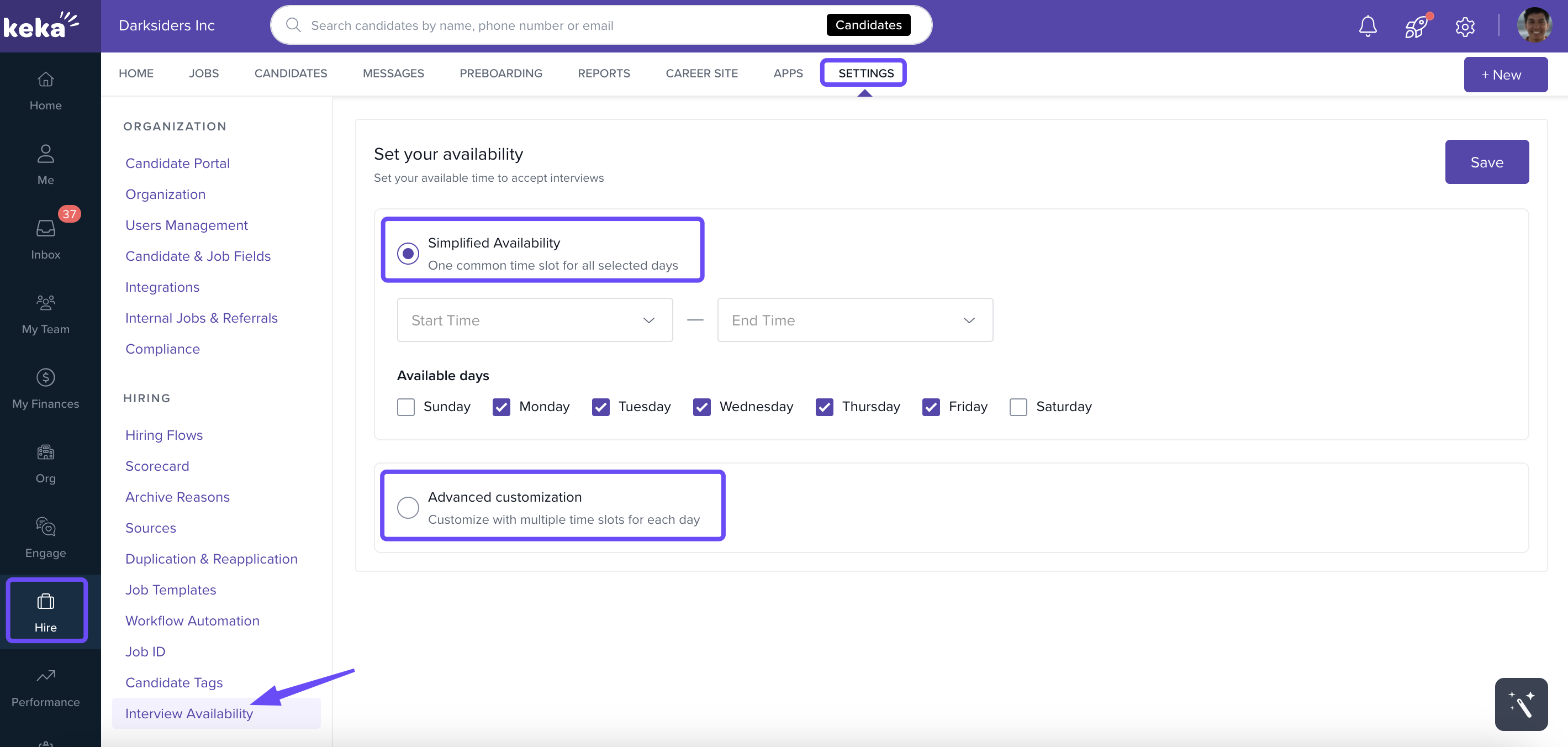
Go to Hire → Settings → Interview Availability.
-
Choose one of two options:
Simplified Availability – set the same time slot across weekdays (e.g., Mon–Fri, 3–5 PM).
Advanced Customization – create different slots for each day.
Click Save to confirm.
Connect Calendar
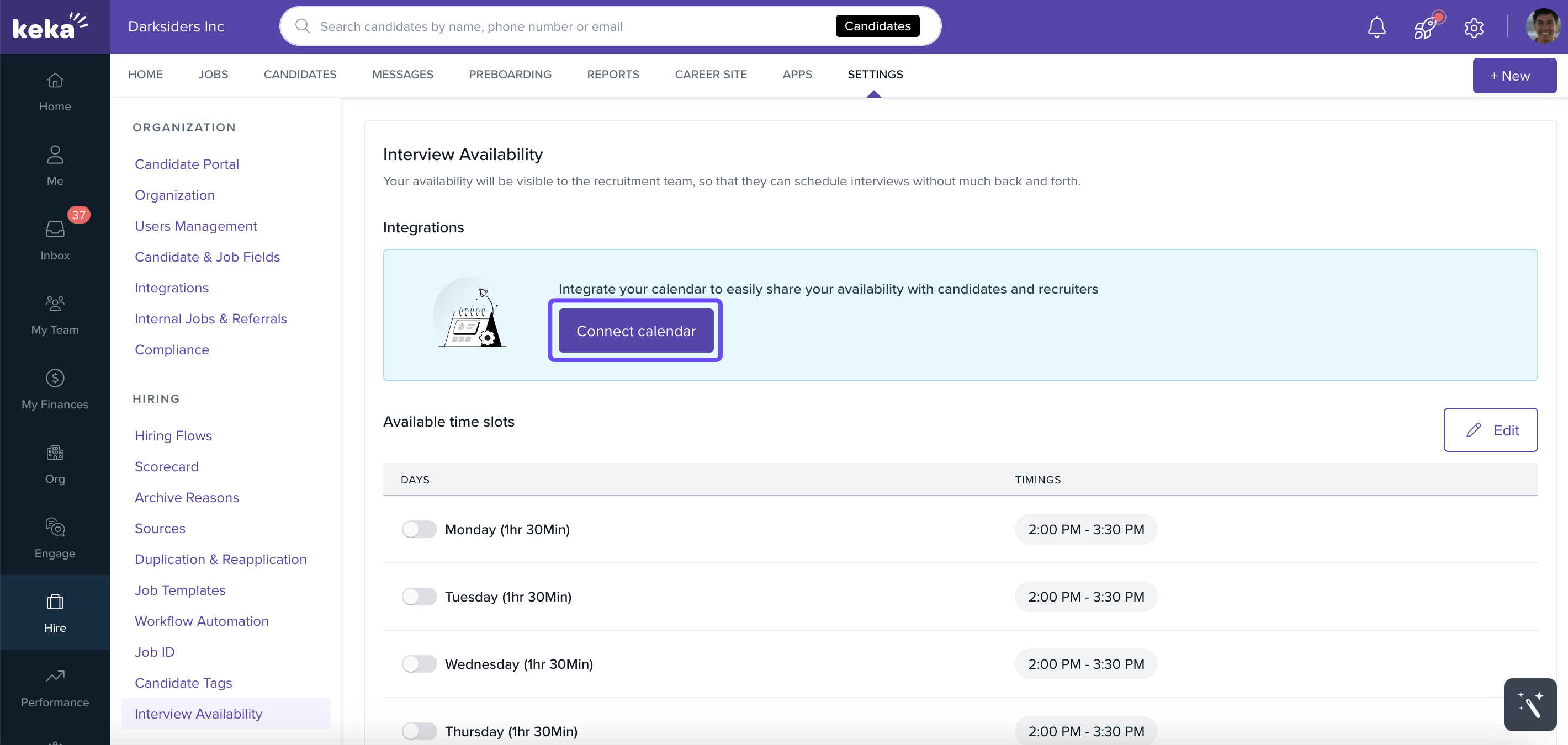
In Interview Availability, click Connect Calendar.
Select your calendar app (Outlook, Google) and meeting platform (Zoom, Google Meet, Microsoft Teams).
Authorize access to sync.
Benefits
Prevents conflicts with existing meetings.
Automatically removes unavailable slots.
Keeps recruiters and candidates updated with real-time availability.
View & Modify Availability
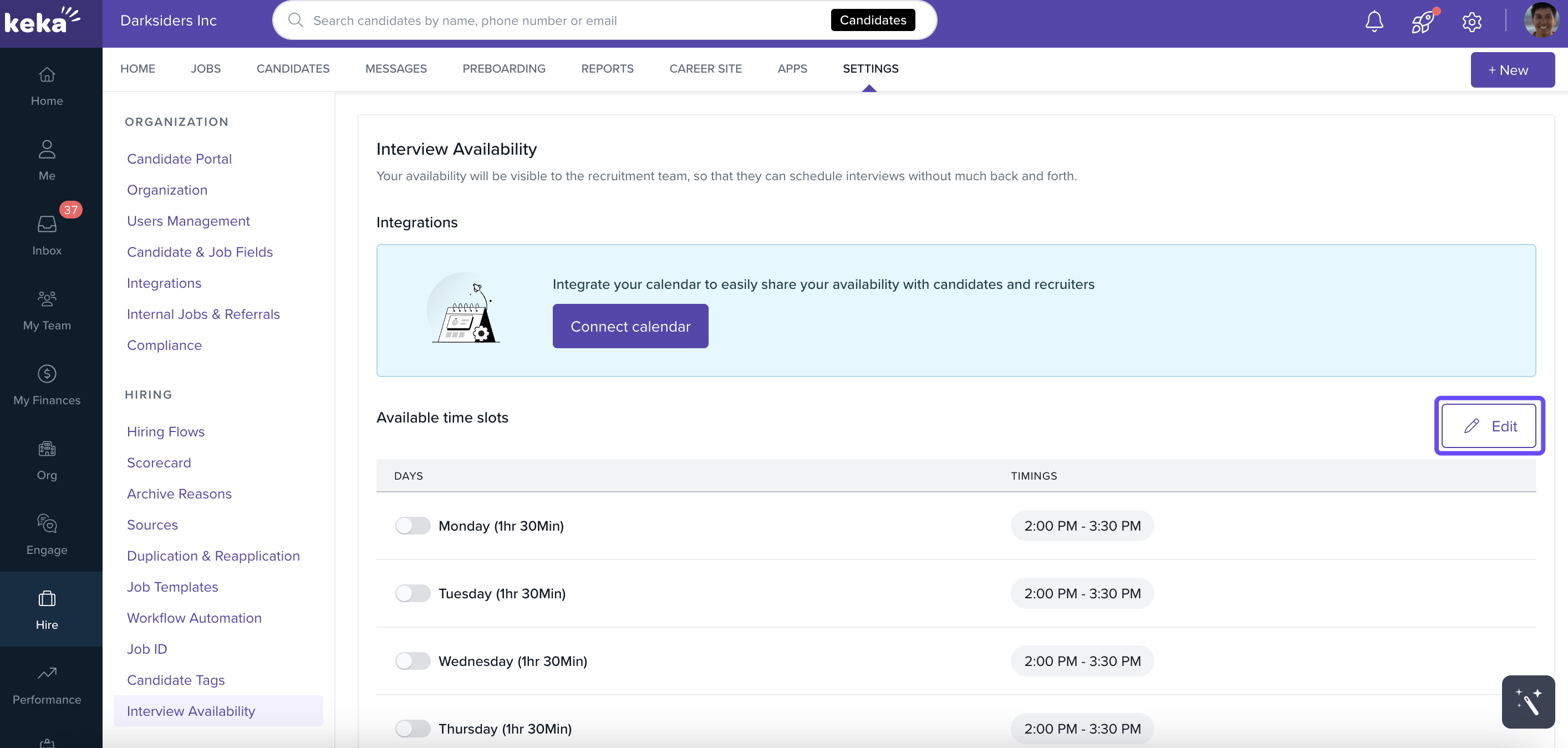
Review configured slots anytime.
Use Edit to adjust or delete slots, then click Update.
Toggle specific days on/off if needed.
Handle Expired Integrations
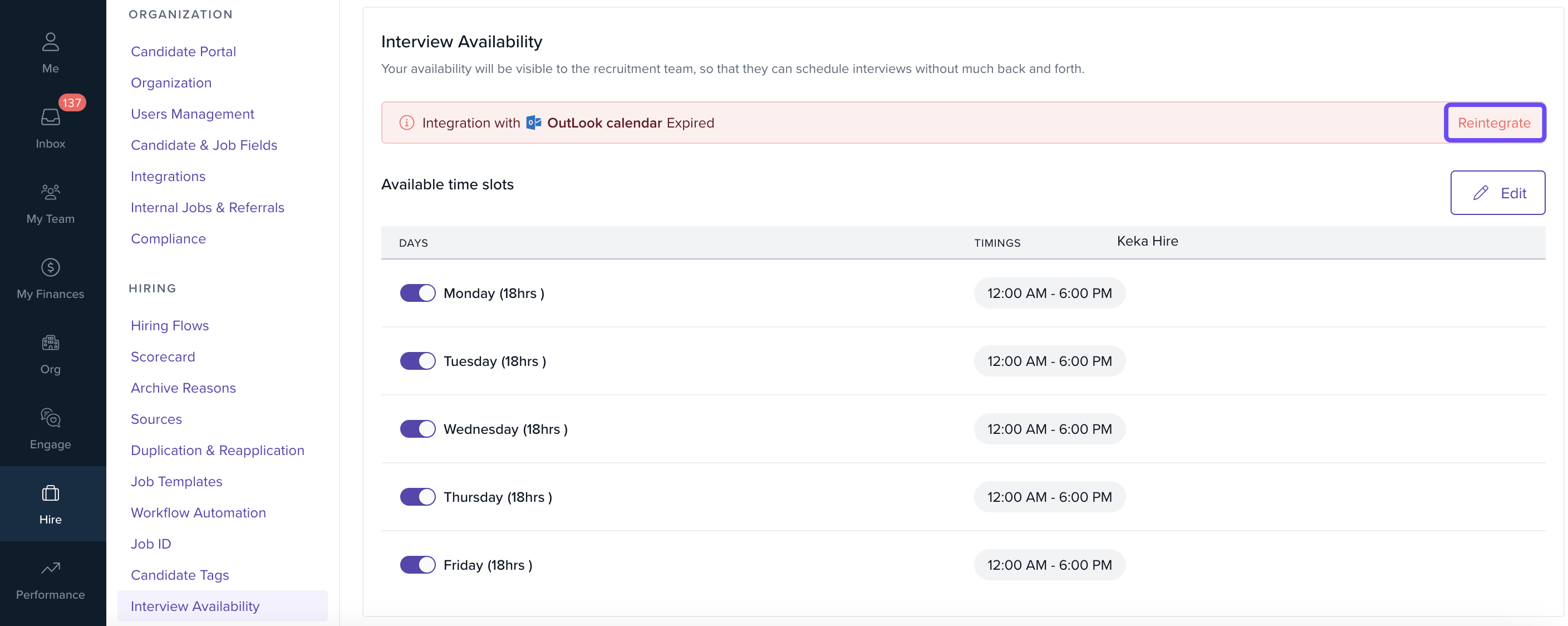
If a calendar connection expires, the system will notify you.
Click Reintegrate.
Follow the same authorization steps.
Recruiter’s Actions
Initiate Self-Schedule
Go to the candidate’s profile → Interactions → Schedule.
Select Self-Schedule Interview.
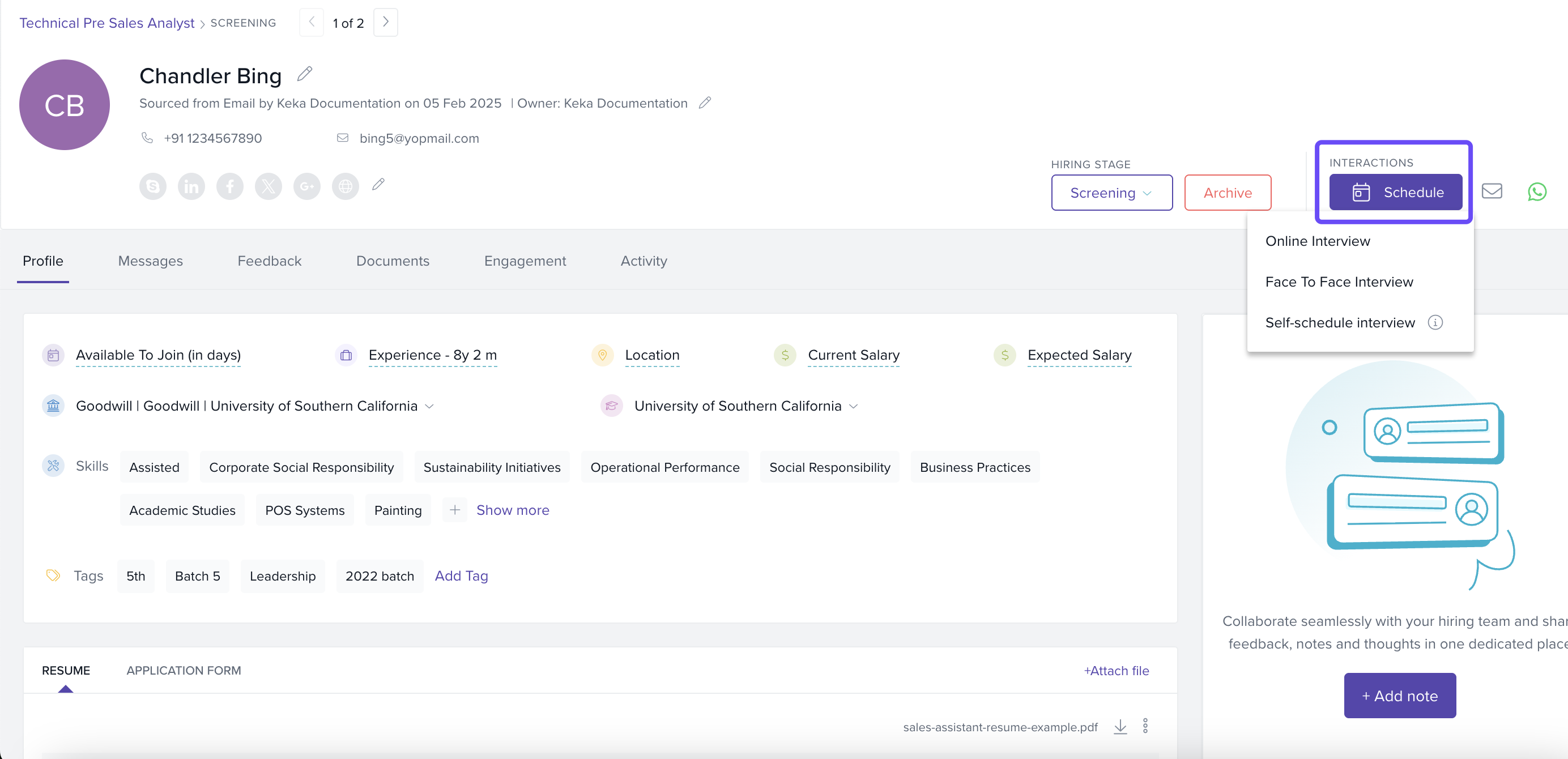
Benefit: Reduces manual coordination and empowers candidates to choose.
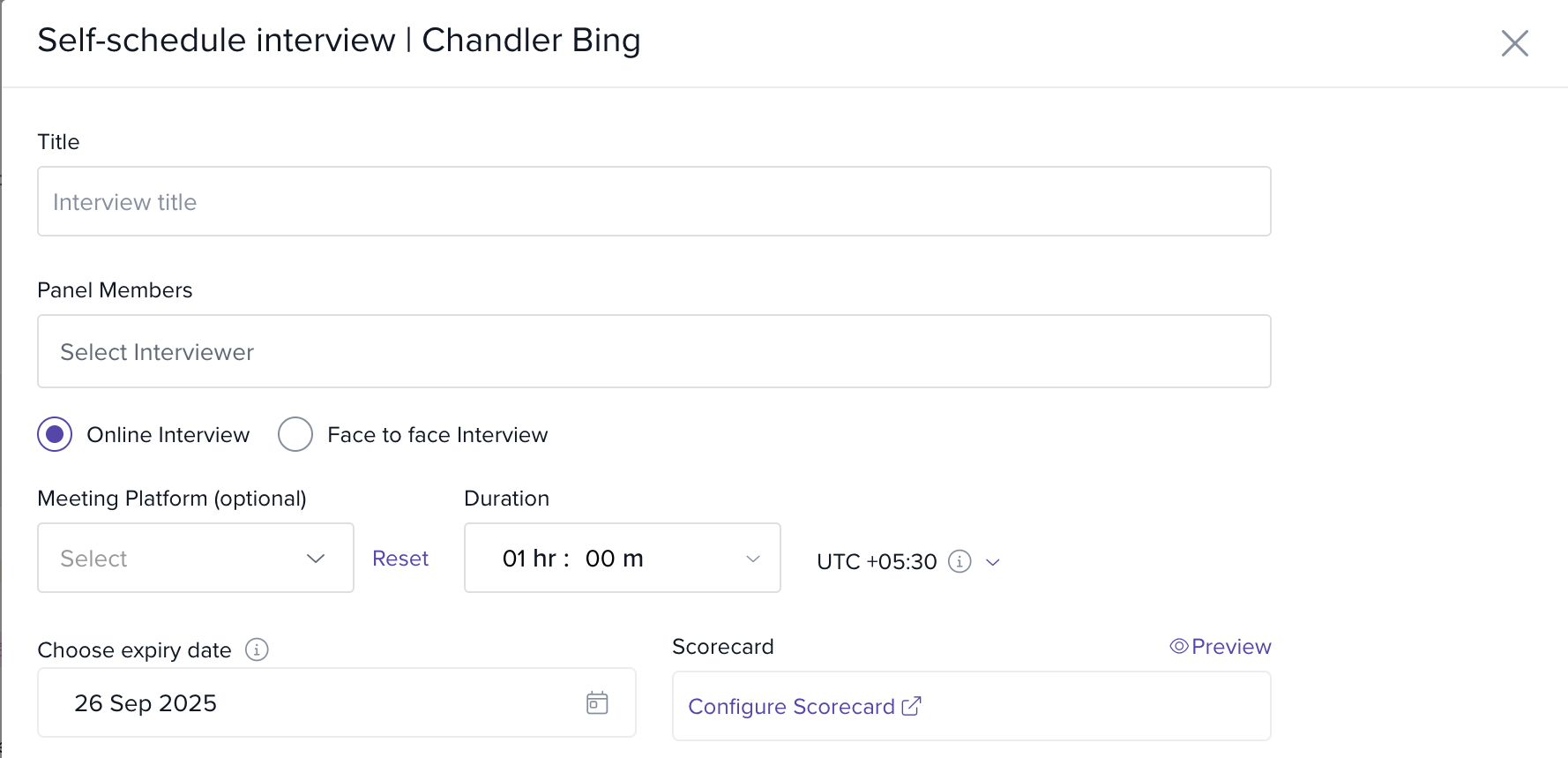
Select Panel Members
Add panel members manually.
-
Enable Round-Robin Assignment → toggle Allow scheduling if either panel member is available.
The system will auto-assign one panel member fairly based on availability.
Configure Scheduling Parameters
Set availability window (e.g., 7 days).
Define link expiry.
Add scorecards or evaluation templates.
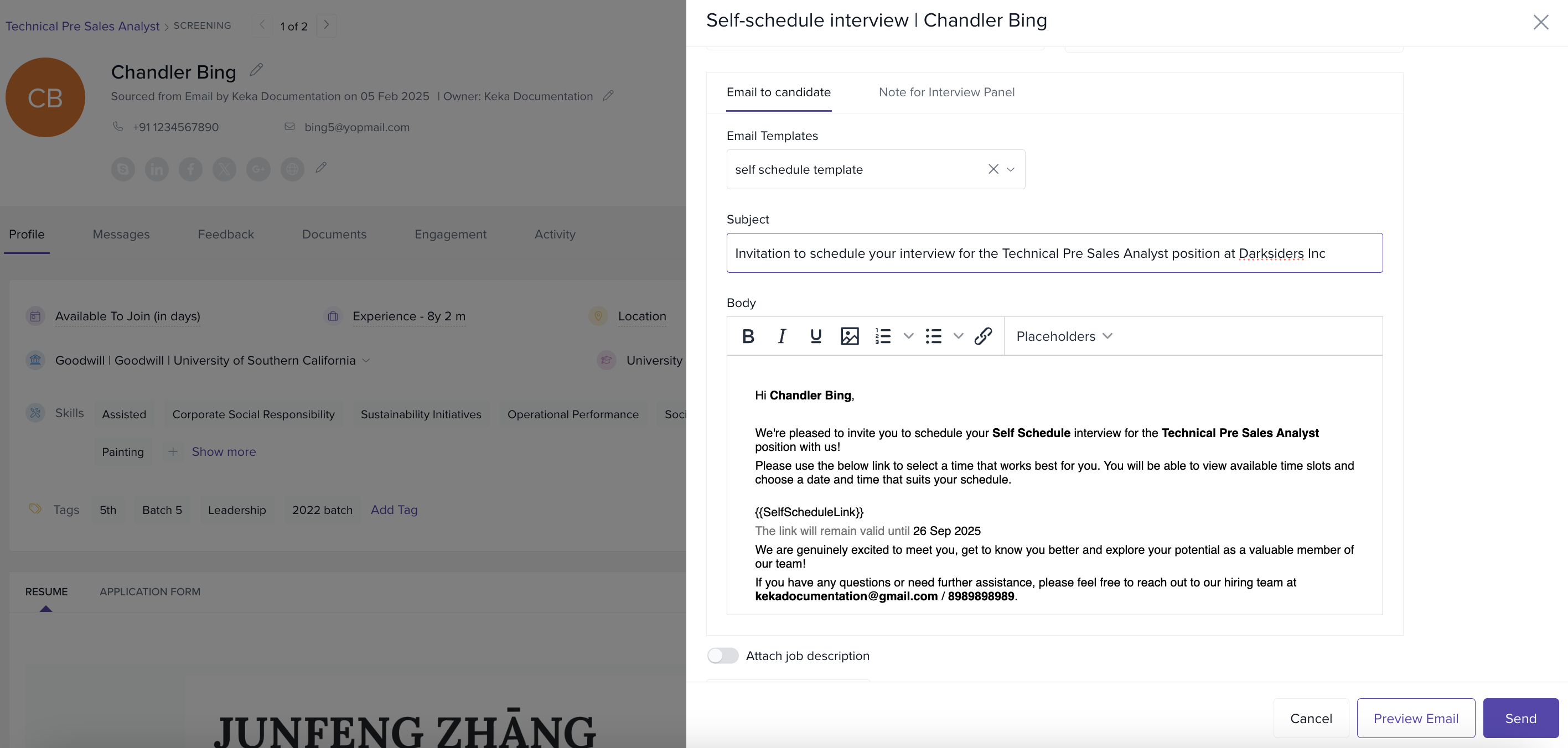
Customize Email Invitation
Use ready-made templates or write personalized emails.
Add placeholders for candidate name, job role, link expiry, etc.
Monitor Scheduled Interviews
Track interview statuses in the Scheduled Interviews dashboard.
Reschedule if needed.
For online interviews → select meeting platform + duration.
For in-person interviews → select location + duration.
Links remain valid until the chosen interview date.
Manage Conflicts
-
No common availability → system warns you.
Enable scheduling with any panel member.
Ask panel members to update availability.
No available slots → warning shown.
No availability configured → flagged. Recruiter can use Remind to prompt setup.
Google Calendar not connected → alert shown.
Final Review & Send
Preview the email invitation.
Verify panel members, time slots, and meeting details.
Click Send to share the invitation.
Panel Member’s Actions
Panel members’ availability and participation are critical.
What panel members can do:
Manage availability – update their slots; recruiters can send reminders if missing.
Dynamic assignment – system can assign them using Round-Robin.
View updates – confirm interviews directly in their dashboard.
Provide feedback – submit scorecards after the interview.
Notes & Tips
Tip: Use Simplified Availability if your schedule is consistent, and Advanced Customization for varying days.
Important: Keep your calendar integrated to avoid missed slots and conflicts.
Tip: Round-Robin assignment ensures fair distribution of interviews among panel members.
- Note: Interview reminders are sent automatically and synced with your calendar app.
Self-scheduling in Keka Hire eliminates manual scheduling work, keeps calendars synced, and improves candidate experience.
It saves time for recruiters, keeps interviewers organized, and ensures smooth coordination across hiring teams.
Comments
0 comments
Please sign in to leave a comment.