Introduction
Internal job postings (IJPs) allow existing employees to apply for new roles within your organization. With Keka Hire, you can set up an internal job posting policy to determine eligibility rules and whether prior manager approval is required.
To get started, you need to enable the Internal Job Portal and define the internal job applicants policy. Once configured, you can allow employees to apply for specific jobs during the job creation process.
Accepting Internal Applicants for a Job
- Go to Hire → Settings → Internal Jobs and Referrals.
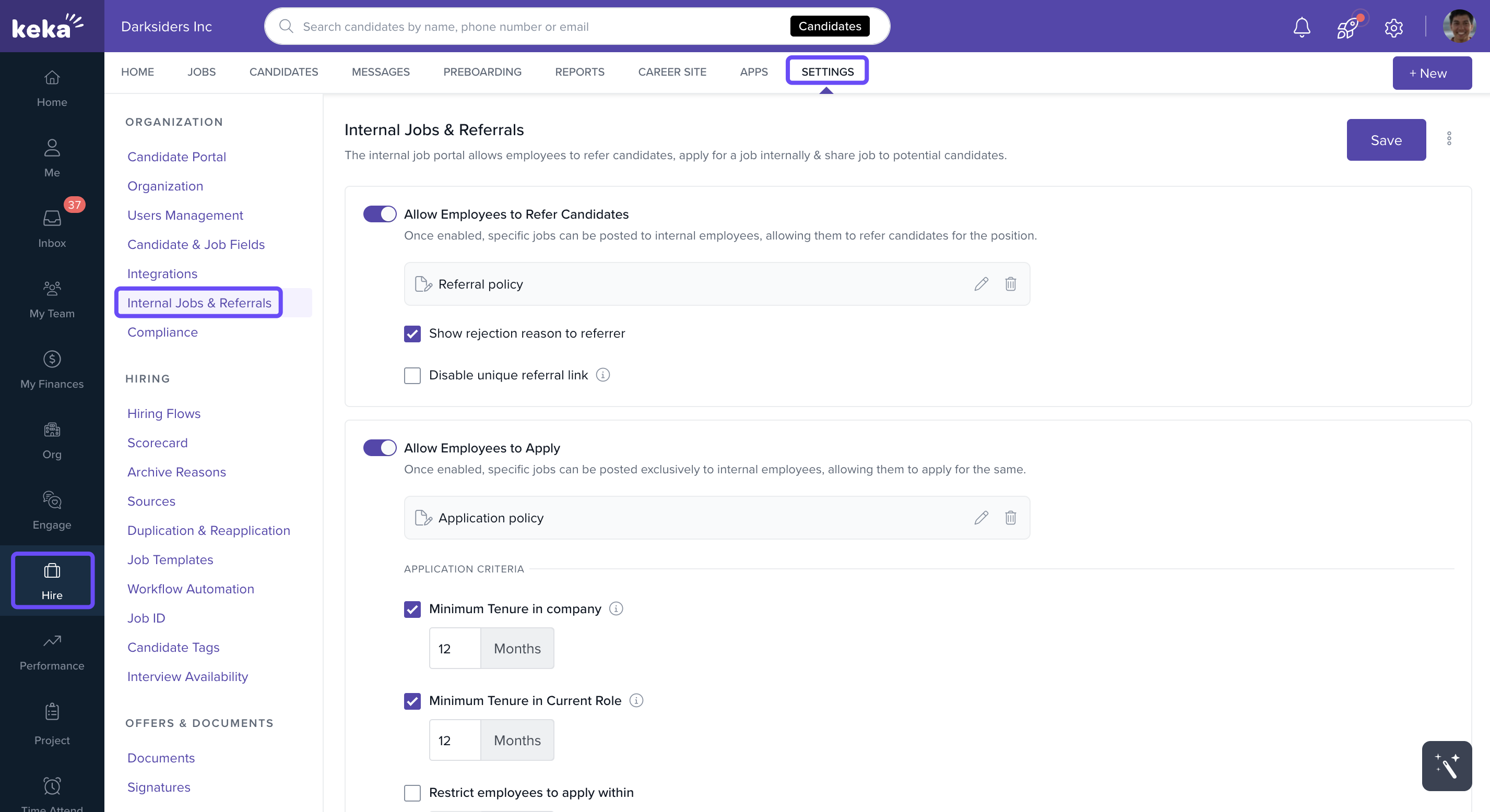
- Click on Allow internal job applications.
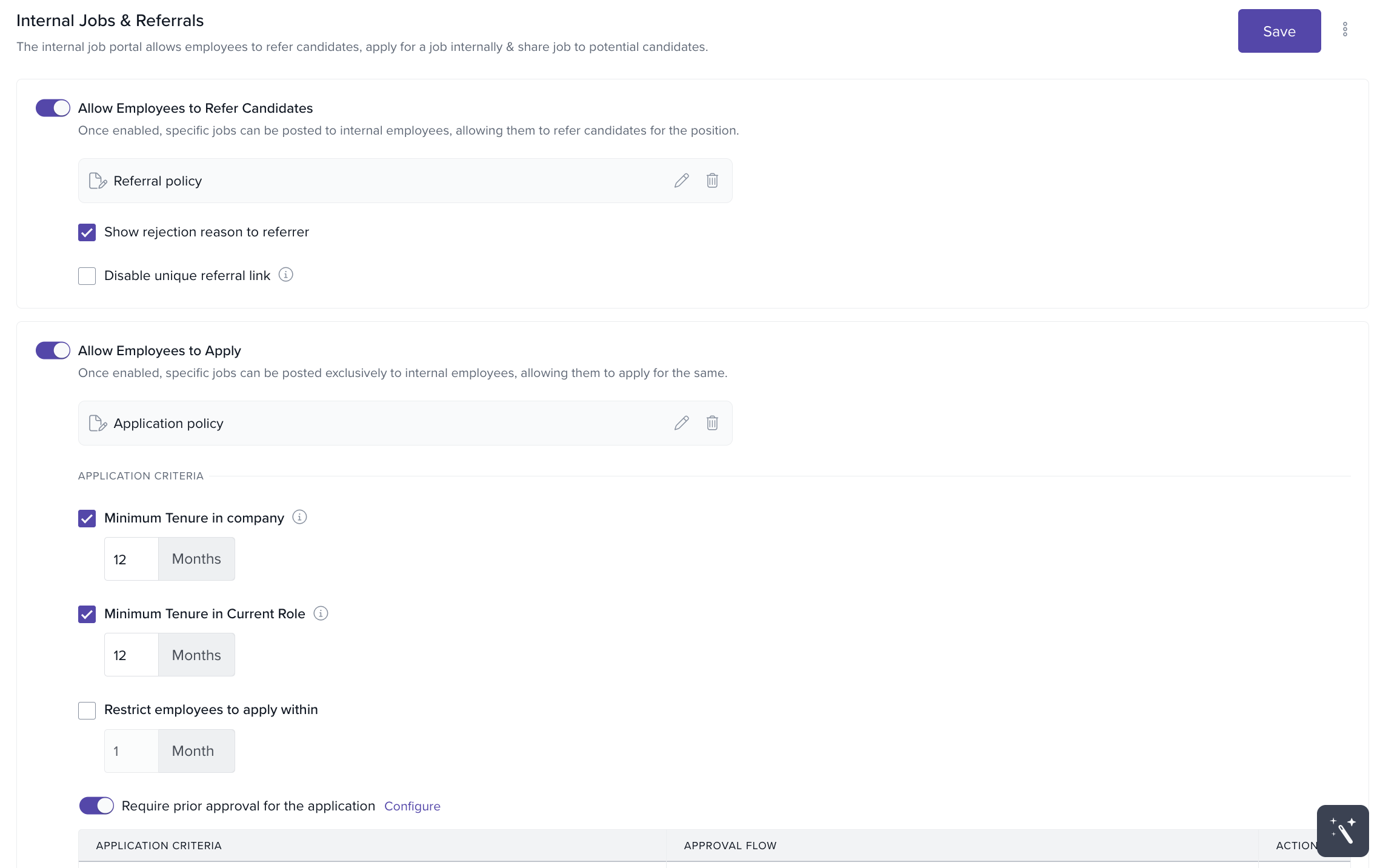
- Define eligibility criteria for applicants:
-
Minimum tenure requirements
- Set minimum time in the organization (e.g., 1 year).
- Set minimum time in the current role (e.g., 6 months).
-
Minimum tenure requirements
-
-
Approval requirements
- Enable Require prior approval for the application if approval is mandatory.
- Add approver designations and build multi-level approval chains with +Add New Level.
- Optionally, set auto-approval in cases where the approver is not assigned, relieved, or unavailable.
-
Approval requirements
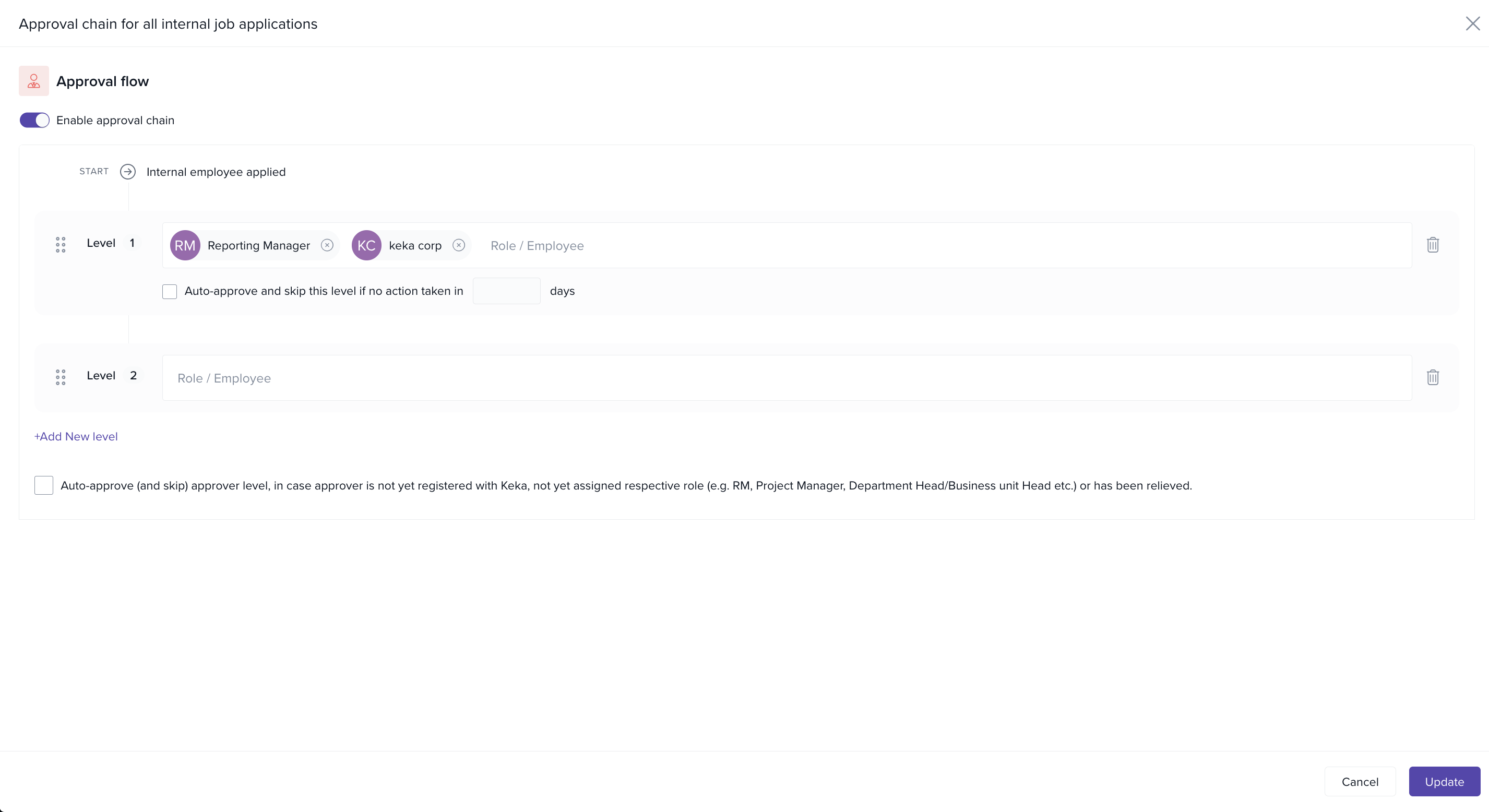
Enabling this option only activates the internal job application feature. You still need to enable it for each job when creating a new posting.
Manage Internal Job Application Policy
- In the same section, click the pencil icon next to the application policy.
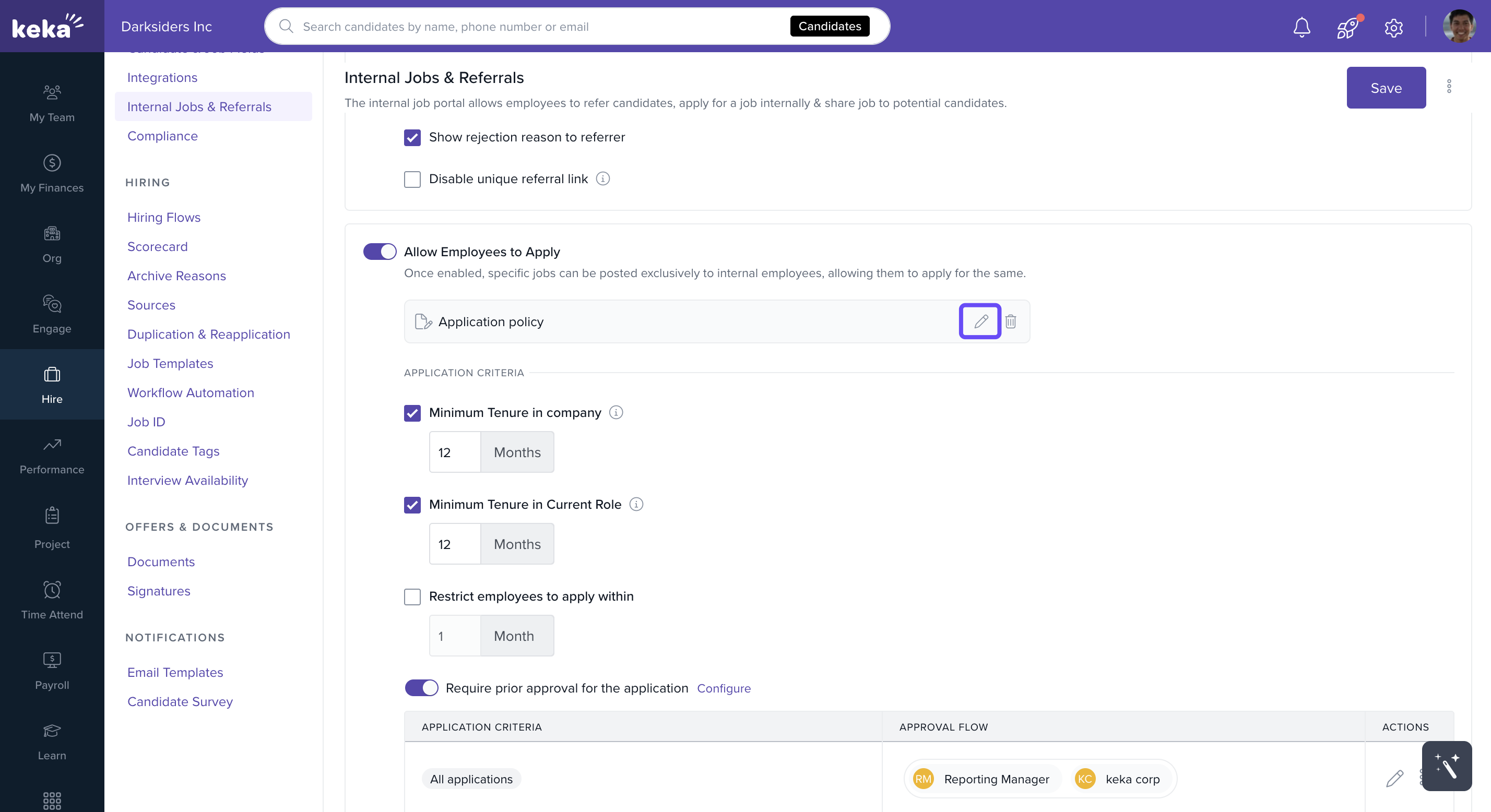
- Describe and define the policy.
- Click Save to confirm your policy.
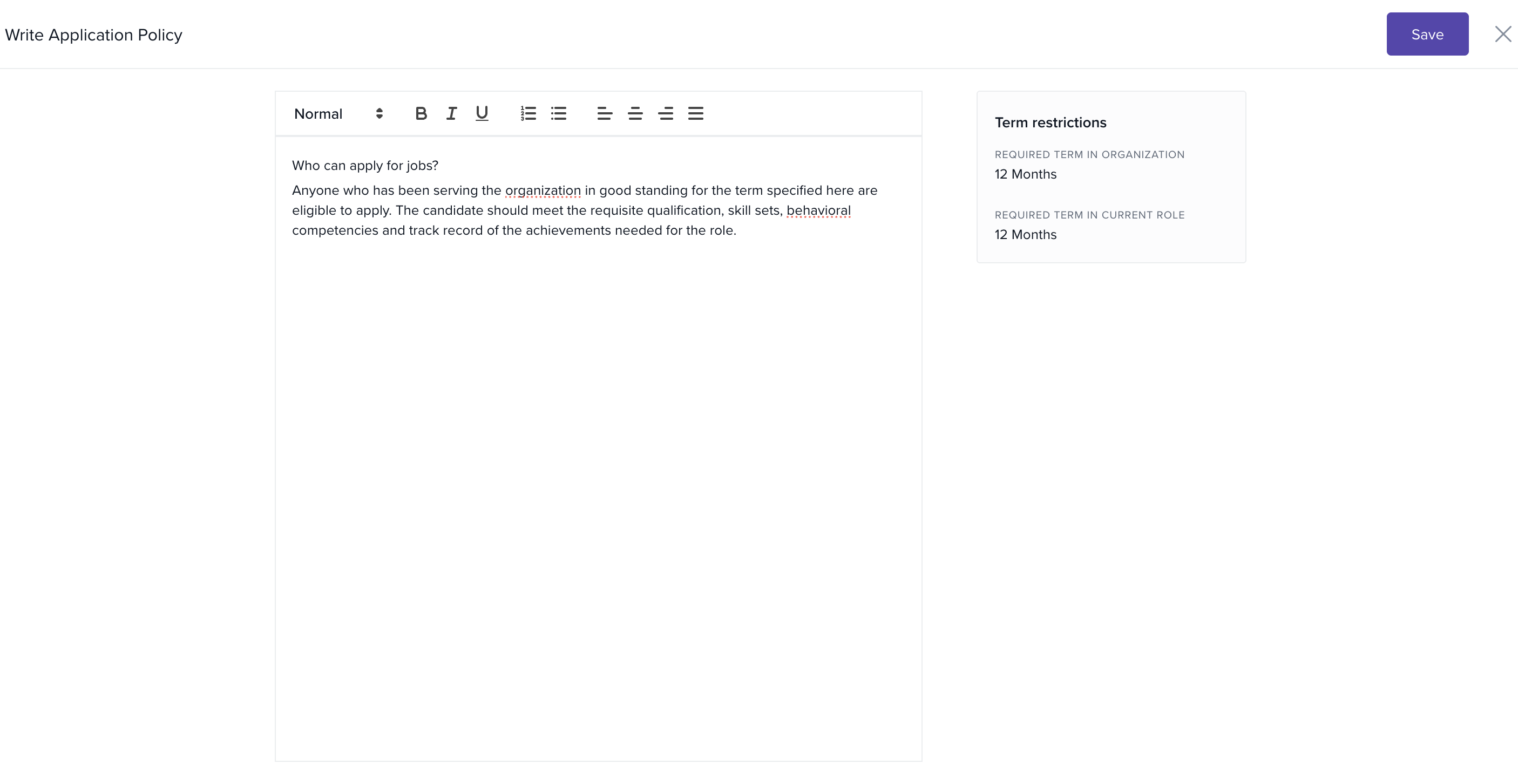
This ensures clarity on who can apply for internal job postings across your organization.
Making a Job Open for Internal Applicants
When creating a new job in Keka Hire:
- Go to the Publish section of the job creation flow.
- Toggle Allow Internal Employees to Apply.
- Configure restrictions if needed, such as:
- Eligibility based on tenure or policy.
- Requirement to answer screening questions.
- Adding a note for internal applicants.
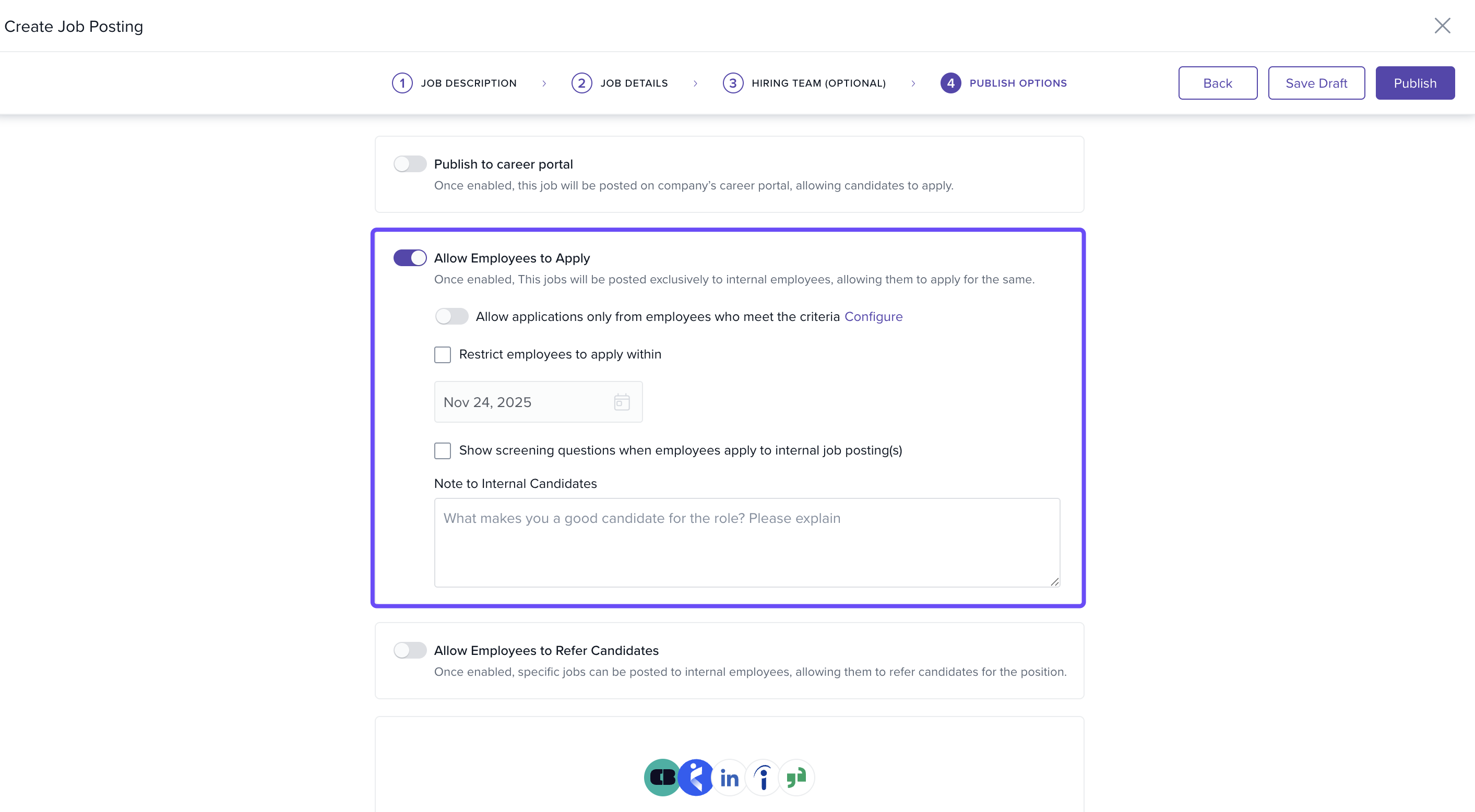
Once the job is published, eligible employees can view and apply directly through the Internal Job Portal.
We’re here to support you every step of the way. If you have any more questions or need a helping hand, our product experts are always just a message away.
Comments
0 comments
Please sign in to leave a comment.