Introduction
Job applications come from all sorts of places—job boards, social media, employee referrals, advertisements, and more. Organizing these sources into categories in Keka Hire helps you evaluate where your best candidates are coming from and which sources are underperforming. This enables you to focus your efforts on the best channels for sourcing candidates.
Let’s walk through how you can manage and categorize your application sources in Keka Hire.
Understanding Source Categories
Keka Hire provides several default source categories to help organize your application channels. Here’s a breakdown of each:
Job Boards:
Platforms like LinkedIn, Facebook, and Twitter help you reach a wide audience and showcase your company culture and job openings.Hiring Drives:
Organizing events targeted at specific skills or industries allows direct engagement with candidates.Reach-out:
Proactively contacting passive candidates who aren’t actively job hunting but may be a great fit.Organic Social Media:
Building a presence on social media platforms like Twitter or Instagram can attract candidates interested in your company’s mission.Advertisements:
Strategic placement of job ads both online and offline to raise awareness of open positions.Resume Database:
Maintaining a pool of pre-screened candidates who are ready for current or future job openings.Referral:
Encouraging employee referrals, which often yield candidates who are a good cultural fit.Source via Email:
Direct email outreach helps you keep potential candidates informed about job opportunities.
Adding a Source Category
To add a new source category:
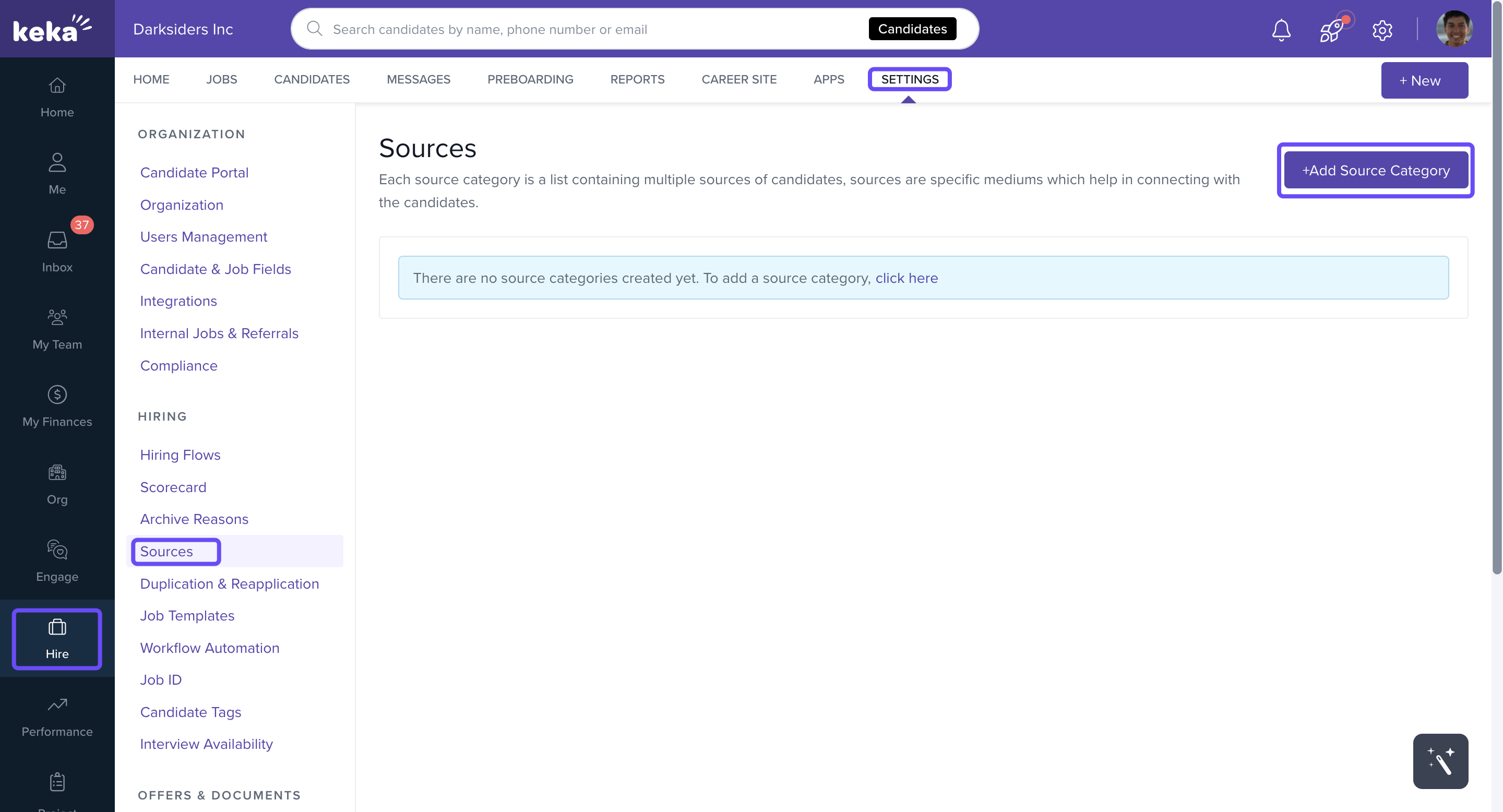
Go to Hire → Settings → Sources.
Click on Add Source Category.
-
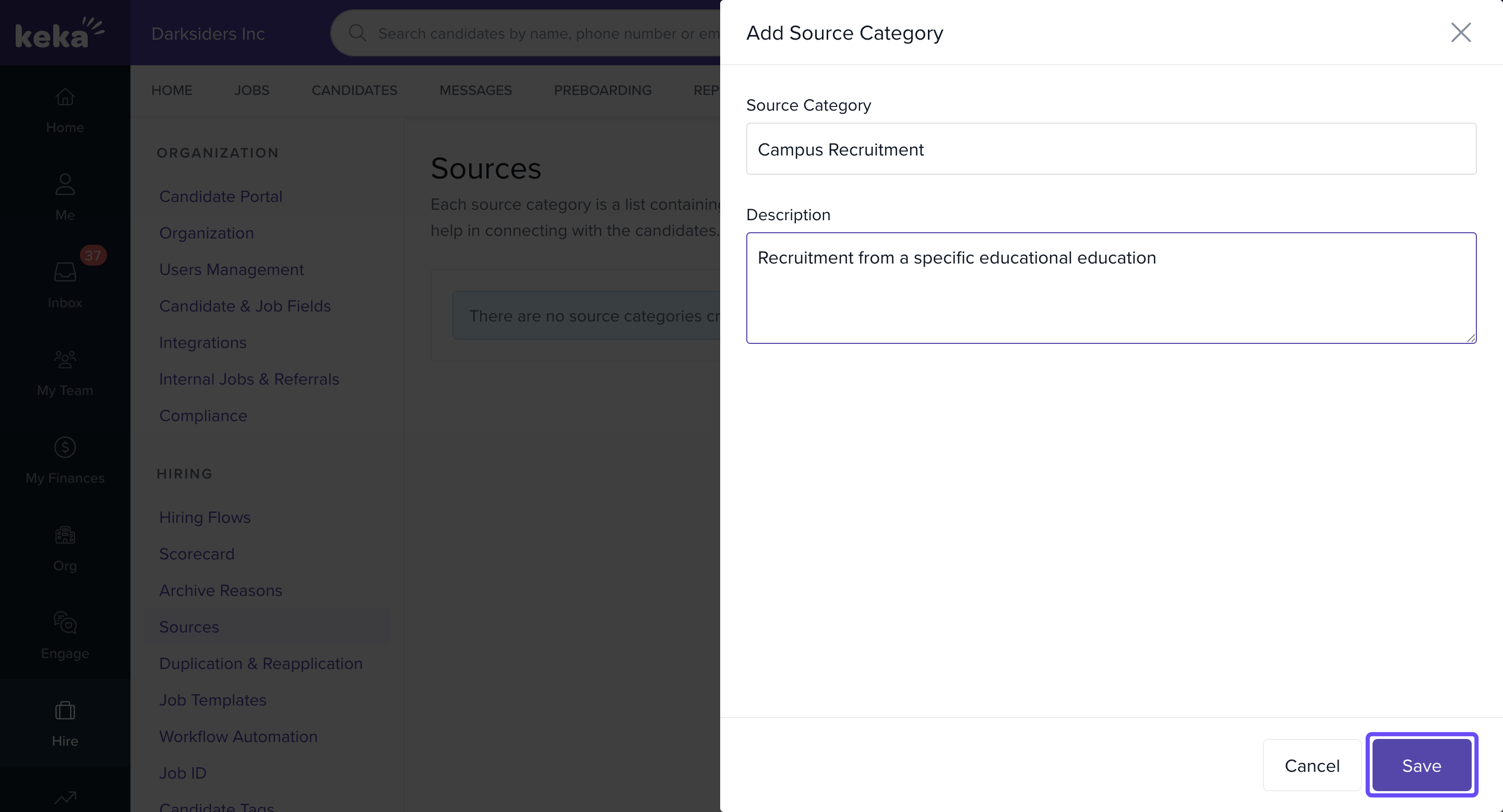
In the Add Source Category overlay, enter:
Category Name
Description (optional)
Click Save to create the new source category.
Adding a New Source to a Category
Once you’ve created a source category, you can add specific sources to it:
Click the pencil icon, then select Add under the appropriate category.
Enter the name of the new source you want to add (e.g., LinkedIn, Indeed, Internal Referral).
Save your source.
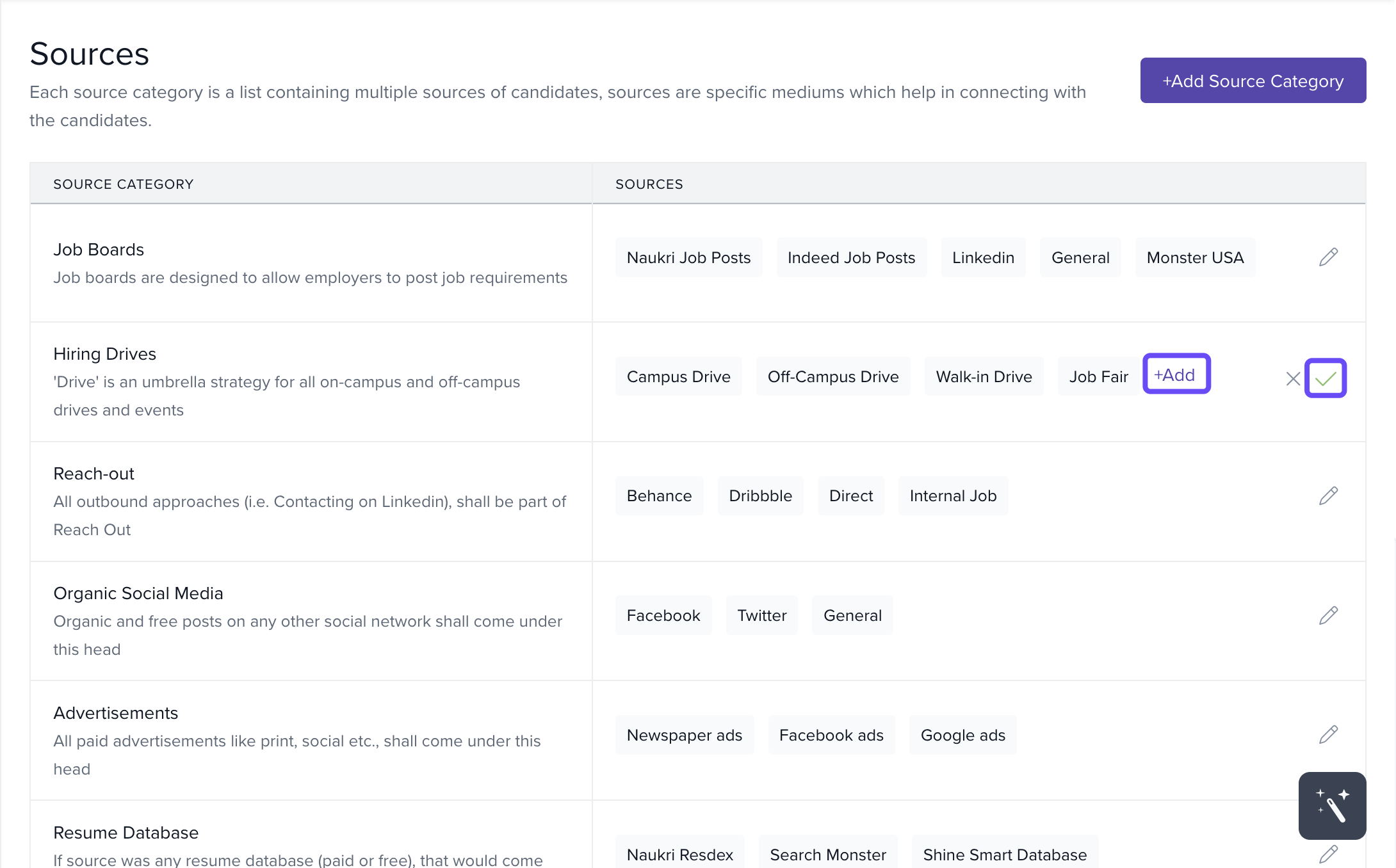
Repeat this process for each source you want to categorize under the relevant source category.
Next Steps
With your sources categorized, you can now:
Analyze which channels bring in the best candidates.
Focus your recruitment efforts on high-performing sources.
If you need more help with categorizing or managing sources in Keka Hire, feel free to contact our product experts for assistance.
Comments
0 comments
Please sign in to leave a comment.