Introduction
Recruiters often face the challenge of managing hundreds of applications for a single job posting. While more candidates increase your chances of finding the right fit, the process of shortlisting resumes can quickly become overwhelming.
This is where Candidate Profile Scores in Keka Hire can help. The system automatically rates candidates based on predefined job requirements, reducing manual effort and helping you focus on the best fits faster.
What Is a Candidate Profile Score?
A Candidate Profile Score measures how well a candidate matches the job description. The system evaluates applicants against these parameters:
Job Profile
Skills
Experience
Educational Degree
Previous Organization
For each job, you can assign weightages to these parameters. When a candidate applies, Keka calculates:
Individual parameter scores
An overall aggregate score based on your weightages
How Profile Scores Help
Reduce Time and Effort
Instead of manually reviewing hundreds of resumes, recruiters get a prioritized list of candidates. This frees up valuable time to engage with applicants and close positions faster.
Provide Objective Evaluations
Recruitment often involves subjectivity and unconscious bias. Profile scores add a numerical, standardized layer to candidate evaluation, ensuring fairer and more consistent shortlisting.
Enabling Candidate Profile Scores
Access Profile Scores
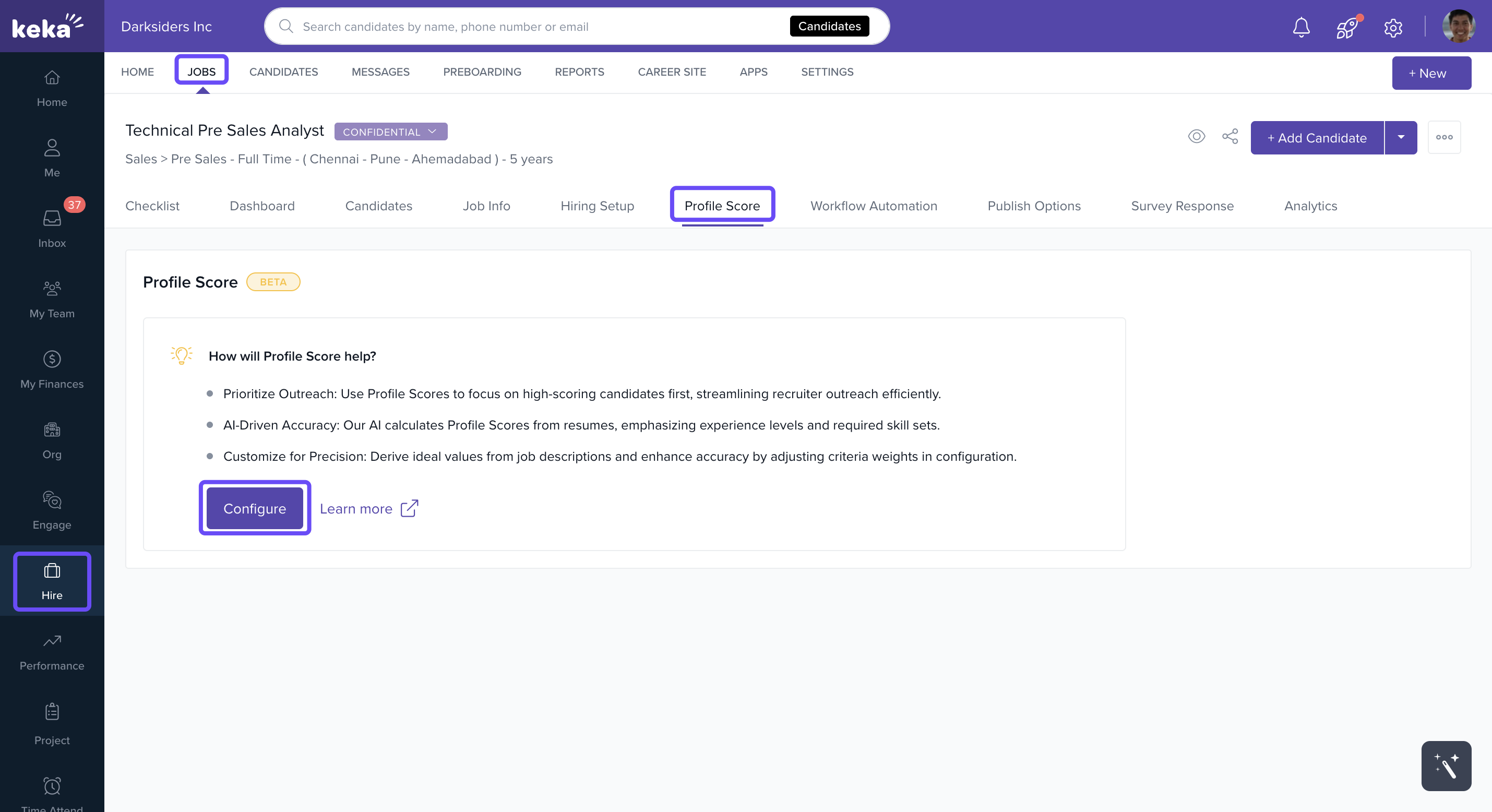
Go to Hire in the left menu.
Click Jobs.
Select a job listing (either new or active).
Open the Profile Scores tab and click Configure.
Configure Parameters
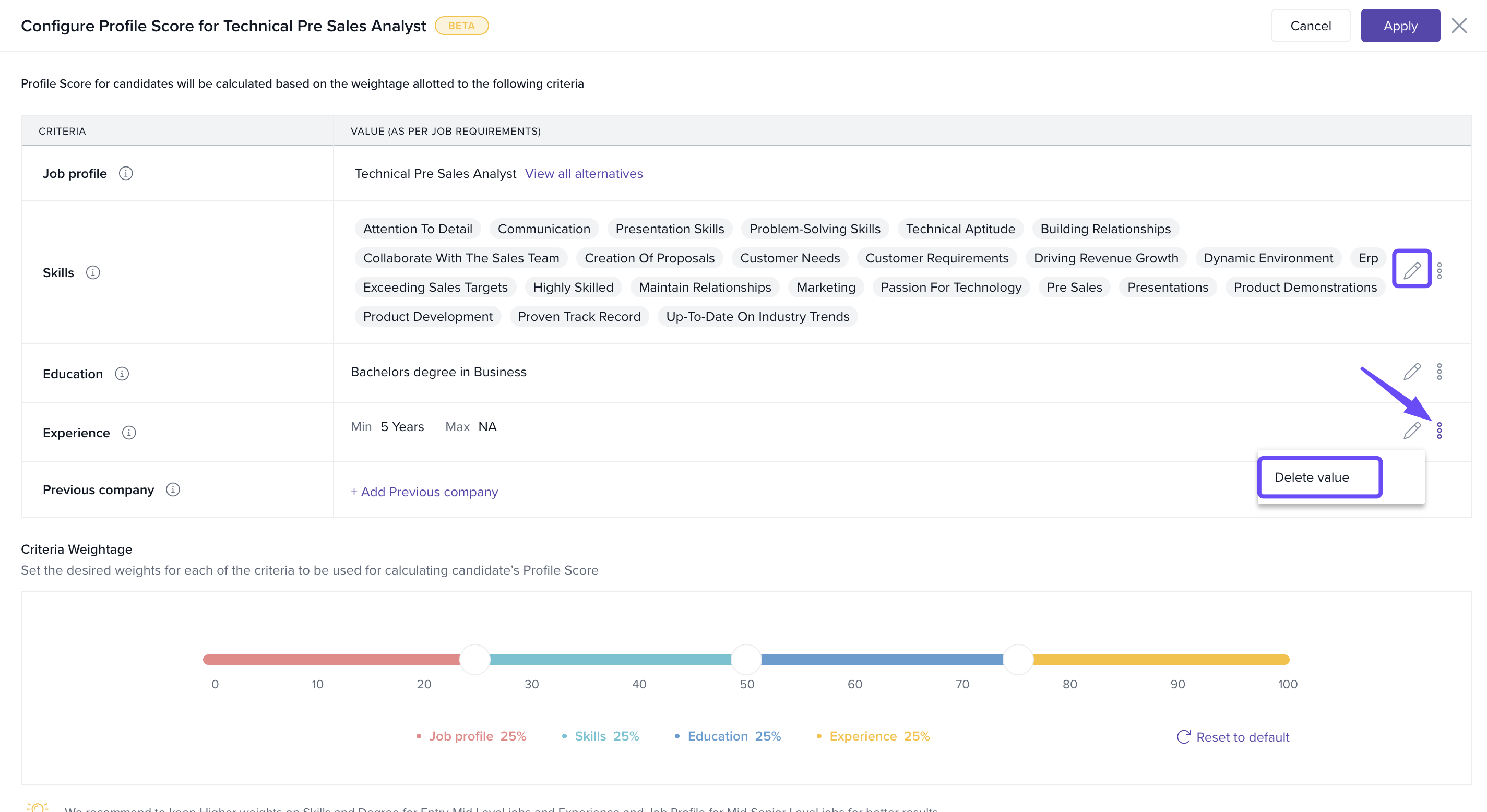
In the Configure Candidate Score window, add values for parameters such as:
Preferred job profiles
Required skills
Desired education levels
Relevant experience ranges
Preferred previous organizations
Example: If you want to prioritize candidates from Google, Apple, and Microsoft, add these organizations. Candidates with this background will receive a higher score.
To edit values, click the edit icon next to the parameter.
To delete values, click the three dots menu and select Delete Value.
Assign Weightages
Use the sliders to set the importance (weightage) of each parameter.
If no values are added to a parameter, no weightage will apply.
Click Apply to save your settings.
After Enabling Profile Scores
Any new candidates will automatically receive a profile score.
-
Hover over a score to see:
The breakdown by parameter
The overall cumulative score
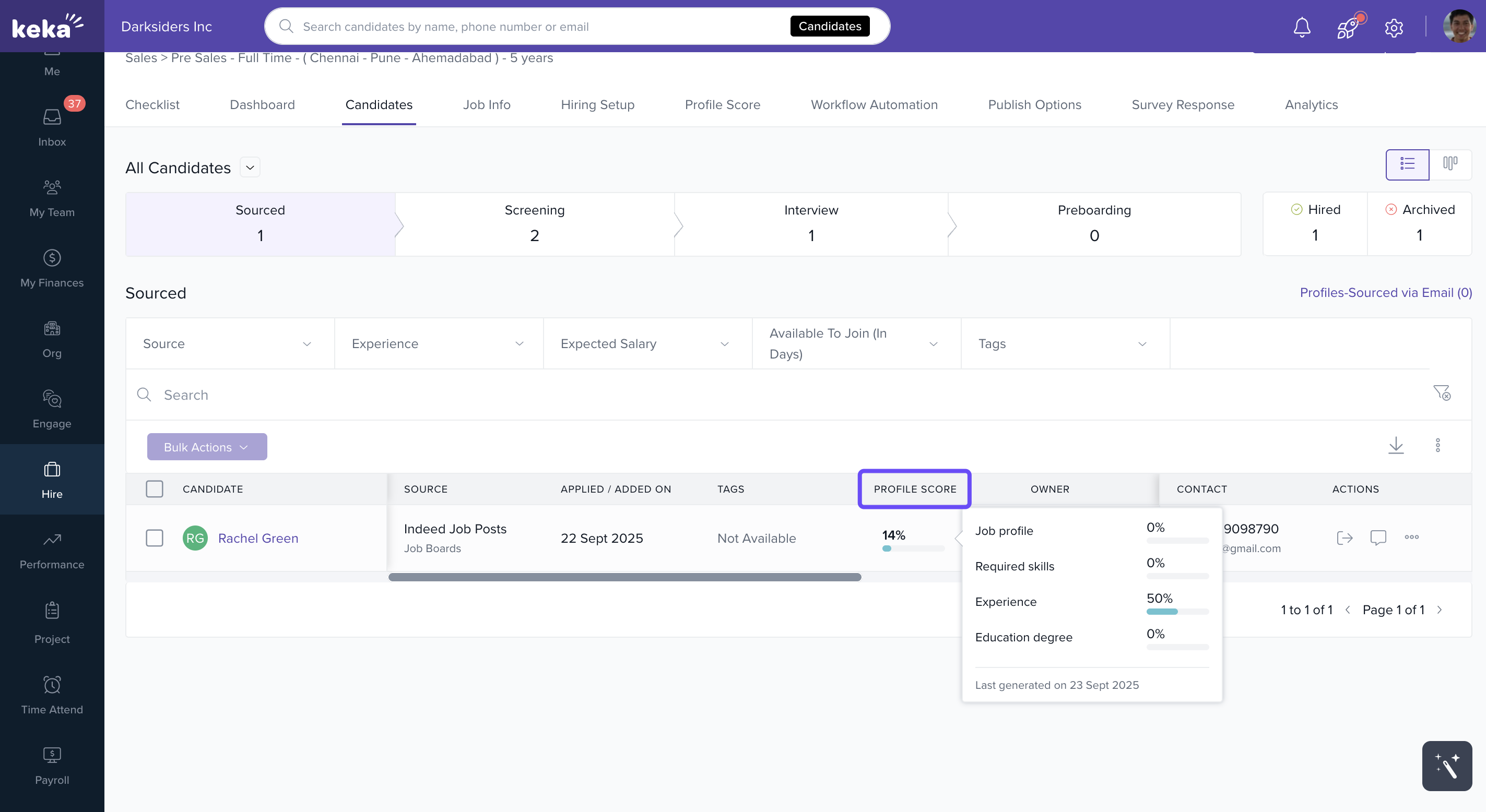
This gives recruiters both quick insights and detailed views for smarter decision-making.
Comments
0 comments
Please sign in to leave a comment.