Introduction
Keka now supports automatic job creation once a hiring requisition is approved. This feature helps speed up your hiring process and reduces dependency on manual input from recruiters.
When enabled, jobs are auto-created based on approved requisitions, giving your team a faster way to move from planning to publishing.
Automating Job Creation
Enable Auto-Creation of Jobs
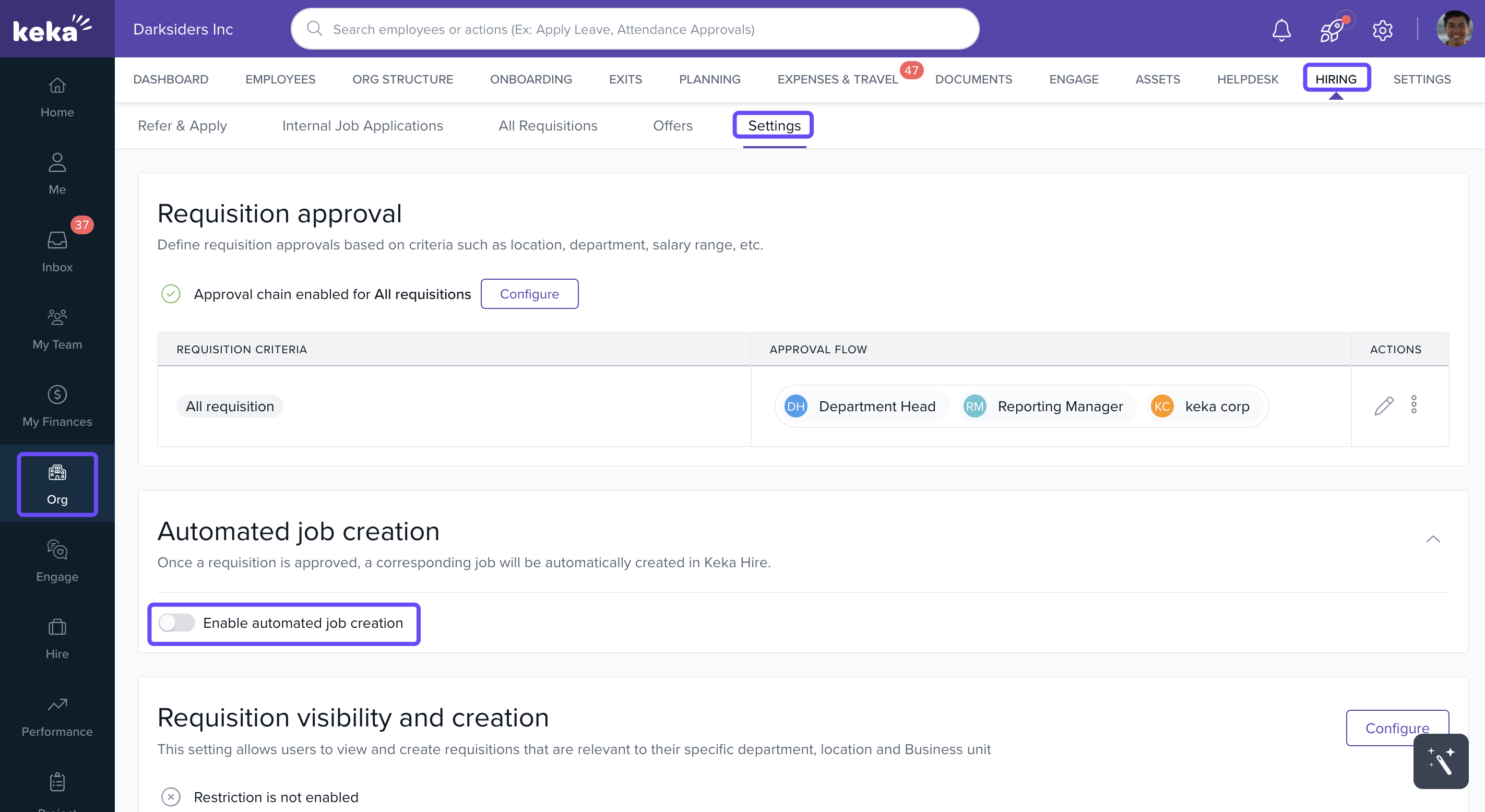
Go to Organization → Hiring → Settings in the Keka HR platform.
Find the Automated Job creation option.
Toggle it on to activate auto-creation.
A confirmation pop-up will appear outlining the feature’s behavior.
Click Confirm to enable it.
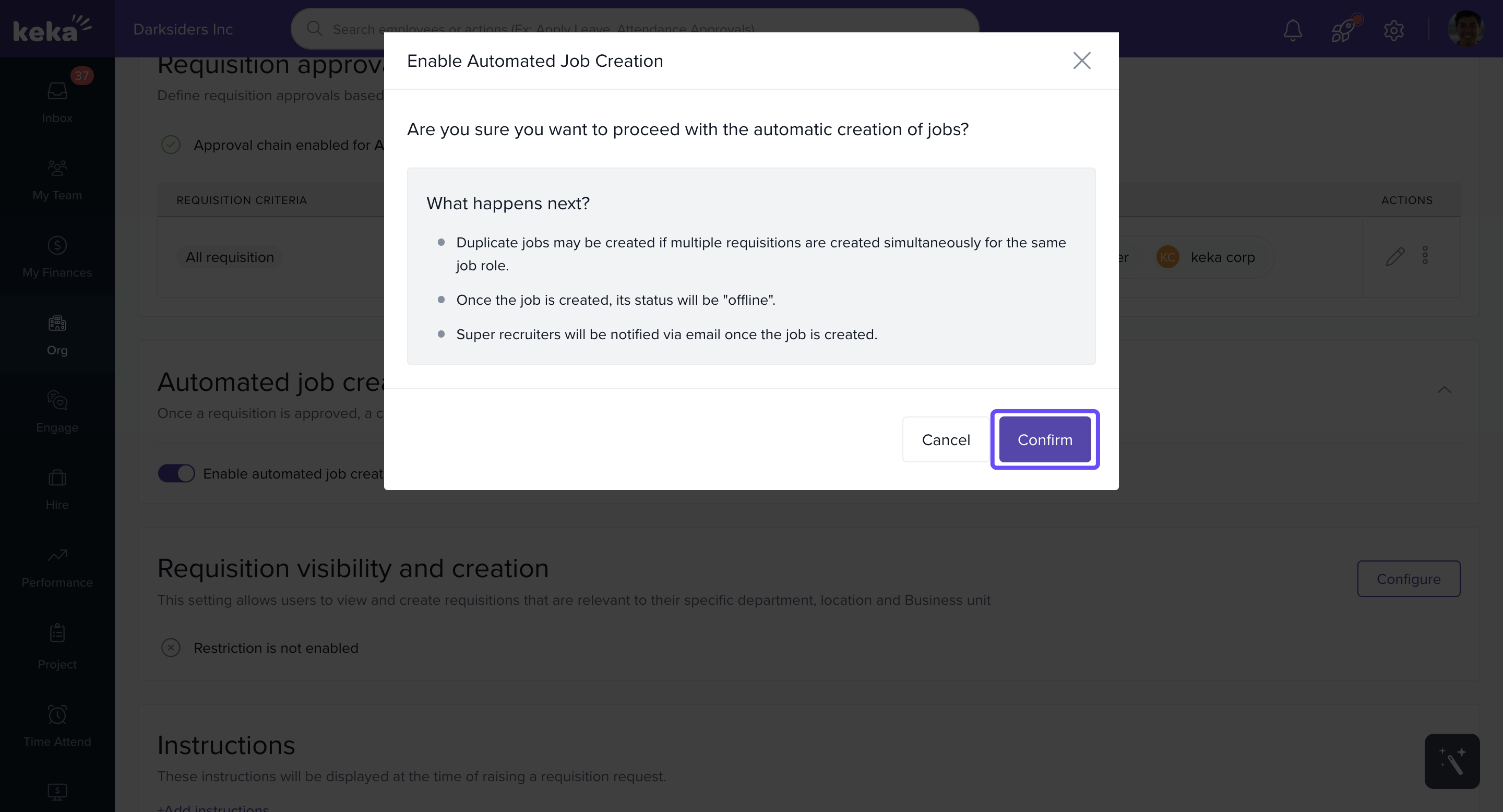
Once enabled, jobs will be automatically generated as soon as requisitions are approved.
How It Works
Email Notification to Super Recruiters
Whenever a job is auto-created:
Super Recruiters receive an email notification
The email includes:
Requisition details
Requisition creator name
Creation date
A CTA button to view the new job in Keka Hire
Job Display in Keka Hire
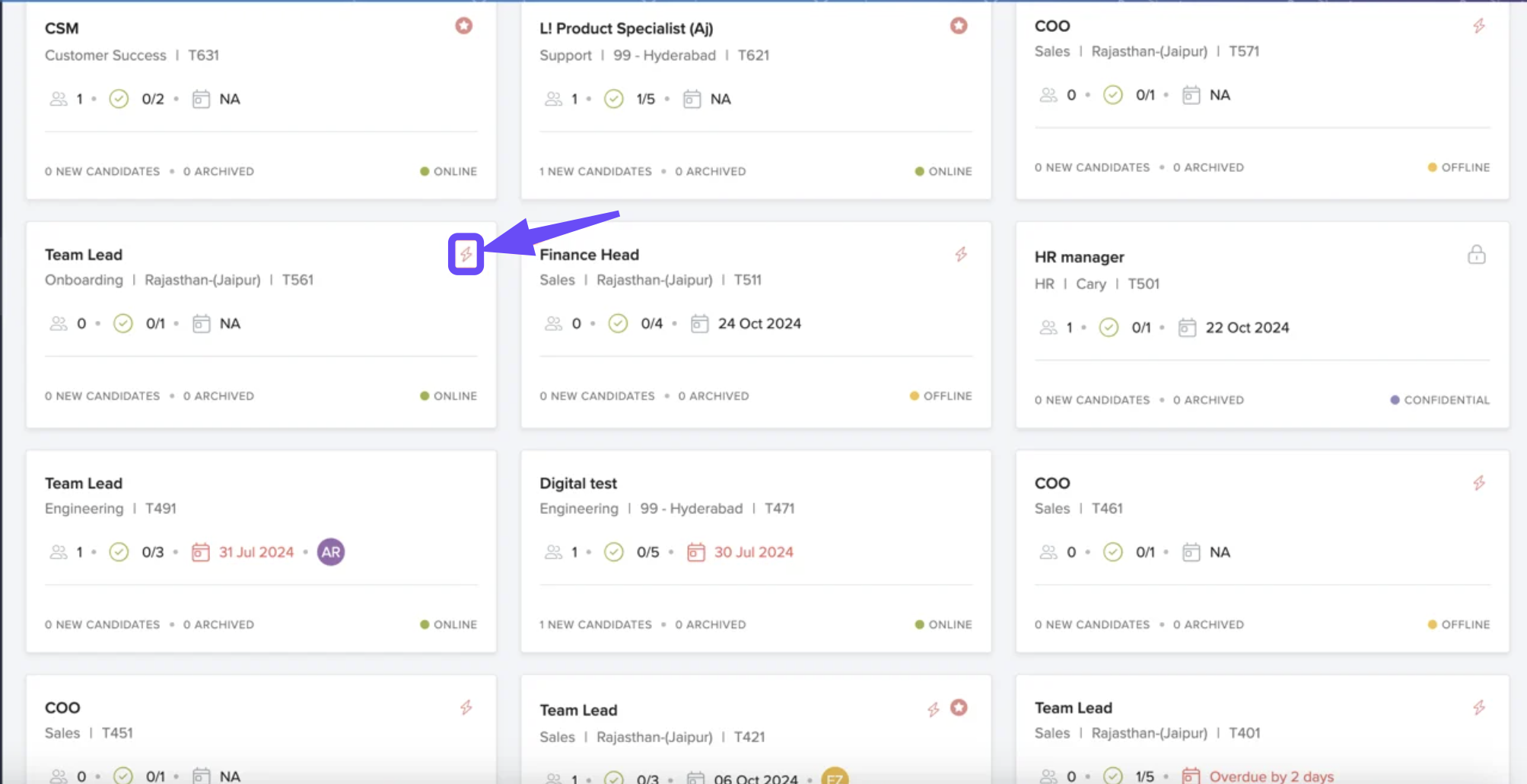
Auto-created jobs appear with a special icon on the job card.
Hovering over the icon will show the message: Auto created job.
The job will be set to Offline by default.
An entry is added to the audit log, noting the auto-creation event.
Use auto-creation to reduce delays between requisition approval and job publishing, but recruiters must still review and activate the auto-created jobs.
Overall, the auto-creation of jobs feature will improve the hiring process and help organisations to streamline their recruitment efforts.
To make the most of this feature, ensure your requisition approval workflow is optimized. For any questions, reach out to your Product Expert or admin.
Comments
0 comments
Please sign in to leave a comment.