Introduction
Most job descriptions follow a common format. With Keka Hire, you can create reusable job description templates that make it easy to post roles consistently and quickly. Templates are especially useful for recurring roles, where you can start with a base description and customize it as needed.
A strong job description is critical to hiring success. Well-written descriptions not only attract the right candidates but also improve AI-driven features like candidate profile scores. Take care to write detailed and keyword-rich descriptions for the best results.
Accessing the Job Templates Tab
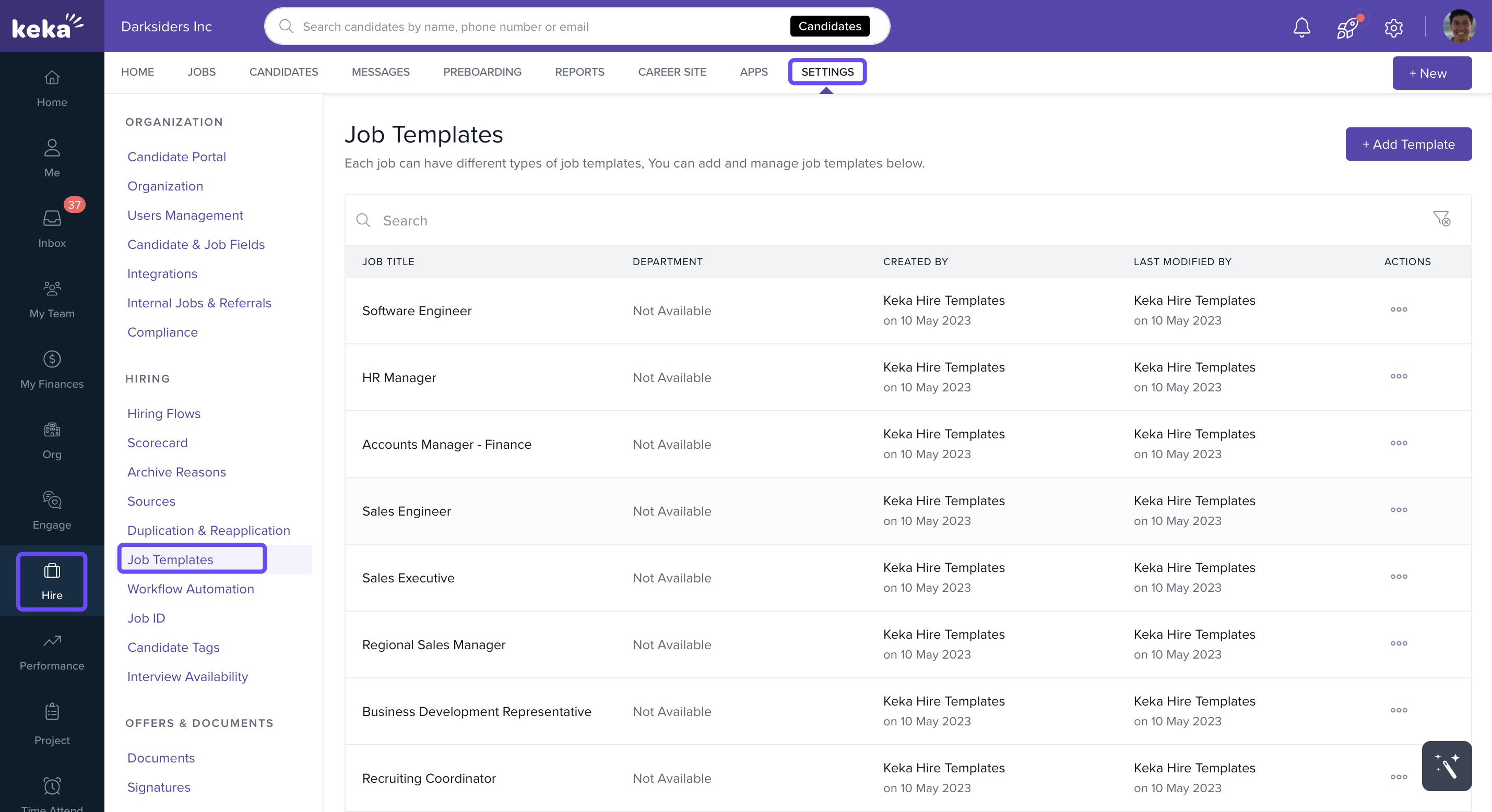
Go to Hire from the left navigation menu.
Click Settings.
Select Job Templates.
Creating a New Template
In the Job Templates tab, click Add Template.
-
On the Create Job Template popup, choose one of the following:
Create from Scratch – build a new template for a role.
Select from Existing Job – pick an existing job title from the dropdown.
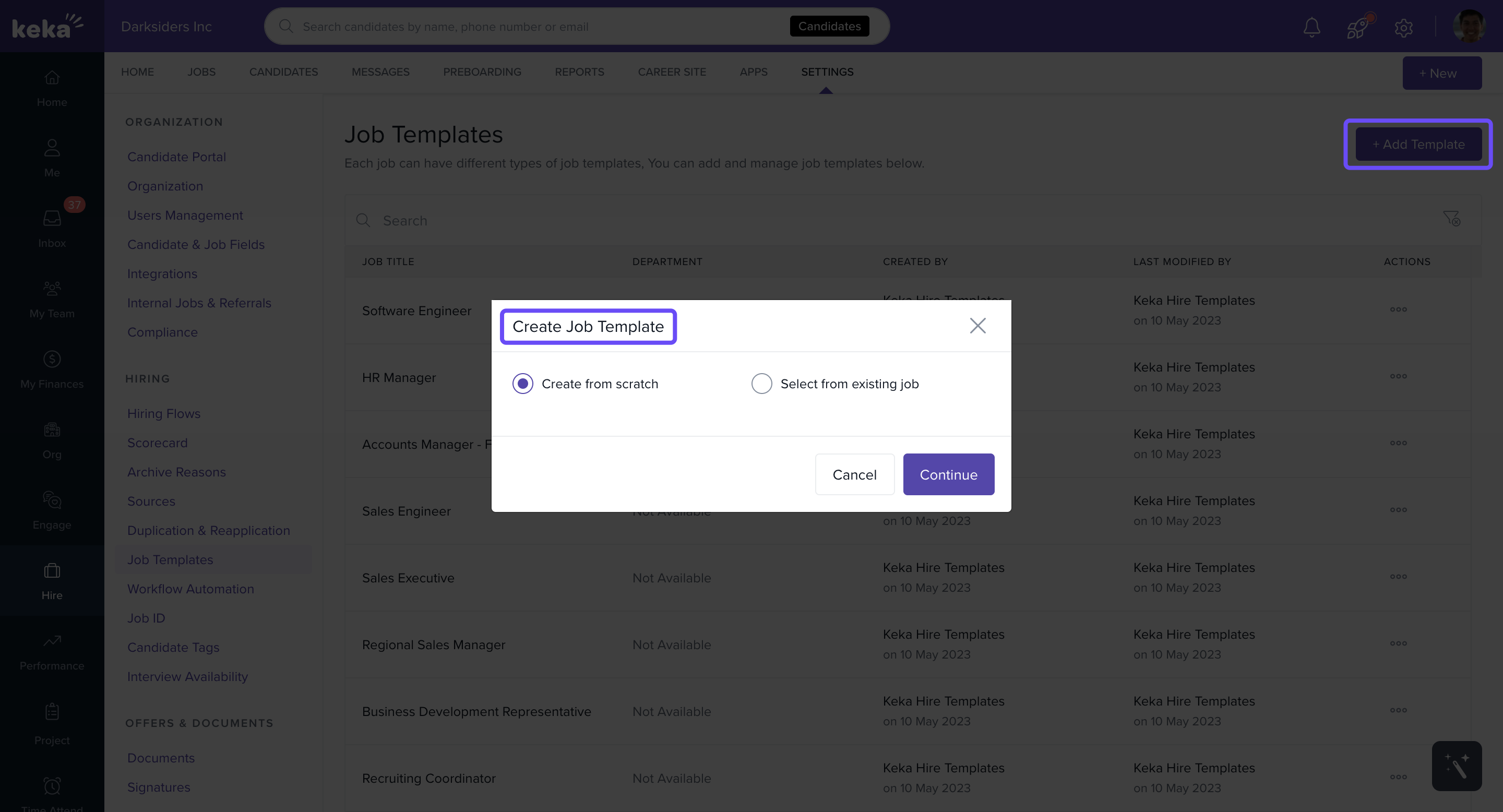
Click Continue.
-
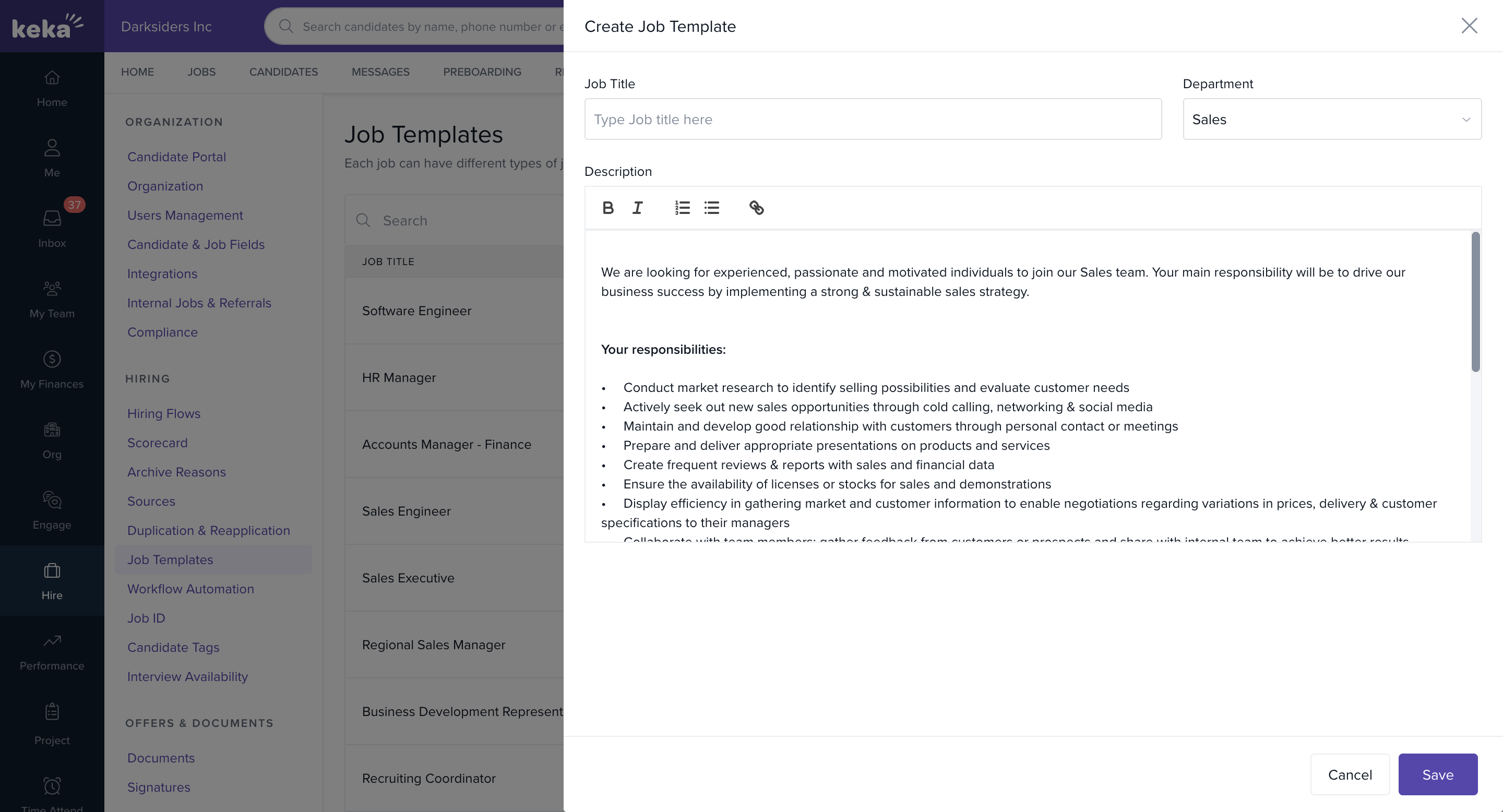
On the Create Job Template screen, enter the following:
Job Title
Department
Job Description
Click Save to create the template.
Editing or Deleting Job Templates
All job templates created by admins appear in the Job Templates tab.
Use the search bar or filters to find a template quickly.
-
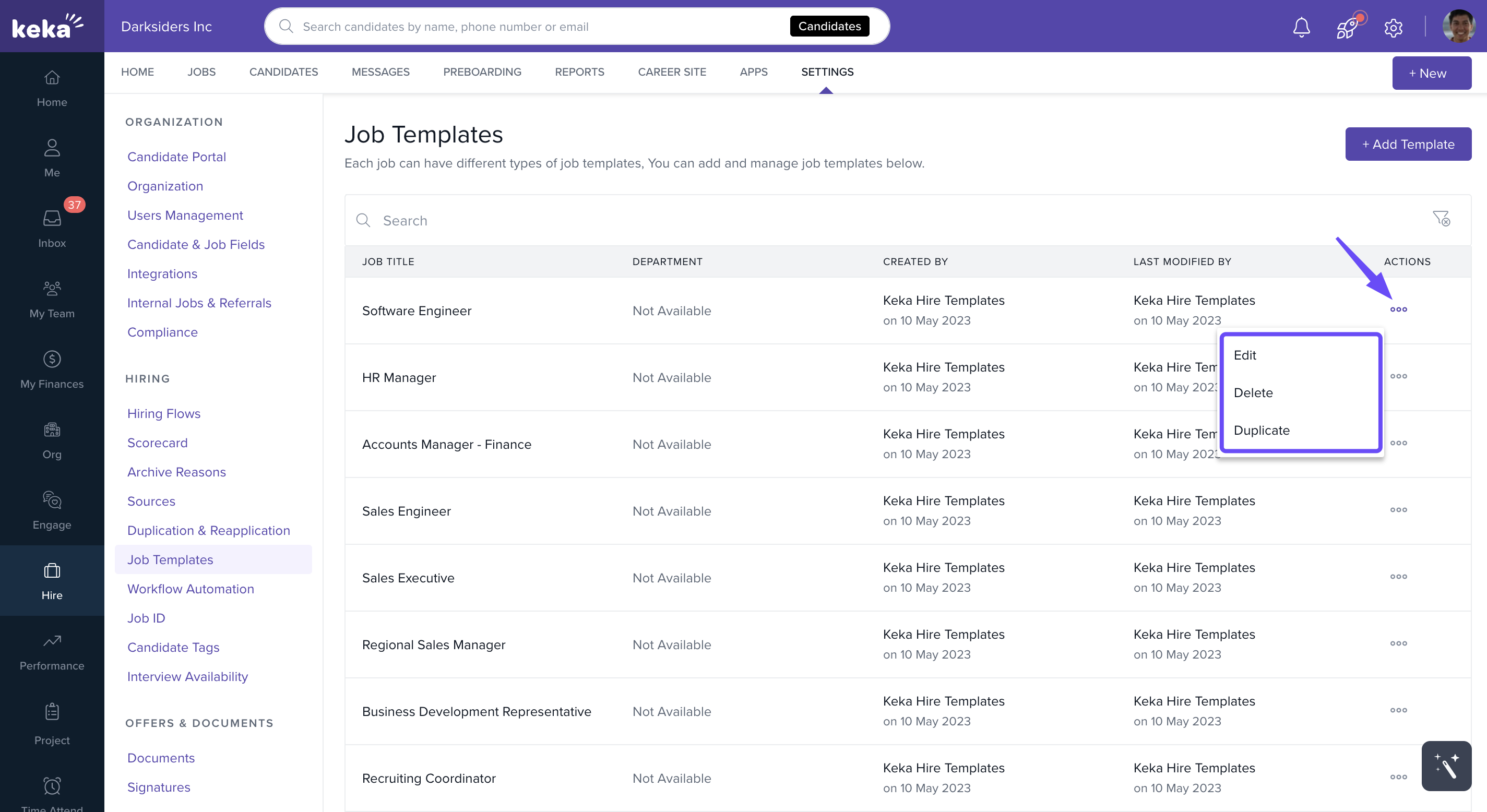
In the Actions menu (three dots) for each template, you can:
Edit – update the template.
Duplicate – create a copy to modify.
Delete – remove the template.
Setting Org-Level Minimum Character Limit
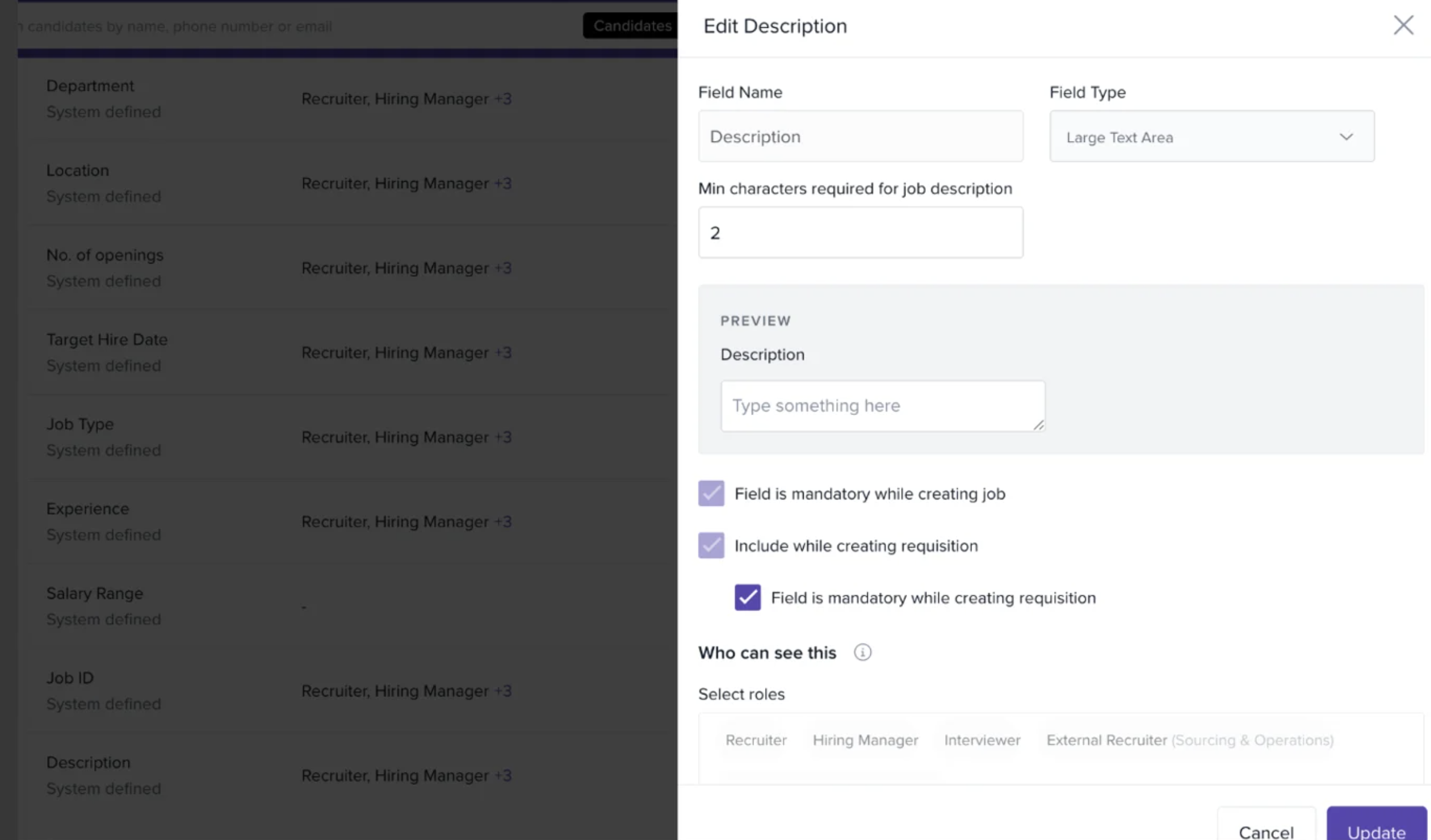
To ensure clarity and consistency across postings, Keka Hire allows admins to enforce a minimum character limit for job descriptions. This prevents overly short or vague descriptions from being published.
Go to Hire from the left navigation menu.
Click Settings.
Select Candidates and Job Fields.
In the Job Fields section, click the pencil icon to edit.
Enter the minimum character limit you want to enforce.
Click Update to save your changes.
For support or guidance, connect with our product specialists at any time.
Comments
0 comments
Please sign in to leave a comment.