Introduction
A Job ID is a unique number assigned to each job in Keka Hire. Think of it as the job’s fingerprint—it helps you keep roles organized and easy to find, even if you’re hiring for the same position in different locations or projects.
Keka Hire allows you to set up a Job ID series. Each time a new job is created, the series continues automatically, ensuring consistent numbering across your portal.
This guide explains how to create, edit, and manage Job IDs.
Navigate to Job ID Settings
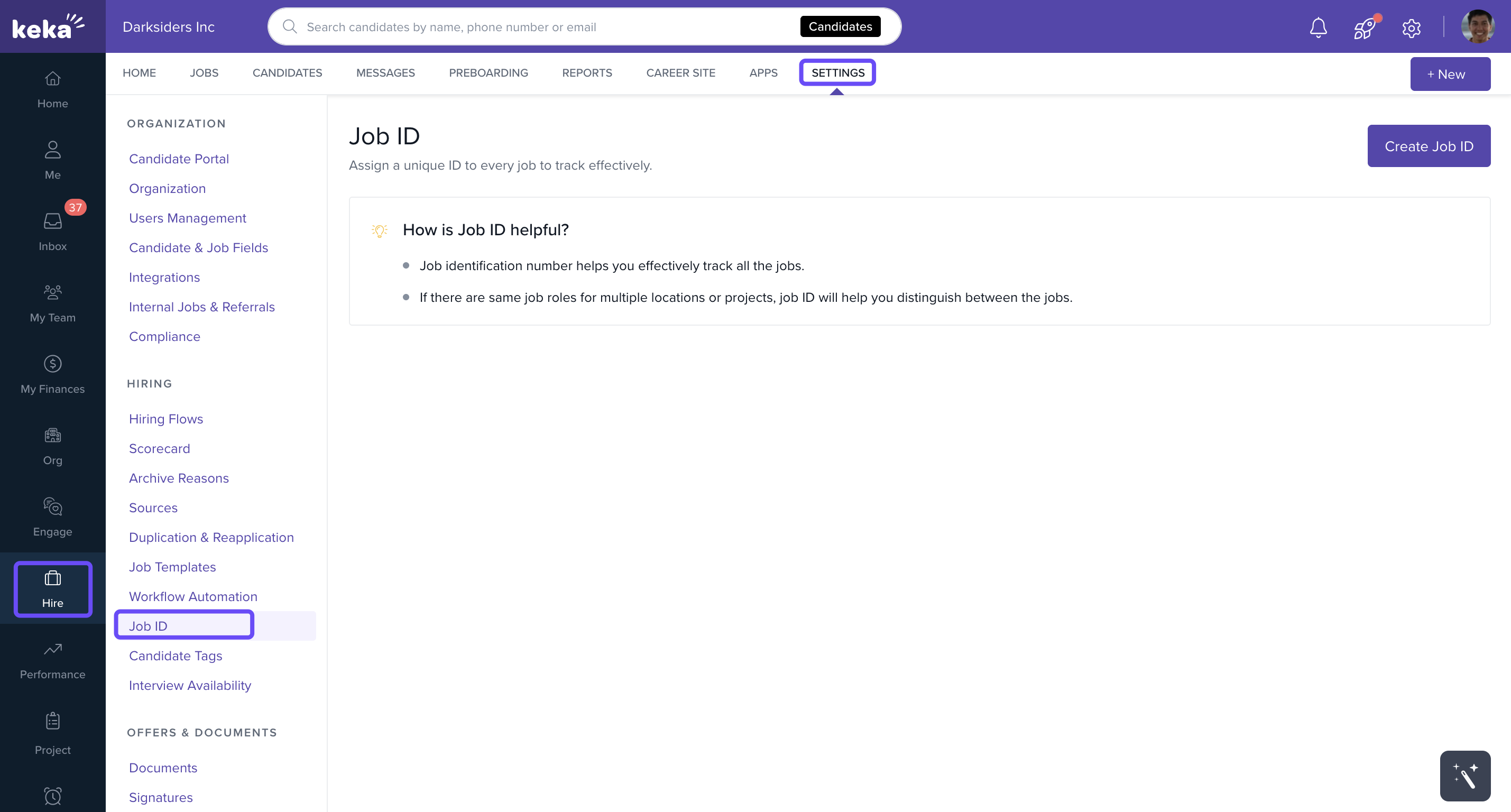
Go to Hire from the left-hand menu.
Click Settings.
Select Job ID from the settings menu.
Edit an Existing Job ID
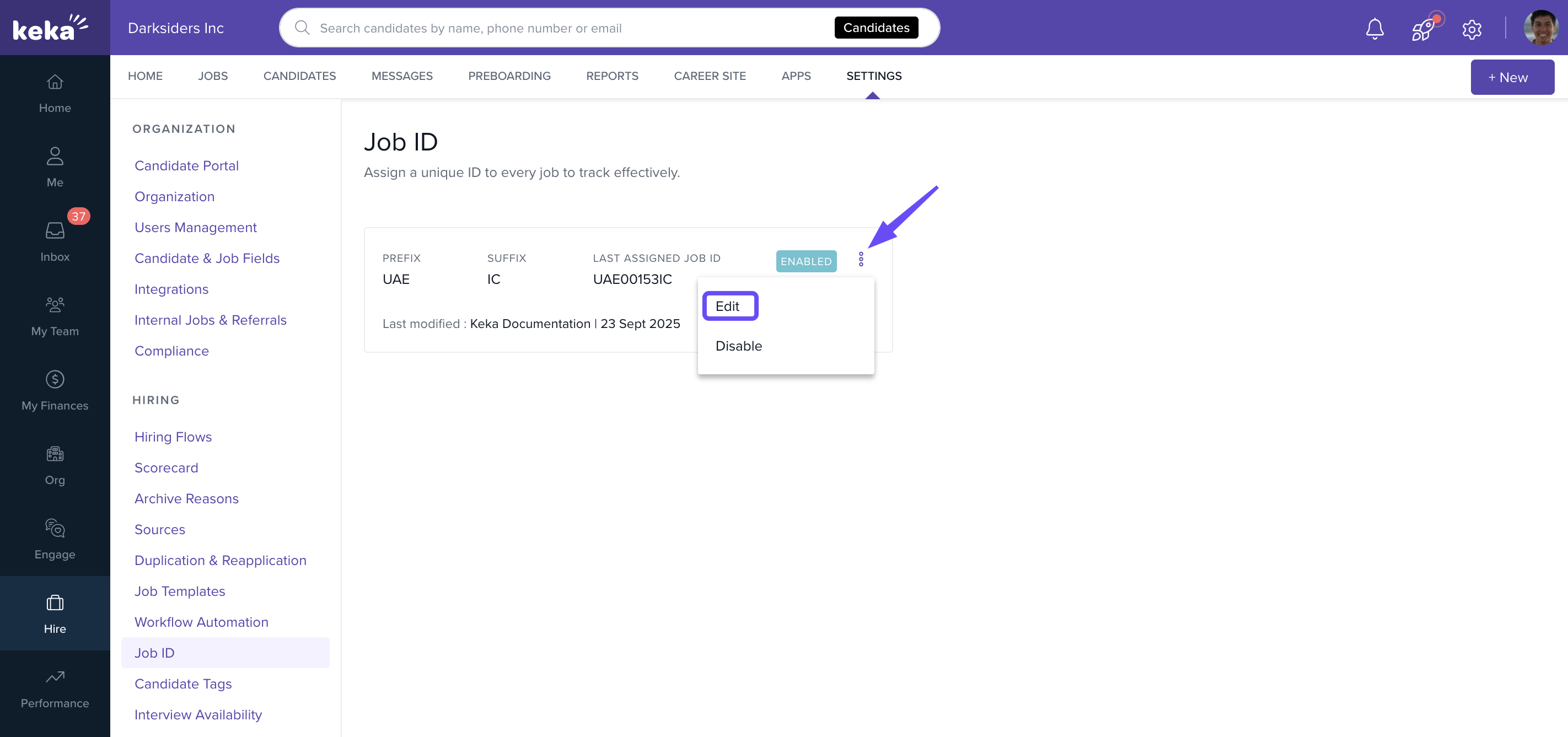
Click the three dots menu next to the Job ID.
Select Edit.
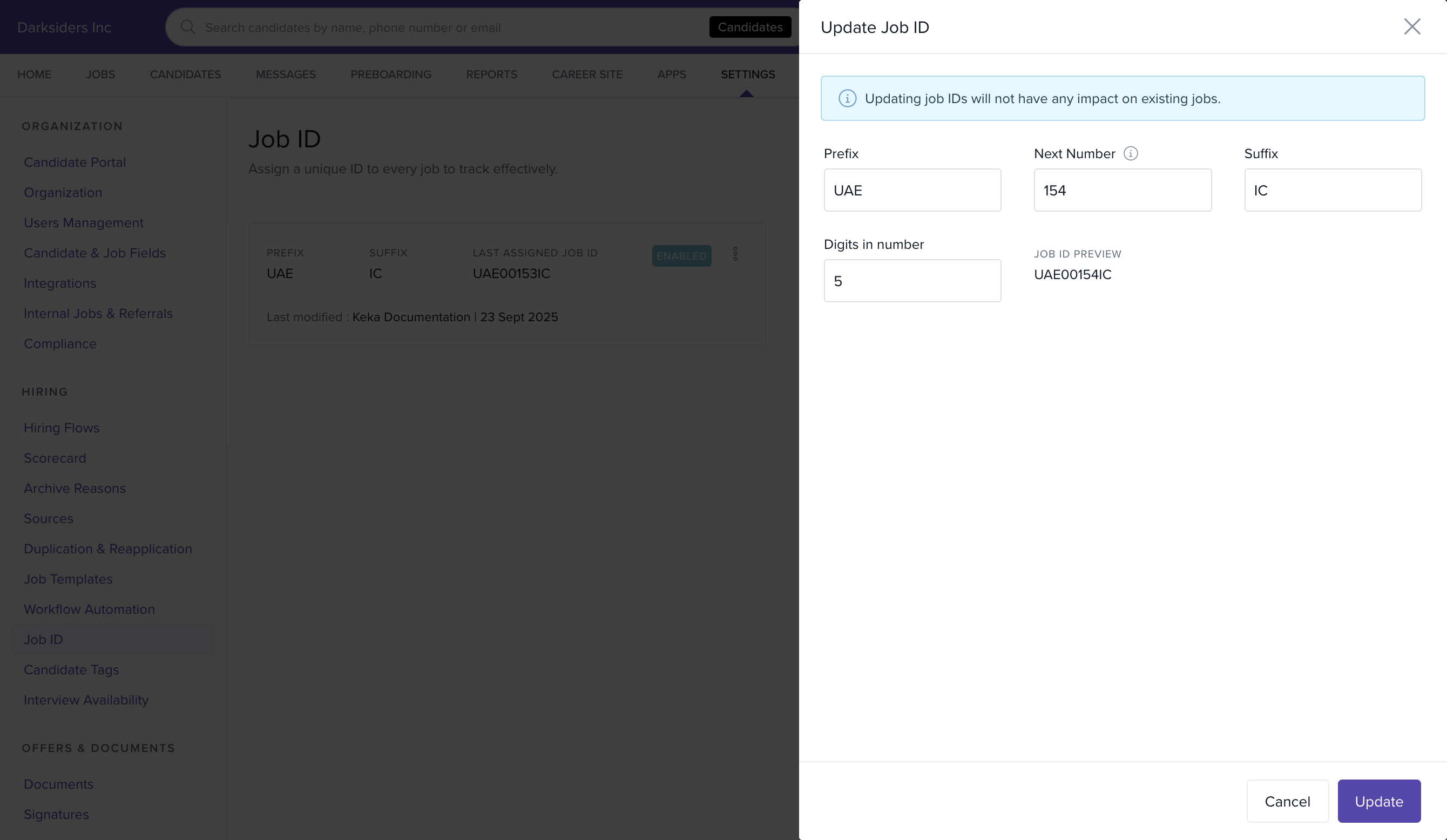
In the Update Job ID screen, make the required changes.
Click Update to save.
Enable or Disable Job IDs
You can enable or disable the Job ID feature at any time, depending on your hiring needs.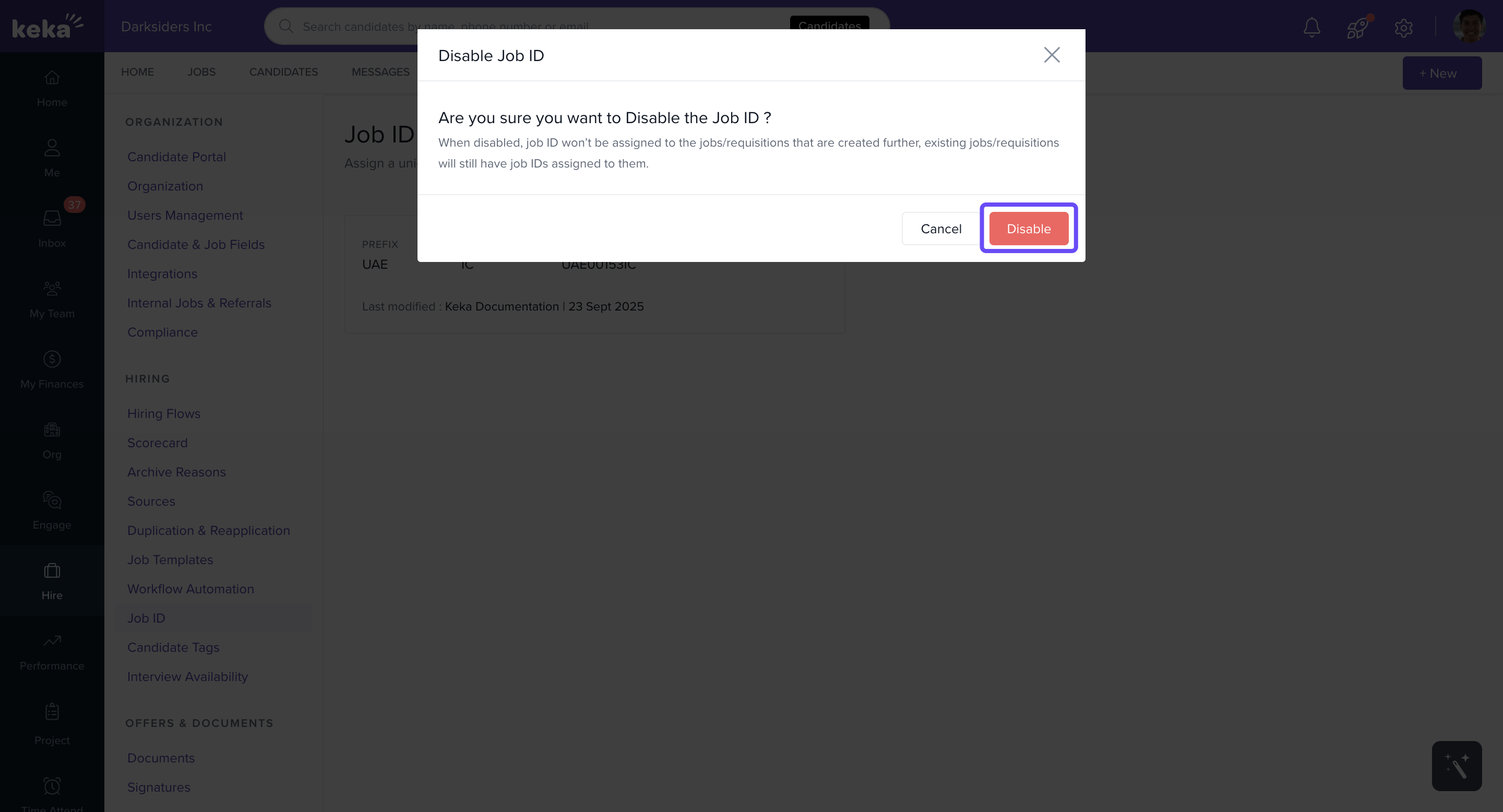
Notes & Limitations
You can create only one Job ID in your portal.
After creation, you can edit or disable the Job ID.
Deletion is not available for Job IDs.
If you need help with Job ID setup or have additional questions, reach out to our product experts for support.
Comments
0 comments
Please sign in to leave a comment.