Introduction
Employee referrals and internal job postings (IJPs) are two of the most effective ways to find great candidates. Referrals often bring high-quality talent, while IJPs give your current employees room to grow and explore new roles.
Keka Hire’s internal job portal allows you to:
Post job openings visible only to your employees
Accept internal applications
Allow employees to refer candidates from outside the company
Here’s how to enable and manage your internal job portal and referral settings.
Managing Employee Referrals for Open Roles
Enable the Internal Job Portal and Referrals
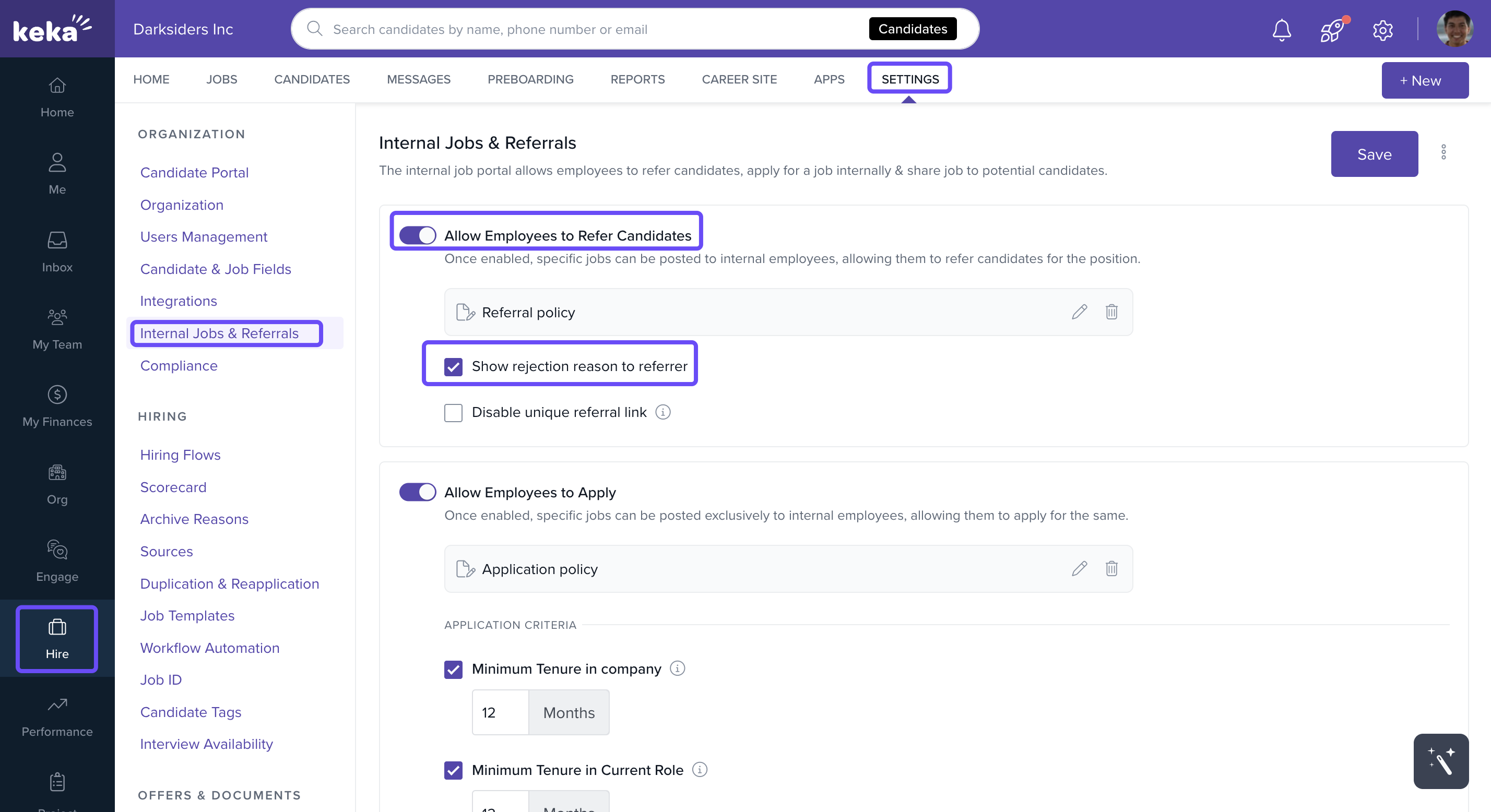
Go to Hire → Settings → Internal Jobs & Referrals.
Check the box for Allow Employees to Refer Candidates to enable referral submissions.
To show rejection reasons to employees who referred a candidate, enable the checkbox Show rejection reason to referrer.
Managing Your Referral Policy
In the Internal Jobs & Referrals section, click +Add Referral Policy.
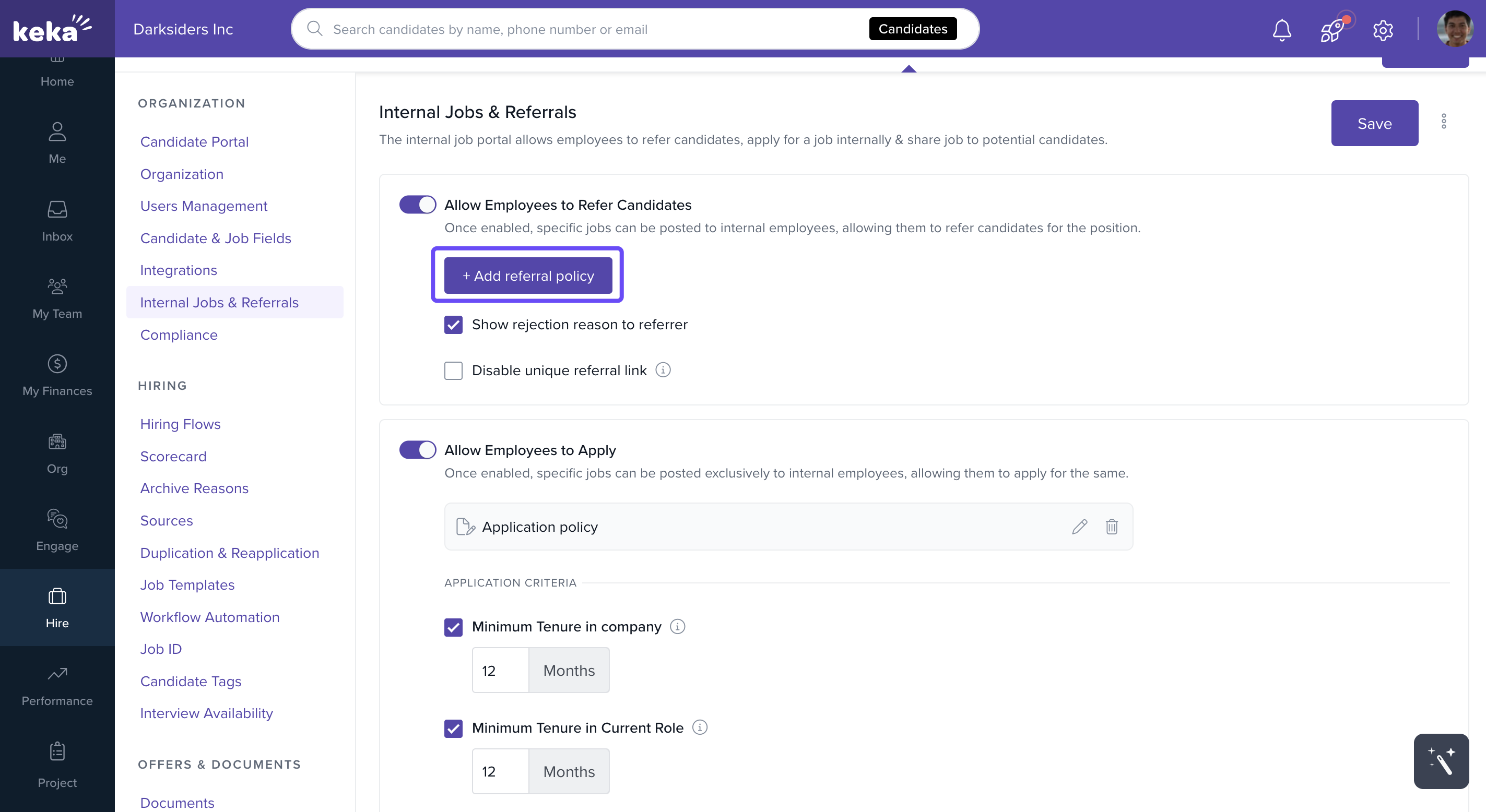
On the Referral Policy screen, define the rules and guidelines that employees should follow when referring candidates.
Click Save to activate or update the policy.
Employees will see this referral policy when they start a referral.
Enabling Referrals for Specific Jobs
When creating a new job:
Complete the Job Details section as usual.
In the Publish section of the job creation flow, check the box Allow Employees to Refer Candidates.
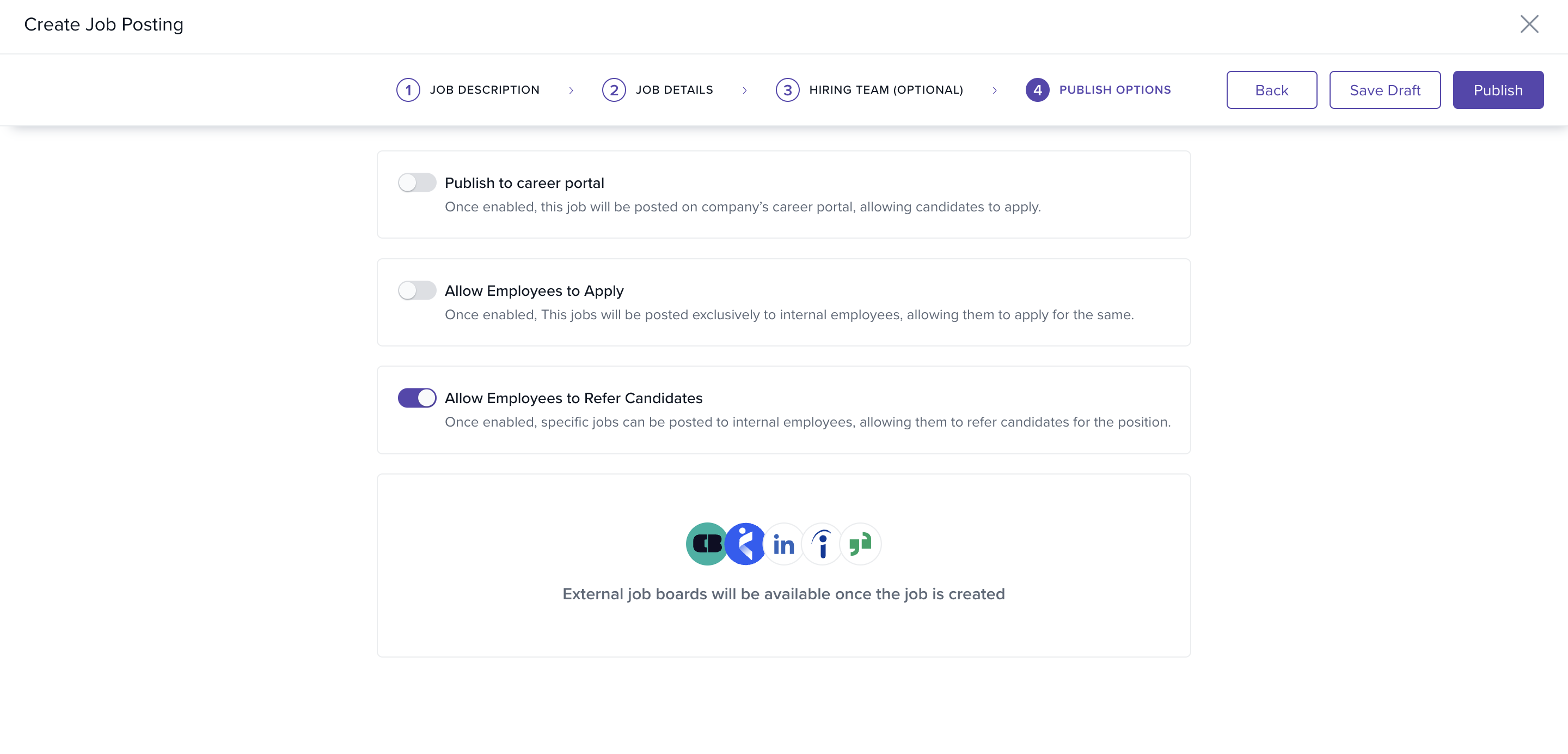
Once published, the job will appear on the internal job portal, allowing employees to submit referrals directly.
Use referral policies to clearly outline eligibility, bonus rules, or disqualifying criteria, and note that only jobs with the referral checkbox enabled will be visible for internal referrals.
If you need additional help with internal job postings or referrals, reach out to our Product Experts for support.
Comments
0 comments
Please sign in to leave a comment.