Introduction
Scorecards in Keka Hire help interviewers evaluate candidates consistently across skills, values, and competencies. They provide structured questions and checkpoints that guide the interviewer through the process, making it easier to stay objective and focused.
This guide explains how to create a scorecard from scratch.
Create a scorecard
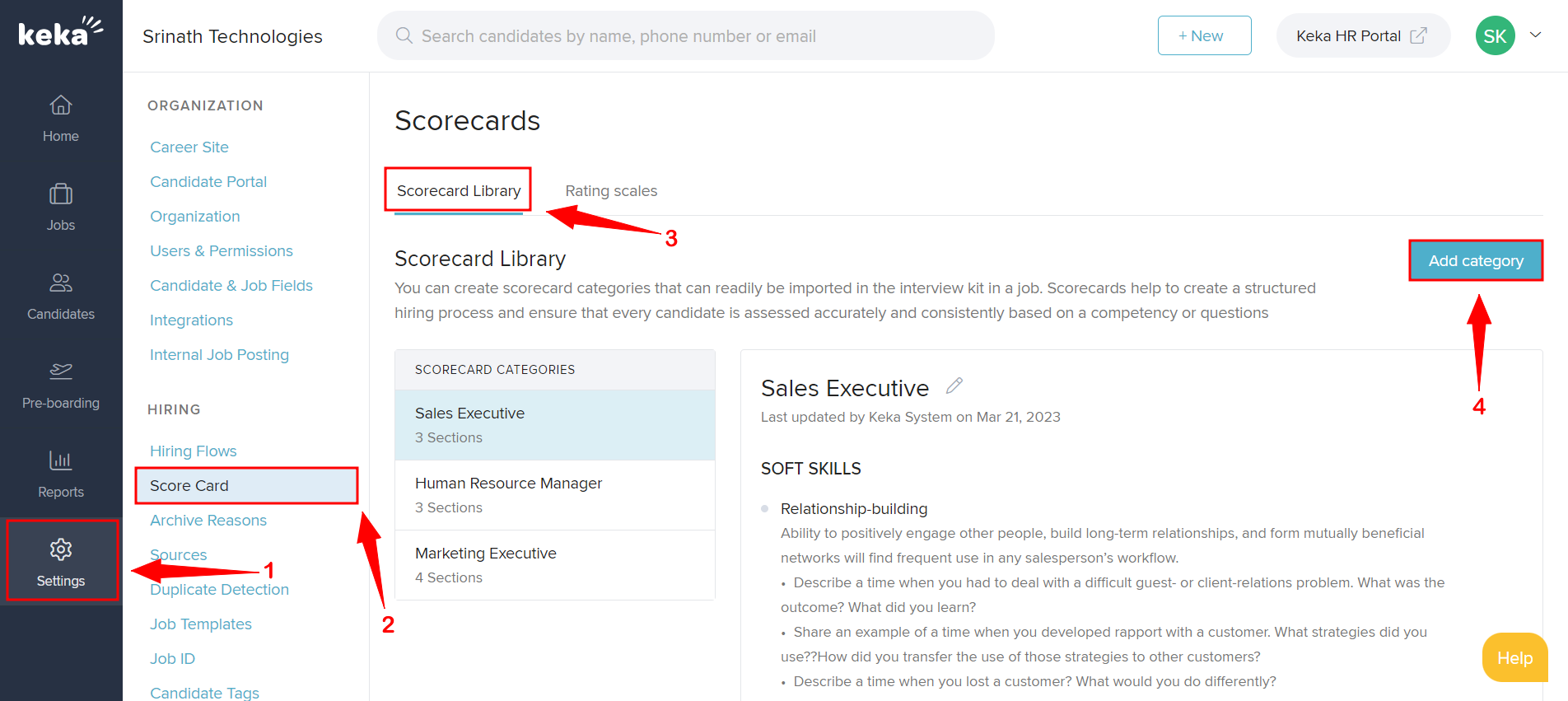
Go to the Settings section in Keka Hire.
Click on the Score Card tab.
-
Under Scorecard Library, click Add category.
-
In the form that appears:
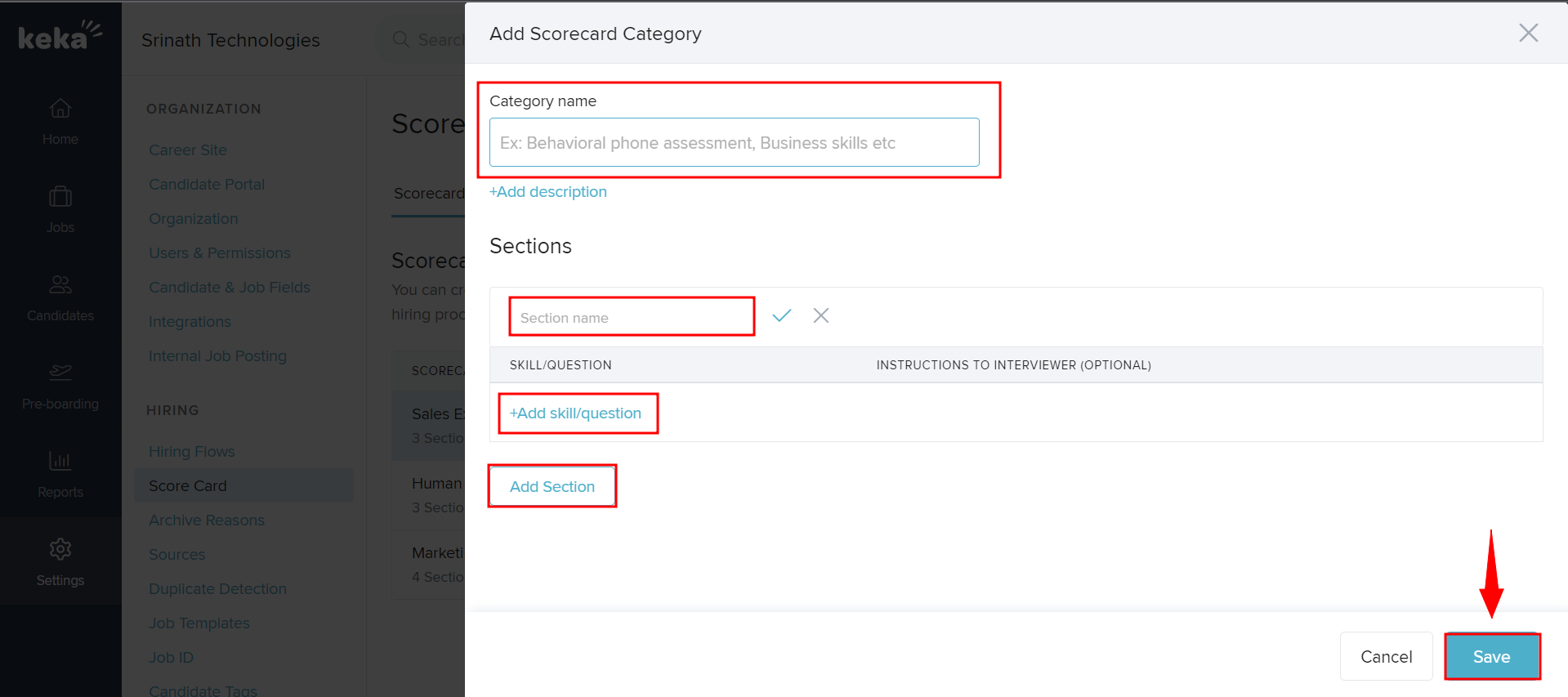
Enter a Category Name (e.g., Technical Skills, Culture Fit).
Enter a Section Name.
-
Add one or more of the following:
Skills
Questions
Values
Competencies
-
Click Save to add the new scorecard to the library.
Your new scorecard is now available for use in interviews. It helps ensure structured, fair evaluations and supports a smooth, unbiased hiring process.
Next Steps
Want to learn how to attach scorecards to job openings? Check out How to Add Scorecard for different levels of Interview Stages.
This is how you can create a new scorecard from scratch in Keka Hire for the smooth and unbiased hiring process.
Comments
0 comments
Please sign in to leave a comment.