What’s New
You can now issue Proforma and Prepayment Invoices within Keka PSA. These additions allow finance and delivery teams to simulate billing, handle advance payments, and track balances seamlessly—all within the same platform.
Who is this for?
-
Finance Teams
-
Service Delivery Teams
-
PSA Admins
Why It Matters
-
Enable upfront billing workflows—ideal for service-based projects.
-
Boost usage of the Billing module by bringing more financial operations inside Keka.
-
Strengthen Keka PSA’s competitive edge over tools like Harvest and Zoho Projects.
How It Works
-
Navigate to:
Projects → Projects → Select a Project → Billing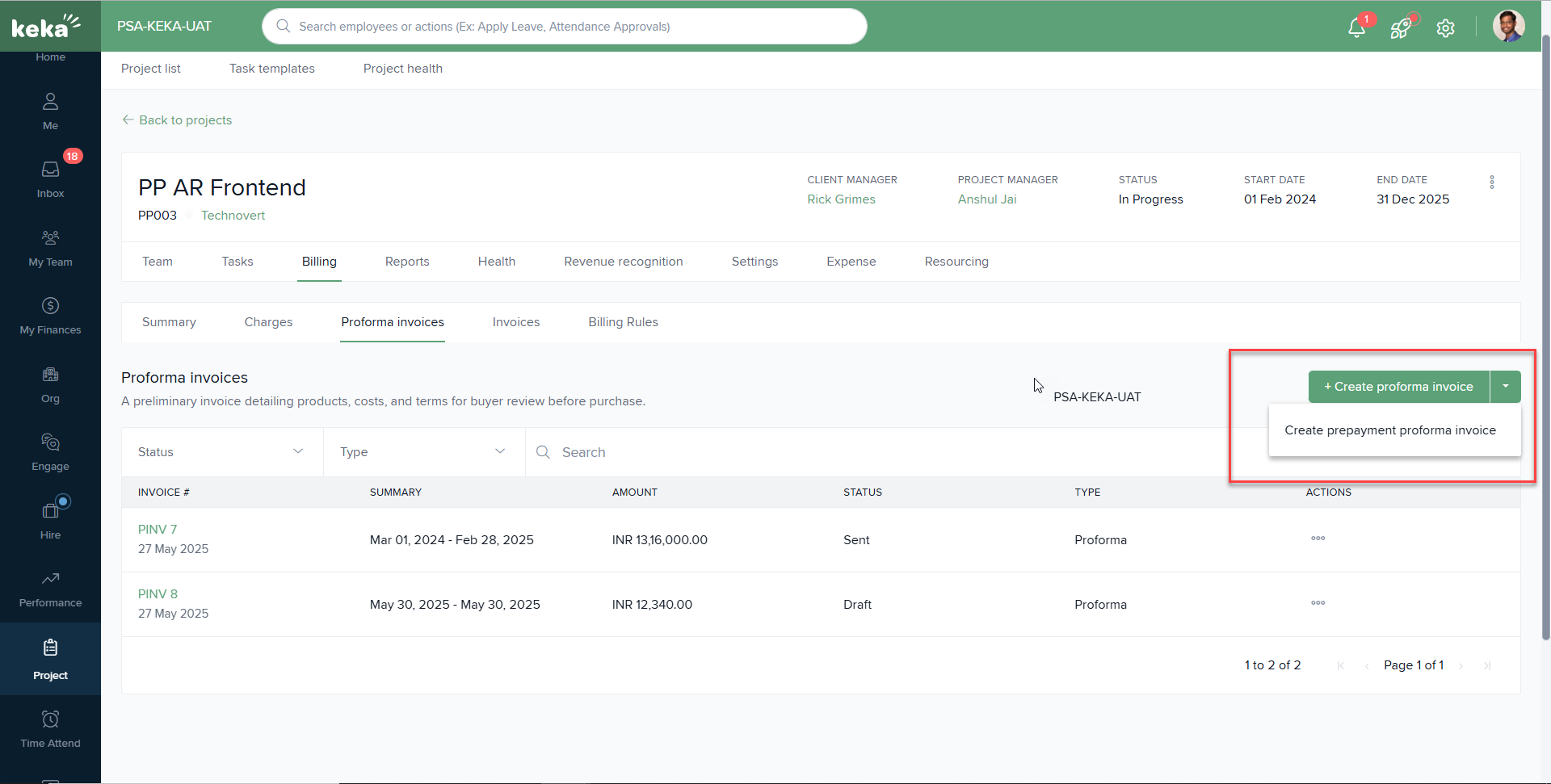
-
Use Proforma Invoices when:
-
You want to send a draft-like invoice that simulates cost.
-
You plan to convert it to a tax invoice once the service is delivered.
-
-
Use Prepayment Invoices when:
-
You need to collect upfront payments before execution.
-
The amount is automatically adjusted in the final invoice.
-
Available On
PSA Advance Plan
To know more about Billing and Invoicing in Keka PSA: An Overview, click on:

Please let us know if you find this article helpful.
Comments
0 comments
Please sign in to leave a comment.