Managing time tracking just got a lot more flexible! You can now customize the start day of the week for each timesheet policy in Keka Projects. This update is especially useful for global teams or those operating in regions like the Middle East, where the work week doesn't start on a Monday.
What’s New
Admins are no longer restricted to Monday-only timesheets. You can now choose your preferred start day of the week for each timesheet policy. Whether your team begins on a Sunday, Saturday, or any other day, Keka has you covered.
Who this helps
-
HR/Admins managing globally distributed teams
-
Organizations operating in MENA markets and other non-Monday regions
-
Companies needing compliance with local labor laws
Why this matters
In regions like the UAE, the work week starts on Sunday—not Monday. Previously, this mismatch led to compliance issues, poor adoption, and made time tracking unnecessarily rigid. Now, with policy-level control, you can offer region-specific configurations without compromise.
How it works
-
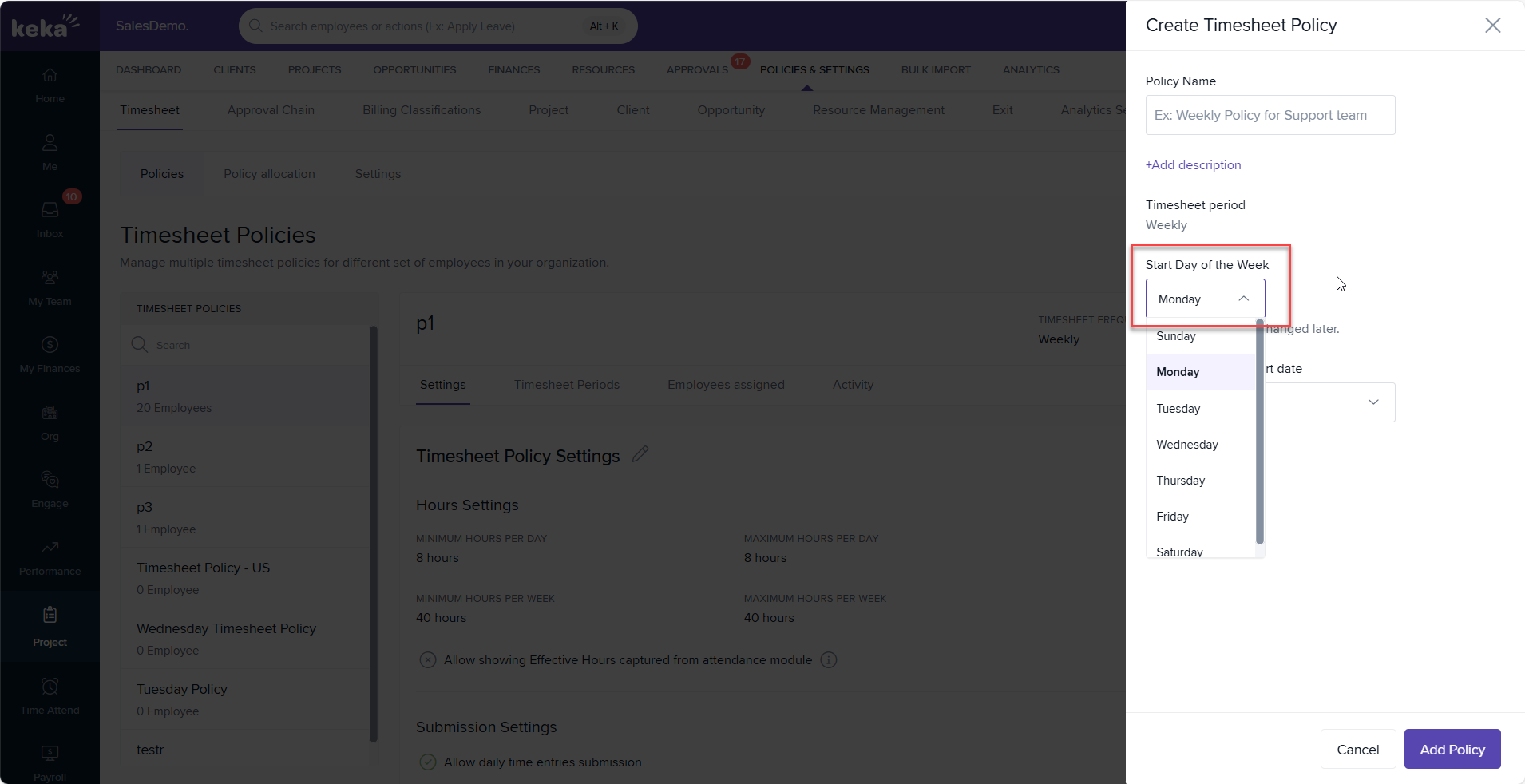
Go to Projects > Policies and Settings > Timesheet Policy
-
Create or edit a policy
-
Select your preferred start day of the week from the dropdown
Additional capabilities include:
-
Automatic generation of timesheet periods based on selected start day
-
Employee mapping to different policies with unique start days
-
Smooth transition of existing timesheet periods during policy migration
Available on:
All PSA Plans
Related documentation:
To know more about Creating, Managing and Assigning Timesheet Policies, click on:

Please let us know if you find this article helpful.
Comments
0 comments
Please sign in to leave a comment.