Introduction
You can now simplify candidate sourcing with the Keka Hire Chrome extension—available on the Chrome Web Store and accessible via your Keka Hire dashboard. This tool lets recruiters quickly import candidate resumes from job portals like LinkedIn and Naukri using a simple drag-and-drop action.
The extension works on all Chromium-based browsers including Chrome, Edge, and Brave.
Install the Keka Hire sourcing extension
Go to your Keka Hire dashboard.
Click on Apps > My Apps.
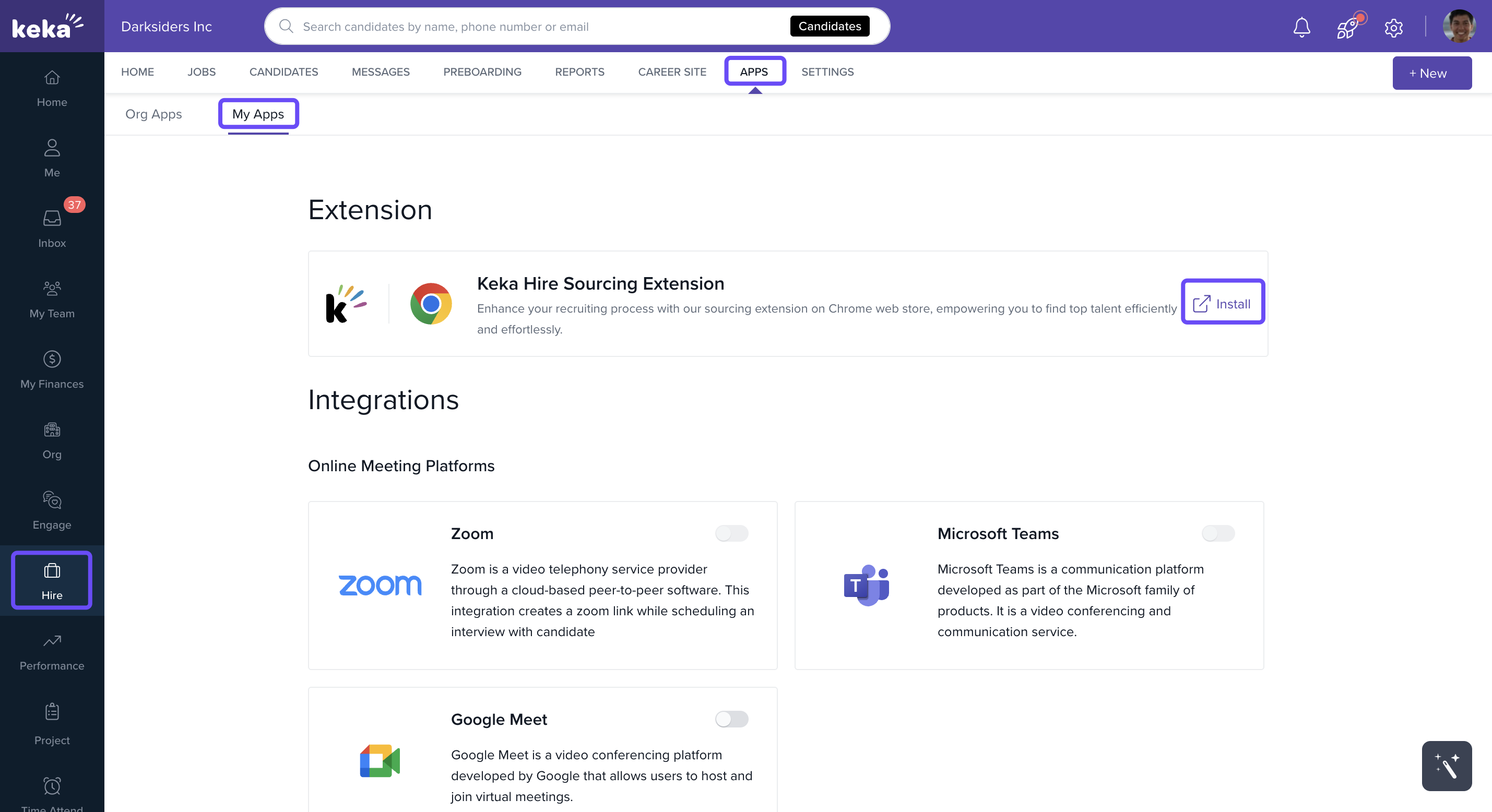
Find the sourcing extension and click the link to open it in the Chrome Web Store.
Click Add to Chrome to install it.
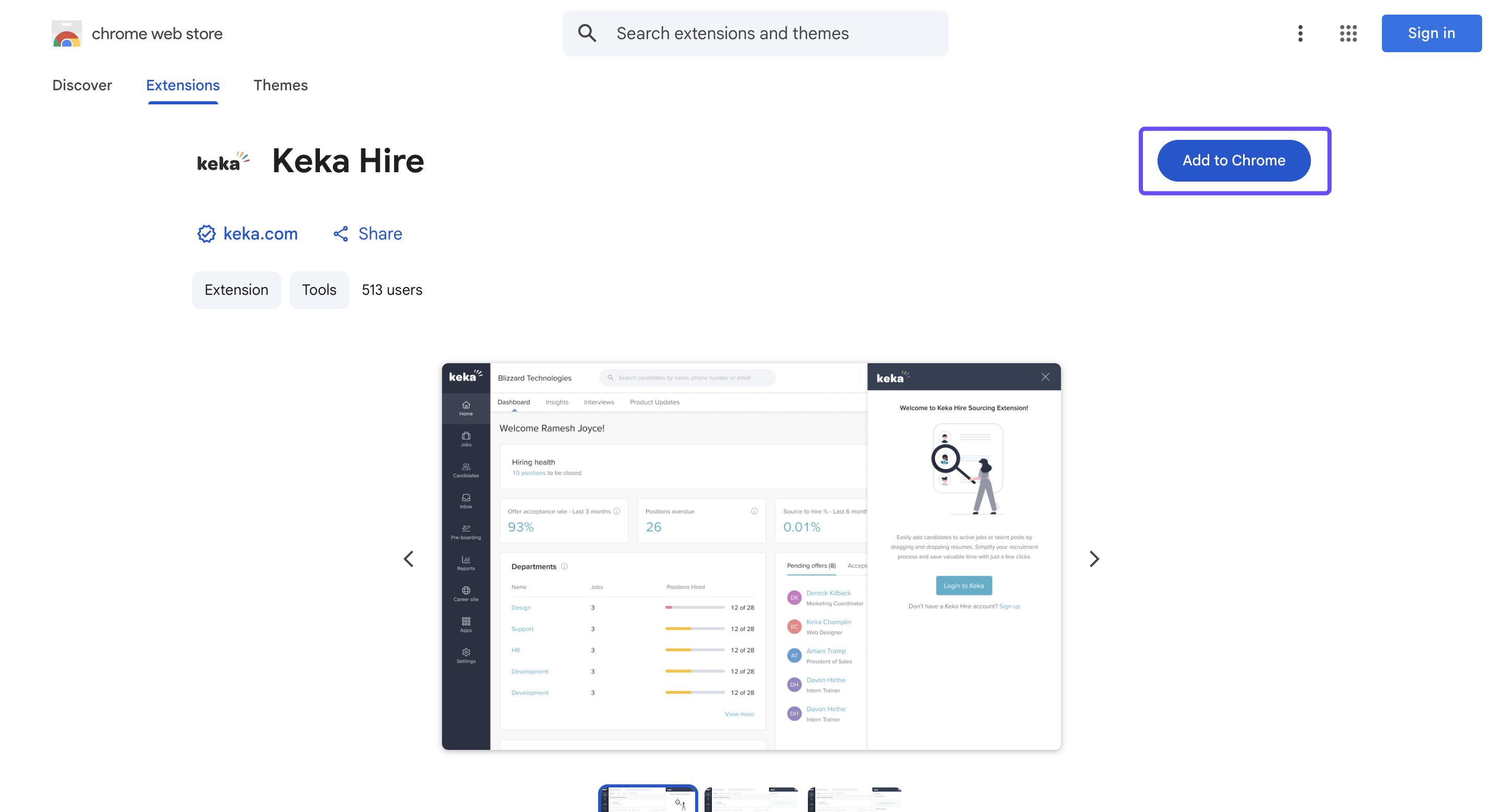
Once added, you’ll see the extension icon in your browser.
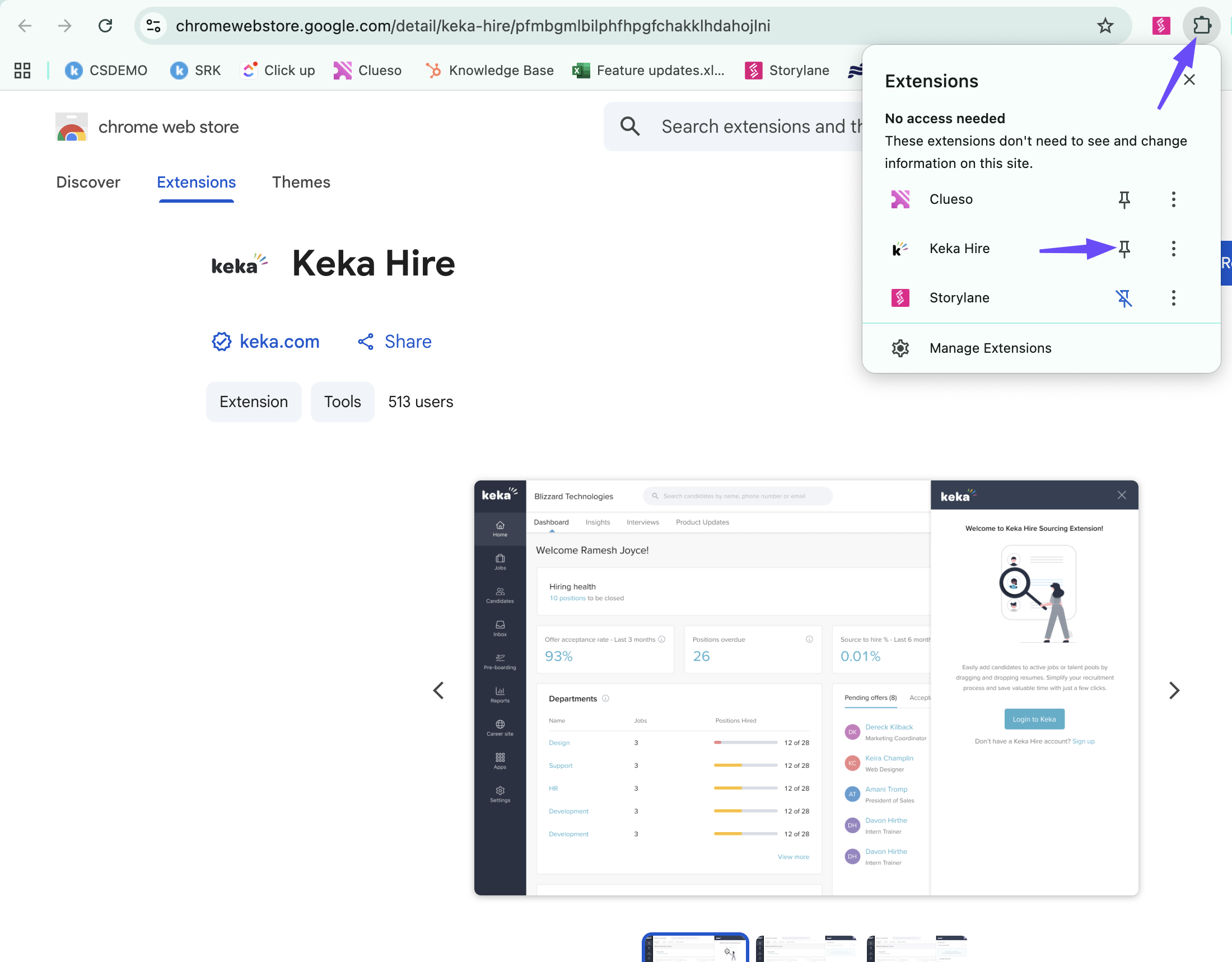
Tip: For easy access, pin the extension to your toolbar:
Click the puzzle icon in your browser's top-right corner.
Find the Keka Hire extension and click the pin icon next to it.
Use the extension to source candidates
Open a supported job portal like LinkedIn or Naukri.
Log in to the extension using your Keka credentials.
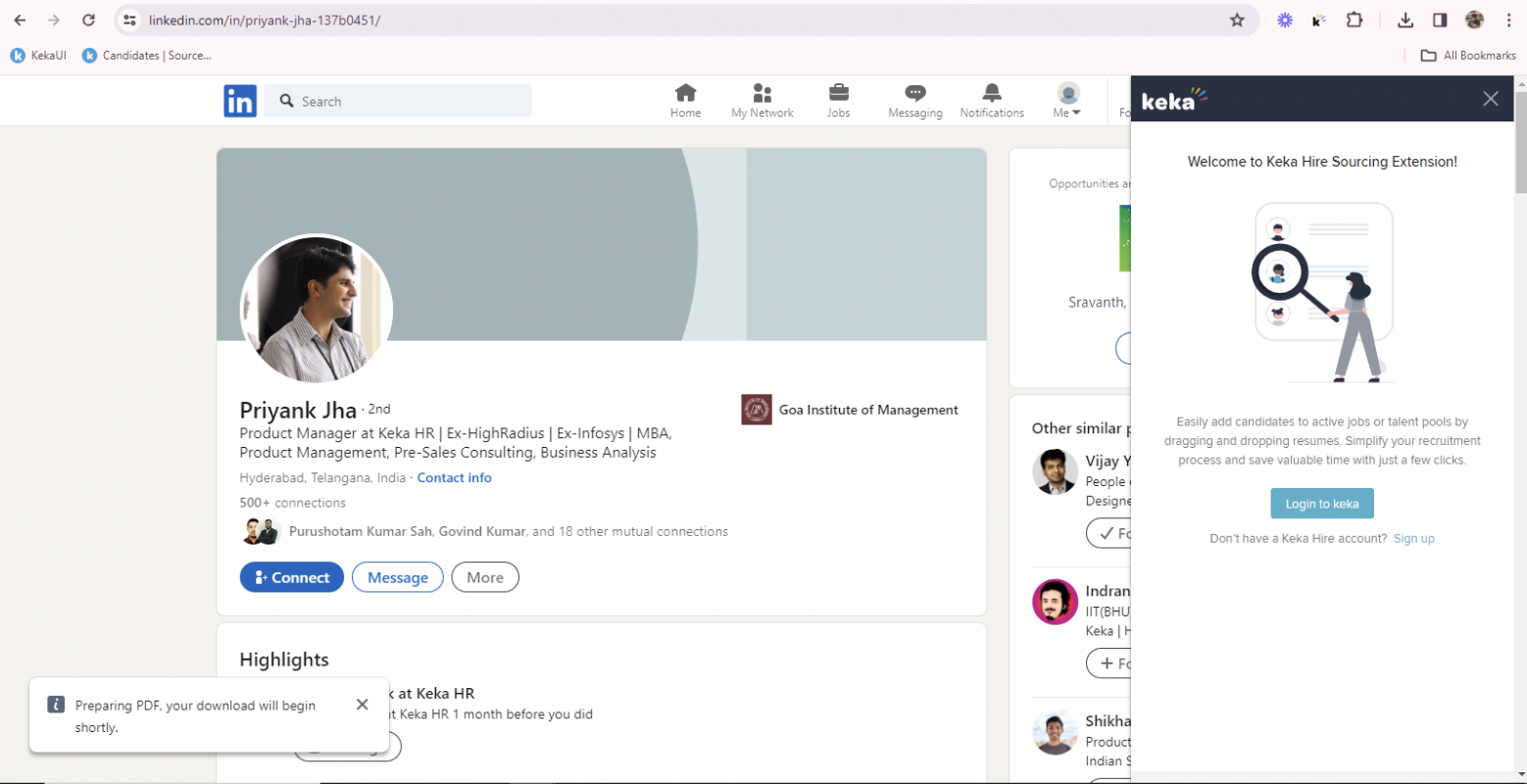
Select a Job Opening or Talent Pool where you want to add candidates.
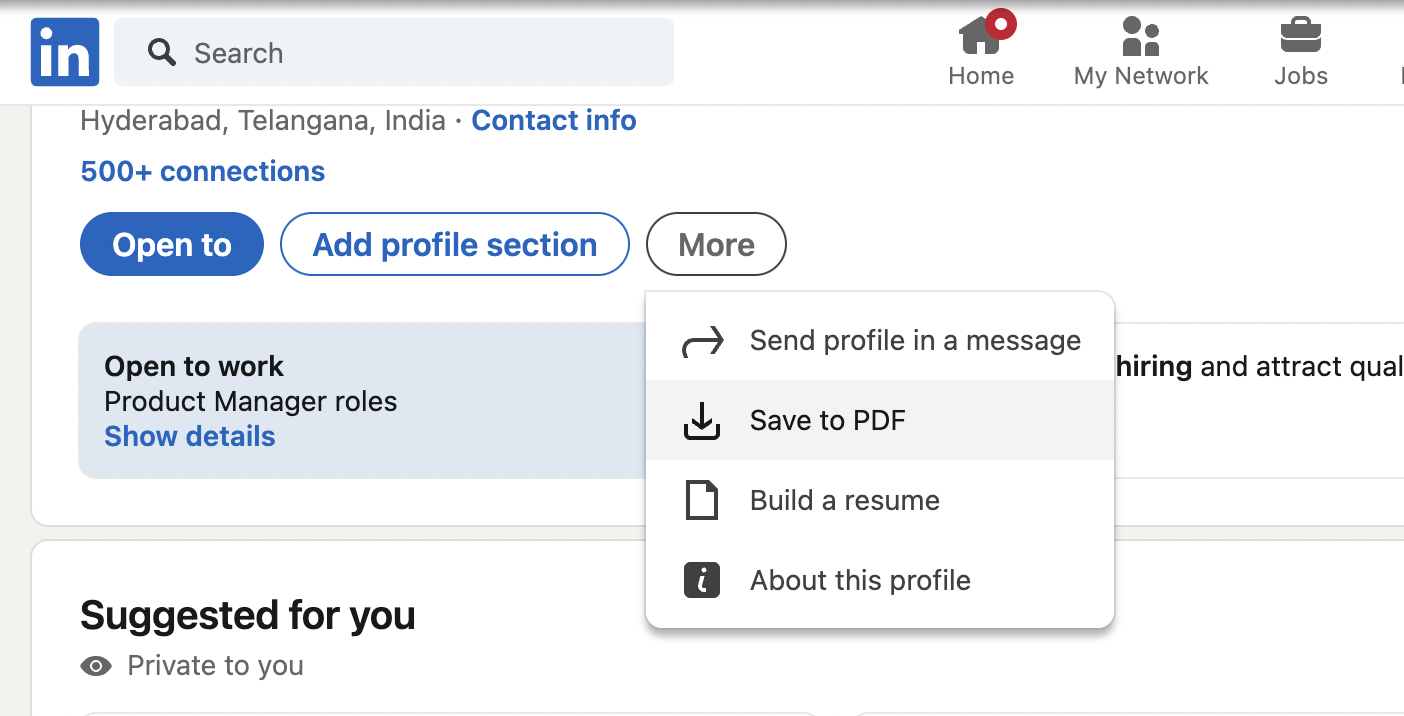
Download the candidate’s resume in PDF format.
Drag and drop the PDF resume onto the Keka Hire extension panel.
The extension will automatically parse the candidate’s details.
Fill in any remaining required fields and submit the profile.
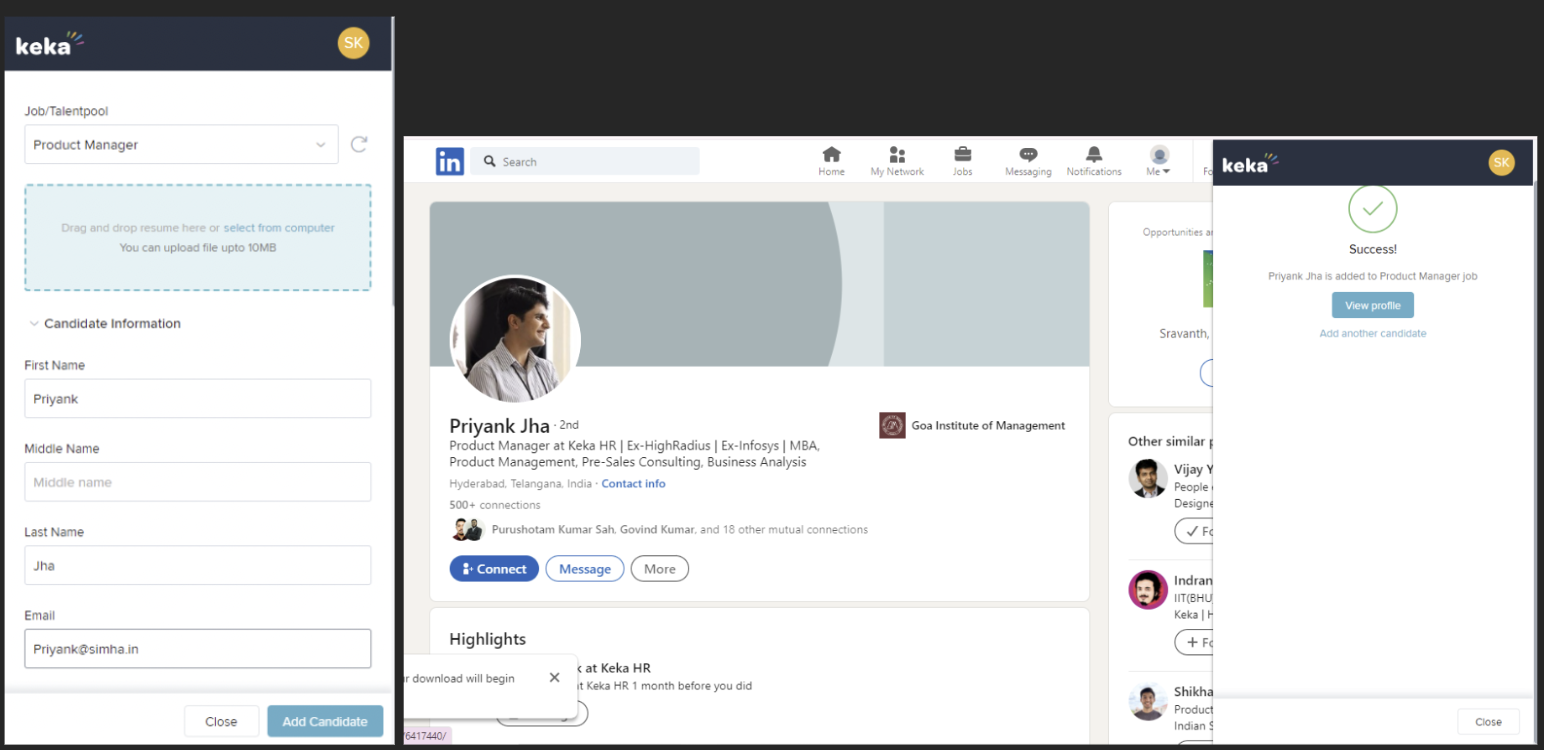
The candidate will be saved to the selected job or talent pool in Keka Hire.
Options & Variants
You can use the extension on any platform that allows downloading resumes as PDFs.
The extension supports both Job Openings and Talent Pools as target destinations for imported candidates.
Notes, Tips, and Warnings
Tip: Always download resumes in PDF format for best results.
Important: Only upload one resume at a time to ensure accurate parsing.
Tip: Make sure the selected Job or Talent Pool is active and correctly assigned before submitting the profile.
Warning: If parsing fails, check whether the PDF is text-based. Scanned or image-based resumes may not be supported.
Comments
0 comments
Please sign in to leave a comment.