Introduction
The Indeed integration in Keka Hire lets you post jobs directly to Indeed and manage applications seamlessly within your Keka dashboard. This helps you reach a wider talent pool, streamline your hiring, and centralize candidate data — all in one place.
Setting Up the Integration
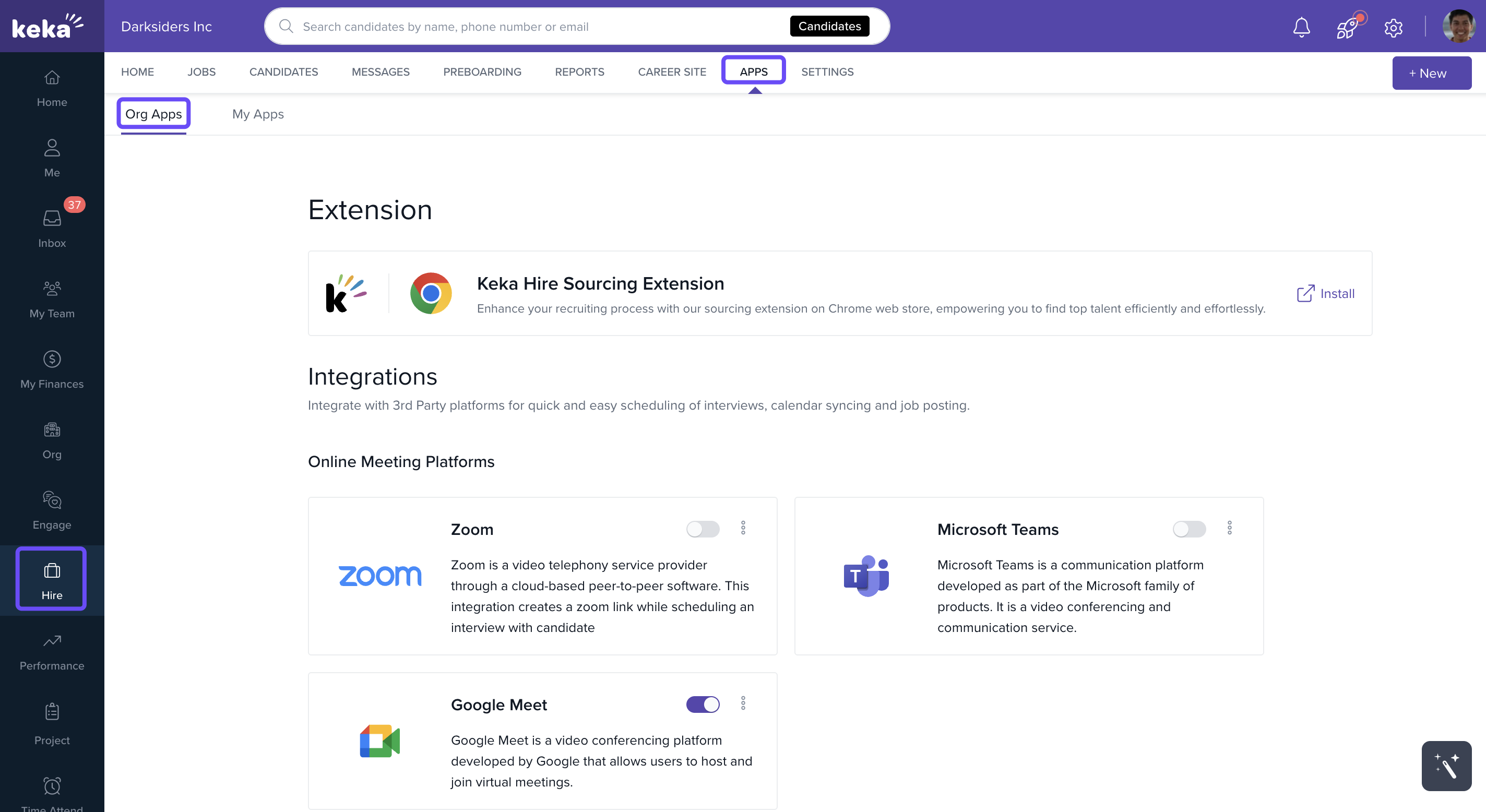
In the left-hand menu, click Hire.
From the top menu, select Apps, then go to the Org Apps section.
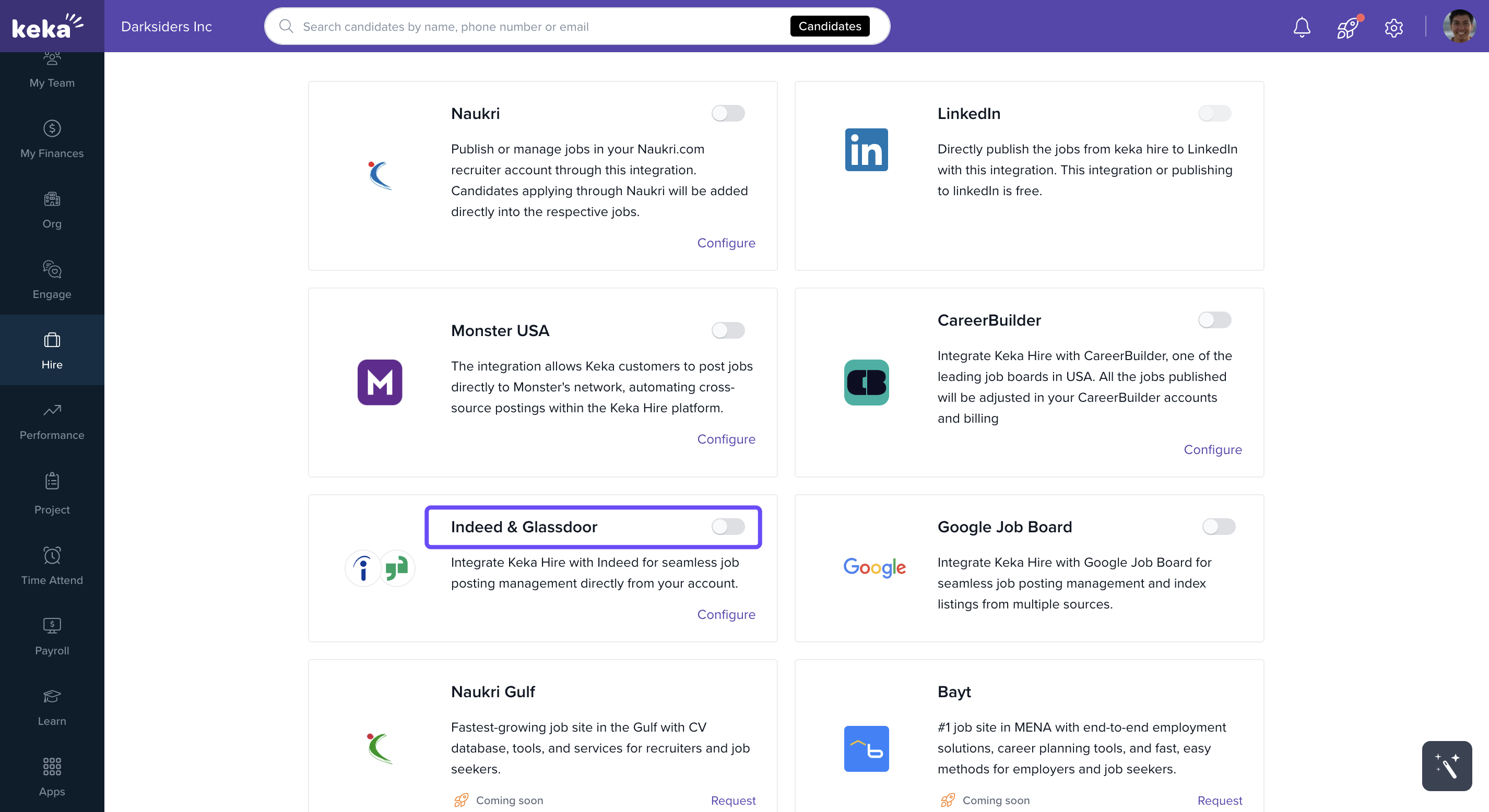
Under Job Boards, find Indeed & Glassdoor and click Configure.
-
Enter the required details:
Company Name → Enter your official company name
Source Name → Add a unique identifier
Source Type → Choose Employer or Agency
Company Email → Use the verified email linked to your organization
Important: The Source Name and Source Type cannot be changed after submission. If you need edits, contact the Indeed Support Team.
5. Review the summary window, tick the confirmation checkbox, then click Integrate.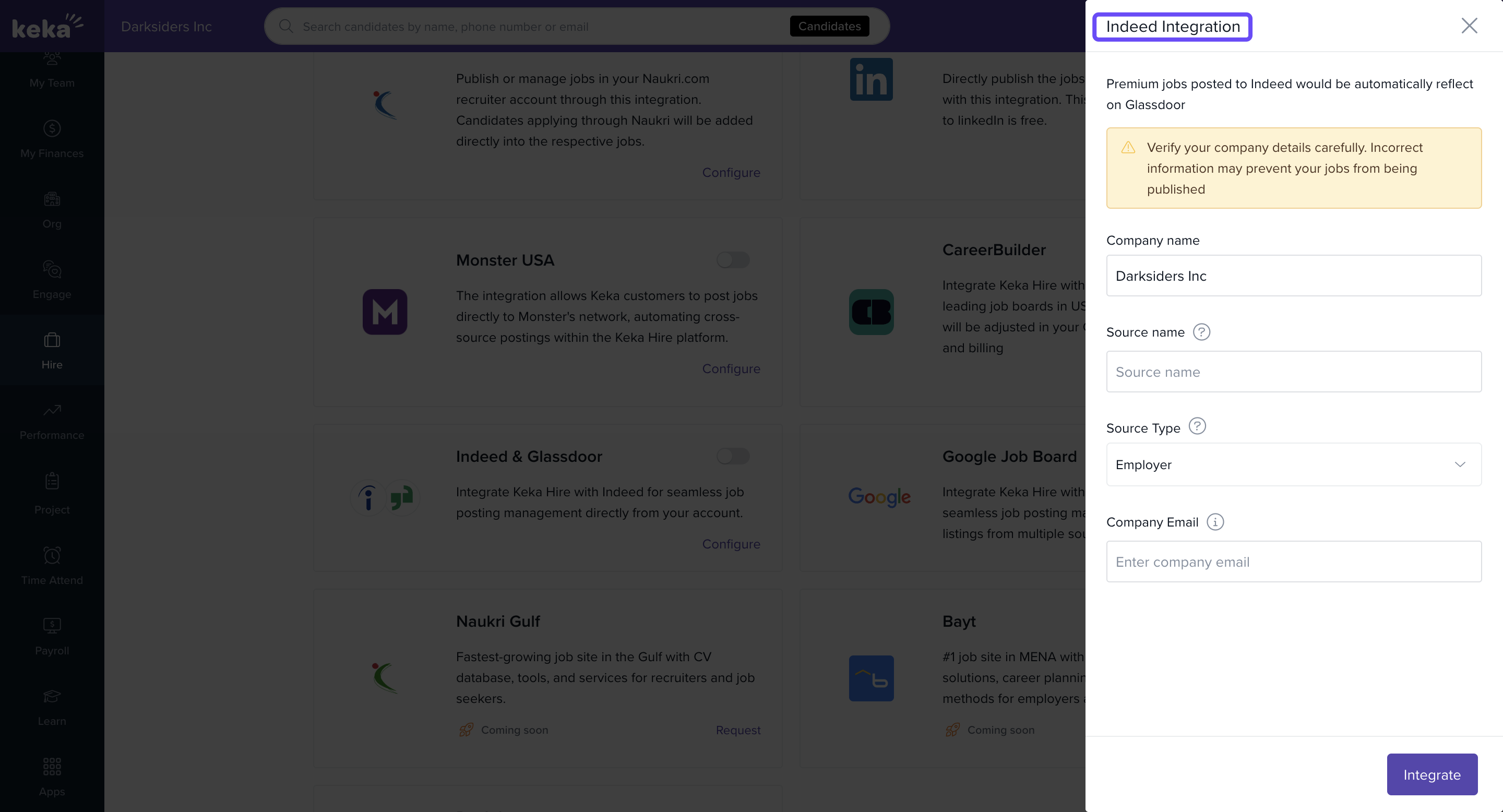
Publishing an Existing Job on Indeed
Once integrated, you can publish jobs to Indeed:
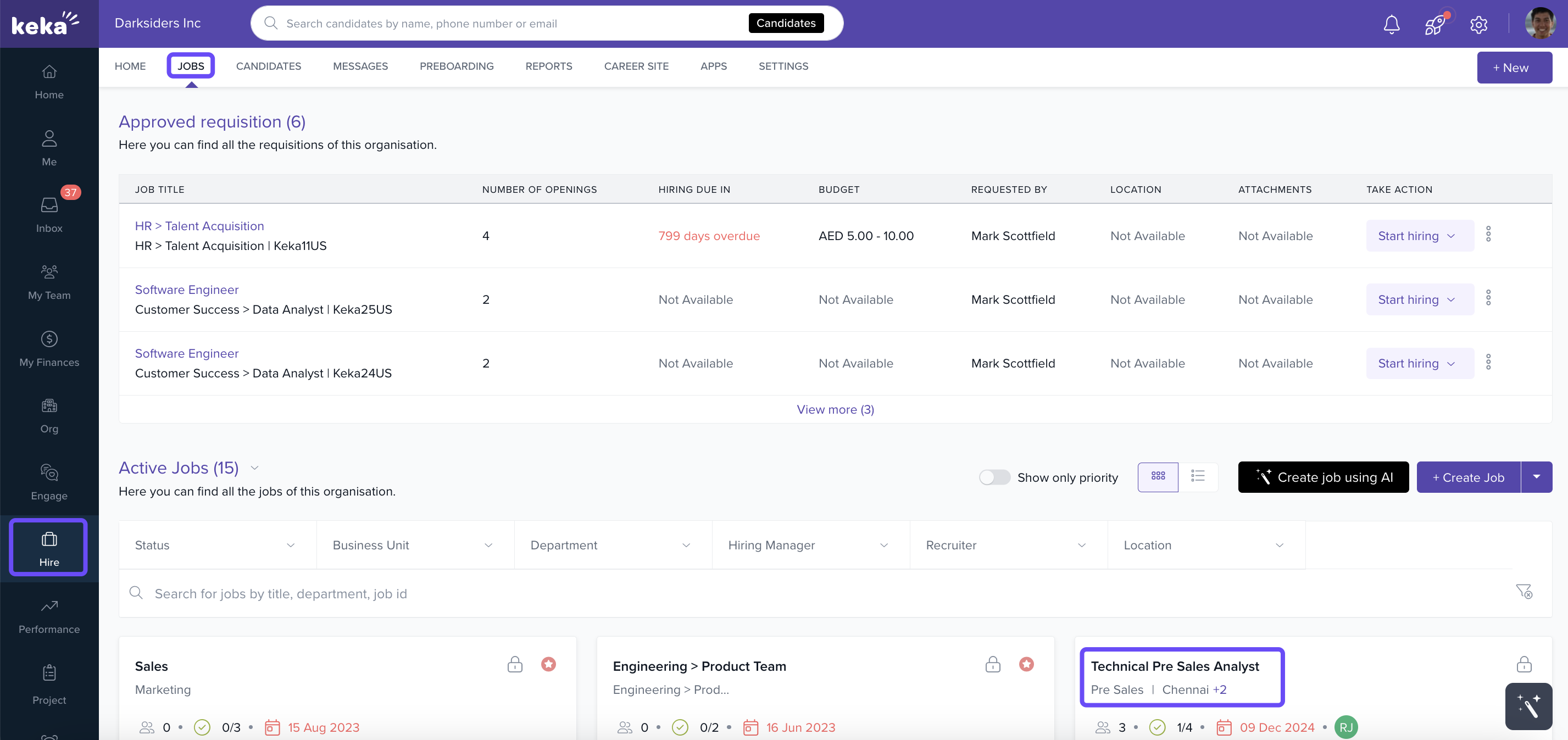
Go to the Jobs tab and select the job you want to post.
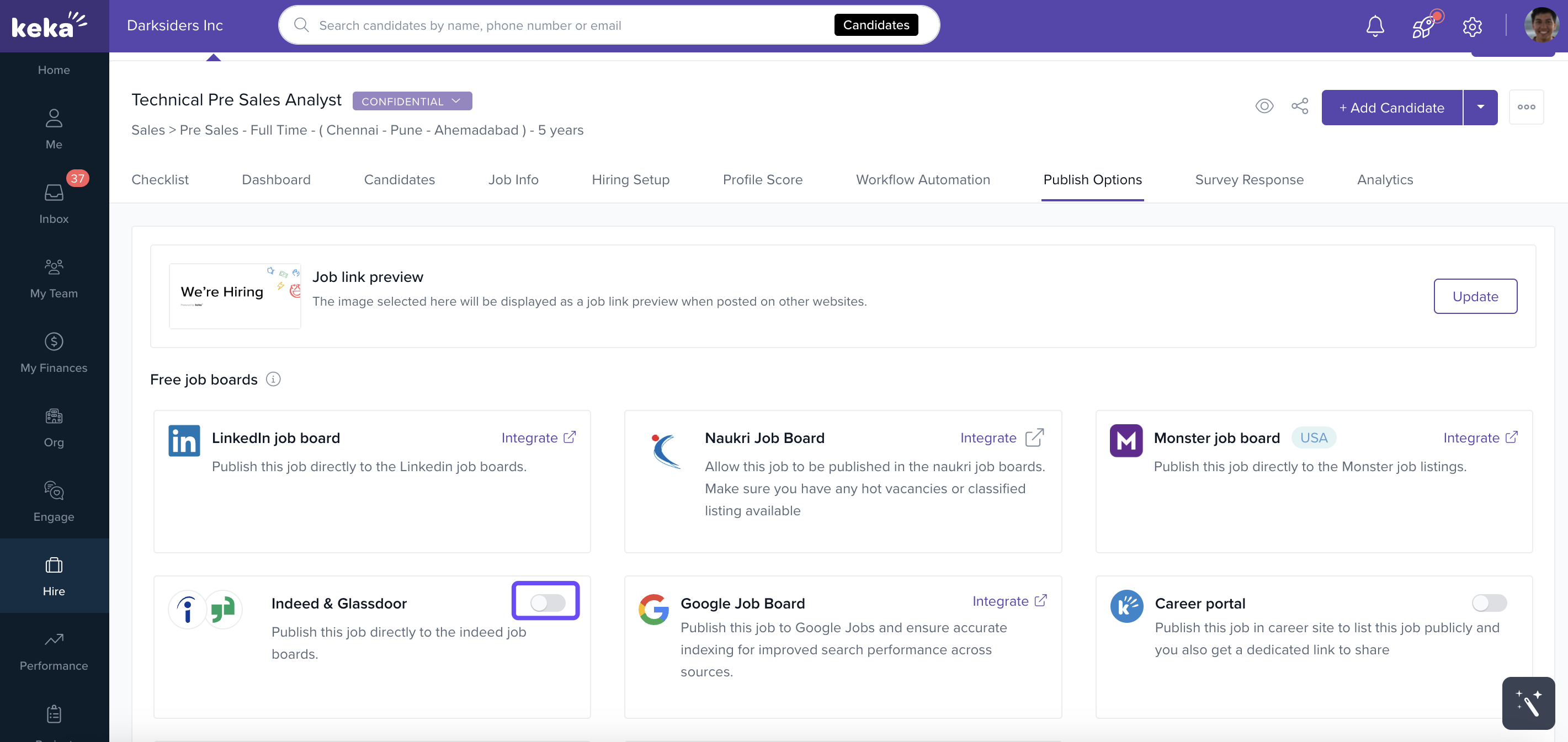
Open the Publish Options tab.
Toggle Indeed & Glassdoor to ON.
-
Fill in any missing fields required by Indeed, such as:
Job Description
Job Location
-
Job Type (e.g., Full-time, Part-time)
Screener Questions to filter applicants
-
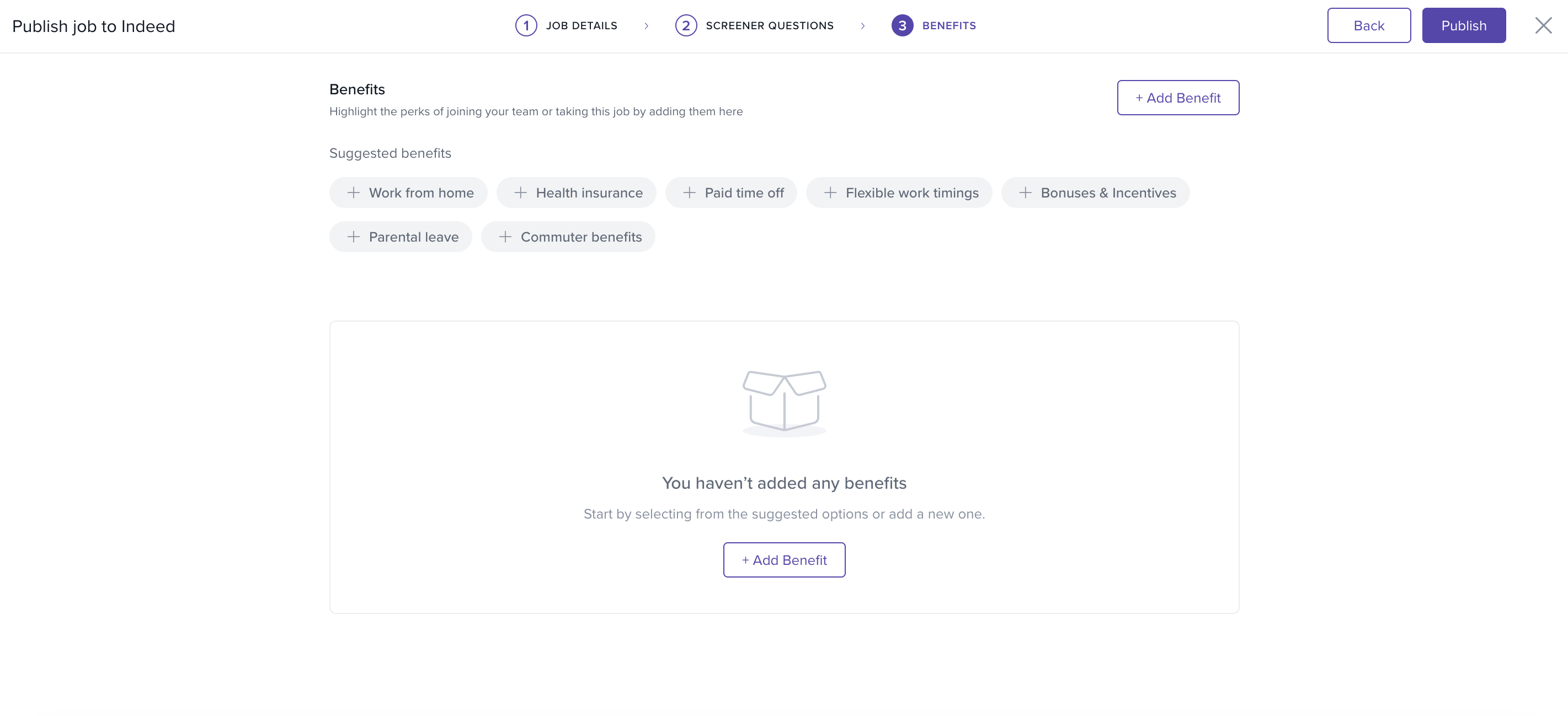
Benefits like WFH options, health insurance, or PTO
Optional extras:
-
Click Publish. Your job will go live on Indeed, and if it’s a premium listing, it will also appear on Glassdoor.
Manage Indeed Job Sync
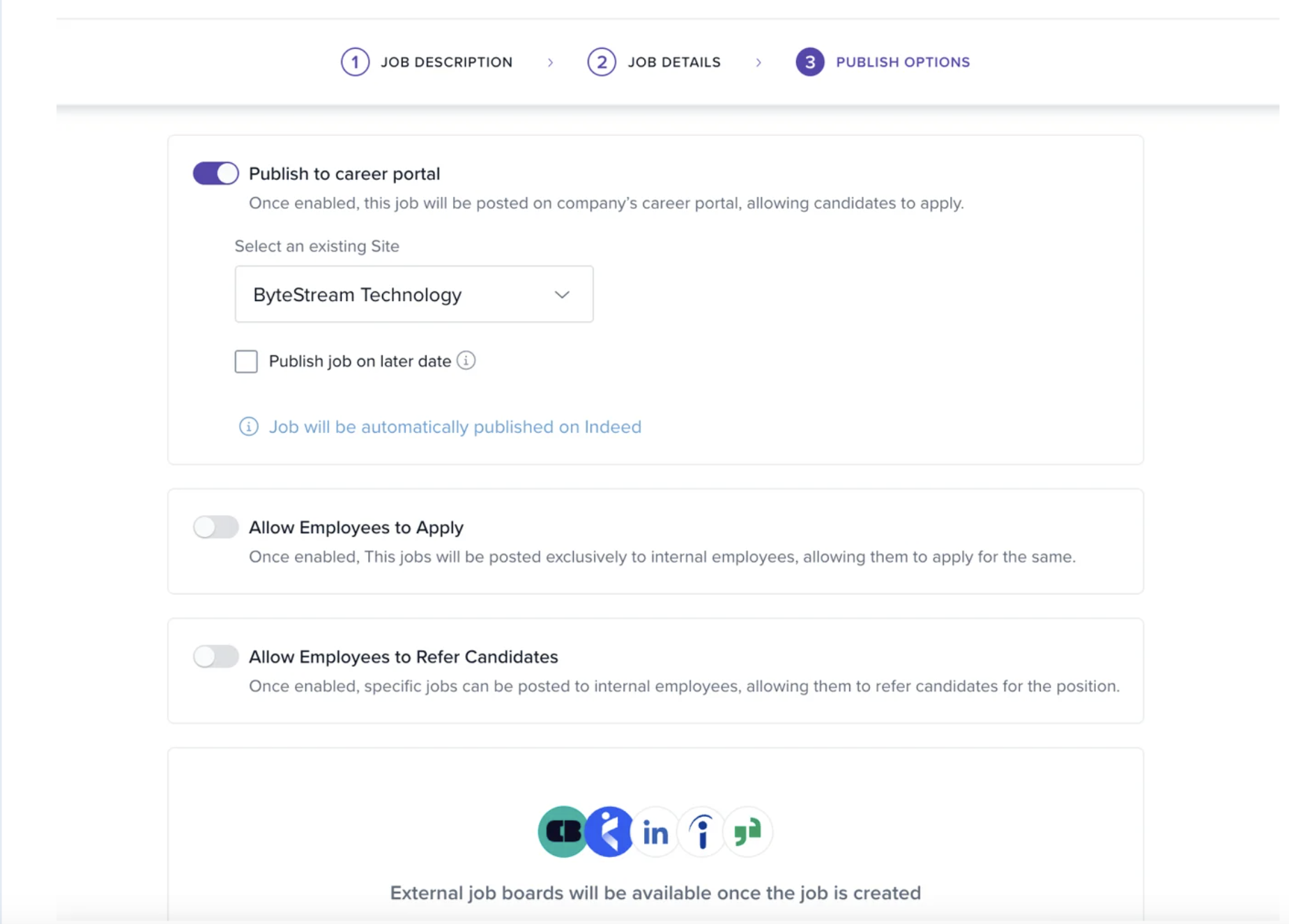
New jobs published on your Career Portal are automatically promoted on Indeed.
Exceptions: Offline or Confidential jobs are not shared, as they don’t appear on the portal.
-
If integration is disabled:
All jobs previously posted via Keka will expire and be removed from Indeed.
When re-enabled, existing jobs must be manually re-published.
New jobs with Publish to Career Portal enabled will auto-sync to Indeed.
Candidate Applications
Open the Candidates tab of a published job.
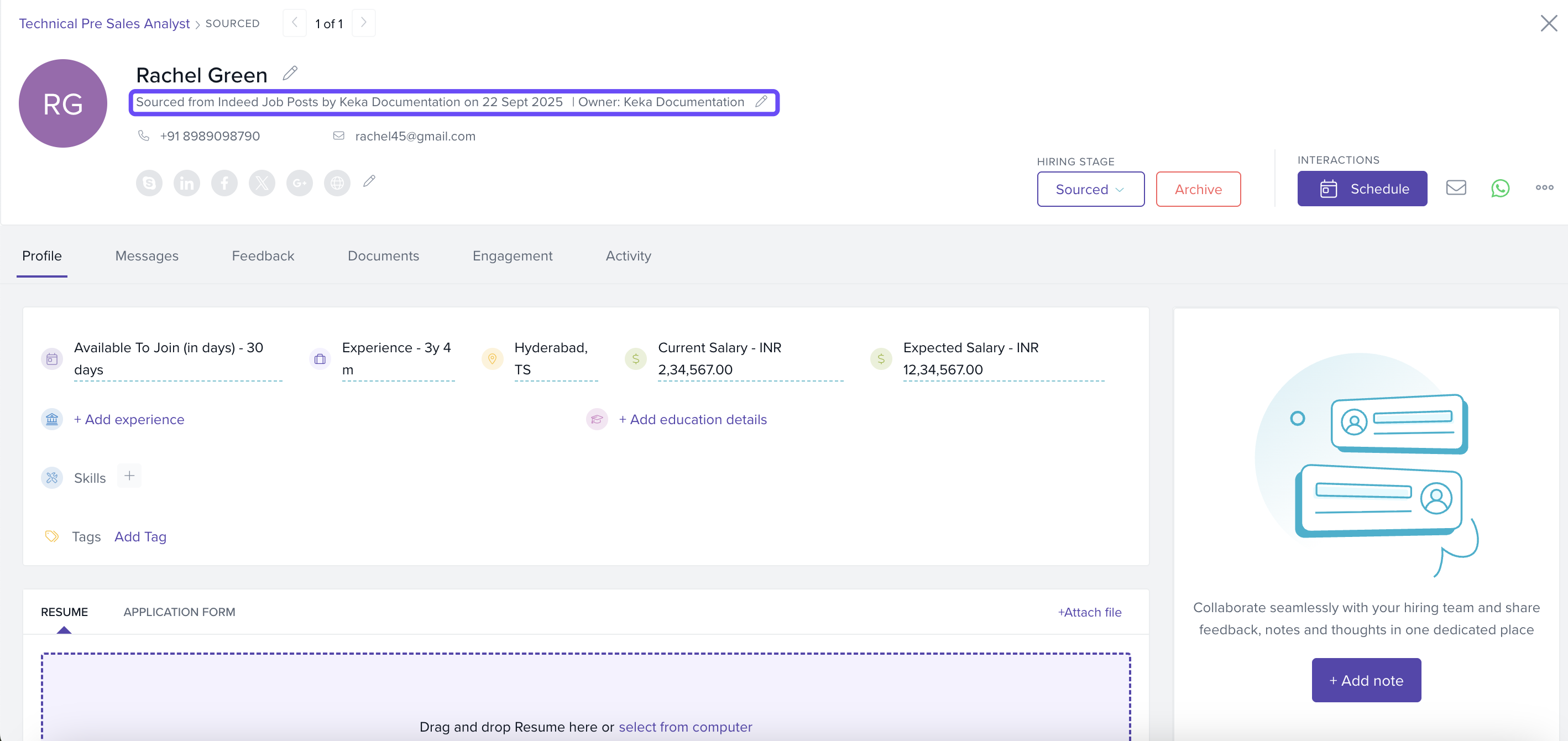
All applications from Indeed appear under the Sourced section.
-
Click a candidate’s name to view their profile, including:
Resume
Experience
Location
Contact information
Source tag → “Sourced from Indeed Job Post”
For additional visibility, use the Indeed Employer Portal to view your public job pages. Candidates can apply both:
Through your Career Site page
-
Directly via the Indeed Job Post
Notes & Tips
Tip: Add clear screener questions to filter unqualified applicants early.
Important: Review job details carefully before publishing — accurate information ensures higher visibility and better applicant matches.
Comments
0 comments
Please sign in to leave a comment.