Introduction
HackerEarth is a coding assessment platform designed to evaluate technical candidates through online challenges. By integrating it with Keka Hire, you can send assessments and view results—all without leaving the hiring platform.
Here’s how to set up the integration in just a few steps.
Apps section in Keka Hire
Navigate to Hire → Apps → Org Apps.
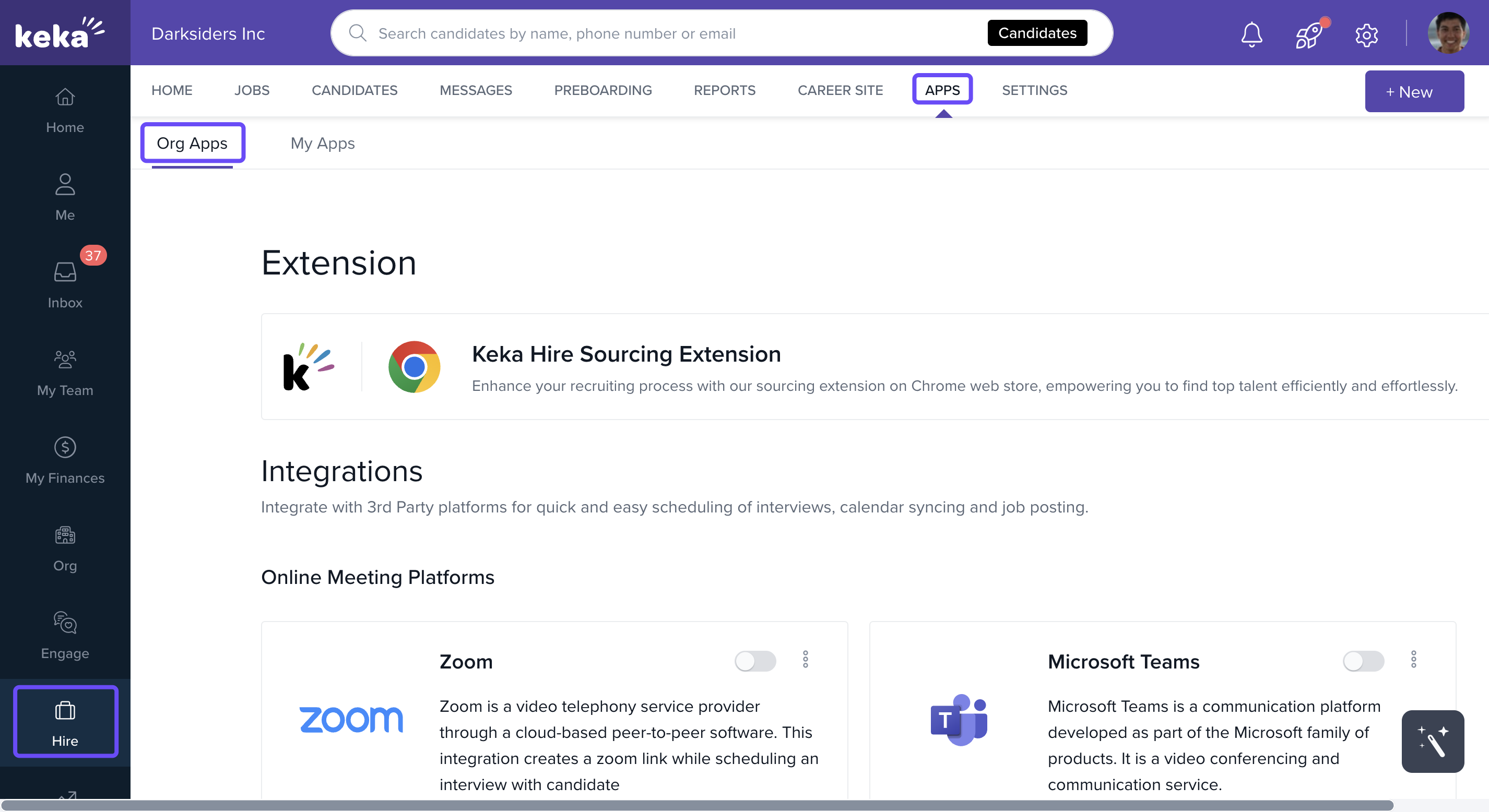
Scroll down to the Online Assessment section.
Start configuring HackerEarth
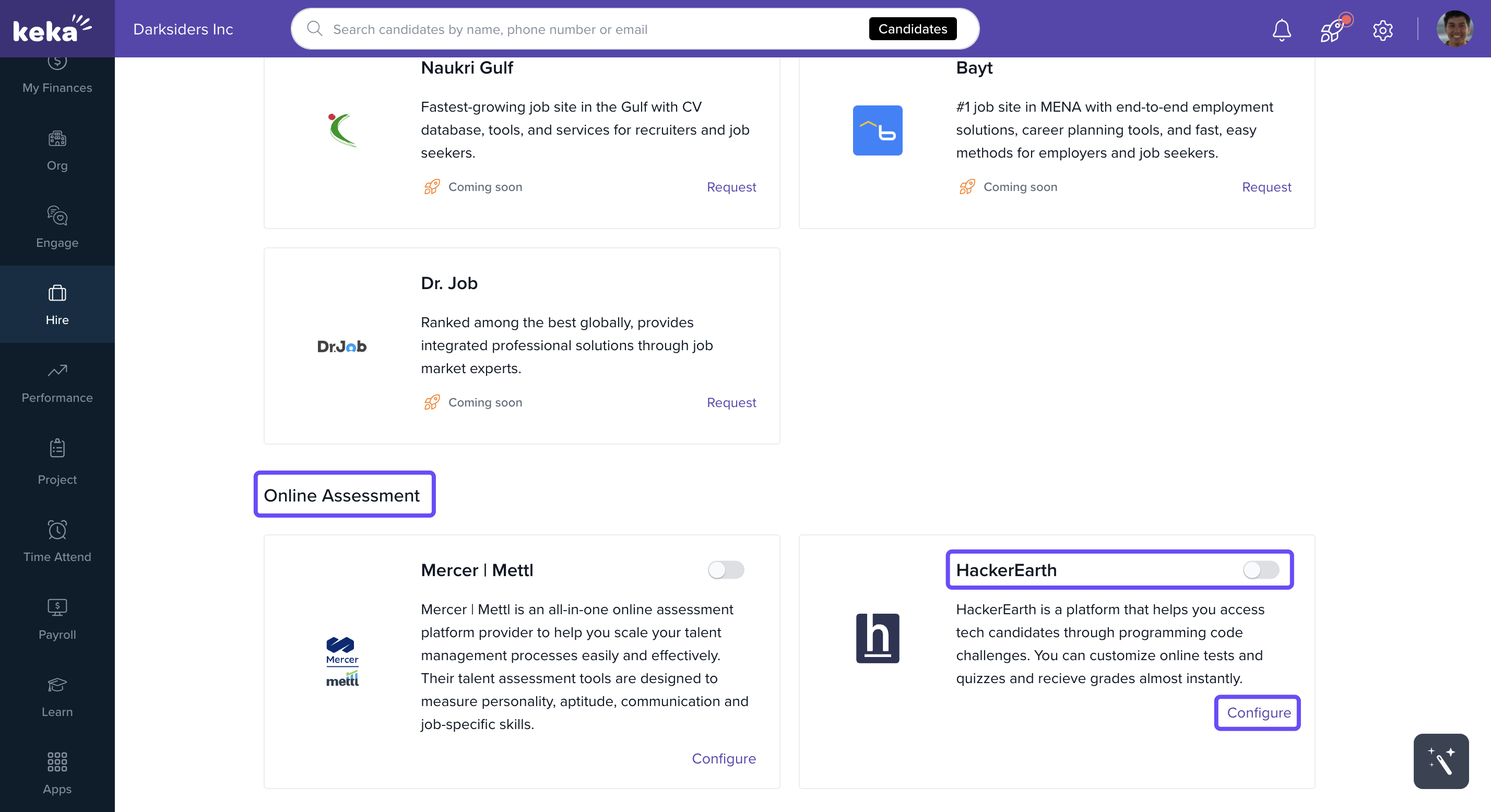
Find the HackerEarth integration card.
Click the Configure button.
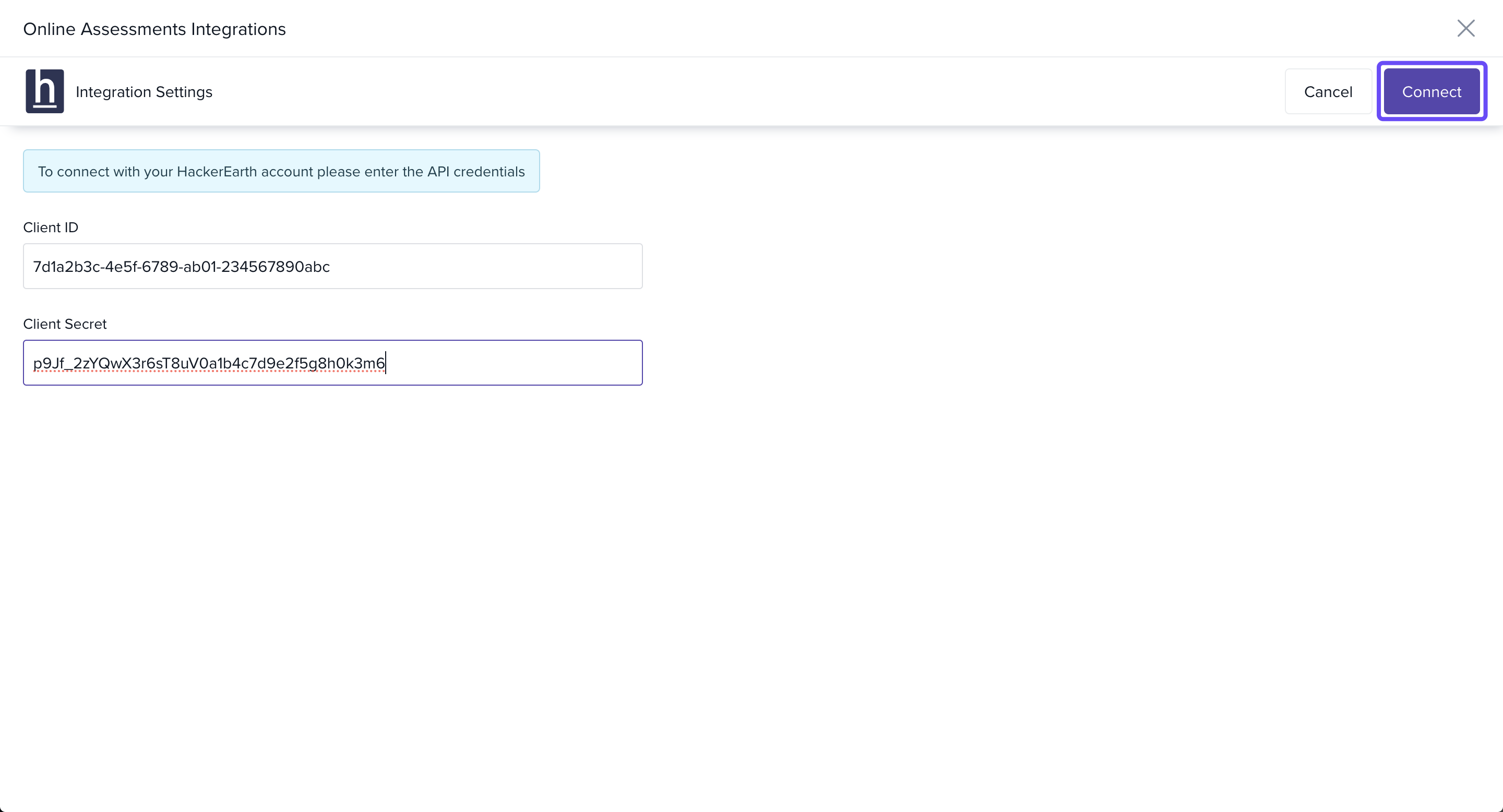
Enter your HackerEarth credentials
In the popup window, enter your Client ID and Client Secret.
Not sure where to find these? Click here for instructions from HackerEarth.
Once done, click Connect to complete the integration.
Enable or pause integration
You can enable or disable the integration anytime by toggling the switch on the HackerEarth card.
Once integrated, you can launch assessments and review results directly from the candidate profile in Keka Hire, as long as your HackerEarth account has valid credentials before connecting.
Need help retrieving your credentials or setting up assessments? Reach out to our product experts for assistance.
Comments
0 comments
Please sign in to leave a comment.