Introduction
We’re excited to share that Keka Hire is now fully integrated into the Keka HR platform. This update creates a seamless experience by bringing recruitment and HR management into one place.
With centralized access, simplified role management, and preserved data, you can now manage the entire employee lifecycle—from hiring to onboarding—within a single platform.
Unified Platform to Improve Efficiency
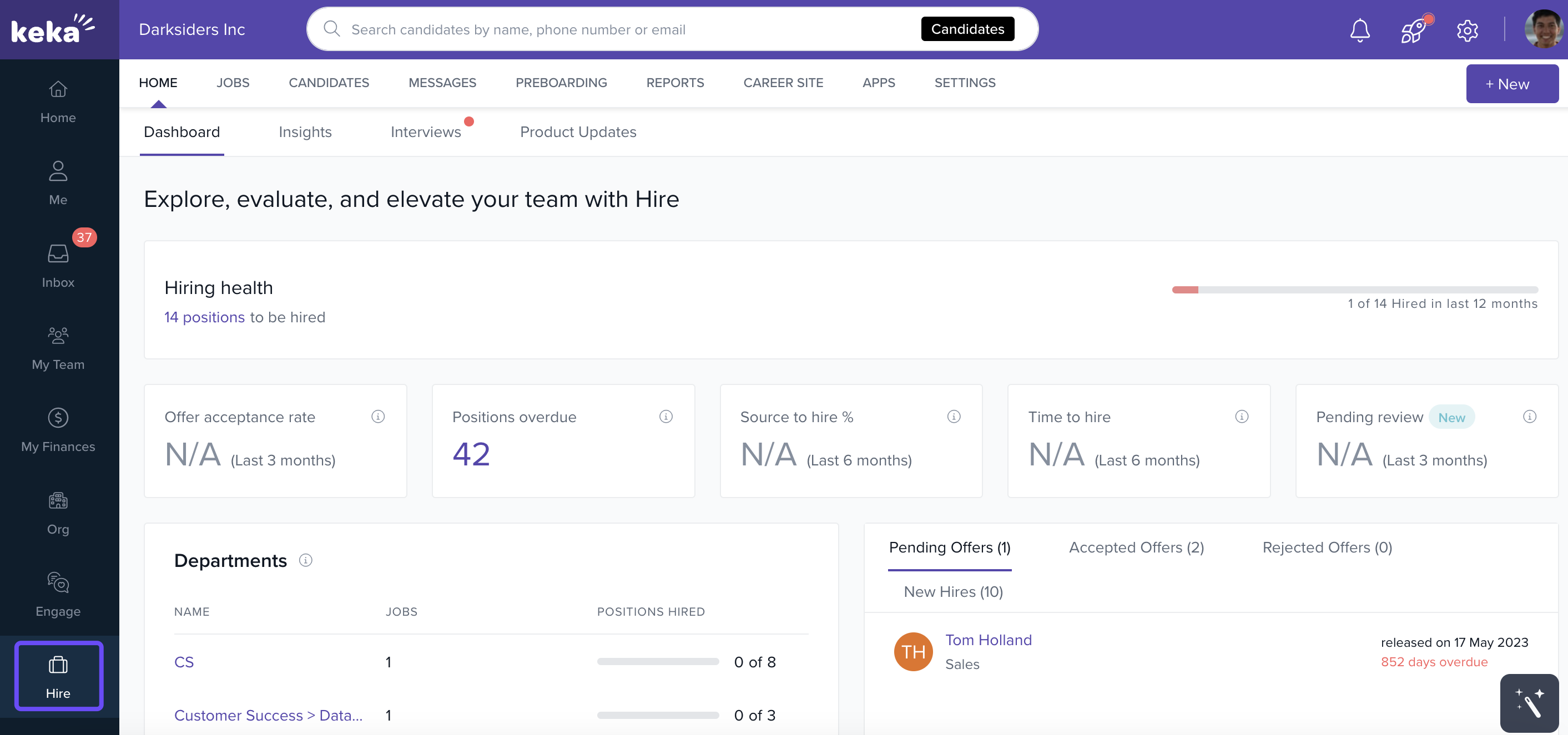
Integrated Access
Previously, Keka Hire was accessed via a separate URL. Now, it appears as a module inside the Keka HR suite, eliminating the need for multiple logins. With single sign-on, your hiring and HR processes are connected in one workflow.
Increased Visibility
This integration also ensures that Keka Hire is more visible within your HR suite, making it easier for teams to discover and use its recruiting capabilities.
What’s Changing in Keka Hire?
Roles & Permissions Adjustments
All roles and permissions for Keka Hire have been unified under Keka HR’s global settings.
New global roles, such as Hire Admin, are now available.
Custom roles have been updated to include Hire-related privileges.
User and permission management for Hire is now handled under Global Settings > Users & Permissions in Keka HR.
Subscribed vs. Unsubscribed Users
Subscribed Users: Continue to enjoy full access to Keka Hire features.
Unsubscribed Users: HR Executives, HR Managers, and Global Admins will see a teaser video and feature descriptions instead of the full module.
Preparing for the Change
Smooth Transition
No disruption expected. All your historical data, settings, and configurations from Keka Hire will be automatically migrated into the HR suite. No manual setup is required.
Feedback & Improvements
We value your input! Please share feedback on the integration so we can continue improving your experience.
FAQs
Q: What is Keka Hire?
A: Keka Hire is our end-to-end recruitment module, now integrated directly into the Keka HR platform. It supports job posting, applicant tracking, interview scheduling, and more.
Q: What features does Keka Hire offer?
A: Key features include job posting, applicant tracking, interview scheduling, and collaborative hiring tools.
Q: Where can I manage users and permissions?
A: All roles and permissions are now managed centrally under Keka HR > Global Settings > Users & Permissions. This applies to Hire as well as all other HR functions.
Q: What happens to my existing data during the transition?
A: All data and configurations from your Keka Hire account are automatically transferred into Keka HR. No action is required on your part.
Q: Where are my integrated apps?
A: Any apps previously integrated with Keka Hire now appear under the Apps section of the Keka HR portal. You can manage updates and changes from there.
Q: Are there additional costs?
A: No. Existing subscribers pay nothing extra. For new users or upgrades, see our pricing page or contact Sales.
Q: How does the search bar work with Hire?
A: The search bar adapts depending on the module:
In HR mode: Search employees, job titles, departments, etc.
In Hire mode: Search candidates, phone numbers, emails, and recruitment details.
Next Steps
Log in to your Keka HR portal to explore Keka Hire under the new unified interface. For questions or support, reach out to our product team through the Keka Help Center.
Comments
0 comments
Please sign in to leave a comment.