Introduction
Keka Hire supports direct integration with leading virtual meeting platforms—Zoom, Microsoft Teams, and Google Meet—so you can schedule and manage interviews without leaving the platform.
By syncing your work calendar, you ensure up-to-date availability for hassle-free scheduling across teams.
Access Calendar & Meeting Integration
Go to Hire → Settings → Interview Availability.
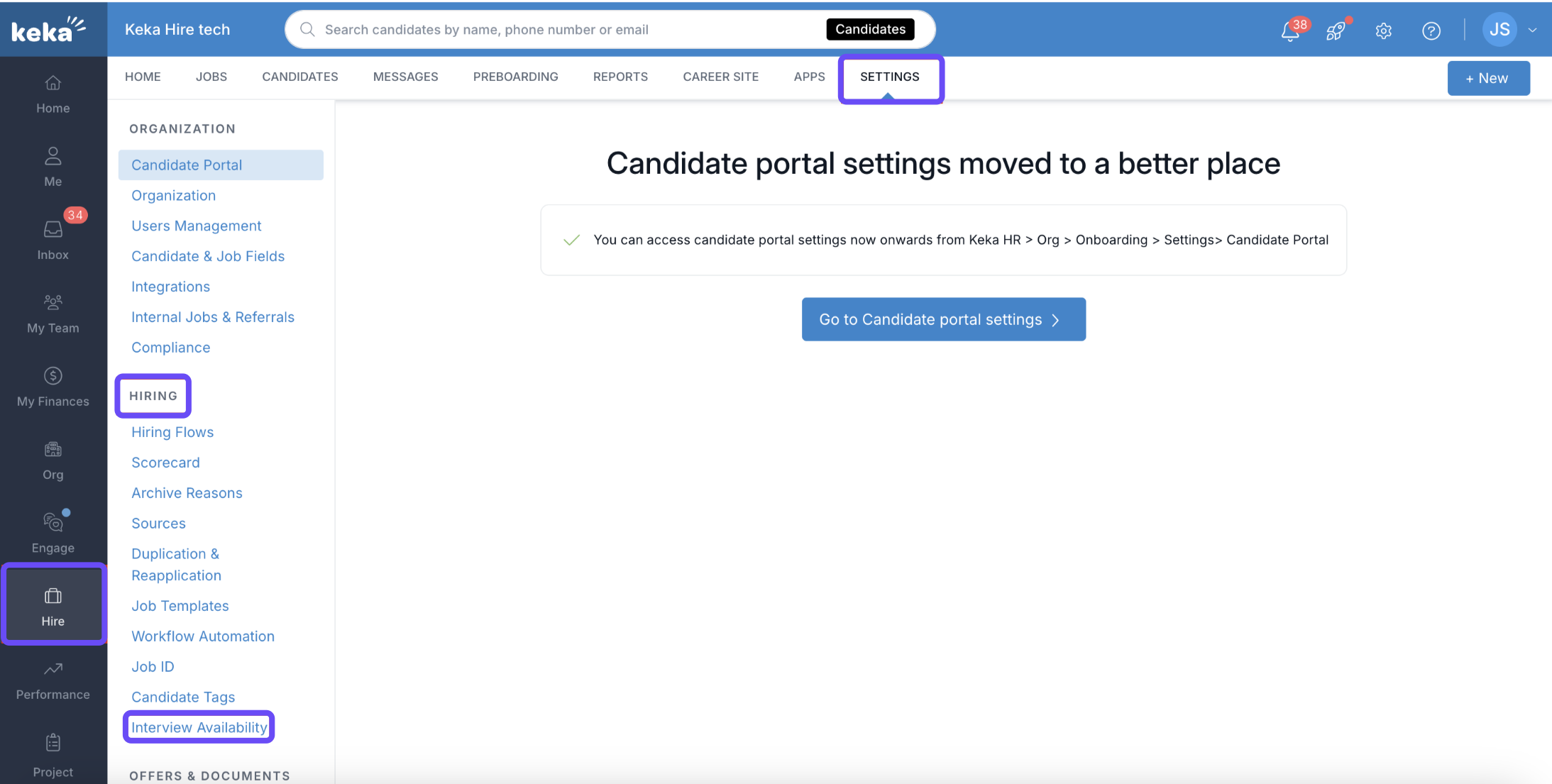
Click Connect Calendar to begin the setup.
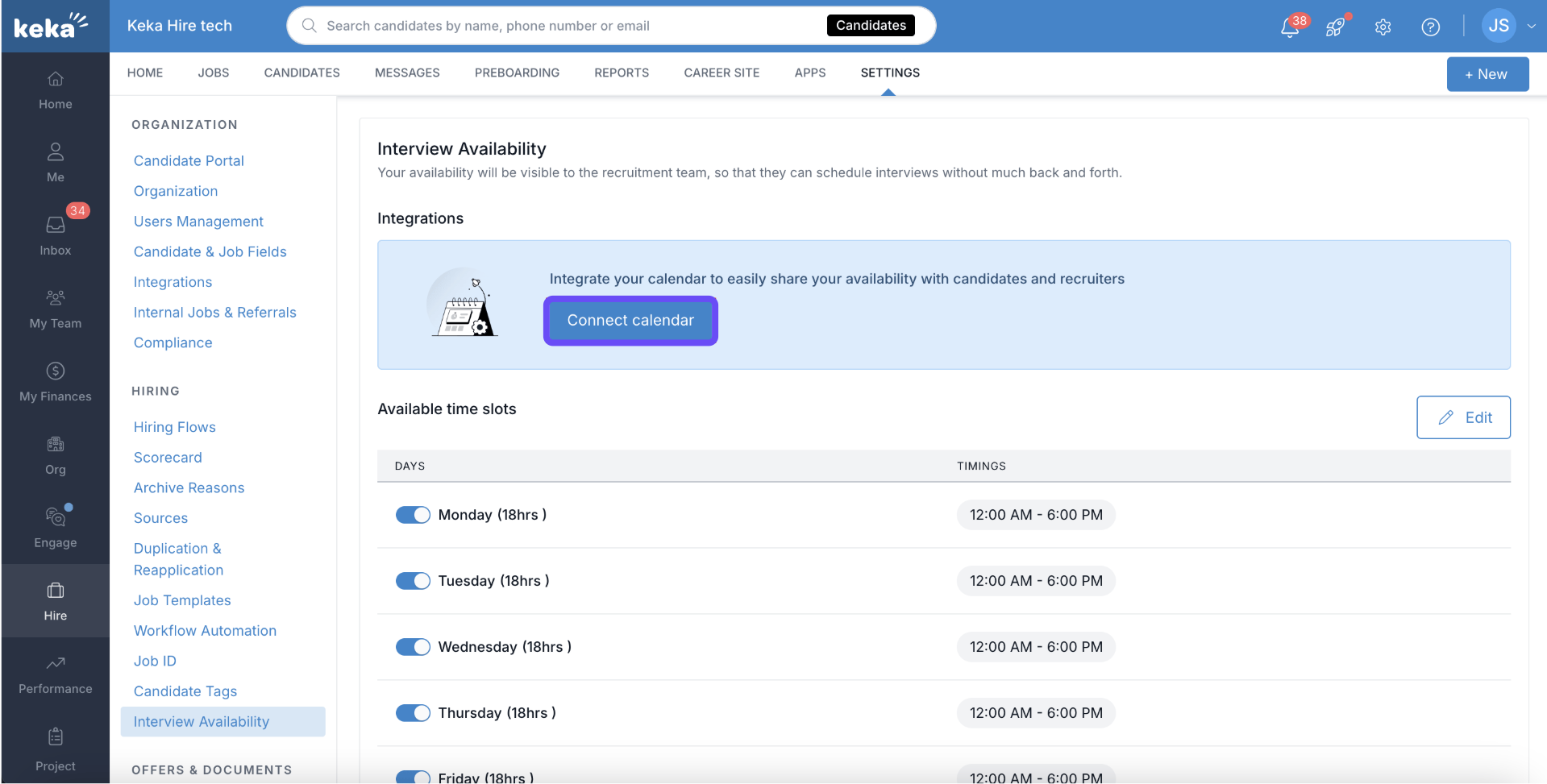
Choose Your Tools
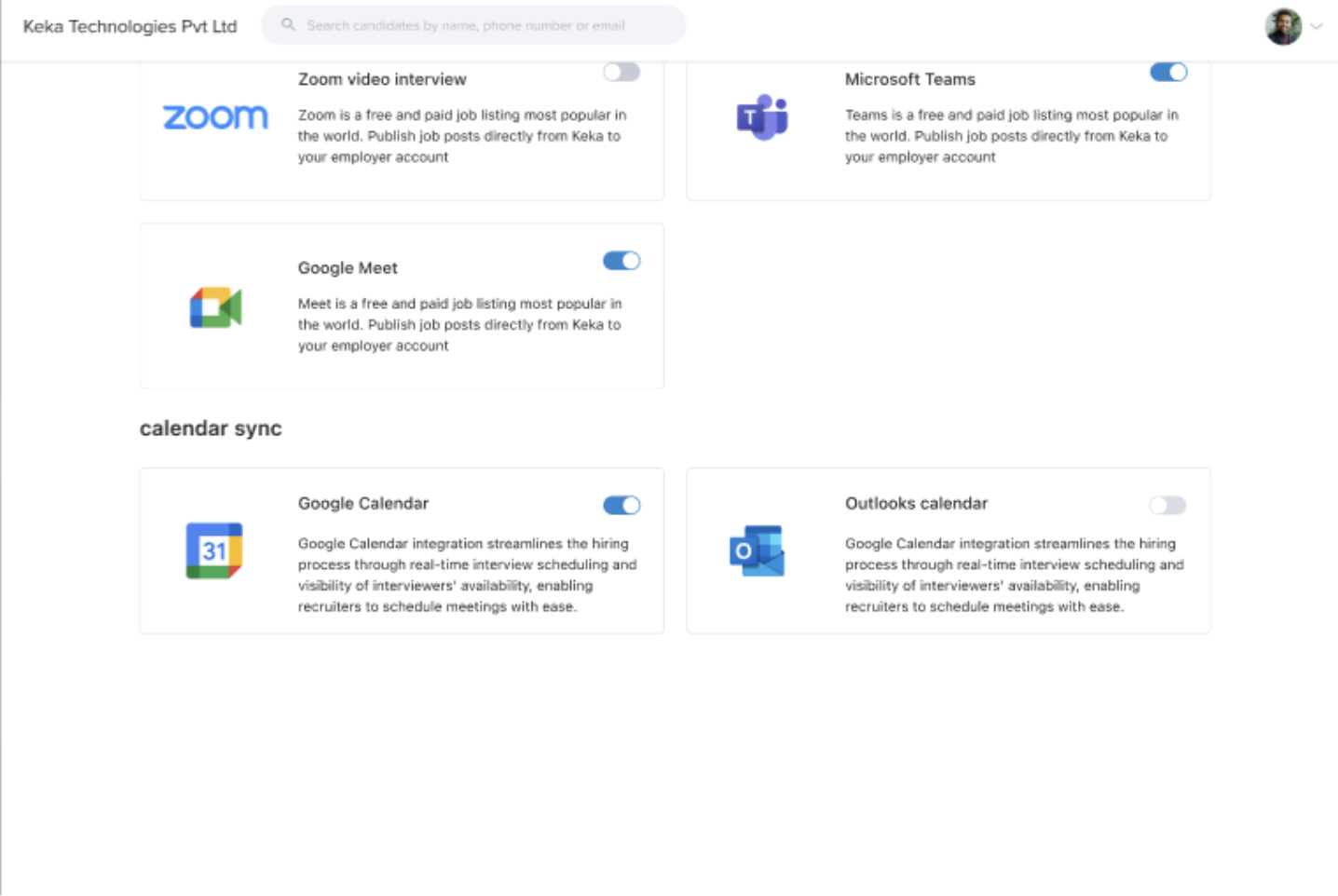
Select your calendar provider: Outlook or Google Calendar.
Select your meeting platform: Zoom, Google Meet, or Microsoft Teams.
Authorize the Integration
Grant permission to sync your calendar with Keka Hire.
Once authorized, your availability will auto-update based on calendar events.
Benefits of Integration
Avoid double bookings by syncing with your work calendar.
Unavailable slots are automatically excluded from scheduling.
Real-time availability helps candidates and recruiters pick the best time.
Centralized scheduling improves visibility and team coordination.
Handling Expired Integrations
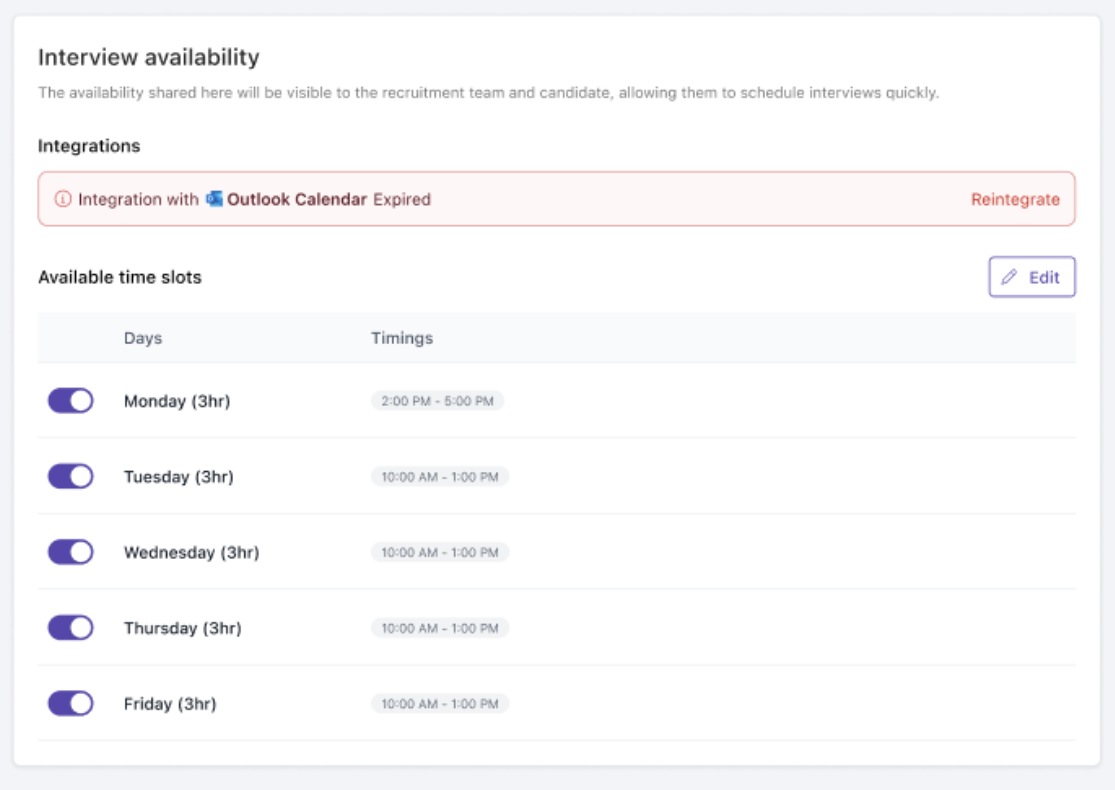
When your calendar authorization expires:
You’ll receive a notification in Keka Hire.
Click Reintegrate next to the alert message.
Follow the same steps as initial setup to reconnect.
Notifications and Reminders
Keka Hire sends:
Automatic reminders for upcoming interviews.
Syncs these with your connected calendar so you never miss an event.
Next Steps
Once the integration is complete, you can:
Create and send virtual interview links
Manage all interview logistics from one centralized place
This setup saves time, prevents miscommunication, and makes virtual hiring smoother for everyone involved.
Comments
0 comments
Please sign in to leave a comment.