Introduction
With the CareerBuilder integration, you can publish jobs and manage applications from Keka Hire without switching between platforms. This helps streamline recruitment by centralizing candidate information while leveraging one of the most widely used job boards in the USA.
Configure the Integration
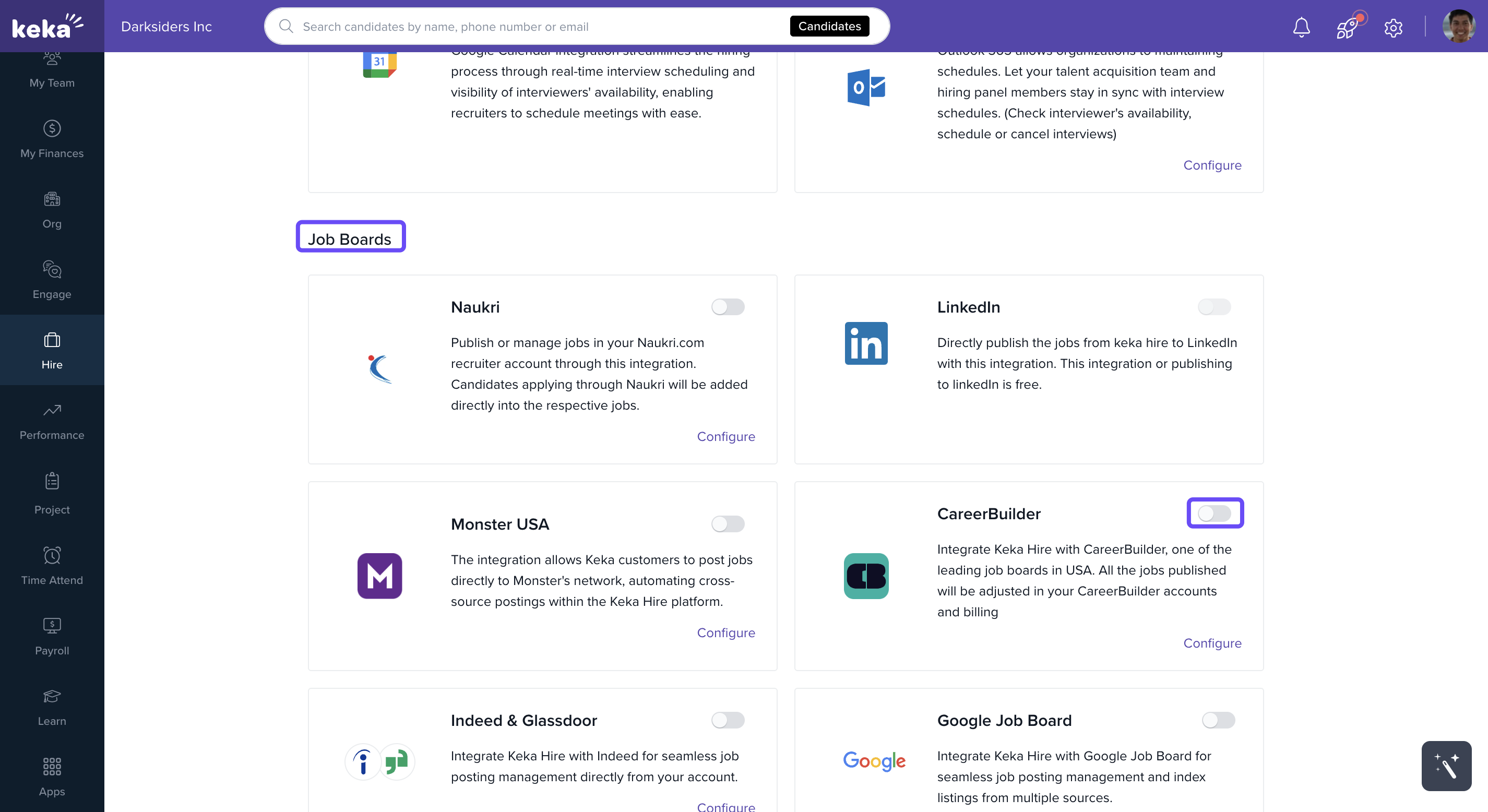
Go to the Hire section from the main menu.
Click Apps.
Under Org Apps, open the Job Boards section.
Find CareerBuilder and toggle the switch to enable integration.
A prompt will appear asking for your CareerBuilder Username and Password.
Enter your credentials and click Save.
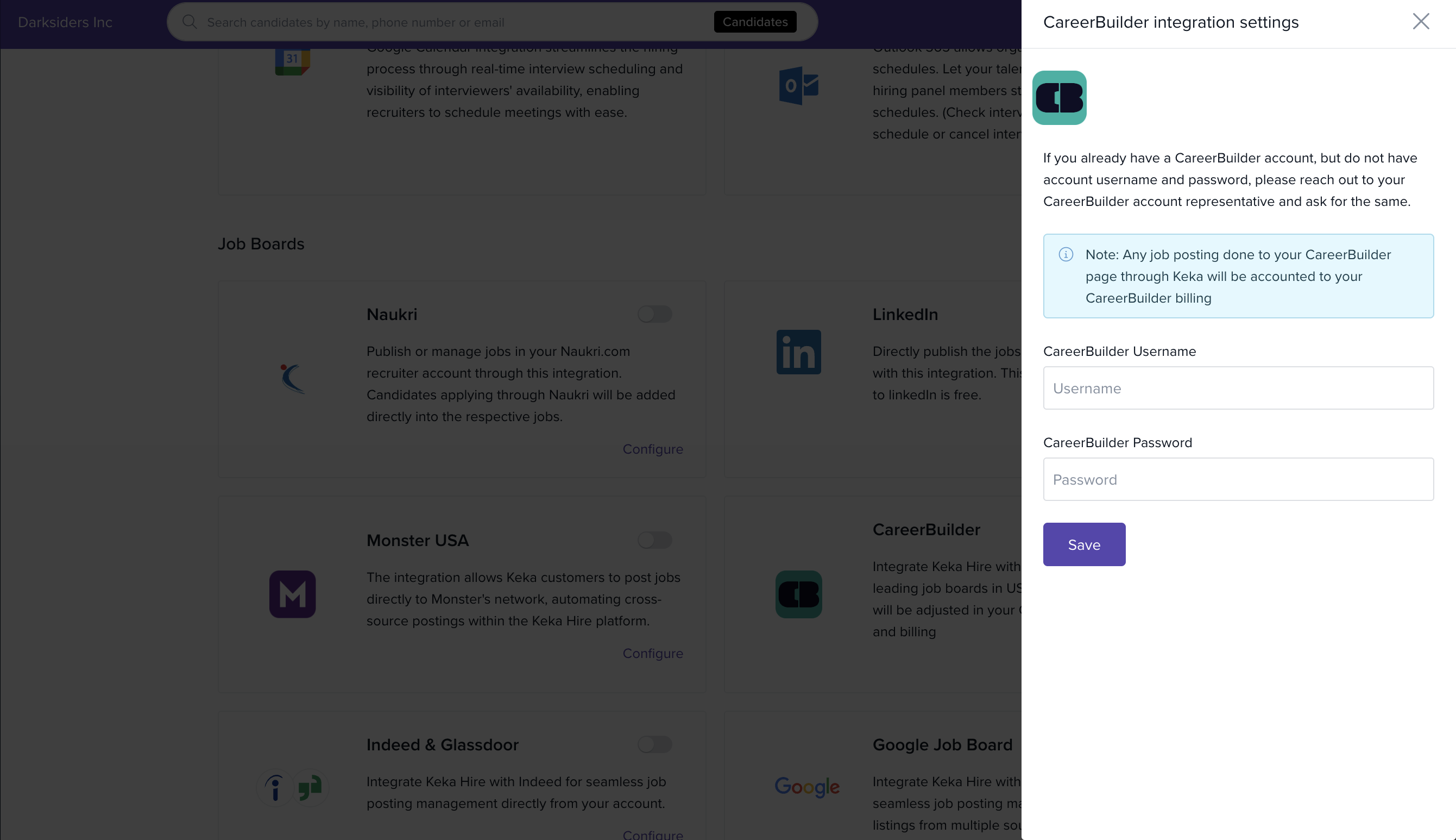
Once saved, the integration is active.
What Happens After Integration
You can publish jobs from Keka Hire directly to CareerBuilder.
Candidate applications from CareerBuilder automatically sync back to the linked jobs in Keka Hire.
All job postings and candidate details remain centralized in your hiring dashboard for easier tracking.
Notes & Tips
Tip: Make sure the CareerBuilder credentials you enter have posting access. Otherwise, job publishing may fail.
Important: Only admins with app management permissions can enable or disable integrations in Org Apps.
Comments
0 comments
Please sign in to leave a comment.