Introduction
Posting jobs on LinkedIn is essential for organizations aiming to attract top talent quickly. With access to a broad network of active candidates, targeted job postings, employer branding opportunities, and social referrals, LinkedIn maximizes your chances of hiring the right people.
The integration between Keka Hire and LinkedIn allows you to publish jobs directly from the Keka portal. This ensures all postings, candidate applications, and job tracking are centralized, saving time and simplifying your hiring workflow.
Who Has the Access
Global Admins: Can enable the integration and publish jobs.
Super Recruiters: Can publish jobs once the integration is enabled.
Setting Up the Integration
Follow these steps to configure LinkedIn integration in Keka Hire:
Navigate to the Hire section on the left navigation panel.
Select Apps→ Org Apps.
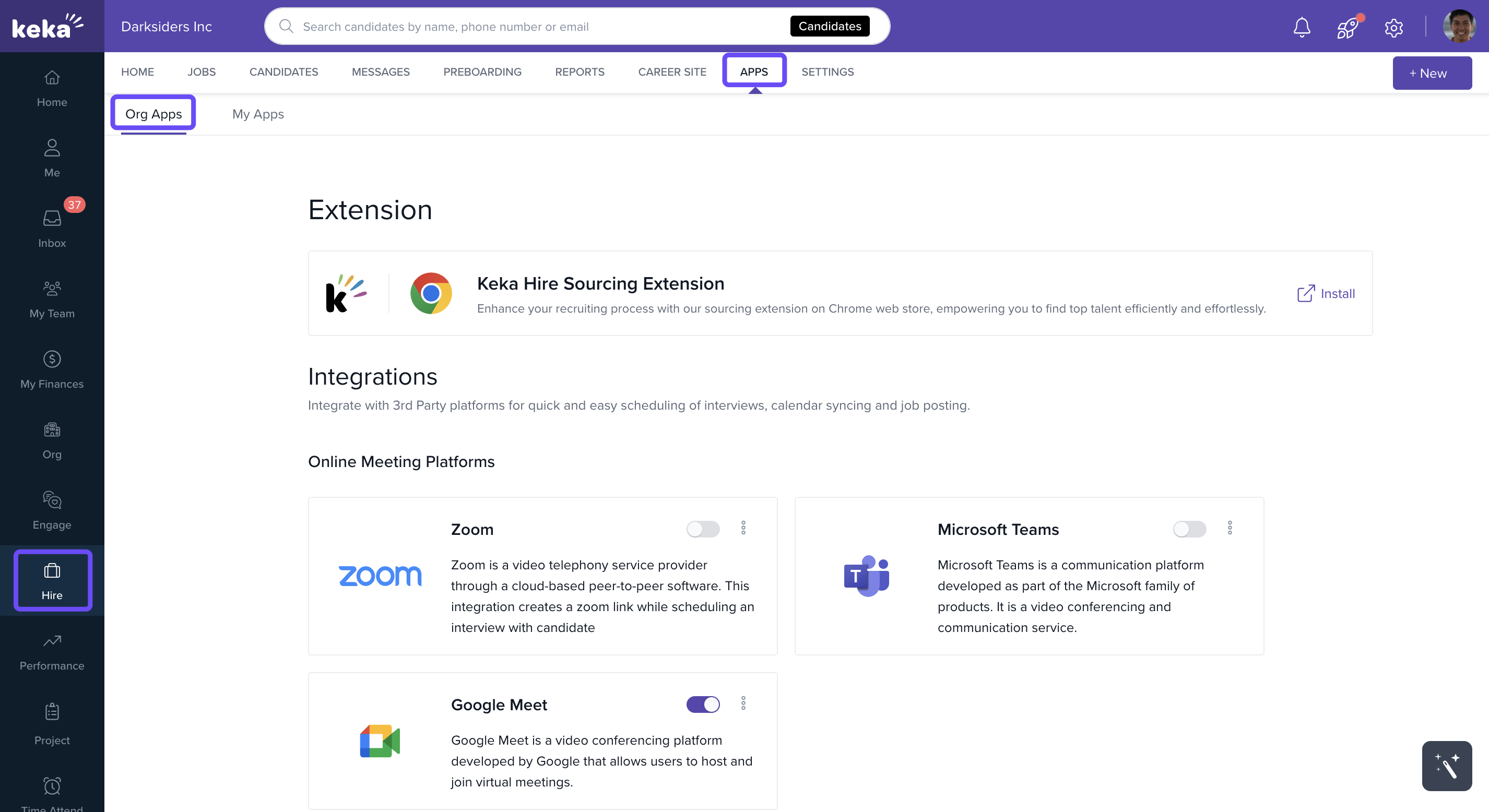
Scroll down to the Job Boards section.
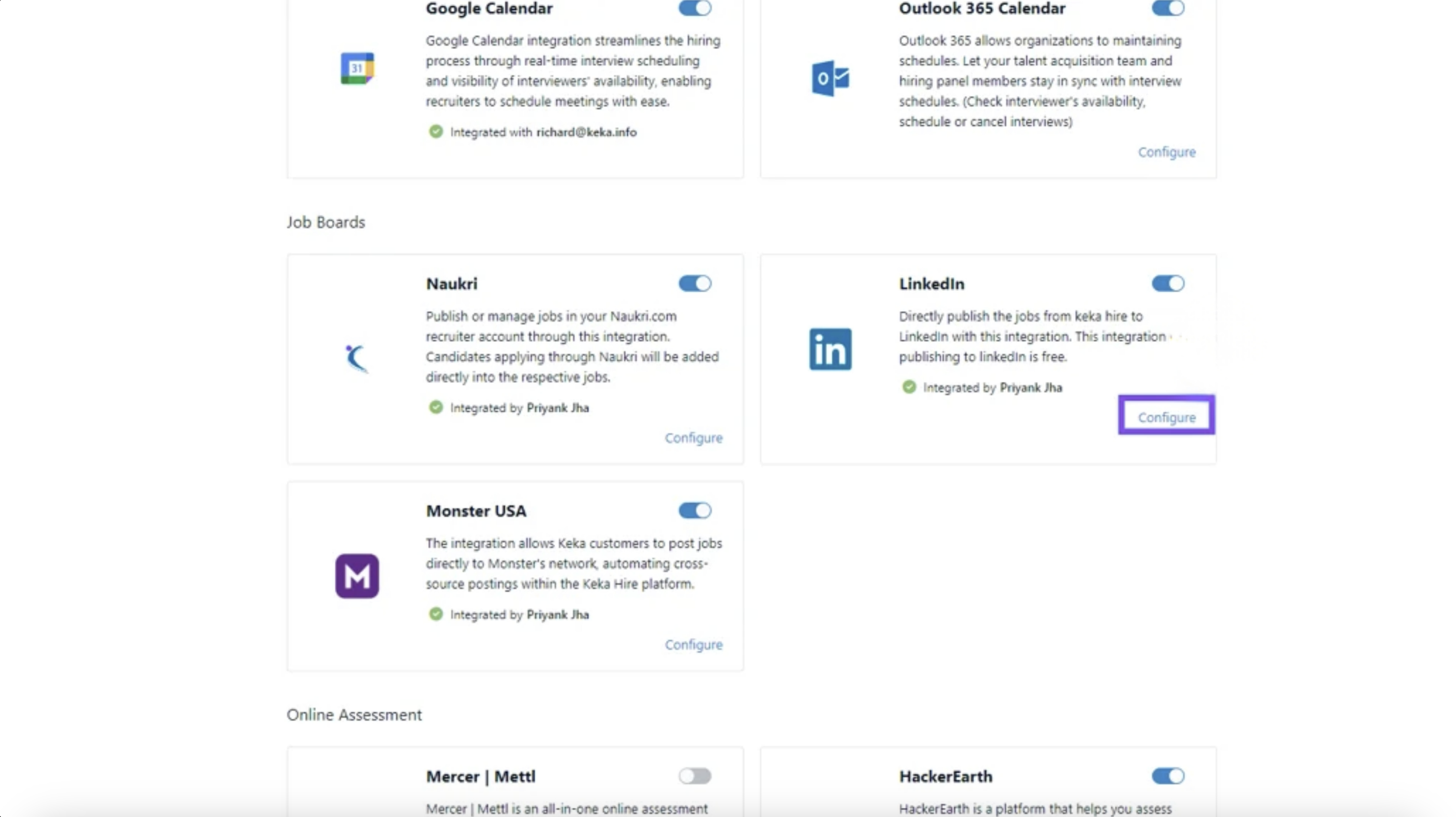
Locate the LinkedIn card. By default, the integration is disabled.
-
Click Configure to begin setup.
-
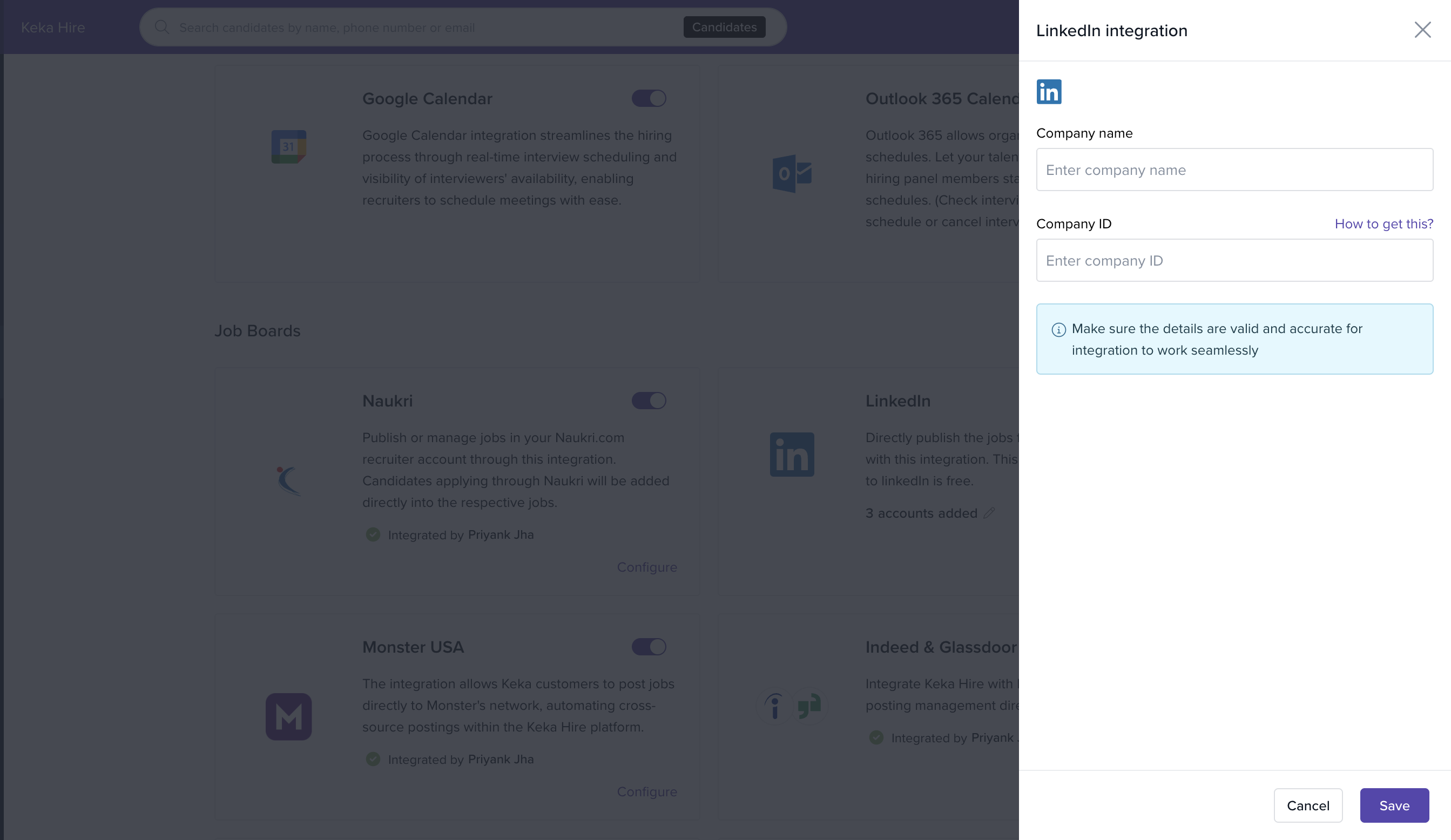
Enter the following details in the pop-up window:
Company Name: This will auto-populate from your organization’s profile.
-
Company ID: A numeric string (6–9 digits).
To find your Company ID, open an existing job listing on LinkedIn, and in the URL, check the digits after C=. That is your Company ID.
Click Update to complete the integration.
To learn more about LinkedIn Company IDs and their usage, click here.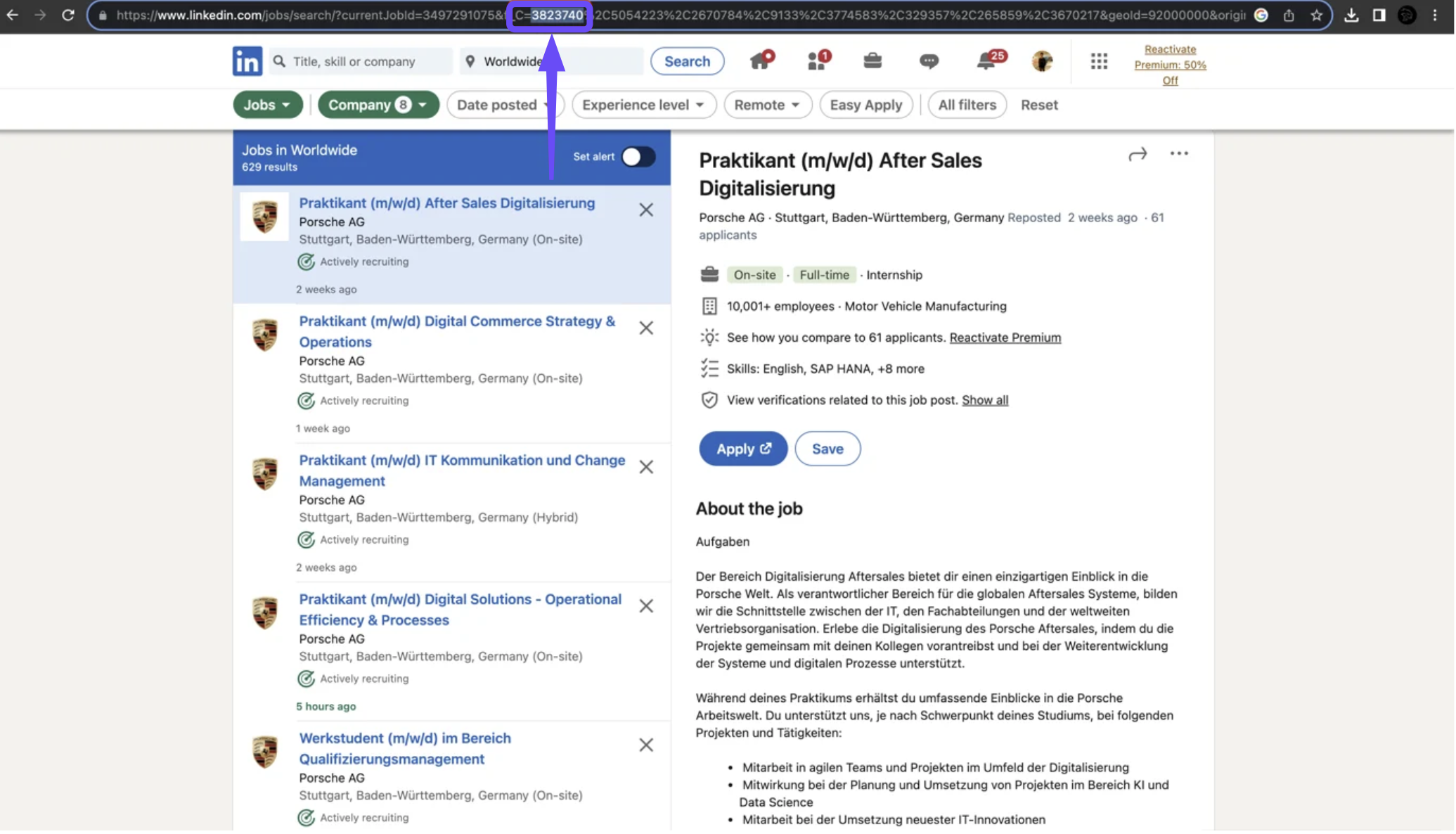
Publishing a Job to LinkedIn
Once integrated, Global Admins and Super Recruiters can publish job openings directly to LinkedIn from within Keka Hire.
Open the Job Details page for the job you want to publish.
Select Publish Options.
Choose LinkedIn and confirm to post the job.
Deleting the Job from LinkedIn
To unpublish a job from LinkedIn:
Go to Job > Job Details > Publish Options.
Click the 3-dot menu next to LinkedIn.
Select Delete from LinkedIn.
Options & Variants
Access Control: Only Global Admins and Super Recruiters can configure and publish jobs via LinkedIn.
Auto-fill Fields: Company Name is auto-filled; only Company ID needs manual entry.
Field Reference
| Field Name | Description |
|---|---|
| Company Name | The name of your company (auto-filled from Keka profile). |
| Company ID | A numeric ID used by LinkedIn to identify your company page (6–9 digits). |
Notes, Tips, Important, Warnings
Tip: If your job post doesn’t appear on LinkedIn, double-check the Company ID you entered.
Important: The LinkedIn integration is disabled by default. You must manually enable it before posting.
We hope this article has equipped you with clear steps to streamline your LinkedIn job postings through Keka Hire.
Comments
0 comments
Please sign in to leave a comment.