Keka now lets you mark certain holidays as Special, allowing you to define unique overtime pay rates for work done on these days.
This feature works alongside standard holiday overtime settings, giving organizations greater flexibility and ensuring payroll reflects enhanced compensation.
Example: If your company marks Republic Day as a Special holiday, you can assign a higher overtime rate for employees working that day compared to standard holiday OT.
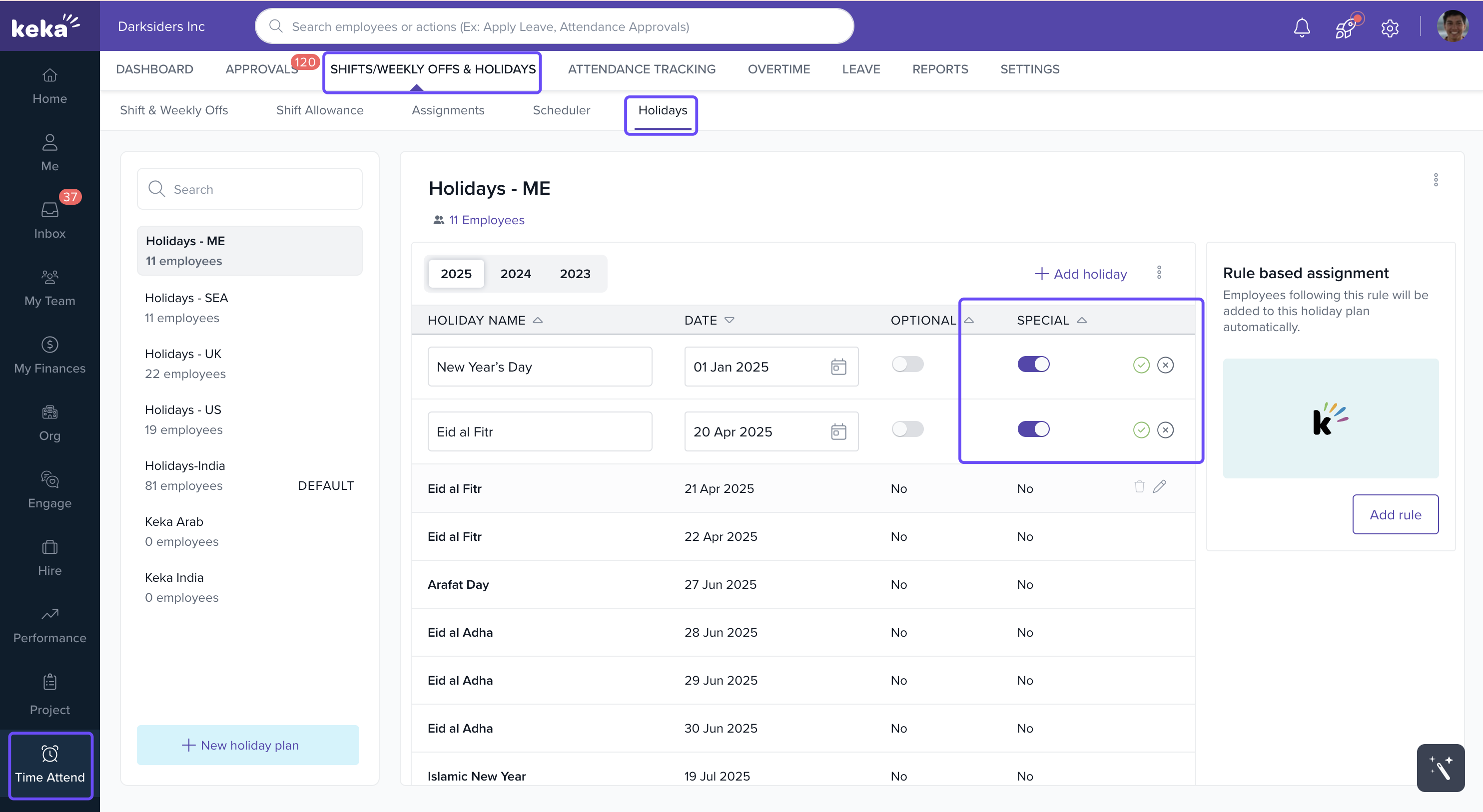
How to Mark a Holiday as Special?
Open your existing holiday plan.
Select the relevant year.
Hover your cursor over the Special section of the holiday you want to modify.
A pencil icon will appear.
Click the pencil icon.
Switch the toggle to Special.
Click the green checkmark to save.
Notes
Marking holidays as special ensures clarity in employee compensation.
Special holiday rates help organizations differentiate pay for exceptional days and manage payroll efficiently.
Next Steps
After marking special holidays, configure overtime pay policies to set unique pay rates for them.
Comments
0 comments
Please sign in to leave a comment.