Introduction
Weekly offs are essential for maintaining employee well-being and ensuring a healthy work-life balance. In Keka, you can configure weekly off policies within your shift schedules. This helps reduce stress, prevent burnout, and improve retention and efficiency across your workforce.
By setting weekly offs correctly, you avoid conflicting shifts, overwork, and confusion about working hours.
Creating a Weekly Off
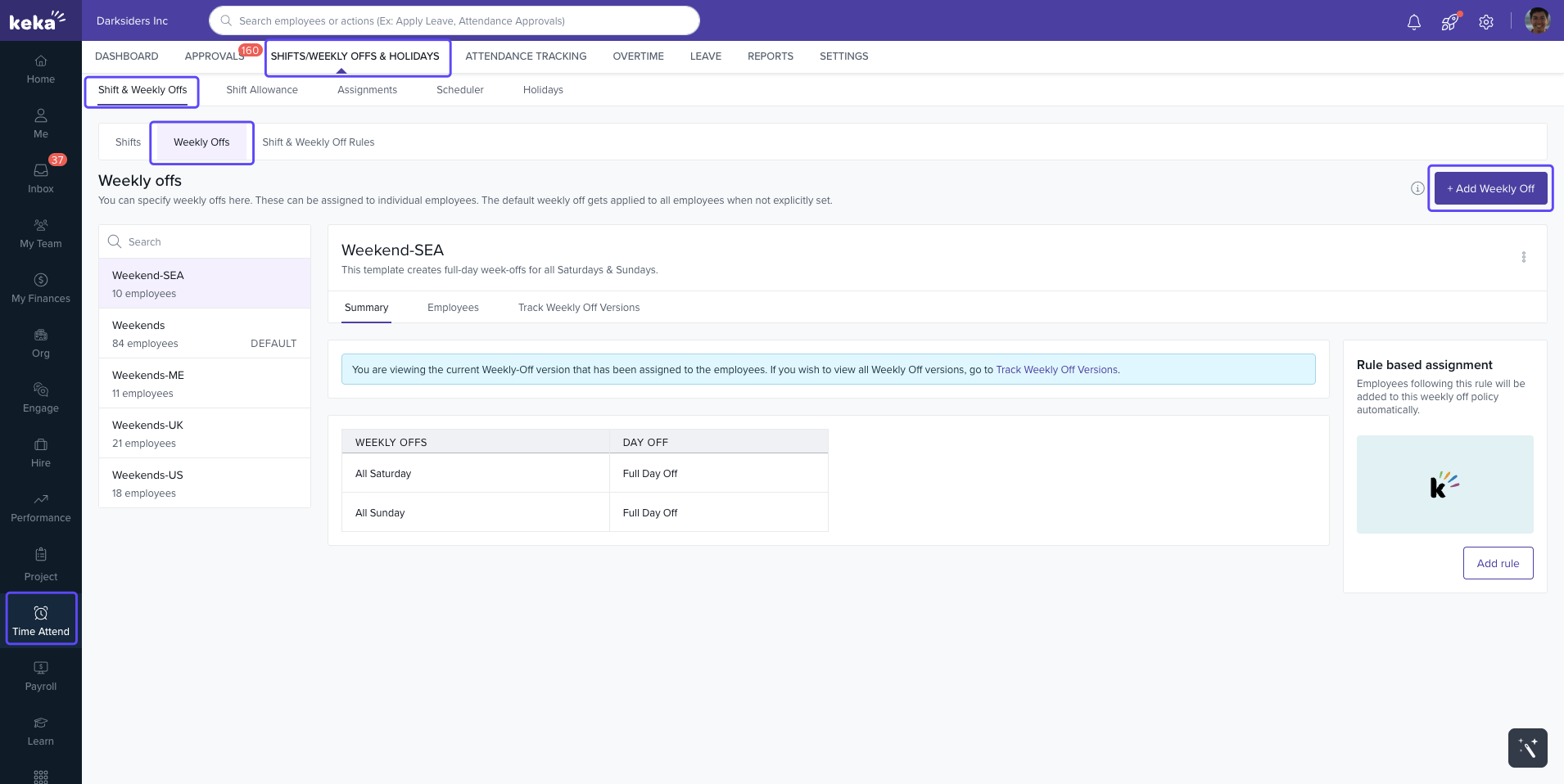
Go to Time & Attendance → Shifts/Weekly Offs & Holidays → Shifts & Weekly Offs → Weekly Offs.
You’ll see all existing weekly off policies.
-
To add a new one, click +Add Weekly Off.
-
In the Add Weekly Off window:
Enter a Name for the weekly off policy.
Select the days to mark as weekly offs.
Use Customize to define if a day is a full day, first half, or second half off.
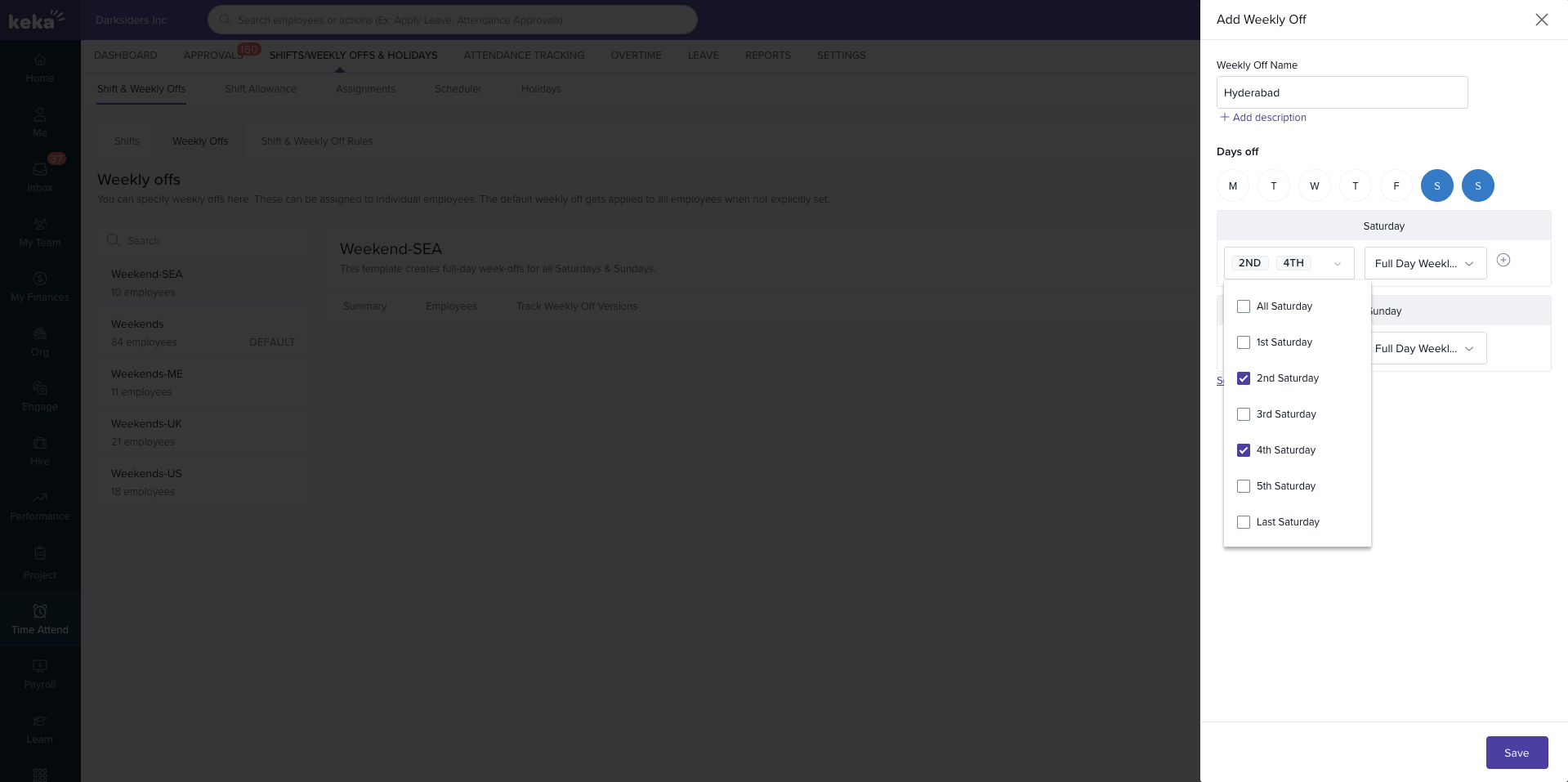
Click Save to create the policy.
Tracking and Managing Weekly Offs
To view or update an existing weekly off policy:
From the Weekly Offs list, find the policy you want to manage.
Click Track Weekly Off Versions.
Choose whether to View, Edit, or Delete the policy.
-
If editing, you’ll see the same window as when creating. Make the necessary updates and click Update.
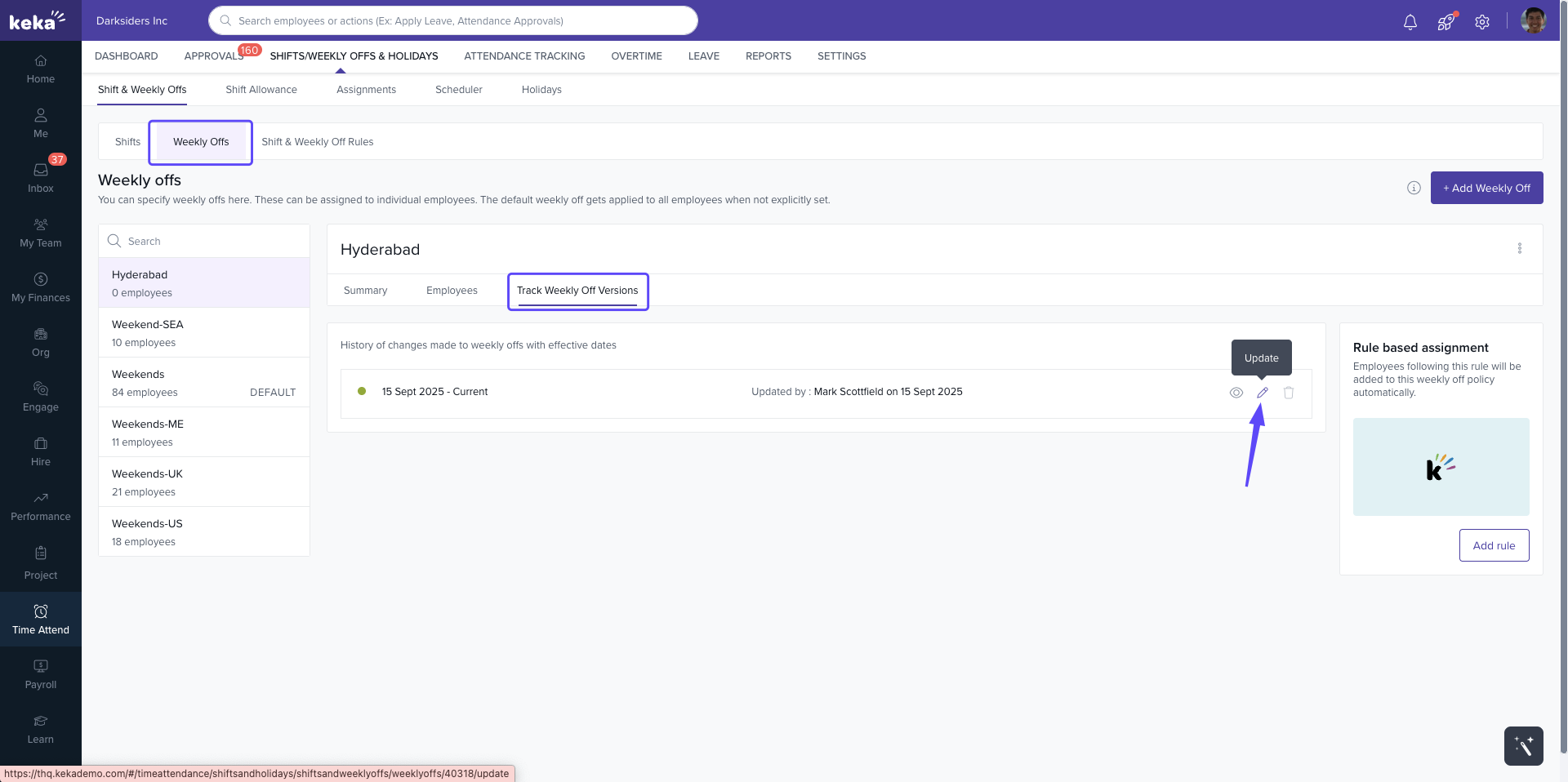
Note: Policies can be tracked version by version for better auditability.
Next Steps
Weekly off policies in Keka are simple to set up and adjust, ensuring smooth workforce scheduling and employee satisfaction.
Comments
0 comments
Please sign in to leave a comment.