Introduction
Keka allows employers to provide employees with flexibility in managing their shift schedules and weekly offs. Using Shift & Weekly Off Rules, you can define when employees can request changes and the approval workflows required.
This feature ensures better workforce control while giving employees controlled flexibility.
Creating Shift & Weekly Off Rules
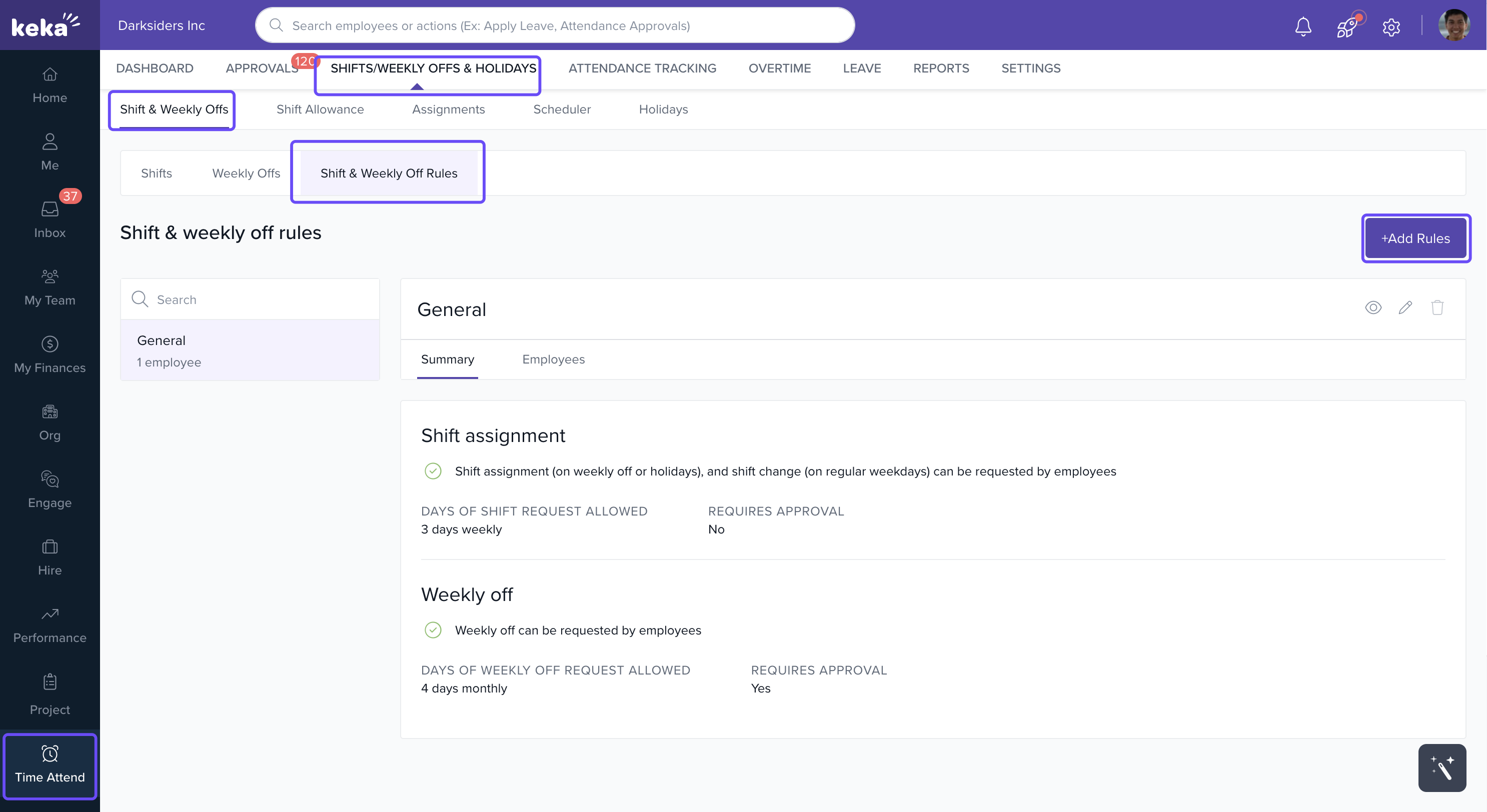
Go to Time Attend in the left panel.
Navigate to Shifts/Weekly Offs & Holidays.
Open Shift & Weekly Offs.
Click Shift & Weekly Off Rules.
If you already have rules set up, they’ll appear here.
-
To add a new rule, click + Add Rules.
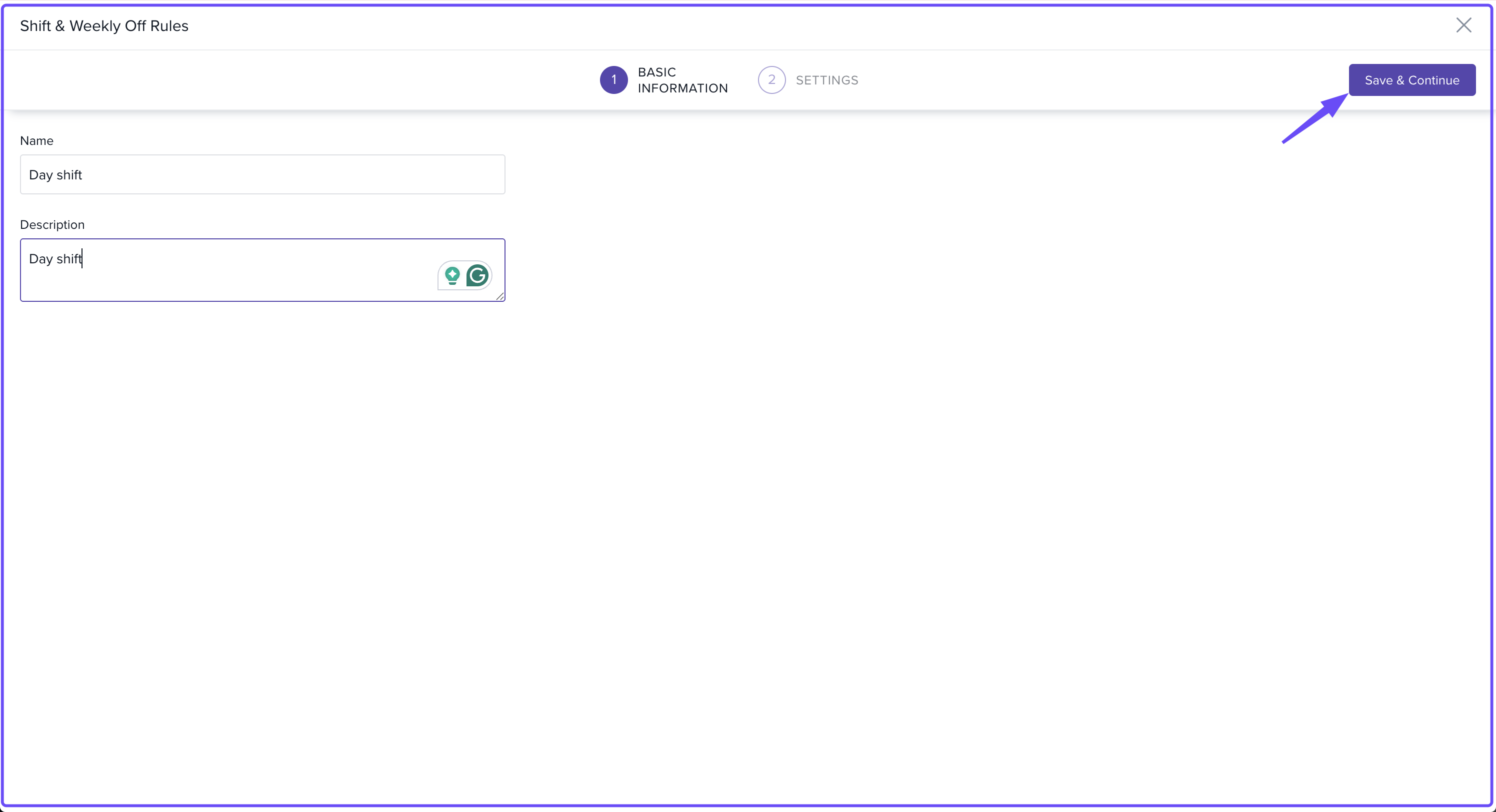
Basic Information
When creating a new rule:
Enter a Name for the rule.
Optionally, add a Description.
Click Save & Continue to move ahead.
Settings (Rules and Restrictions)
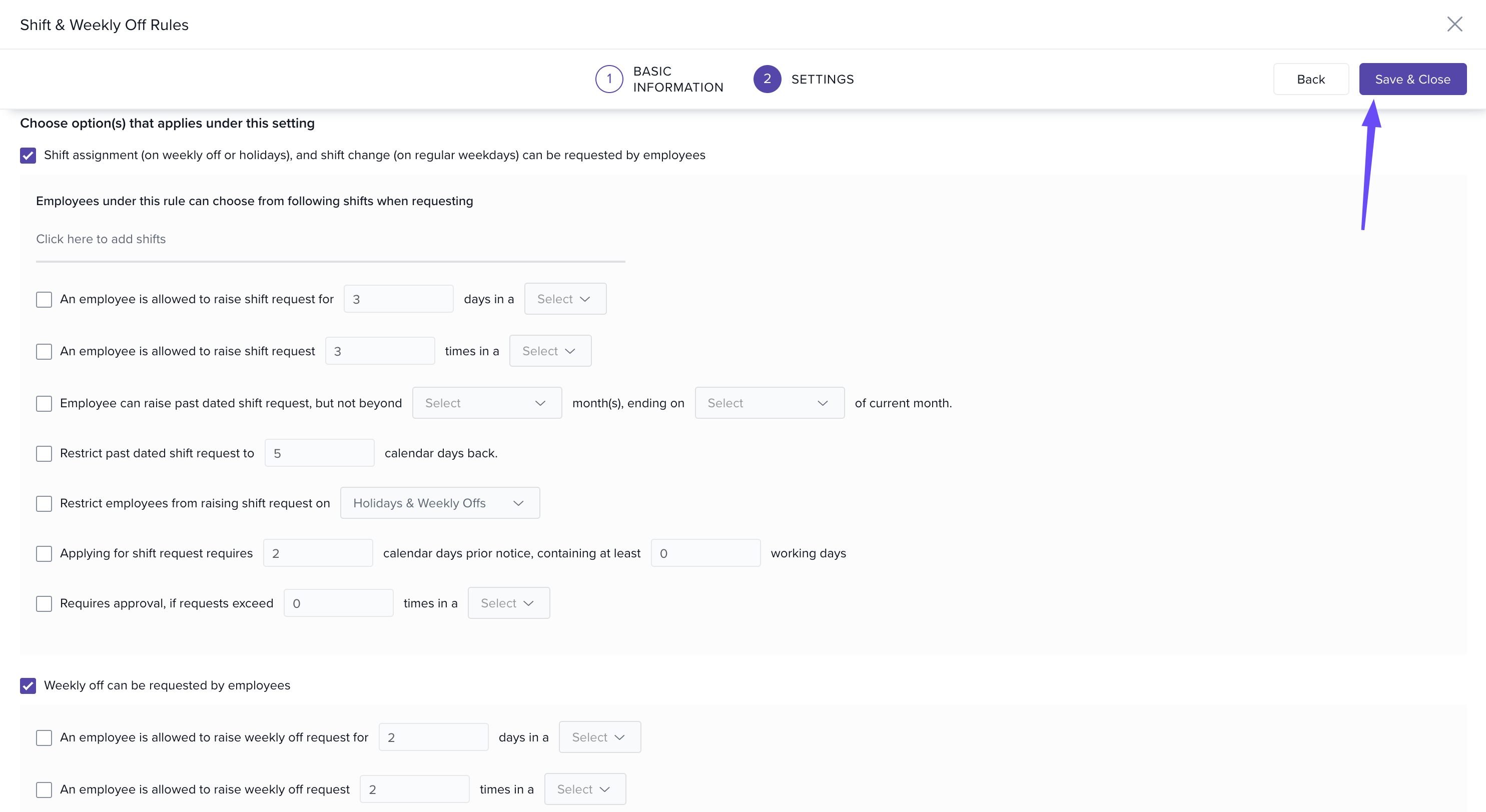
Shift Assignment Requests
If you allow employees to request shift assignments, you can configure:
Which Shift Schedules this applies to
When requests can be raised
How many times employees can request changes
Whether approval levels are required before a request is applied
Weekly Off Requests
If you allow employees to request weekly offs, you can set:
When employees can request a weekly off
How often they can request changes
Any required approval levels
After defining rules and restrictions, click Save & Close to finalize.
Managing Shift & Weekly Off Rules
-
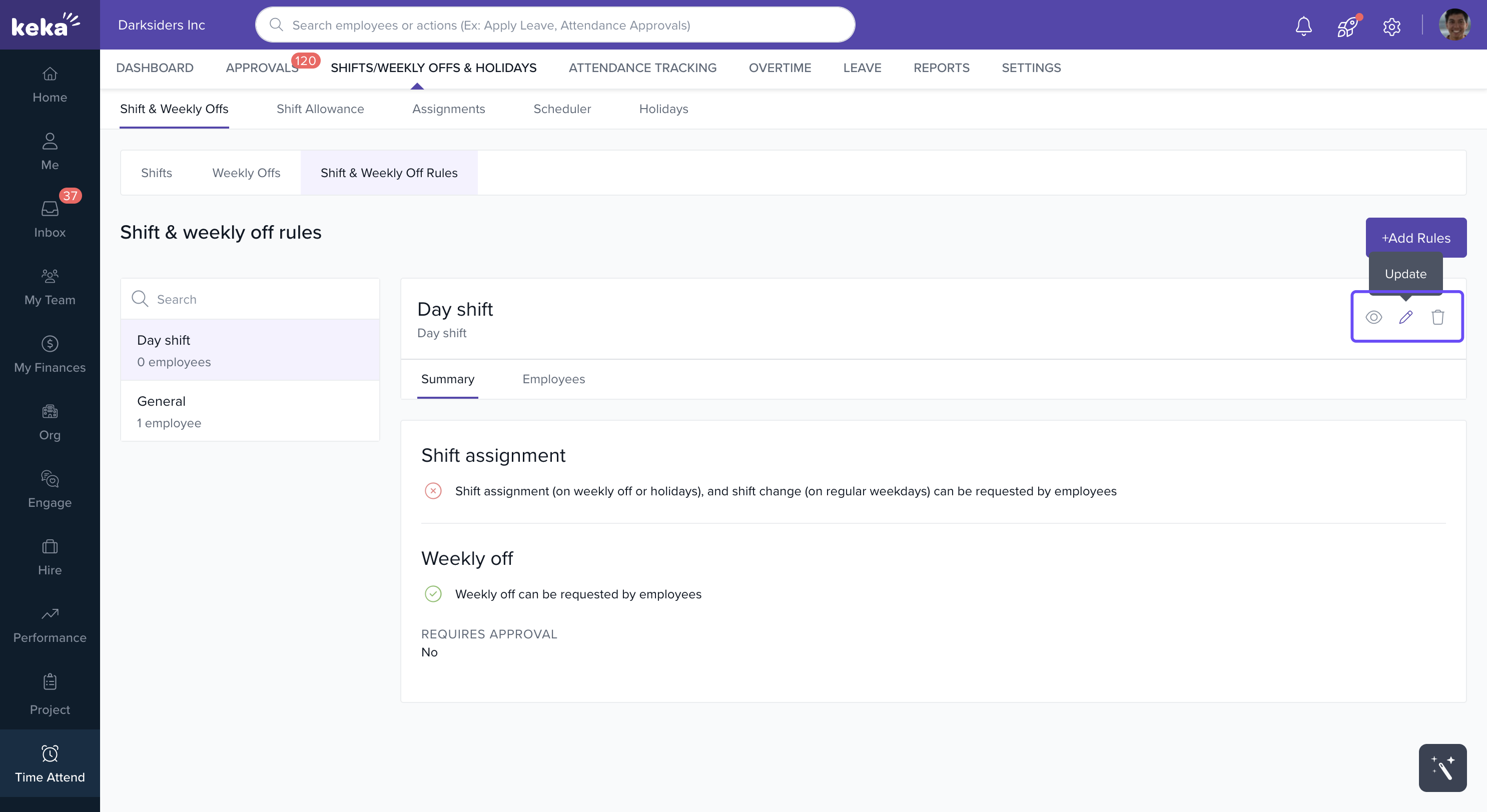
Once created, your rule appears under Shift & Weekly Off Rules.
-
From here, you can:
View details
Update existing rules
Delete rules (only if they are not assigned to active employees)
Note : If you want to allocate Shift on weekly off or holidays, and change shift on regular weekdays it can be requested by employees. Admins has to enable the below option is settings page.
Notes & Warnings
Important: A shift & weekly off rule cannot be deleted if it is linked to an active employee.
Approval workflows ensure that changes don’t disrupt schedules without proper authorization.
Comments
0 comments
Please sign in to leave a comment.