Introduction
Need to know which candidates have completed their preboarding tasks? Keka makes it easy to track preboarding progress with a built-in report that gives you real-time visibility into candidate readiness.
How to Track Preboarding Progress
Go to the Hire module.
Open the Reports section.
Under Candidate Perspective, select the Preboarding – Candidate Information report.
This report shows which candidates have completed, are in progress, or are pending in their preboarding journey.
Is Preboarding Data Carried Over to Onboarding?
Yes—preboarding data is transferred automatically to the onboarding process if the candidate is added as a new employee in Keka.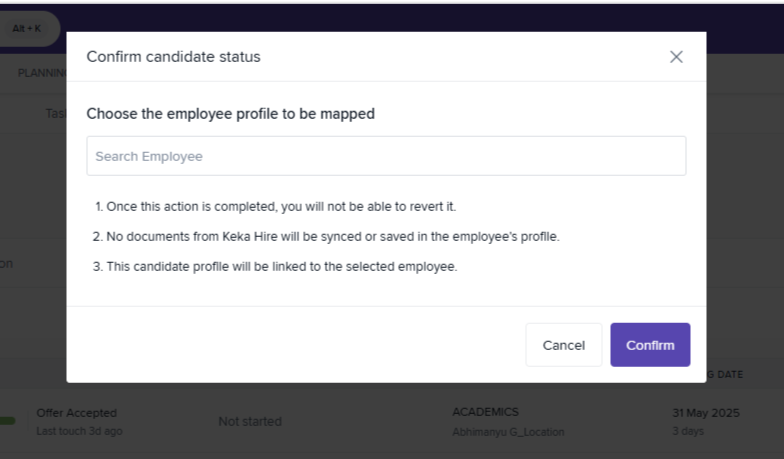
Data carried forward includes:
Full name
Email address
Note: If a candidate is mapped to an existing employee profile, preboarding data will not be carried over.
When Does Preboarding Start?
Preboarding begins when a candidate is moved to the Preboarding stage in the hiring pipeline. Once this happens, the candidate gains access to:
Assigned tasks
Required forms
Document uploads
Related Guides
Need step-by-step help? Refer to these guides:
Next Steps
Use the preboarding report regularly to stay ahead of onboarding tasks. For more help with managing candidate workflows, check out our other Keka Hire articles or Contact Support.
Comments
0 comments
Please sign in to leave a comment.