Keka’s performance review tool lets you calculate employee ratings by combining goals, sub‑goals, and sectional weightages. This setup ensures evaluations are both meaningful and transparent.
Step to calculate ratings based on golas, sub-goal and sectional weightages
From the left‑hand panel, click Performance.
Under the Performance tab, choose Review → Review Cycle.
-
Click Create Review Cycle to begin setting up a new review.
Enter the details of the review cycle (e.g., name, timeframe) as prompted.
-
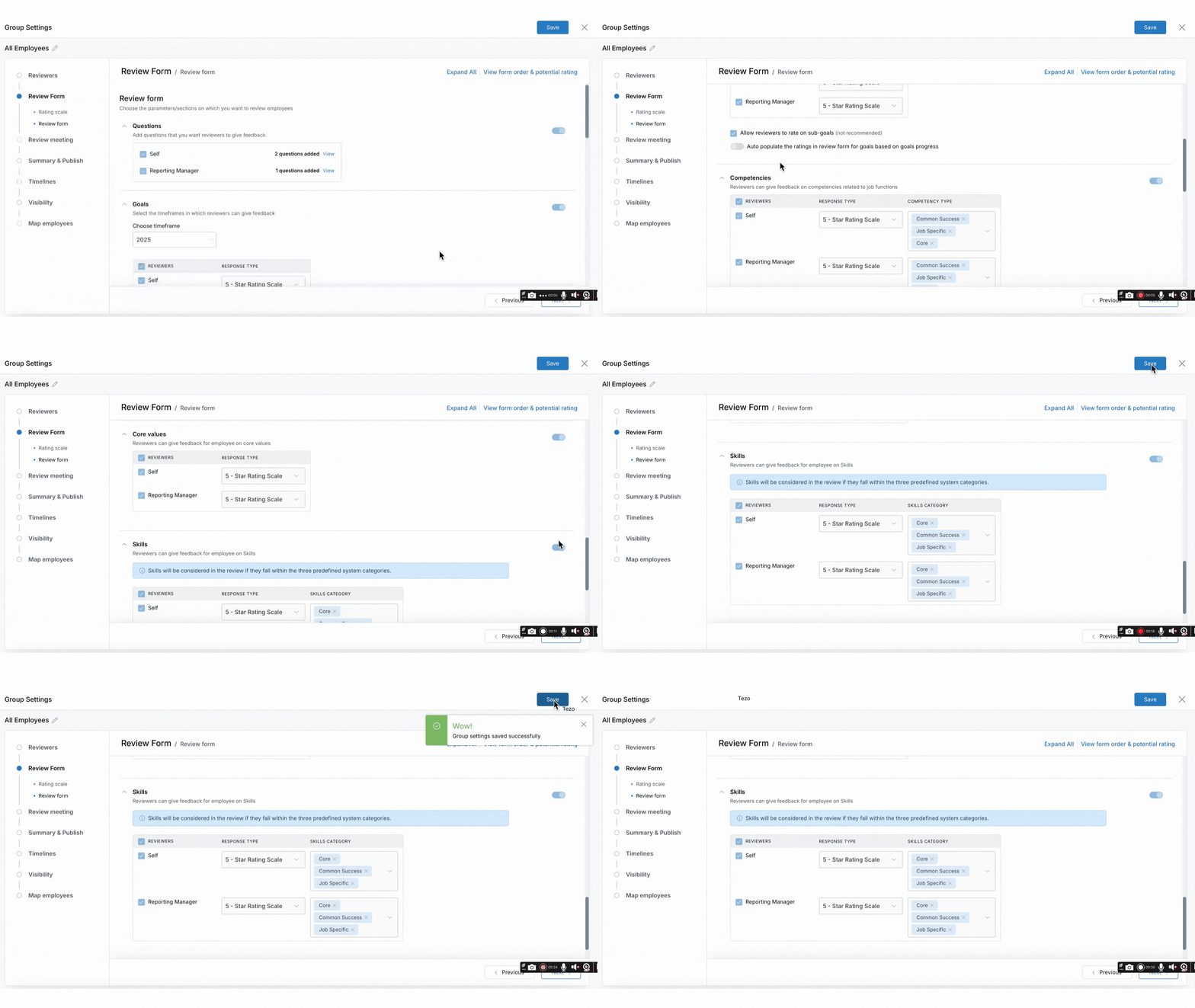
During setup, go to Review Form (found under Group Settings).
Enable Goals and select the appropriate Timeframe for evaluation.
- Configure other sections like competencies, core values, and skills.
Specify when reviews will occur and set response deadlines.
-
Enable the option to rate Sub‑Goals if you want a detailed breakdown.
In the Additional Settings area, open the Sectional Weightage dropdown.
-
Distribute weightages across sections so the total equals 100%.
Turn on Show Sectional Weightage for Reviewers so they understand how ratings are weighted.
-
After all configurations are complete, click Complete Setup.
Then launch the review cycle to start collecting ratings.
-
Once the cycle is in progress or completed:
-
Go to the review cycle and click View Progress.
-
Choose All Employees, then click the three‑dot menu in the Actions column ⇒ View Review Form for an individual.
-
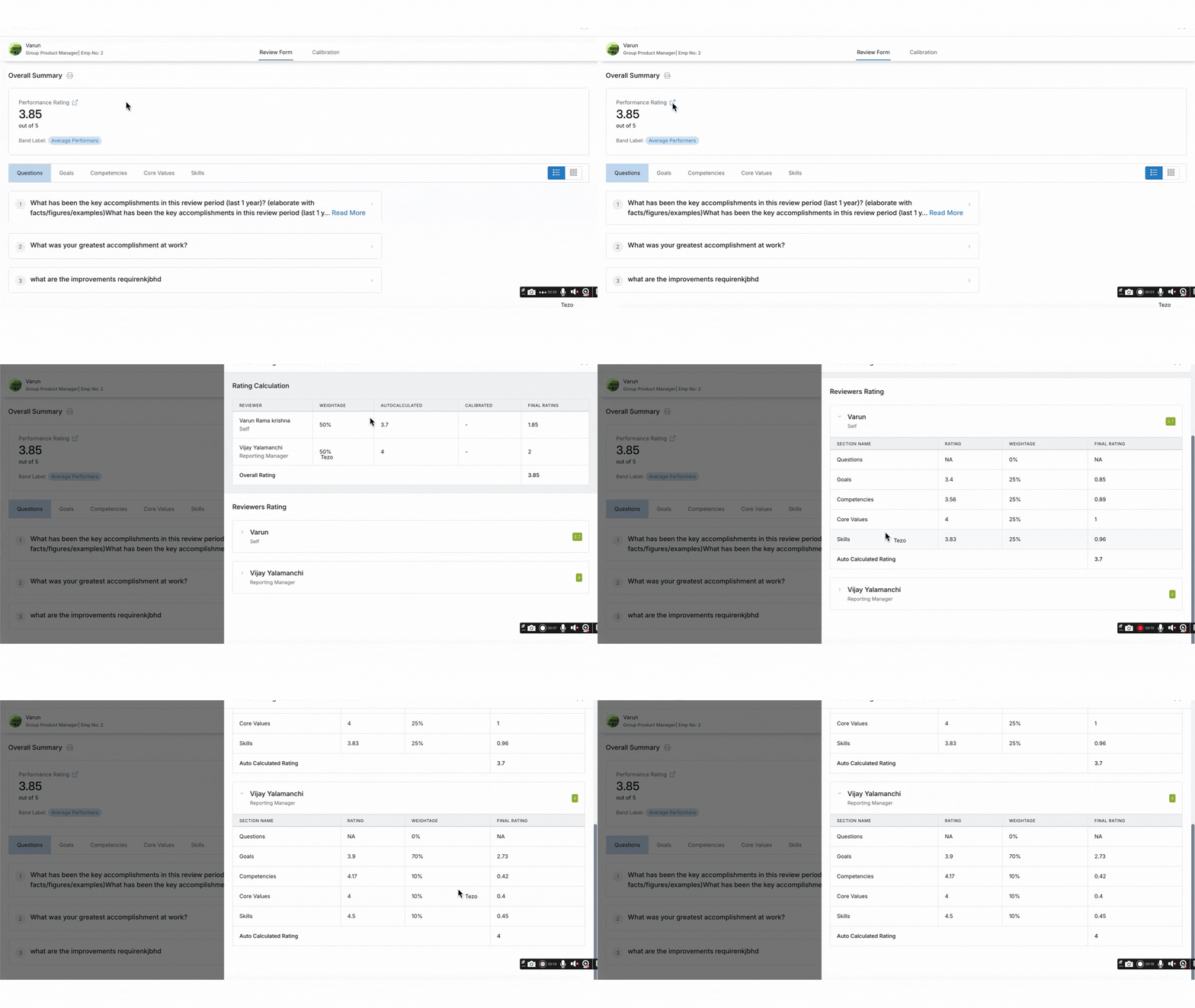
Click the arrow next to Performance Rating to open the Performance Rating Calculation. You’ll see a breakdown of how the rating was calculated, including the reviewer ratings and the weightages applied.
-
By following these steps, your organisation will benefit from a structured and transparent rating process. Configuring goals, sub‑goals, and sectional weightages thoughtfully helps deliver fairer and more accurate performance evaluations.
For more detailed help, visit our Help Center or fill out this form for personalised assistance.
Comments
0 comments
Please sign in to leave a comment.