Introduction
Expense & travel policies ensure that all team members follow the same rules around expense claims and travel requests—who approves what, which categories apply, and what the payout modes are. By creating clear policies and assigning them appropriately, you reduce confusion, speed up approvals, and improve consistency across your organization.
TABLE OF CONTENTS
Adding a New Expense & Travel Policy
-
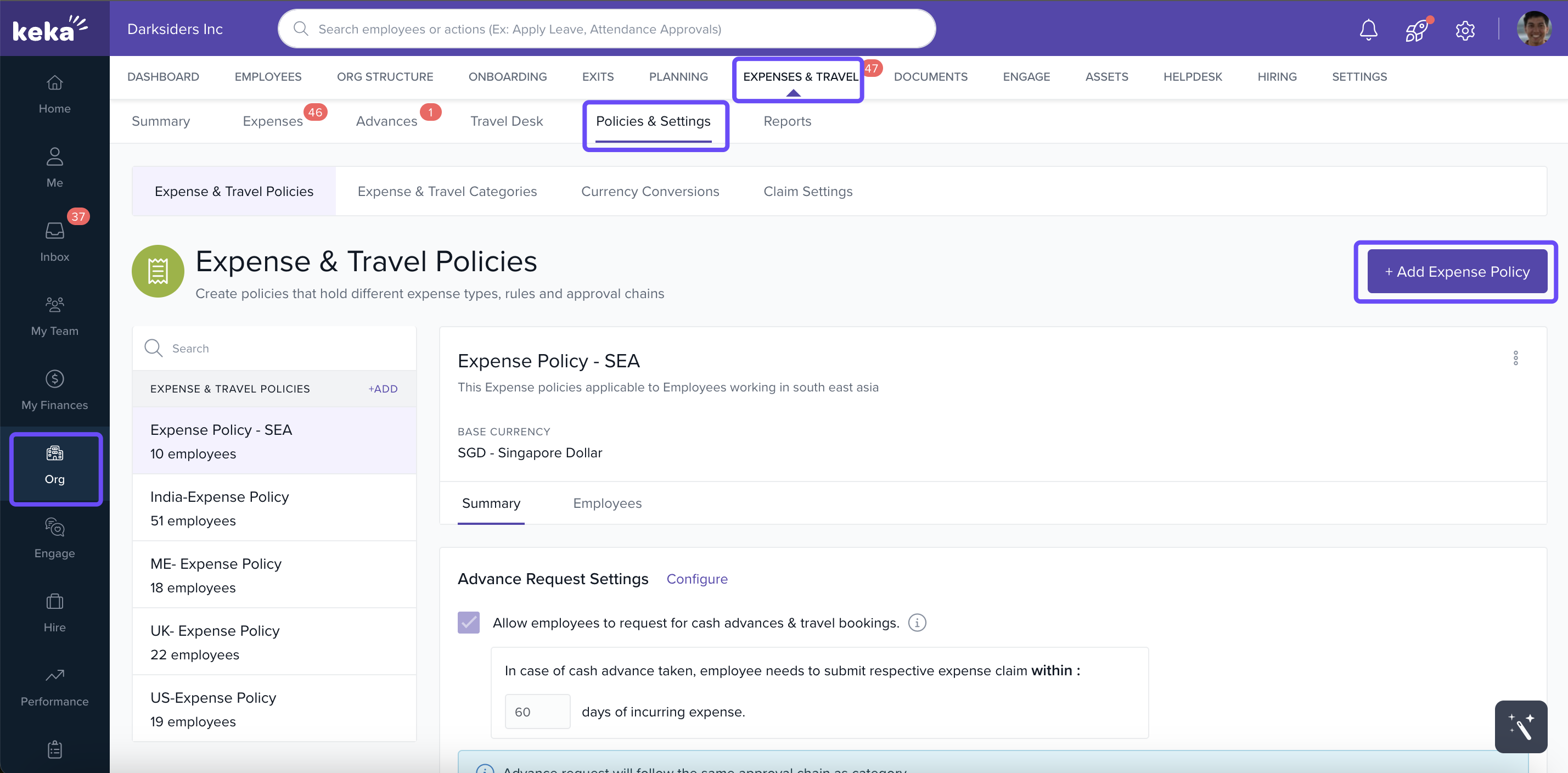
Click Org in the left menu.
-
Go to Expenses & Travel → Policies & Settings → Expense & Travel Policies tab.
-
Click Add Expense Policy to open the policy creation form.
-
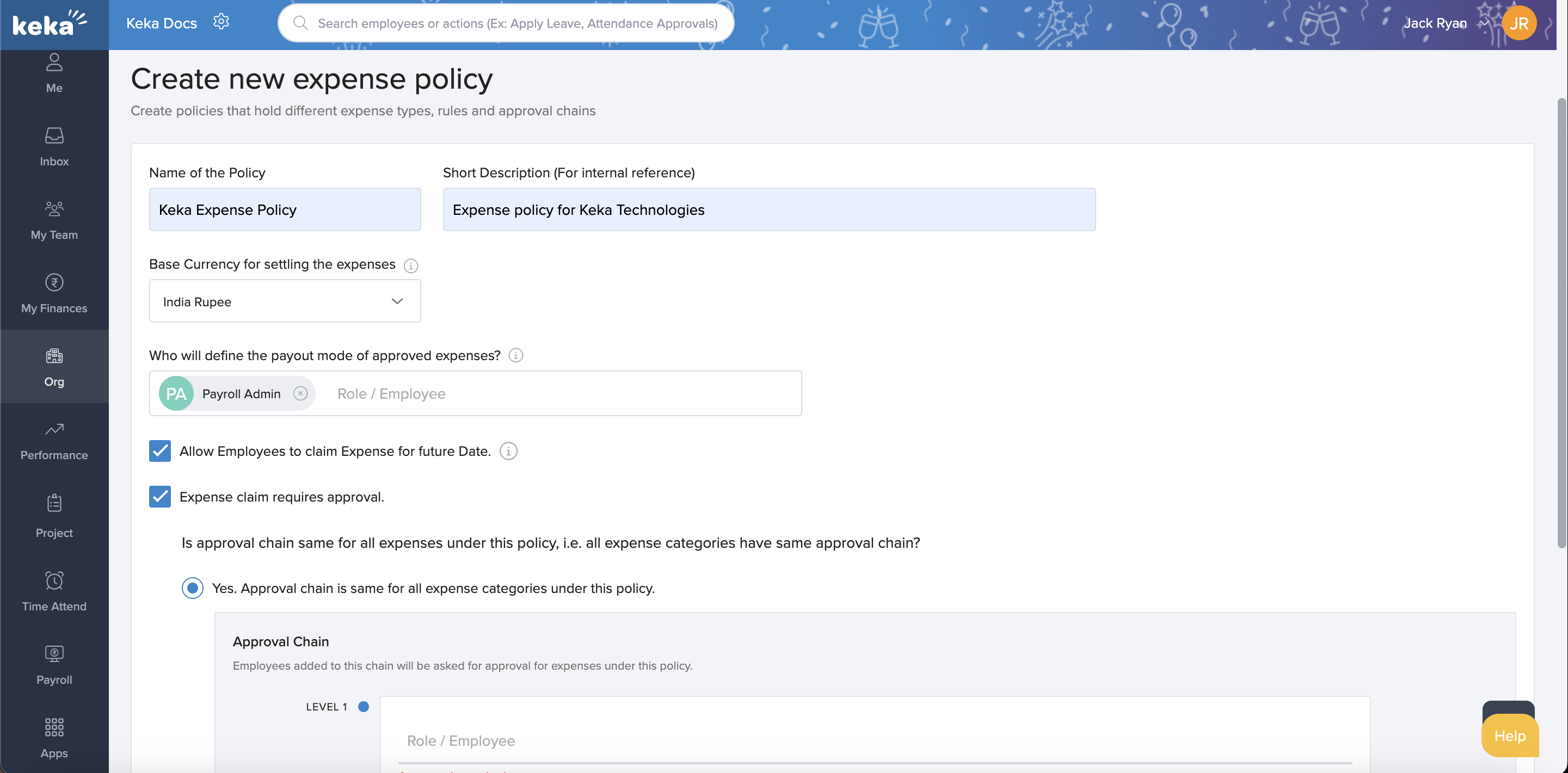
Fill in required details:
-
Name for the policy.
-
Short Description to explain what the policy covers.
-
Base Currency for expense claims under this policy.
-
Payout Mode Approval role—that person handles approving how expenses are paid; note they can’t be part of the regular approval chain.
-
Option to allow Future‑Dated Expense Claims.
-
Approval Chain settings: how many levels of approval, whether amounts over certain limits or particular expense categories follow different approval chains.
-
-
Click Create Expense Policy to save.
Updating Existing Policies
-
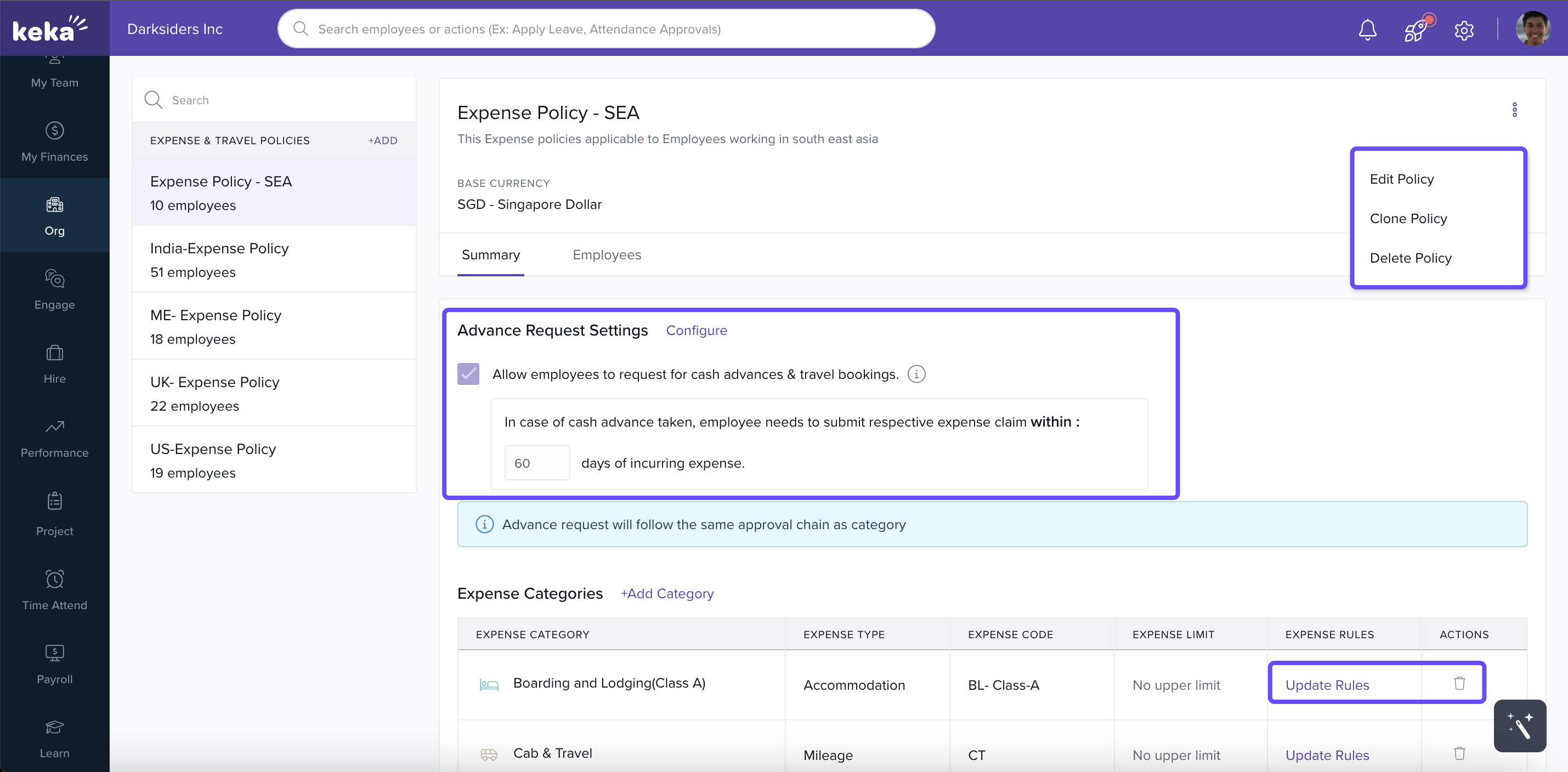
From the list of policies, select one to edit.
-
Use the three‑dot menu on the right to Edit or Delete a policy.
-
You can modify various settings including:
-
Adjusting which categories are part of the policy.
-
Changing rules for those categories (e.g. limits, who approves).
-
Setting how many days employees have to submit receipts for cash advances.
-
Assigning Policies to Employees
Individual Assignment
-
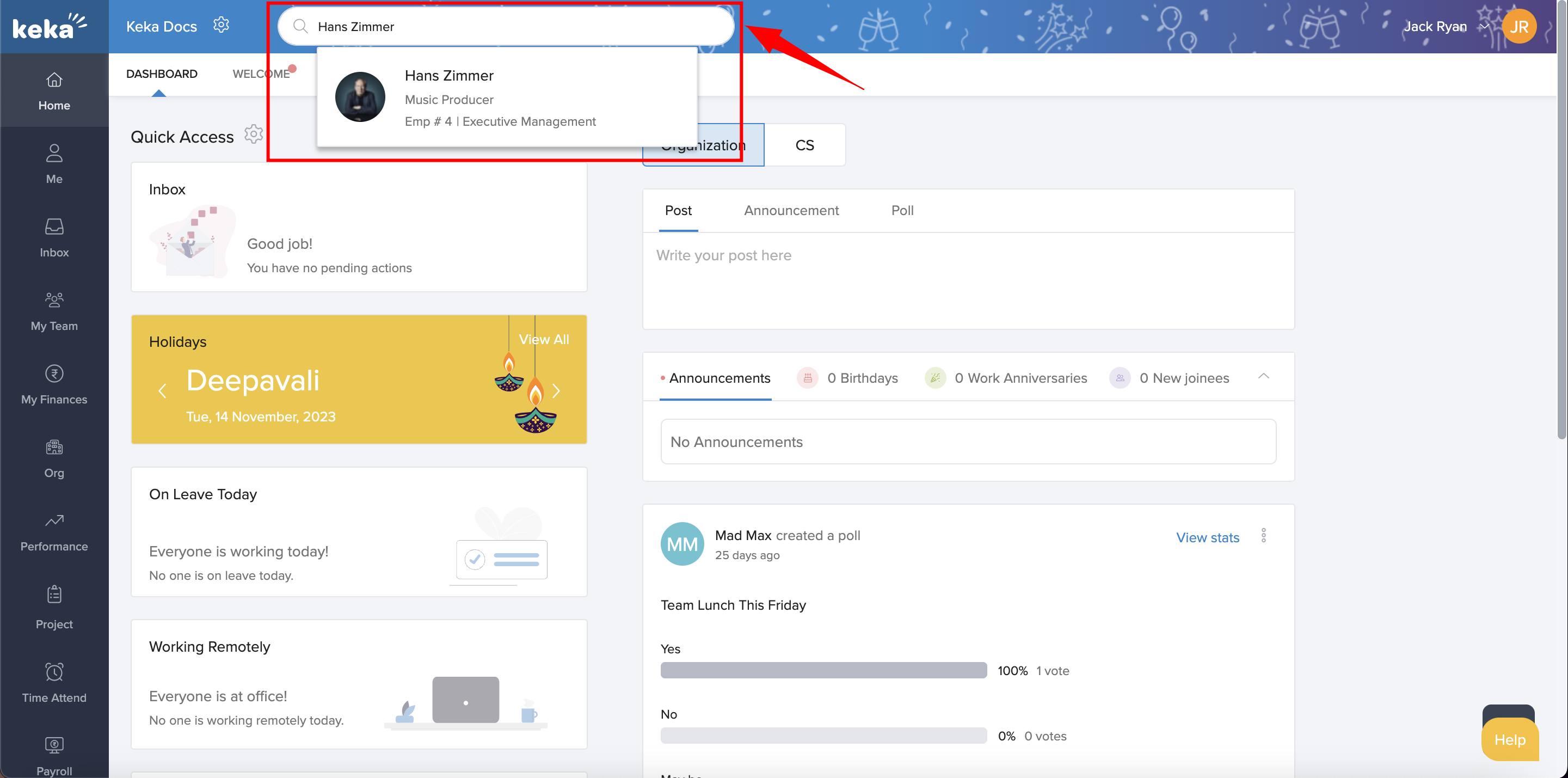
Search for the employee by name.
-
In their profile, go to the Job tab.
-
Find the Expense Policy field, click the pencil icon, select or change the policy, optionally add notes, then click Update.

Bulk Assignment
-
To understand the bulk assignment of Expense Policy, click on this link: How to Bulk Assign Expense Policy to the Employees
Effective expense & travel policy management is essential to maintain clarity, reduce misclaims, and ensure timely approvals. By setting up thoughtful policies, defining who approves what, managing categories, and assigning policies properly—individually or in bulk—you establish a strong foundation for financial discipline and transparent workflows. Make policy reviews a routine practice as your organization scales and requirements evolve.
Comments
0 comments
Please sign in to leave a comment.