Introduction
Every claim in Keka gets a claim series number—a unique identifier that helps distinguish individual reimbursement requests, even when they have identical amounts. Setting up this series properly ensures accurate tracking, clean records, and historical auditability.
TABLE OF CONTENTS
- Navigate to Claim Settings
- Edit or Create Claim Series
- Update Claim Number Series Details
- View History of Changes
Navigate to Claim Settings
-
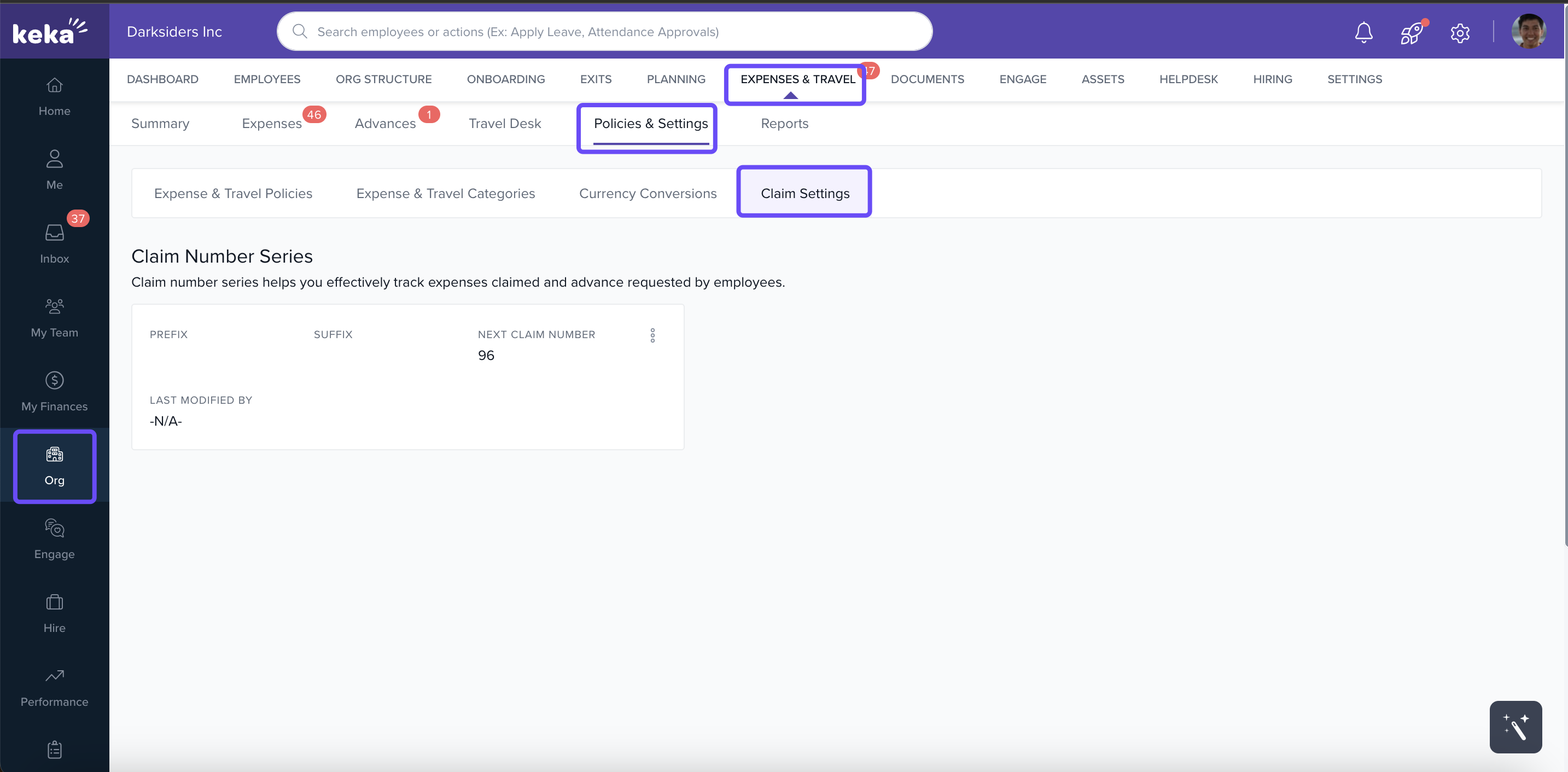
From the left menu, click Org.
-
Select Expenses & Travel.
-
Go to Policies & Settings, then click Claim Settings.
Edit or Create Claim Series
-
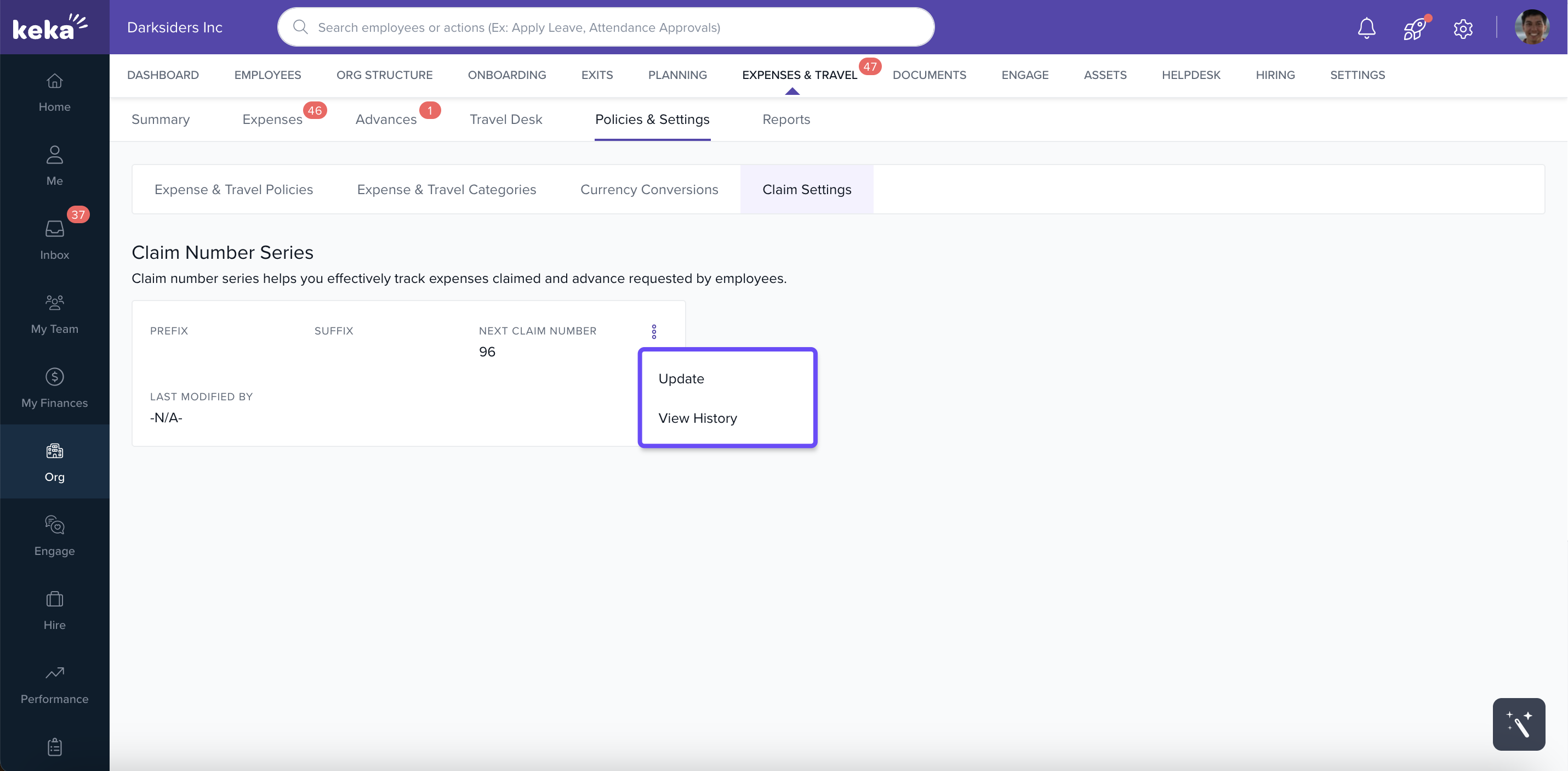
Within the Claim Settings tab, locate the existing claim series or create a new one.
-
Click the three dots next to the claim series to view available options like Edit (or Update) and View History.
Update Claim Number Series Details
On the Update Claim Number Series screen, enter or edit:
-
Prefix and Suffix for the claim number to add consistent identifiers (e.g. “EXP‑2025‑”)
-
Number of Digits to enforce a fixed width (padding, zeros, etc.)
-
Next Number to specify where numbering should continue from
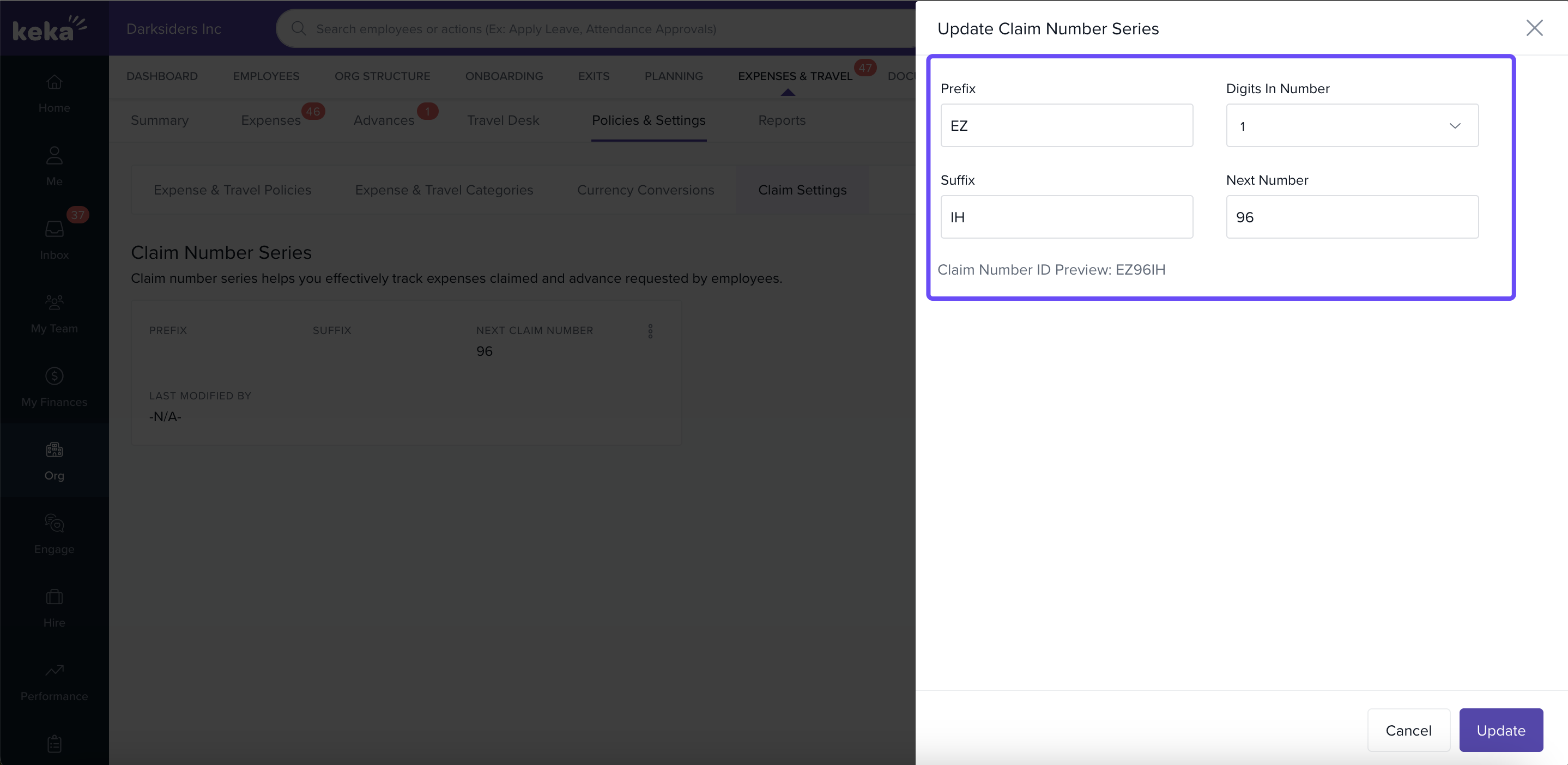
Once you’re done, click Update to save the new setup.
View History of Changes
-
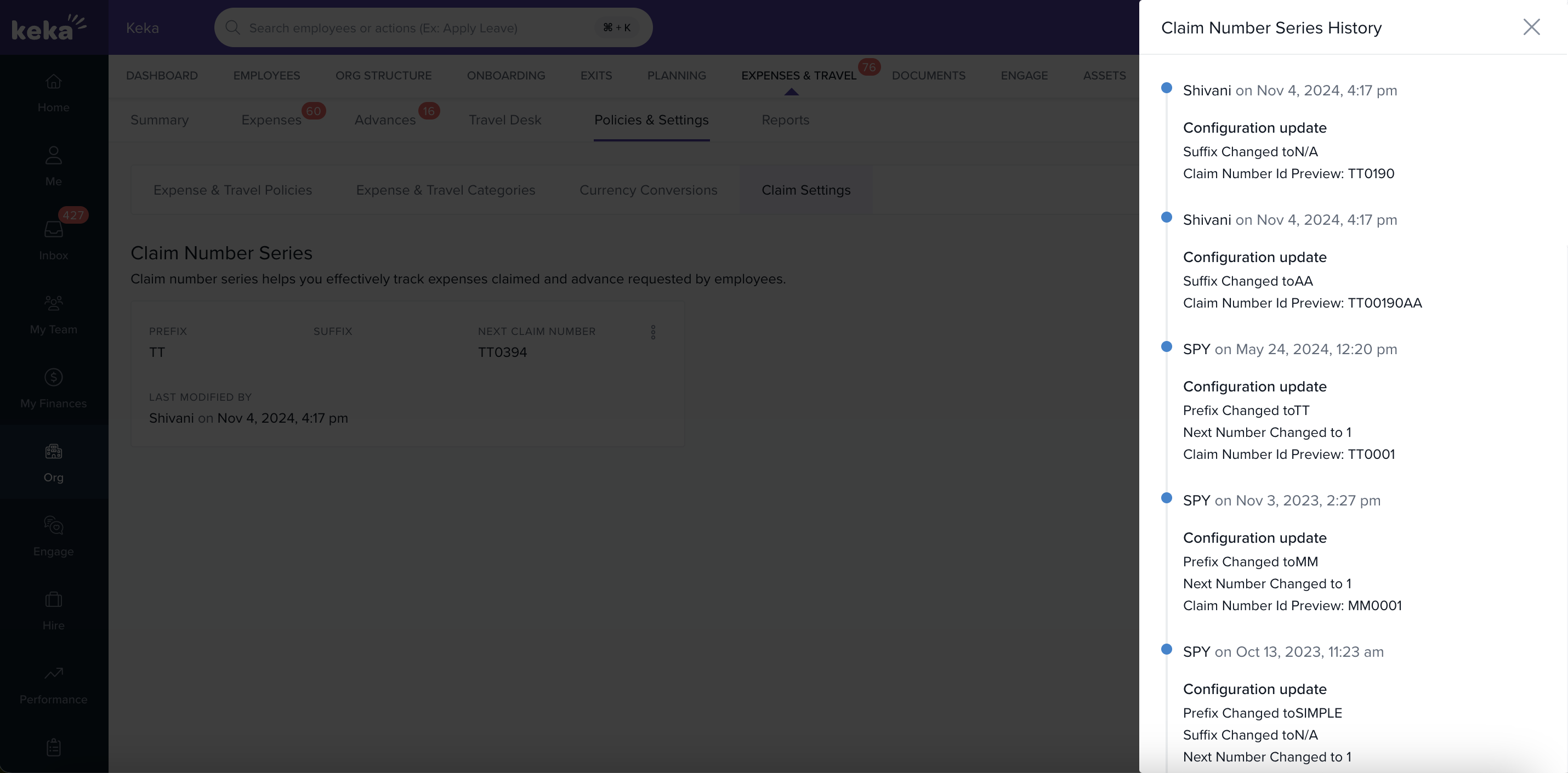
After clicking the three dots, select View History to see past edits—who changed what and when.
-
This helps maintain transparency and traceability of claim‑series configuration.
Conclusion
Well‑configured claim series settings help avoid confusion and ensure every reimbursement request is uniquely identifiable. By using prefixes, suffixes, fixed digit counts, and maintaining a clear change history, you can maintain clean records, simplify audits, and improve administrative clarity. Review and adjust these settings as your claim volume or organizational structure evolves.
Comments
0 comments
Please sign in to leave a comment.