Introduction
Keka’s Expenses & Travel Reports feature makes gaining clarity on spending effortless. Whether you’re analyzing expense categories, tracking advance settlements, or reviewing travel bookings, these customizable reports help you monitor spend trends, audit processes, and make informed decisions.
TABLE OF CONTENTS
1. Accessing the Reports Section
-
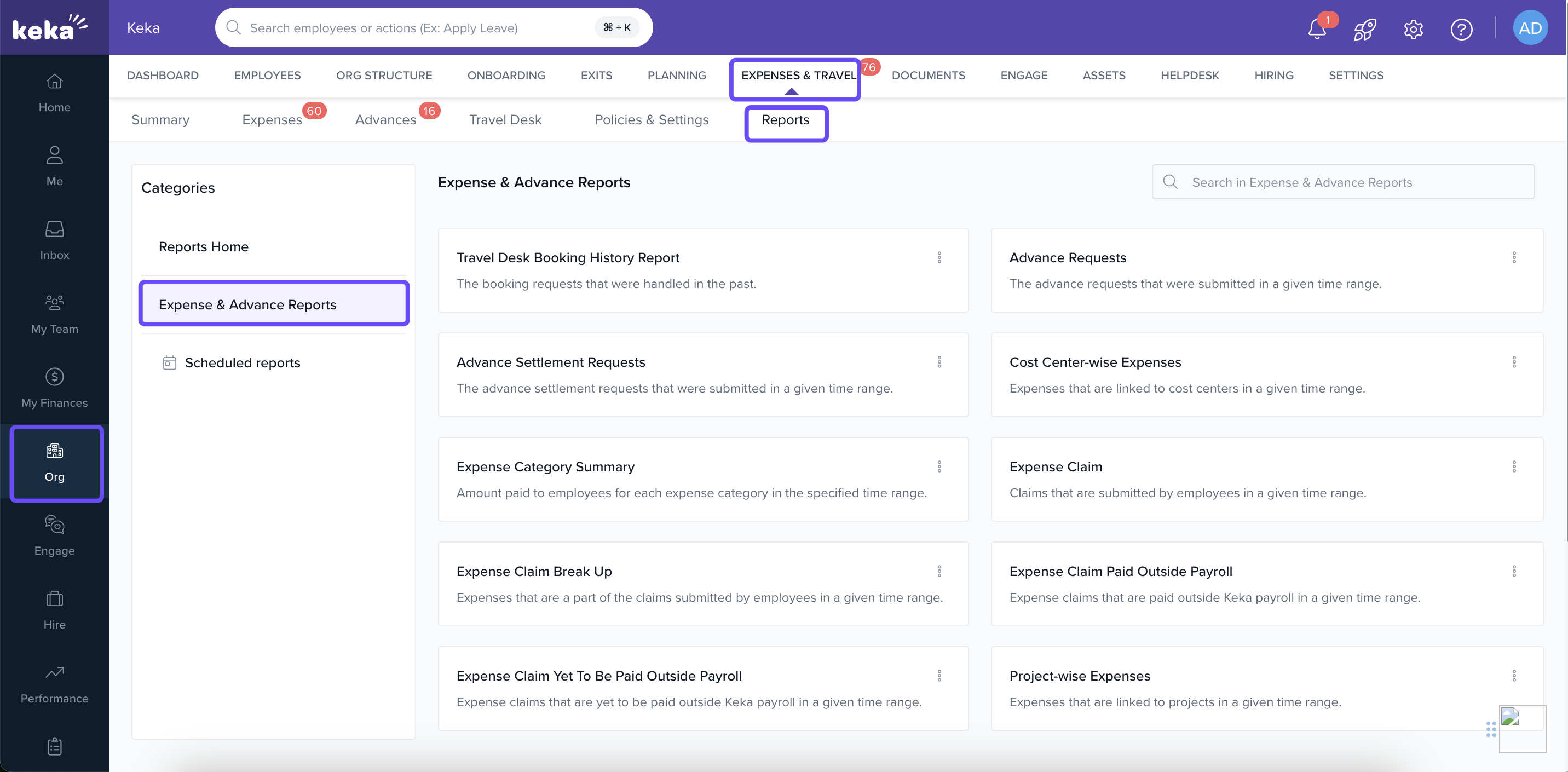
From the left menu, click Org.
-
Navigate to Expenses & Travel, and then select the Reports tab.
-
To view advance-related data, choose Expense and Advance Reports under the categories list.
2. Types of Reports You Can Download
Keka provides a rich suite of 10 report types, each designed for different analysis needs:
3. How to Download a Report
-
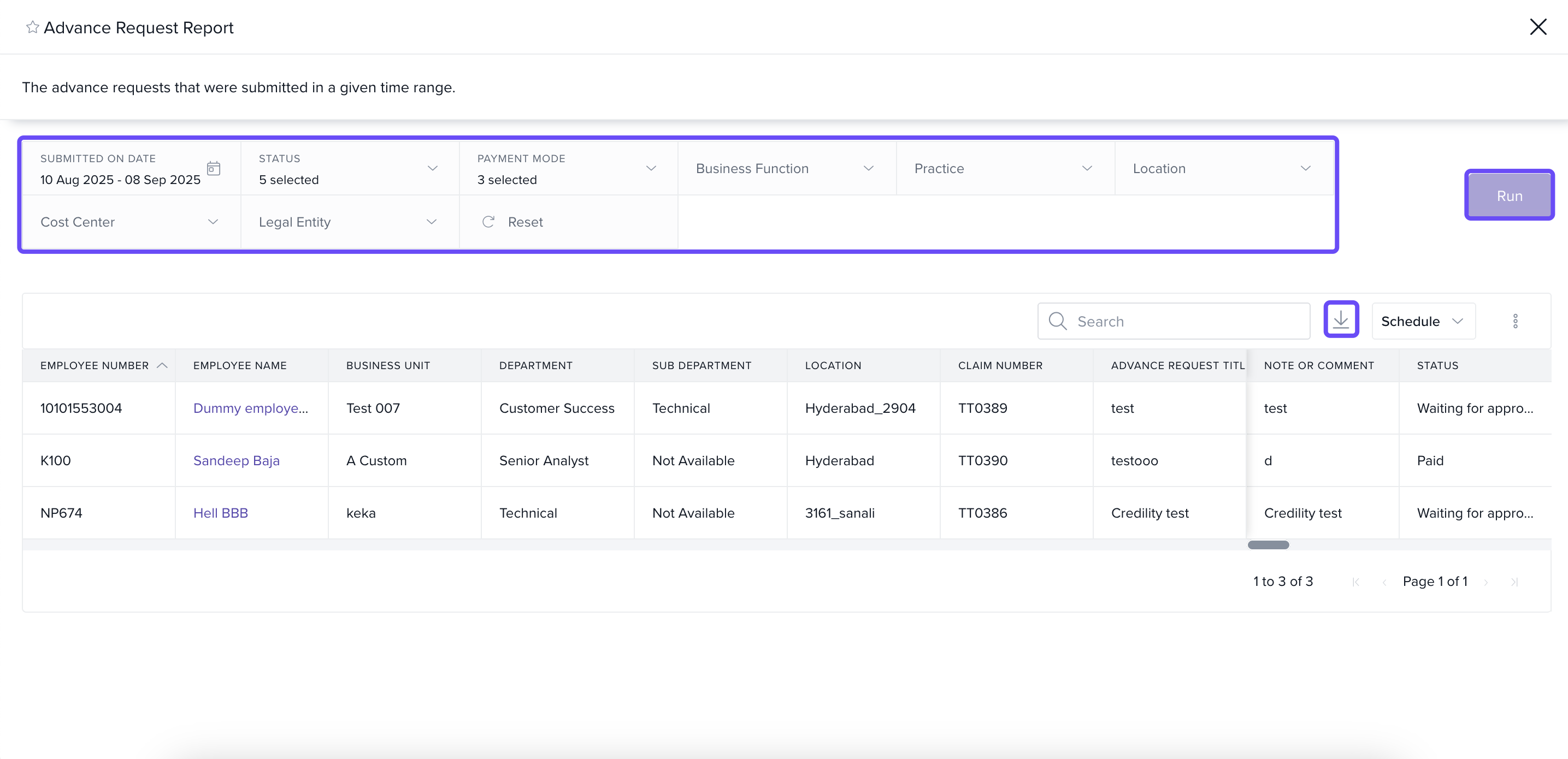
In the Reports section, click on the report type you need.
-
Use filters—Date Range, Business Unit, Department, Location, Status—to narrow results.
-
Click Run to generate the report, then download it.
4. Favorite & Schedule Reports
After you run a report, you can:
-
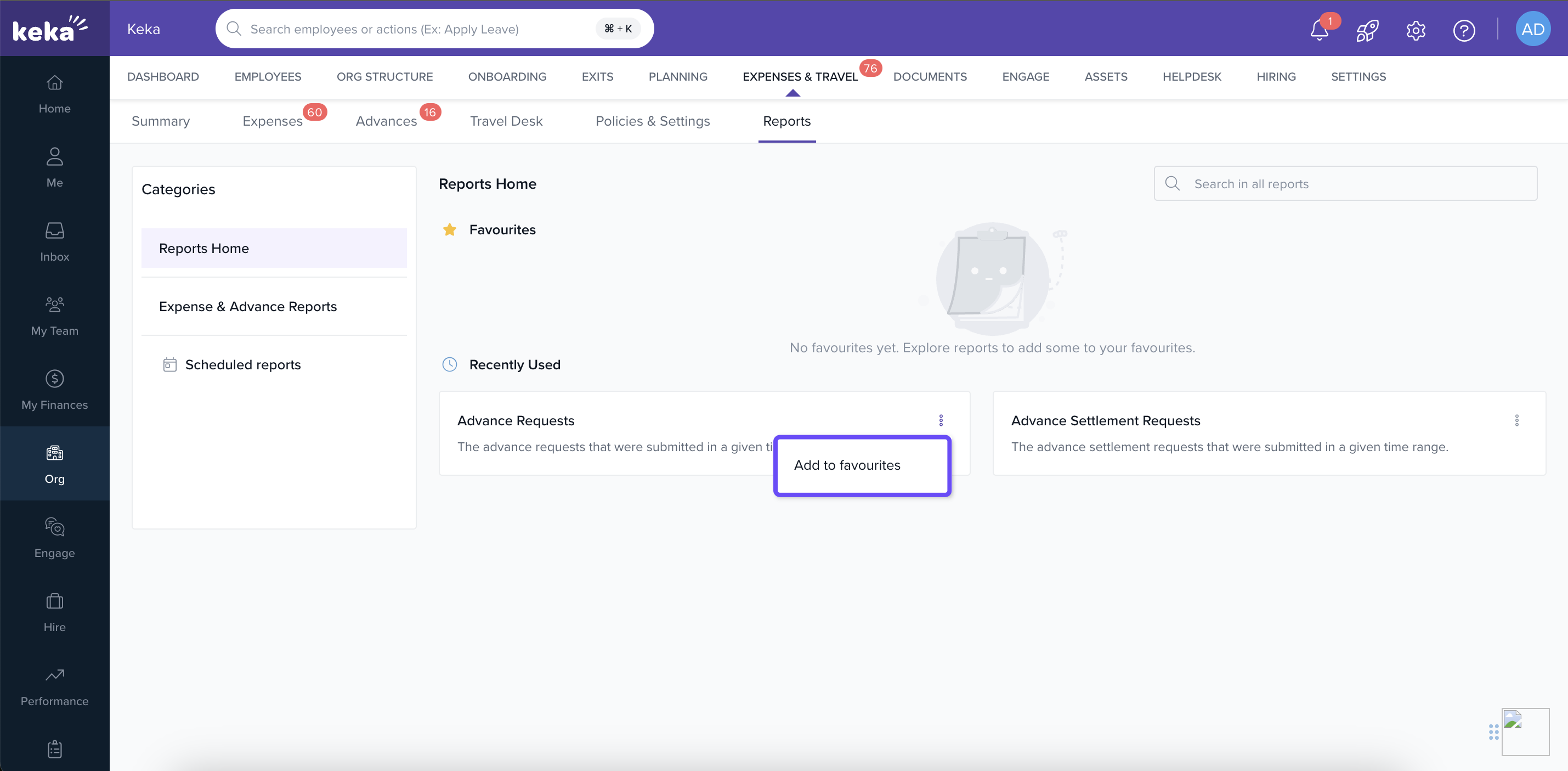
Add to Favorites:
Click the three dots next to any report and select Add to favourites. This pins it to the Favourites section on the Reports Home page for quicker access next time.
-
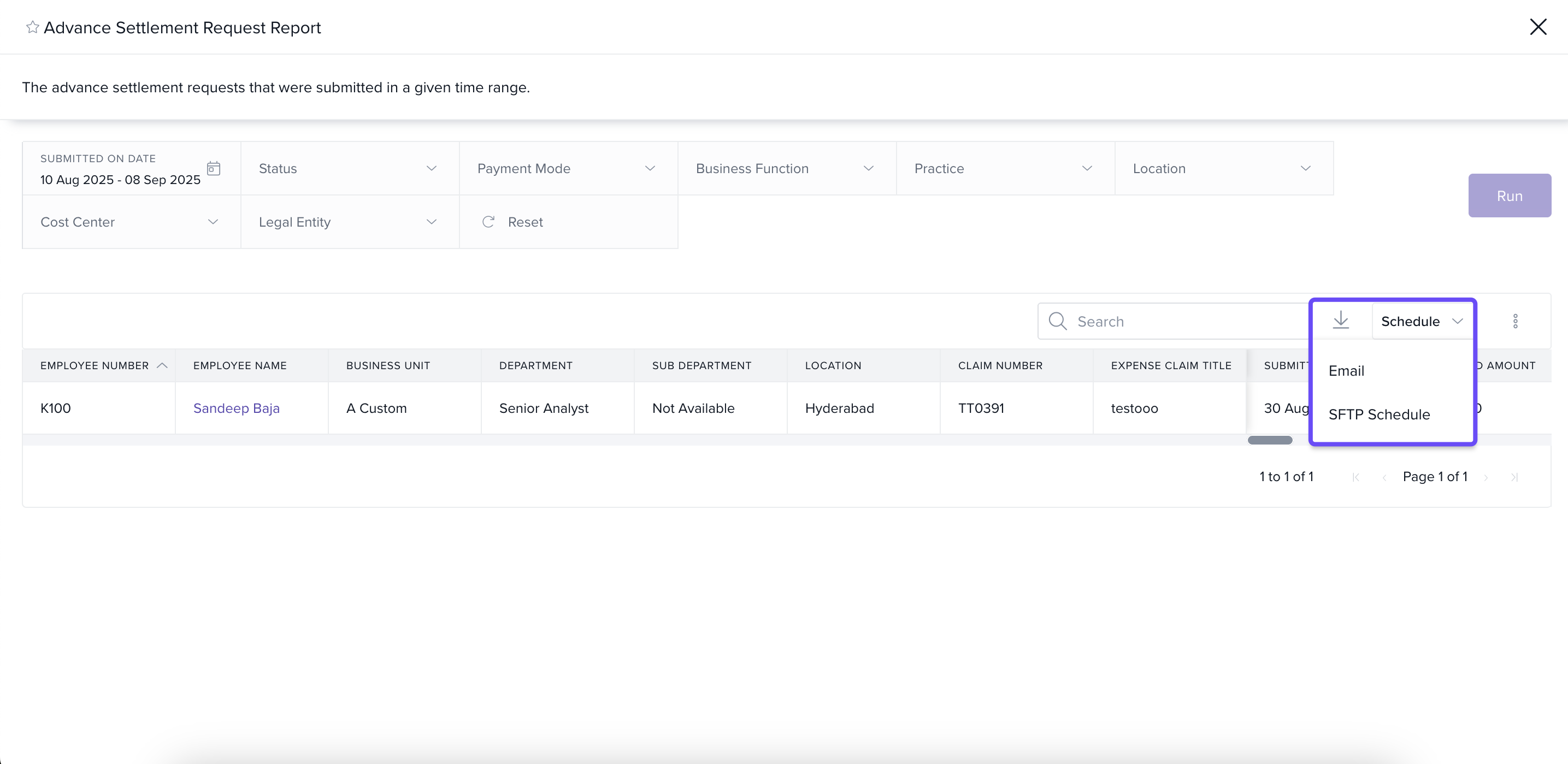
Schedule Reports:
After running a report, look for the option to Schedule Report. This allows you to automate recurring report generation—choose frequency, format, and recipients.
Keka’s Expenses & Travel Reports do more than provide downloadable data—they help you build a habit of proactive financial oversight. With 10 report types, filters for pinpointing trends, and options to favorite or schedule reports, staying on top of business expenses has never been easier.
Use the Favorites feature to pin essential reports, and scheduling to automate your monthly or quarterly data reviews. These small steps make a big impact on transparency, forecasting, and compliance.
Comments
0 comments
Please sign in to leave a comment.