Introduction
The Advances tab in Keka streamlines how organizations manage advance requests—whether for cash or travel. It lets admins monitor approvals, oversee payments, track pending receipts, and review past advances all in one place.
TABLE OF CONTENTS
1. Access the Advances Section
2. Approve or Reject Advance Requests
3. View and Manage Pending Payments
1. Access the Advances Section
-
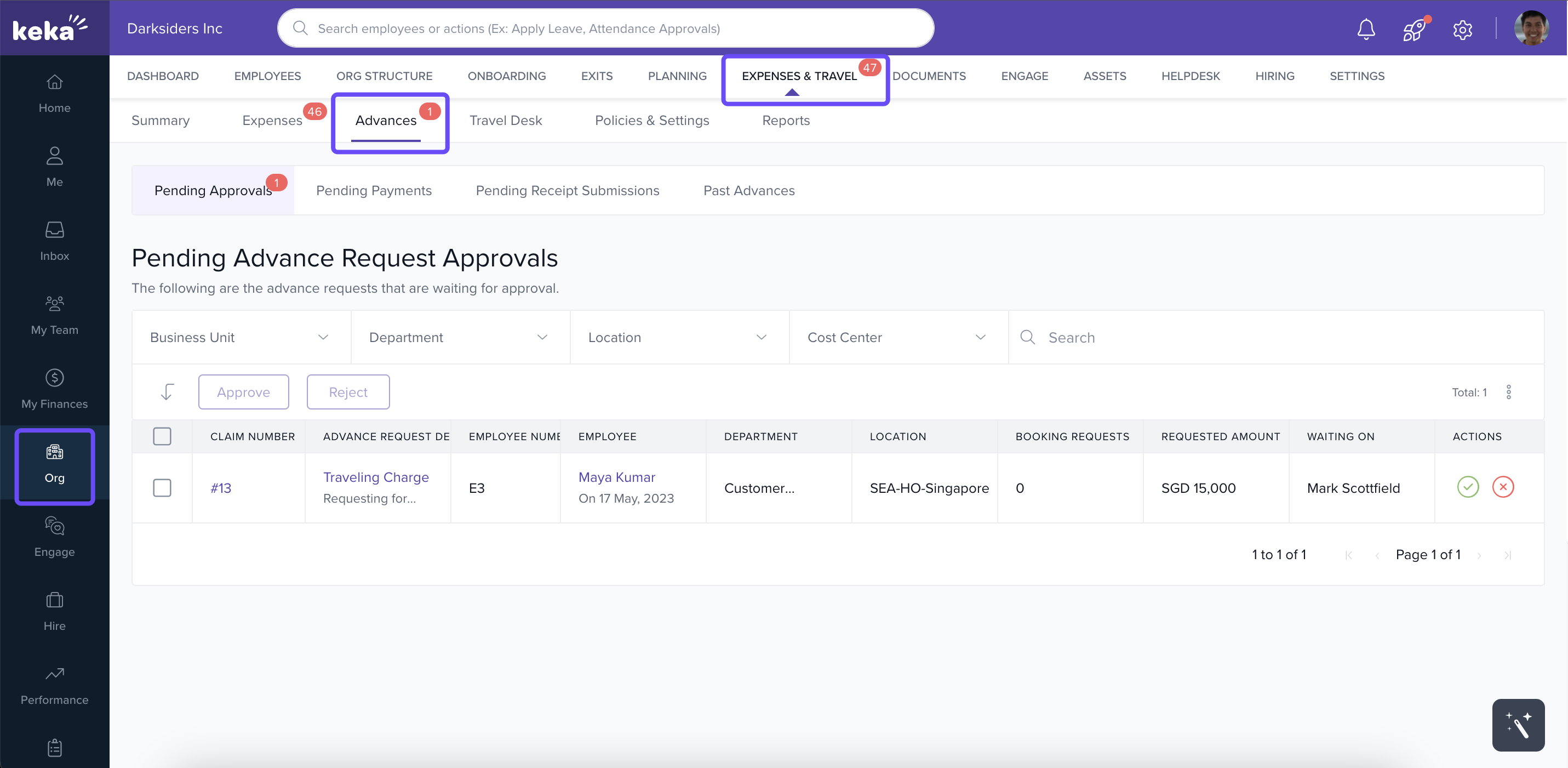
Click Org in the left navigation.
-
Go to Expenses & Travel, then select the Advances tab.
-
You'll see four subtabs: Pending Approvals, Pending Payments, Pending Receipt Submissions, and Past Advances.
2. Approve or Reject Advance Requests
-
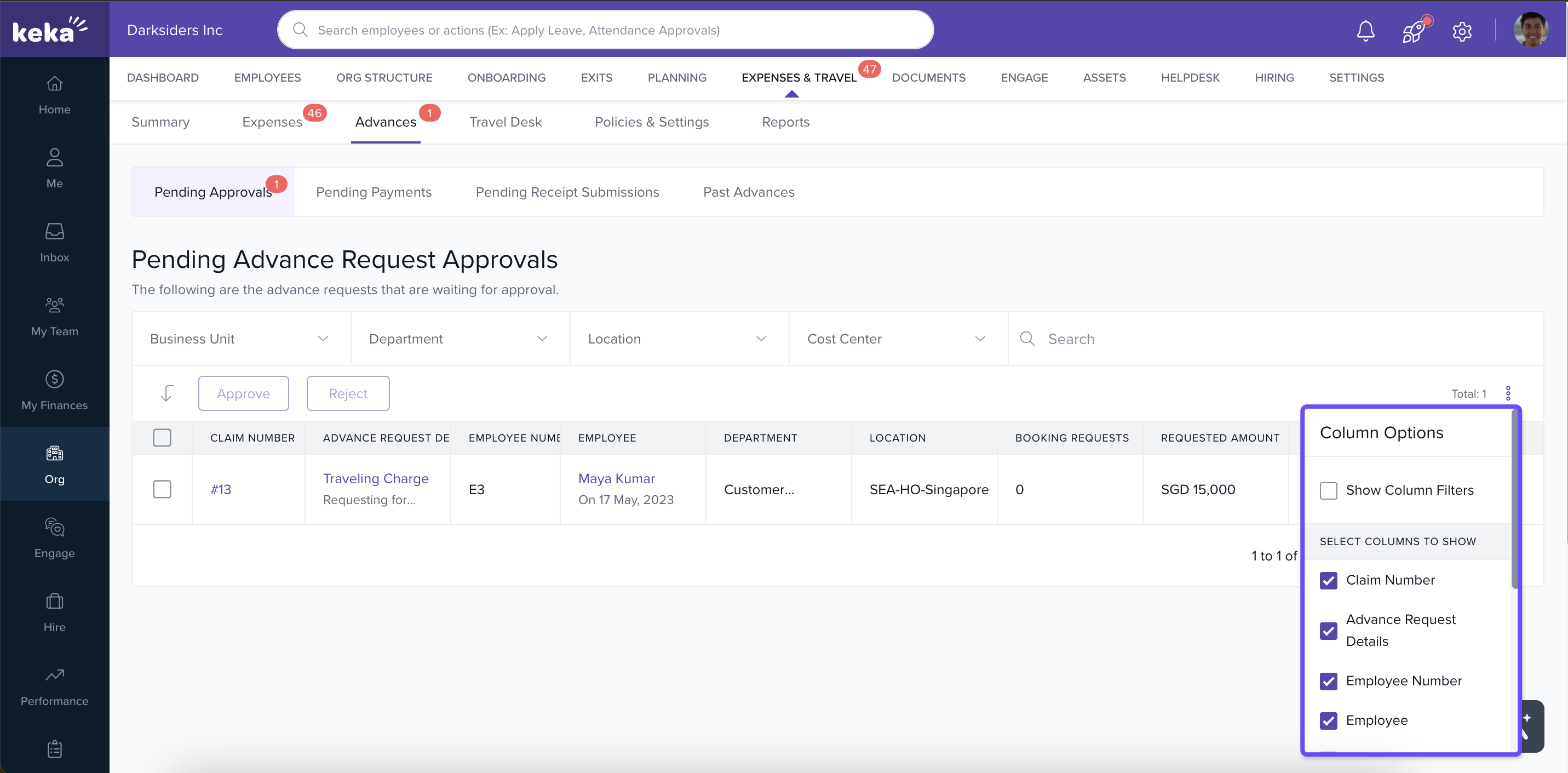
In Pending Approvals, use filters or search to locate specific requests. Use the three-dot menu to sort columns for clarity.
-
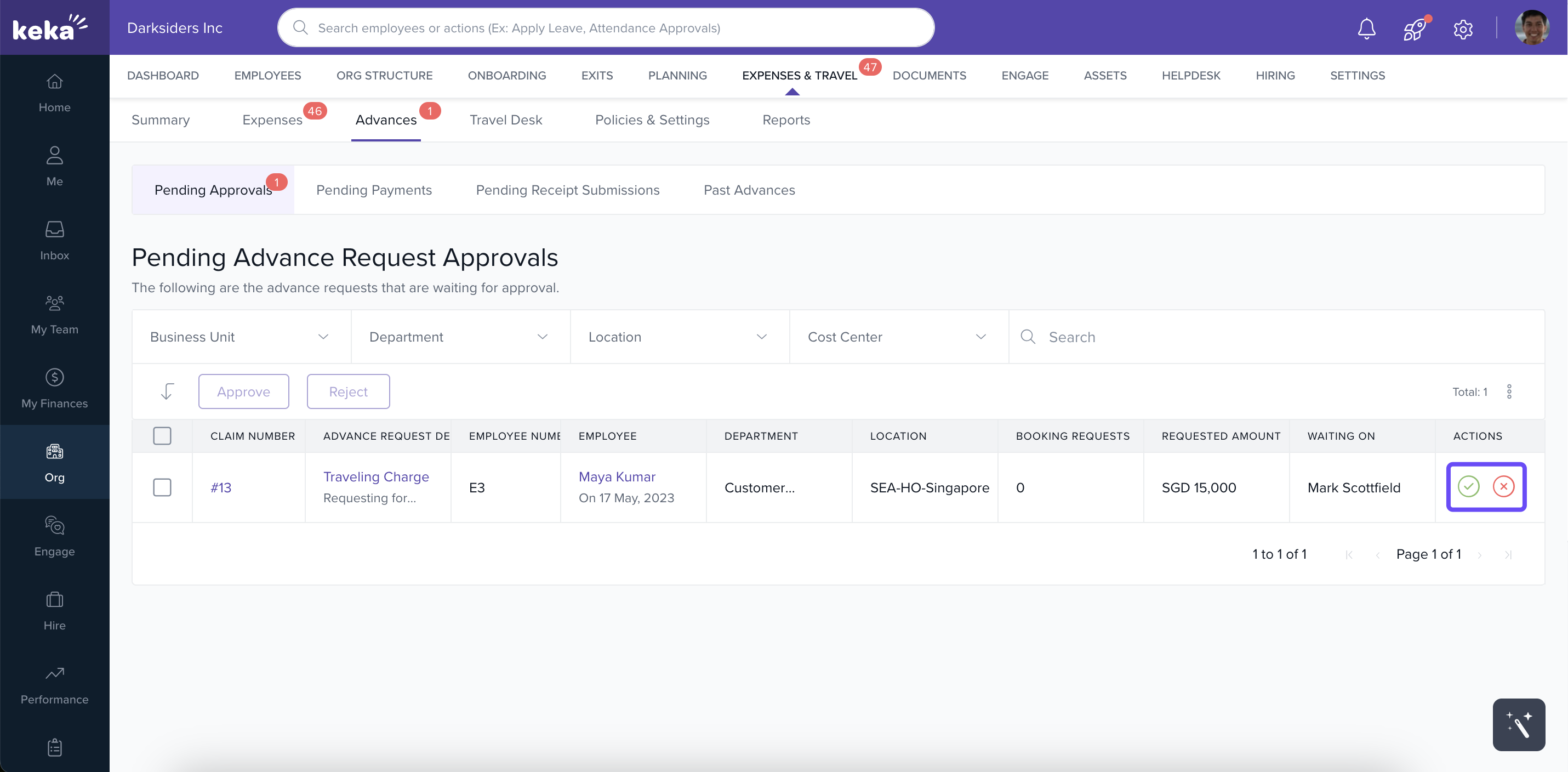
Select one or multiple requests to Approve or Reject in bulk, or handle individually via action icons.
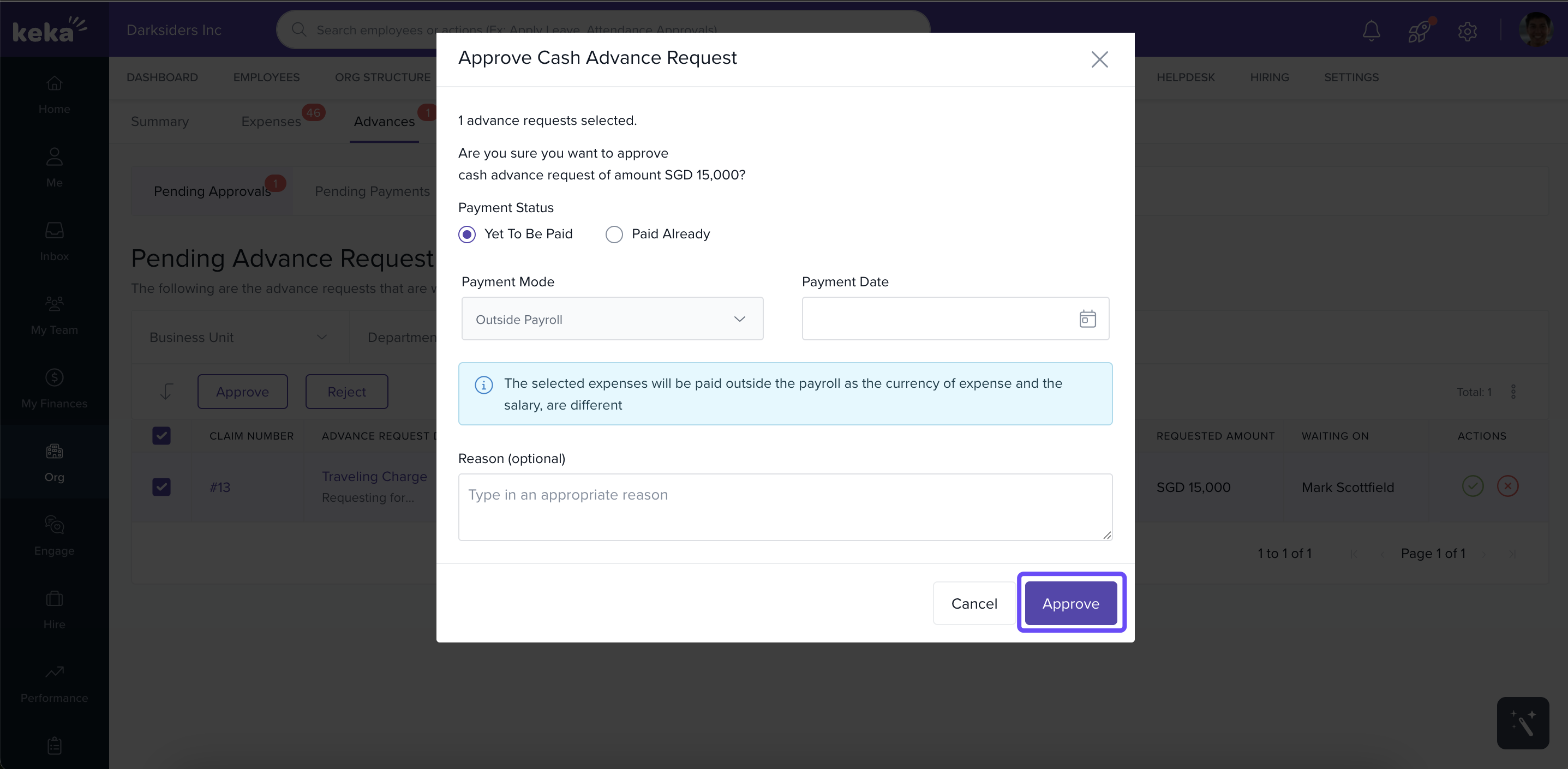
- Approving opens a pop-up to set payment status—Yet to be Paid or Paid Already—and select payment mode: Inside or Outside Keka Payroll. Inside payroll items will auto-integrate with payroll.
- Rejecting requires adding a reason.
3. View and Manage Pending Payments
-
Approved requests appear in Pending Payments. You can filter and search to locate specific ones.
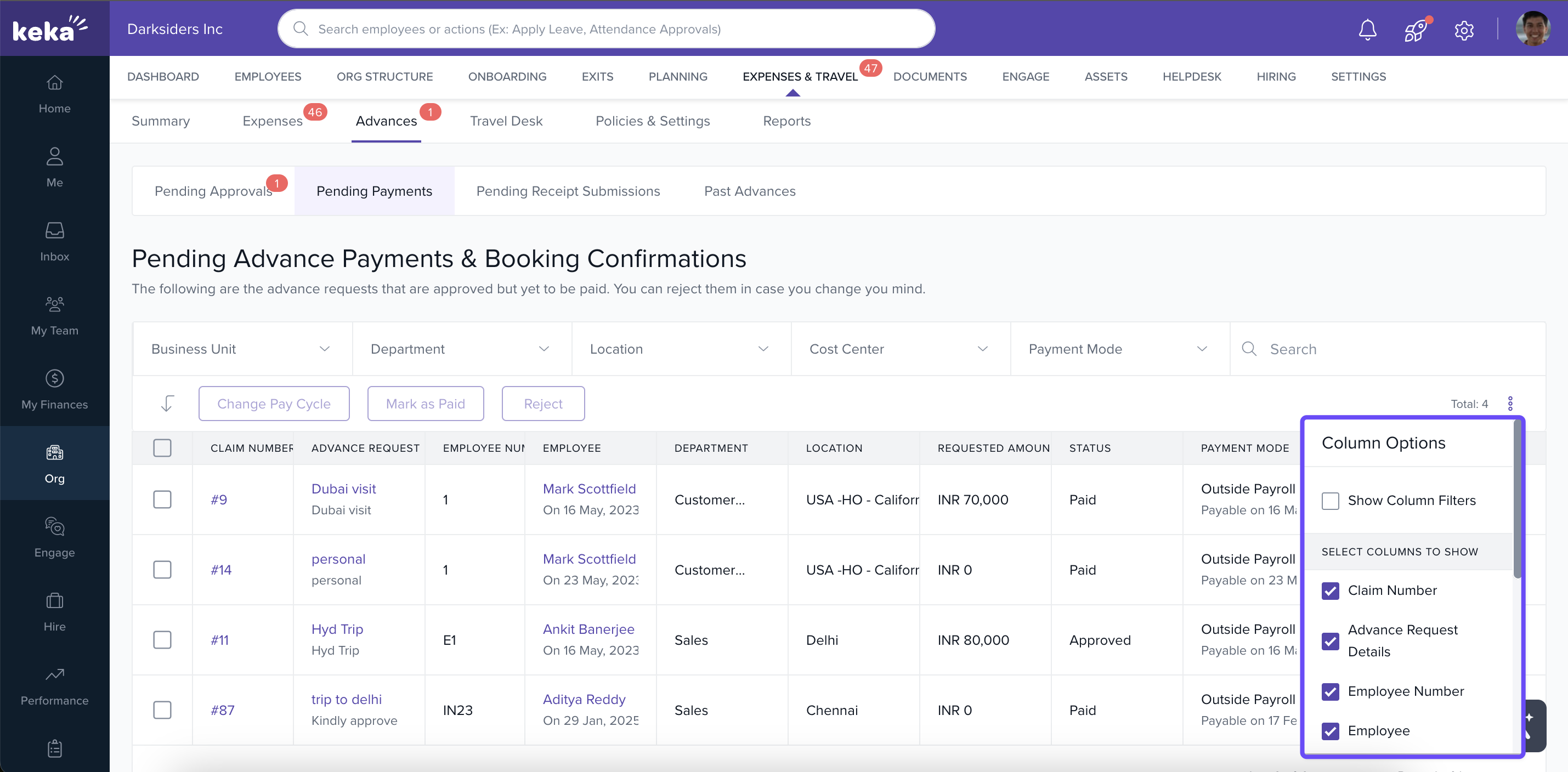
-
Use the three-dot menu or action icons to Reject, View details, or change the request as needed.
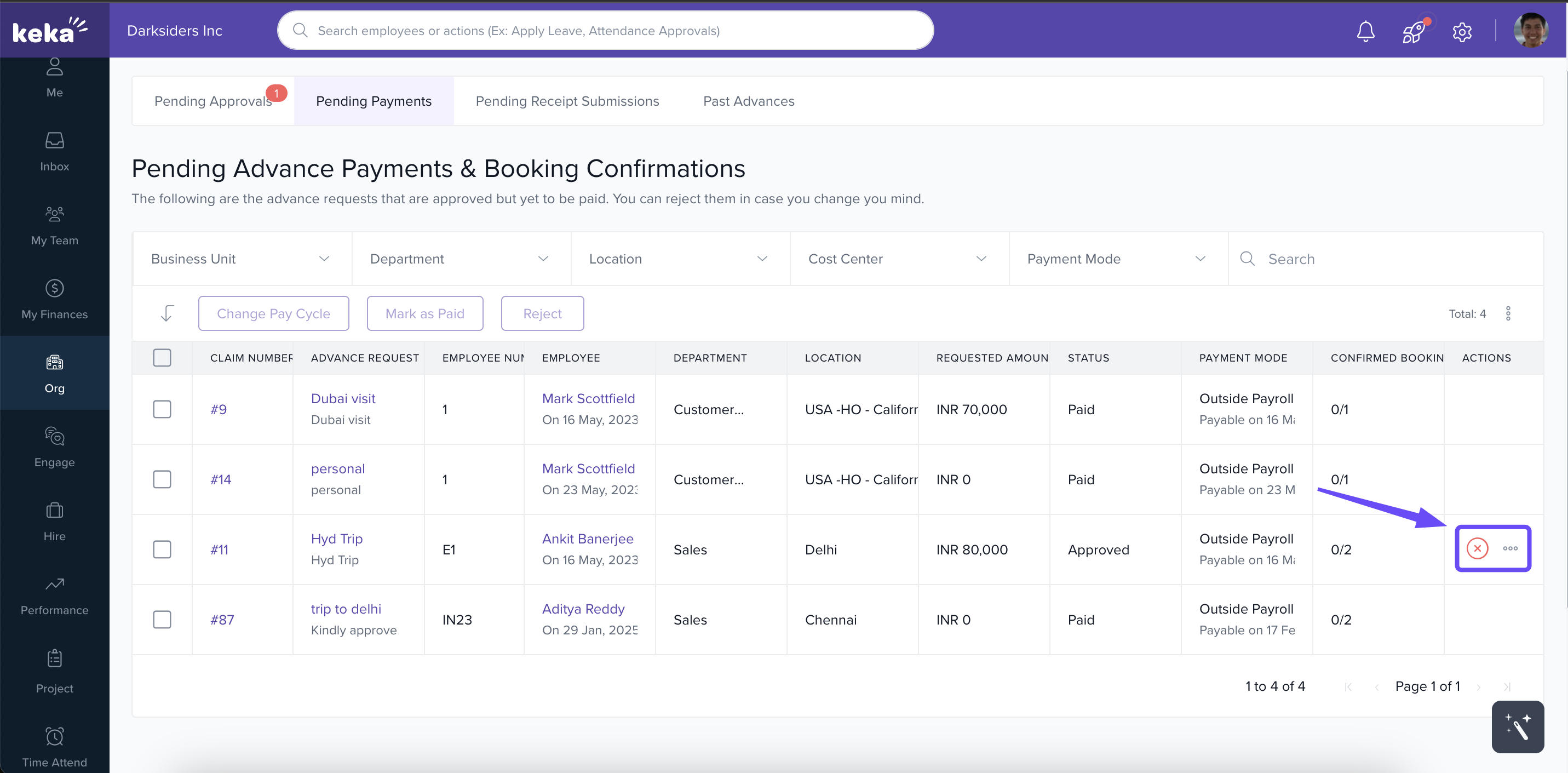
4. Change Pay Cycle or Mark as Paid
-
If payment timing changes, select the request(s), click Change Pay Date, and adjust the payout date or status accordingly.
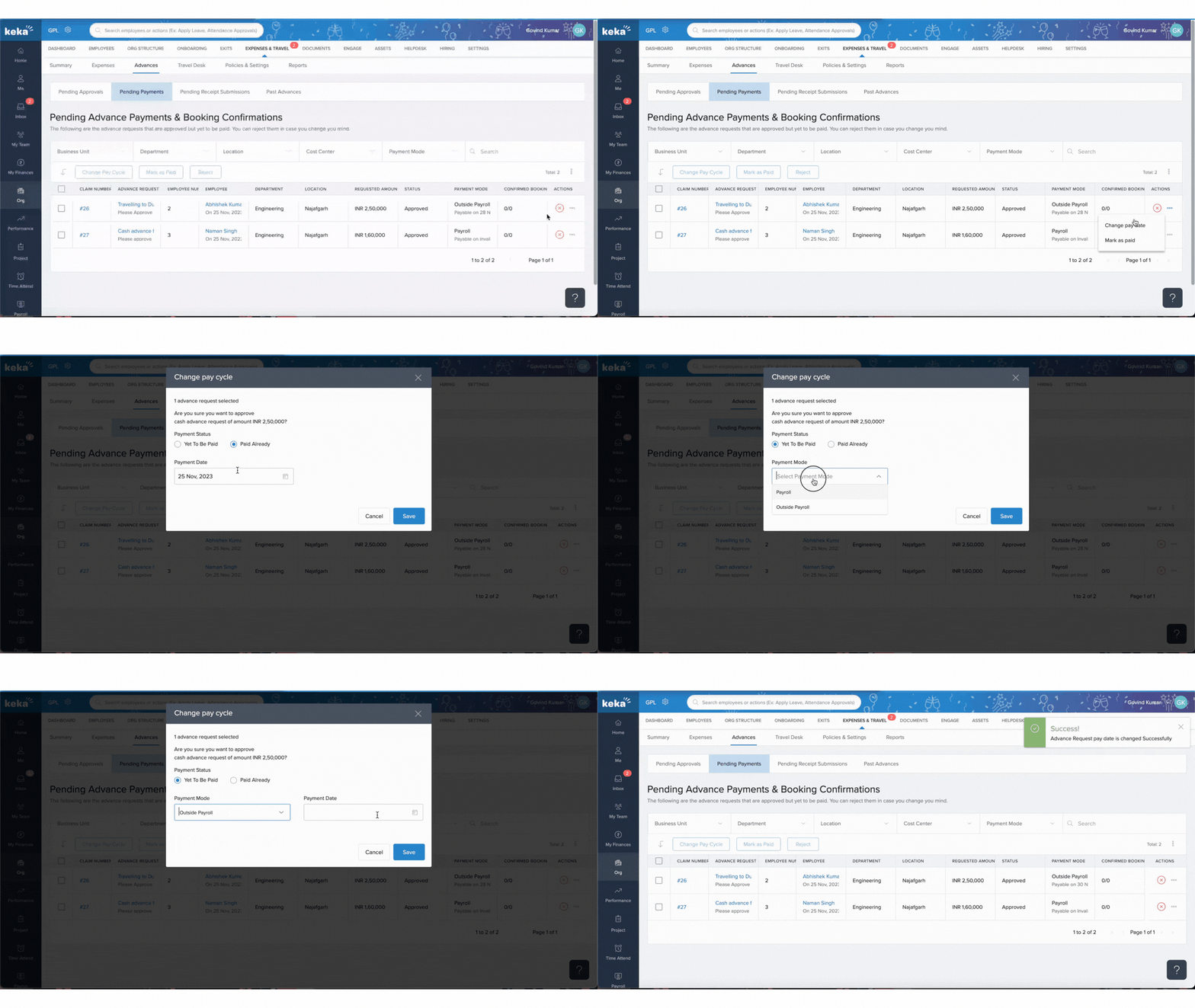
-
You can also select Mark as Paid—individually or in bulk—then specify the payment date.
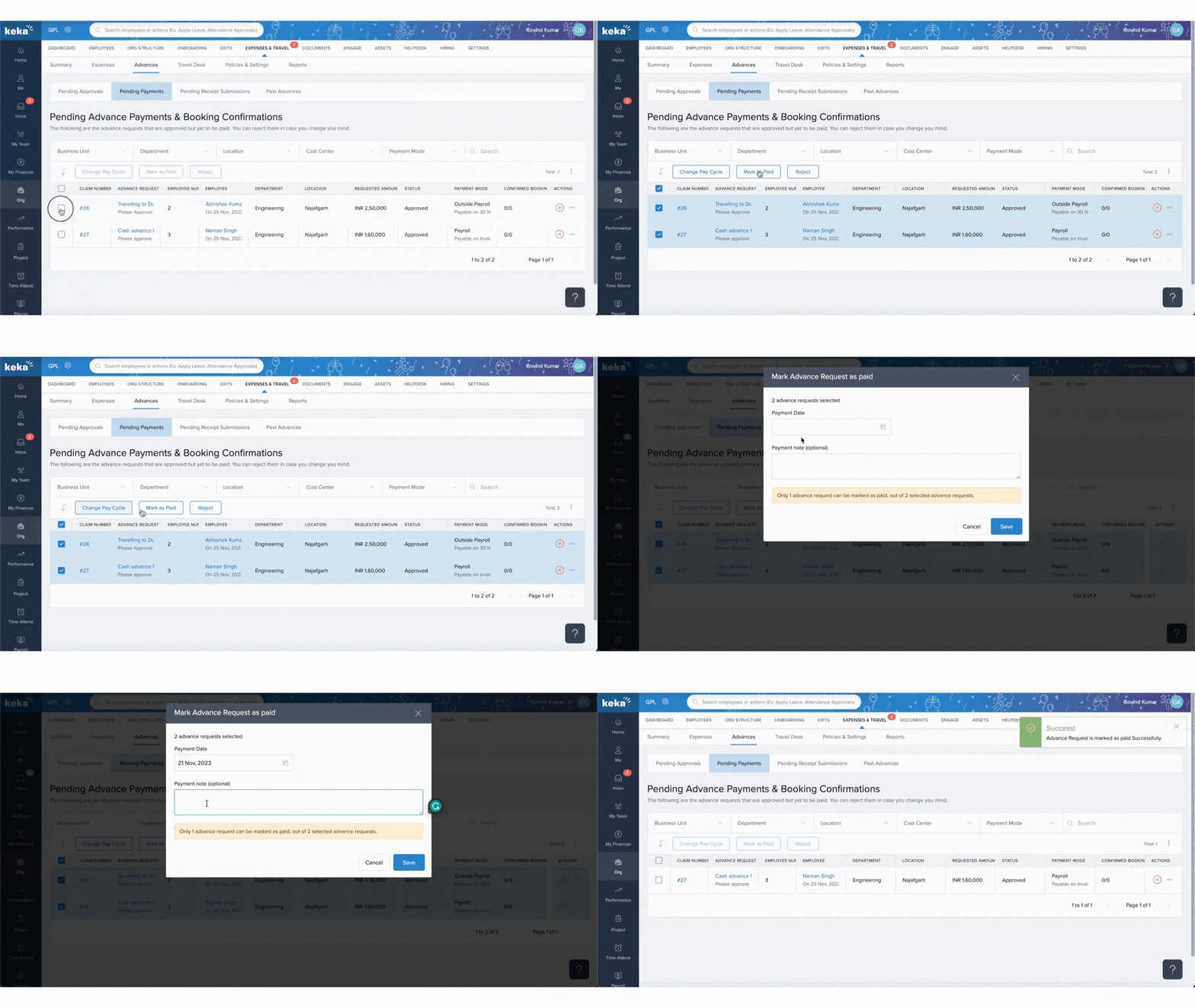
5. Track Receipt Submissions
-
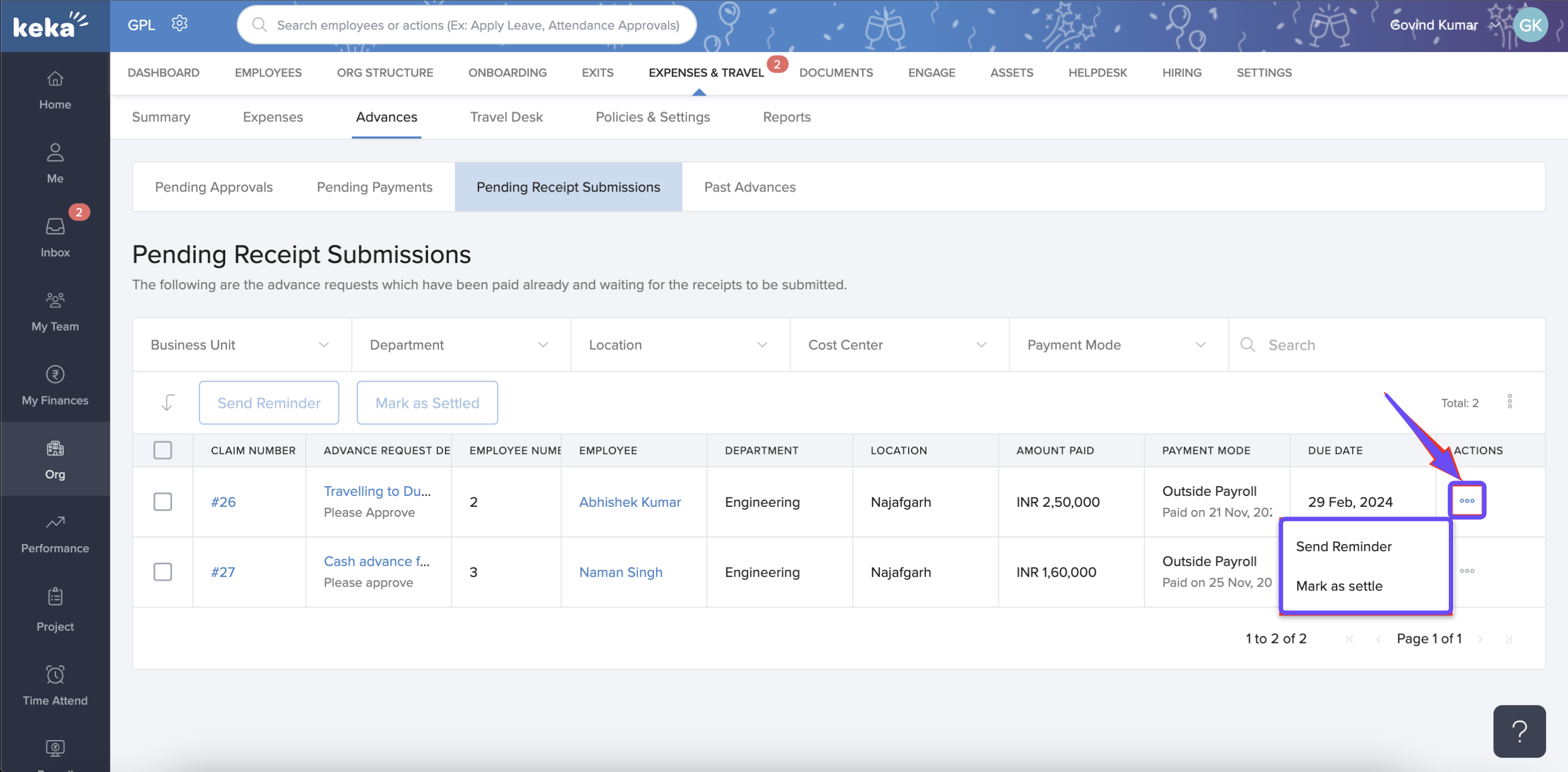
Paid requests move to Pending Receipt Submissions, where receipts are still awaiting upload.
-
Use the three-dot menu to Send Reminder to employees or Mark as Settled once receipts are received. Bulk actions work here too.
6. Review Past Advances
-
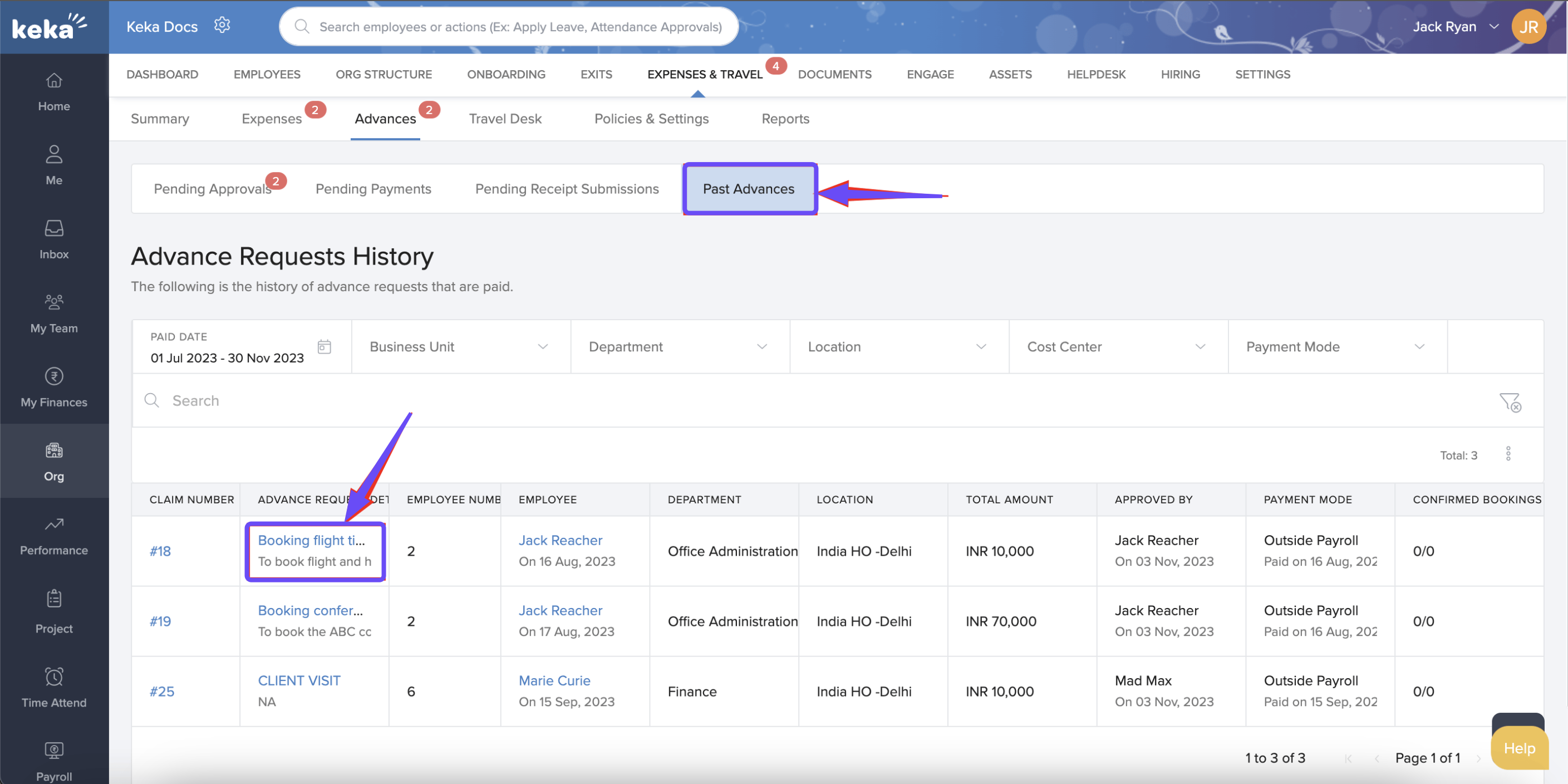
The Past Advances tab shows a history of settled and completed advance requests.
-
Use filters or search to locate specific entries and click on any request to view complete details.
The Advances tab in Keka centralizes your advance management workflow—covering approval, payment, receipt tracking, and historical review. Armed with this tool, finance teams can ensure faster turnaround, better compliance, and fuller visibility into organizational spending. Make it a habit to monitor each stage regularly to ensure timely issue resolution and accurate records.
Comments
0 comments
Please sign in to leave a comment.