Recruiters often need to provide additional information about the job role or company culture when creating a requisition. Keka Hire allows users to add either a document or an external link to a job description within a requisition. This helps candidates gain a better understanding of the role even before applying, thus improving applicant quality and clarity.
Adding a job description or external link in a requisition
Yes, users can attach a job description file or insert an external link while creating or editing a requisition in Keka Hire.
To accomplish this, navigate to the Org section, then click on Hiring and select Requisitions. You can either choose an existing requisition or click on 'Create Requisition' to start a new one. Next, scroll down to the 'Job Description' section to add your detailed description.
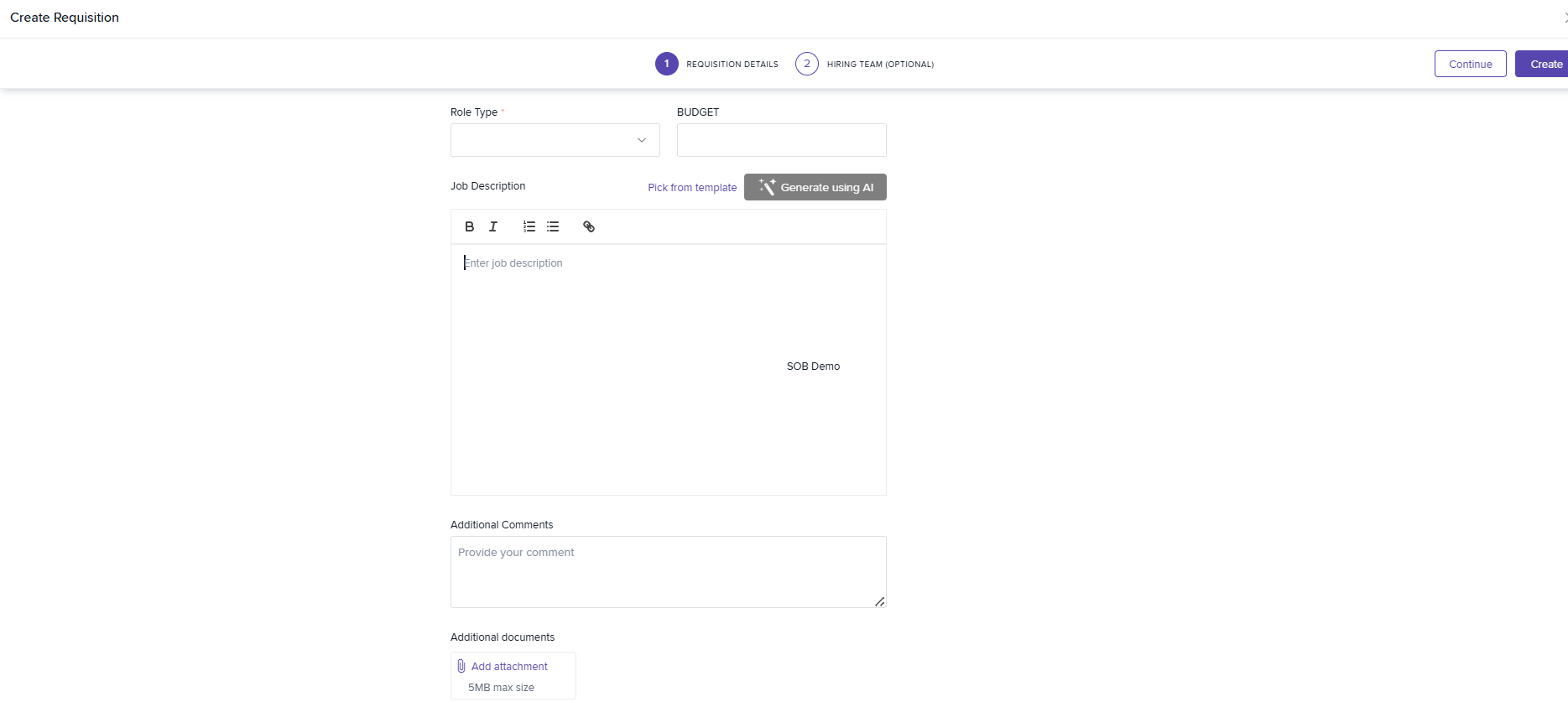
This ensures that all stakeholders and applicants can view a detailed job description for reference. Including a detailed job description or relevant link in the requisition helps streamline the hiring process and ensures better candidate alignment.
For step-by-step guidance on how to set this up, please refer to the guide provided below:

Please let us know if you find this article helpful.
Comments
0 comments
Please sign in to leave a comment.