Overview
In this guide, you will learn:
- How to access and use Insights in Keka PSA
- What key metrics Insights highlight
- The benefits of using Insights for decision-making
Who Can Do This?
- Project Managers
- Client Managers
- Admins with access to project
Pre-requisites
- Access to at least one Active or Archived project or client
- Project and client data must be populated to generate Insights
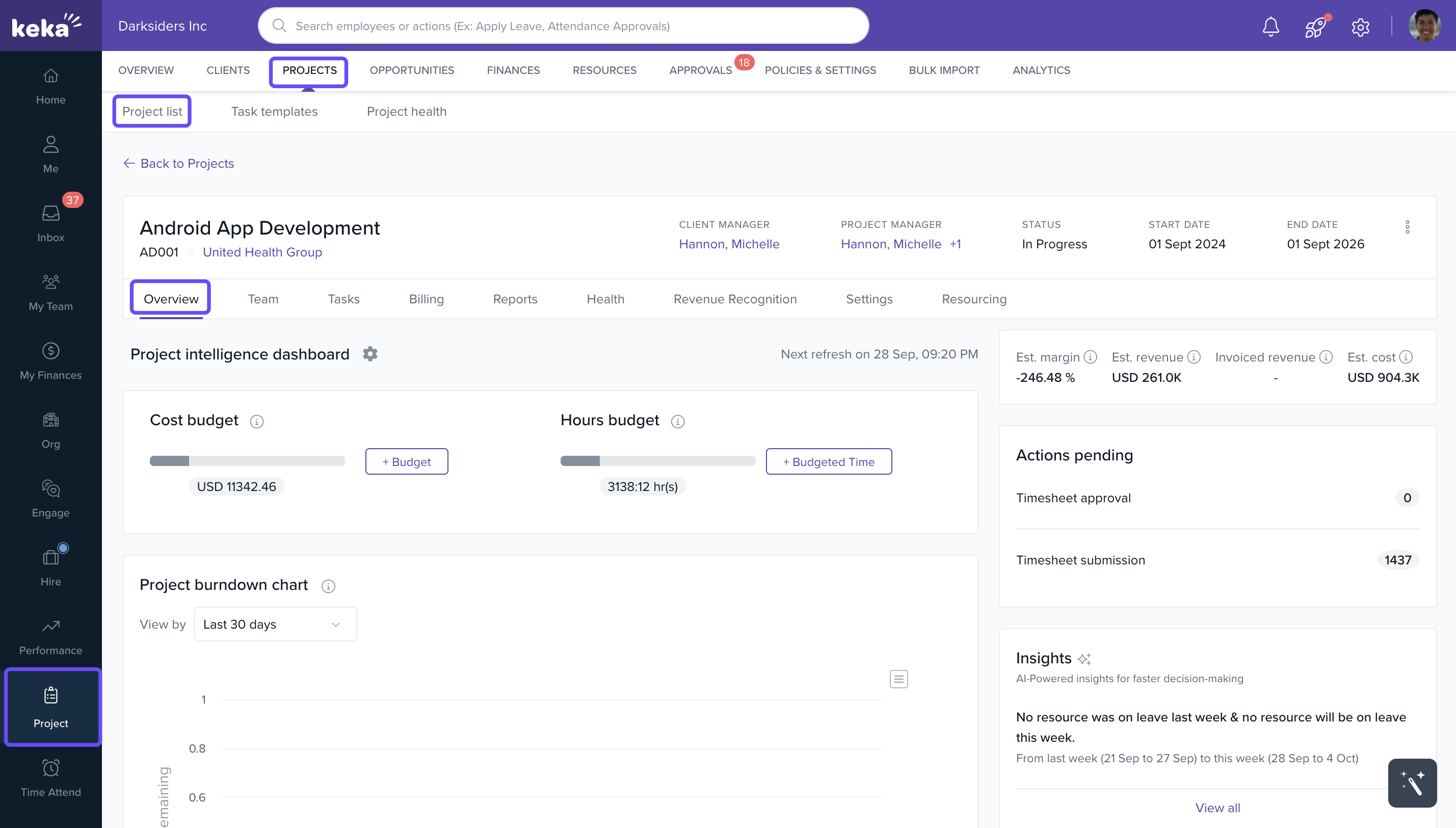
Where to Find Insights (Projects)
- Go to Projects from the left navigation panel.
- Click on any project name under Active or Archived.
- Select the overview tab.
- Scroll down to find the Insights section.
Where to Find Insights (Clients)
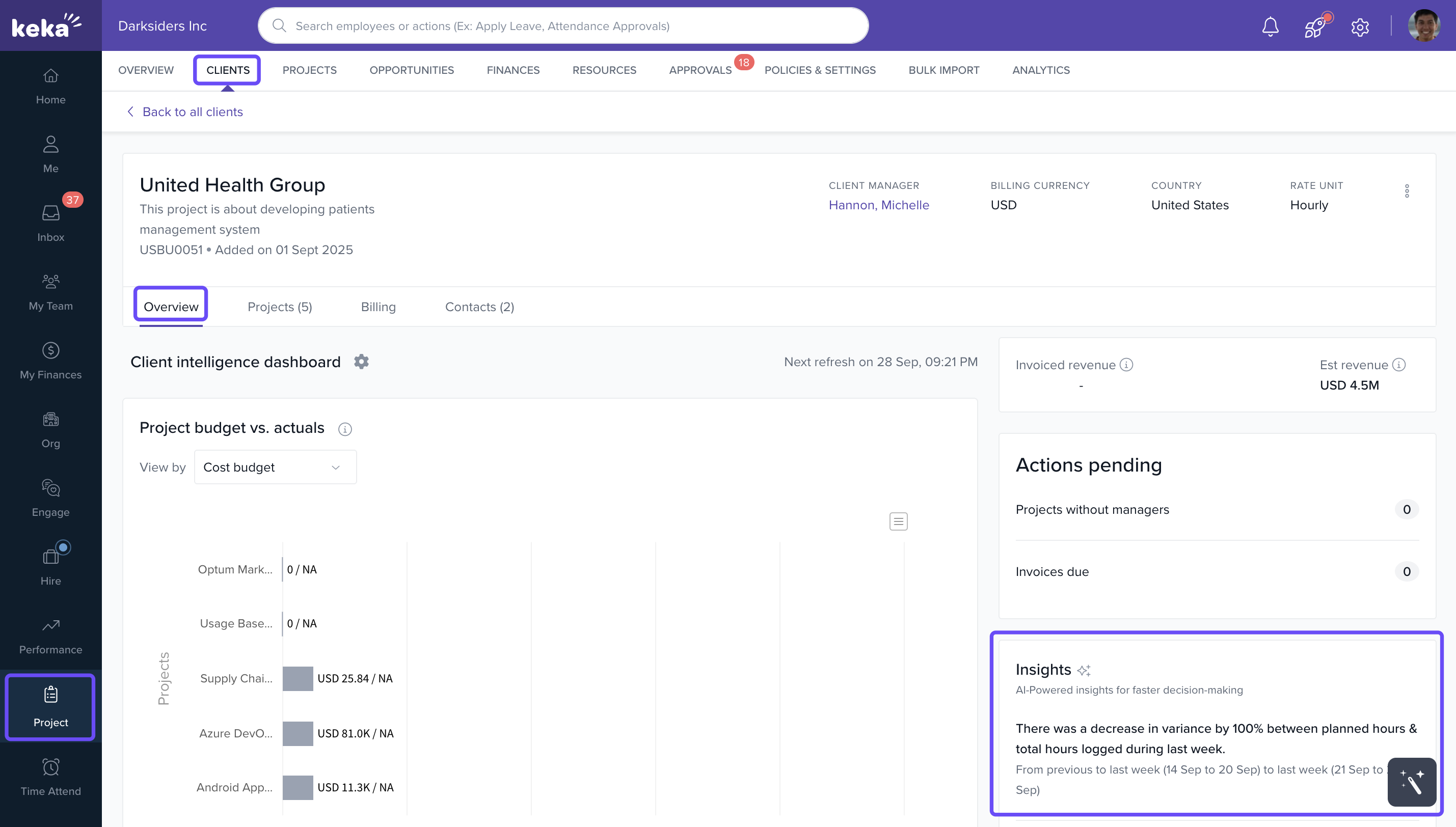
- Go to All Clients.
- Click on a client name.
- Select the Summary tab.
- Scroll to the Insights section.
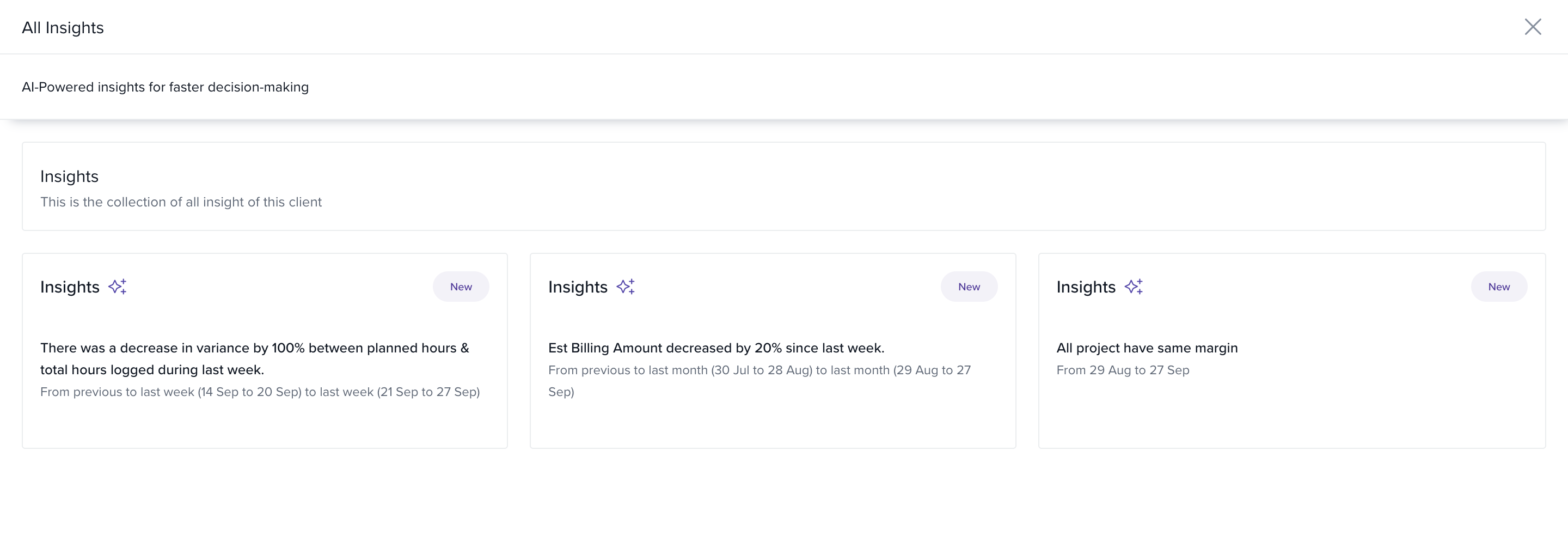
- Click View All to explore a complete list of generated insights.
How Insights Work
- Insights are automatically generated using live project and client data in real time.
- They highlight meaningful changes and trends, including:
- Billable Hours Trends: e.g., “Billable hours increased by 224% since last week.”
- Utilization Highlights: e.g., “Utilization percentage increased by 199.27% since last week.”
- Leave and Allocation Updates: e.g., “1 resource was on leave last week, and 2 resources will be on leave this week.”
How It Connects with Other Modules
- Projects: Pulls data like hours, utilization, and allocation metrics from active projects.
- Clients: Summarizes client-level project metrics in a centralized view.
- Time & Attendance: Tracks leave and allocation data, feeding into Insights for better planning.
FAQs
-
Q: How frequently are insights updated?
A: Insights are updated weekly, based on your latest timesheet, project, and leave data. -
Q: Can I export these insights?
A: Insights are not currently exportable but can be reviewed under each project/client’s Summary. -
Q: Why don’t I see any insights for a project?
A: Ensure timesheets are submitted and resources are allocated for the project to generate insights. -
Q: Can I customize the types of insights shown?
A: Currently, insights are system-generated. Customization options may be added in future updates.
Troubleshooting
-
No insights showing for a project or client?
- Ensure the project or client has active timesheet entries and allocations.
- Confirm that you have the correct permissions to view the Summary tab.
Comments
0 comments
Please sign in to leave a comment.