Overview
In this guide, you will learn:
- How to access and use revenue loss reports in Keka PSA
- Key metrics that indicate productivity gaps or underutilization
- How to use these insights to improve financial performance
Who Can Do This?
- Finance Analysts
- Project Managers
- PSA Admins
Pre-requisites
- Access to the Analytics module in Keka PSA
- Subscription to PSA with reporting enabled
Step-by-Step Instructions
Access Revenue Loss Reports in Keka PSA
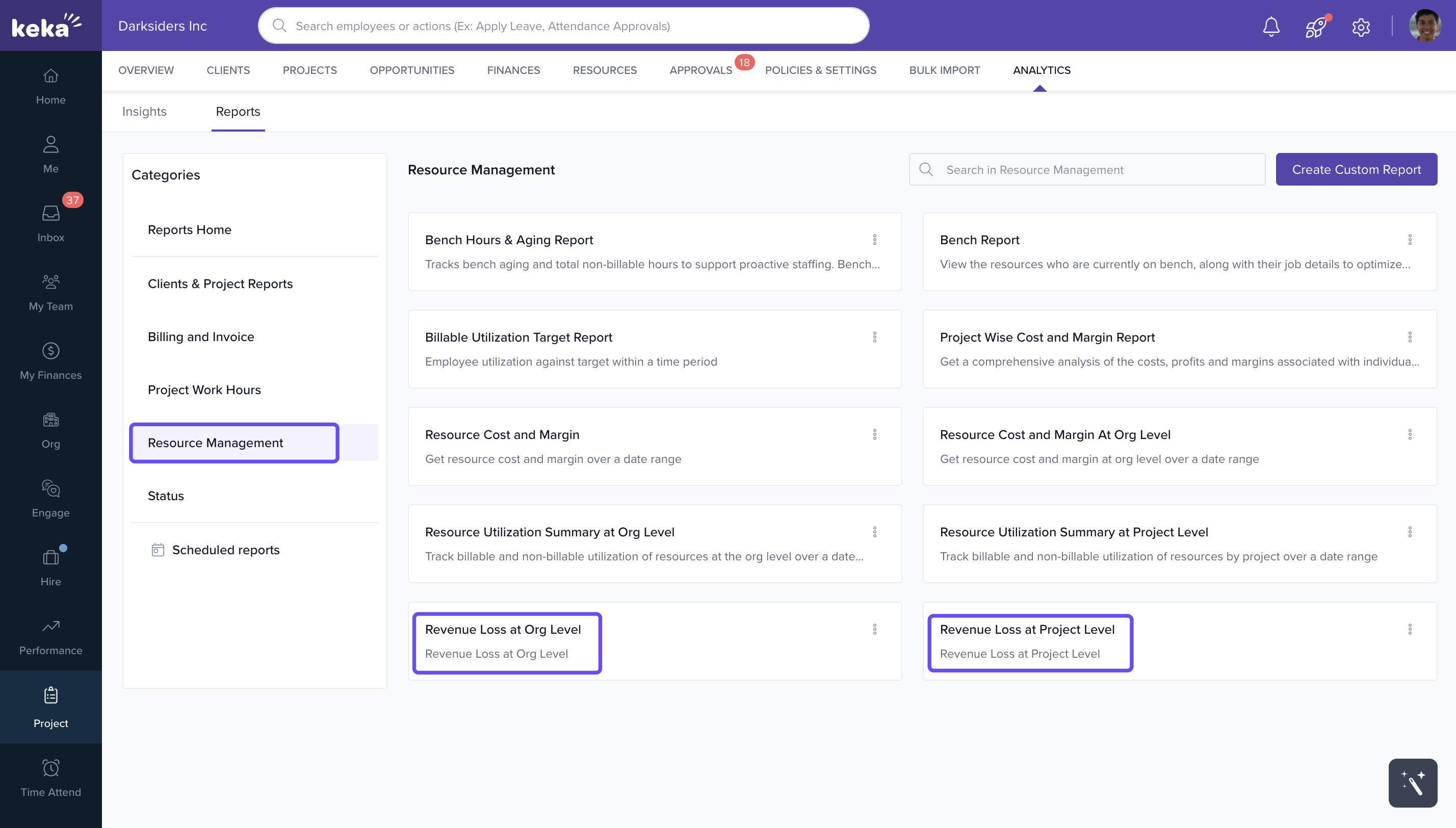
- Click on Project in the left navigation bar.
- Go to Analytics, then select the Reports tab.
-
Under Resource Management, access:
- Revenue Loss at Project Level
- Revenue Loss at Org Level
Analyse Revenue Loss Report at the Project Level
- Purpose: Identify productivity gaps within individual projects.
-
Key Metrics:
- Allocated Hours
- Actual Approved Hours
- Non-Productive Hours
- Bill Rate
- Project Billing Loss
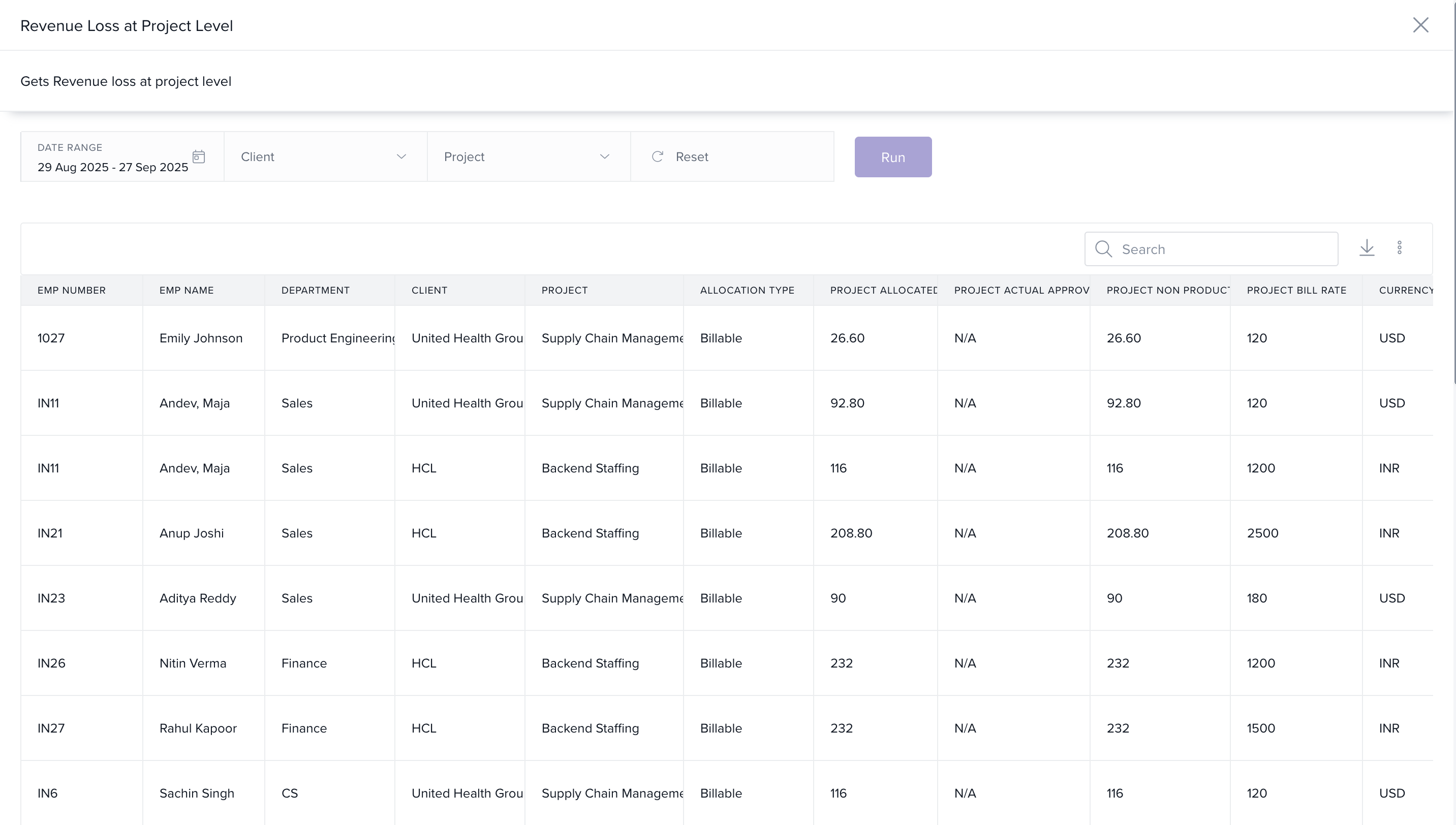
Use Case: Helps spot underutilized resources, inaccurate forecasting, or misaligned bill rates across active projects.
Analyse Revenue Loss Report at the Organizational Level
- Purpose: Monitor organization-wide resource idle time and cost impact.
-
Key Metrics:
- Capacity
- Allocated Hours
- Idle Hours
- Total Capacity Cost
-
Idle Hours Cost
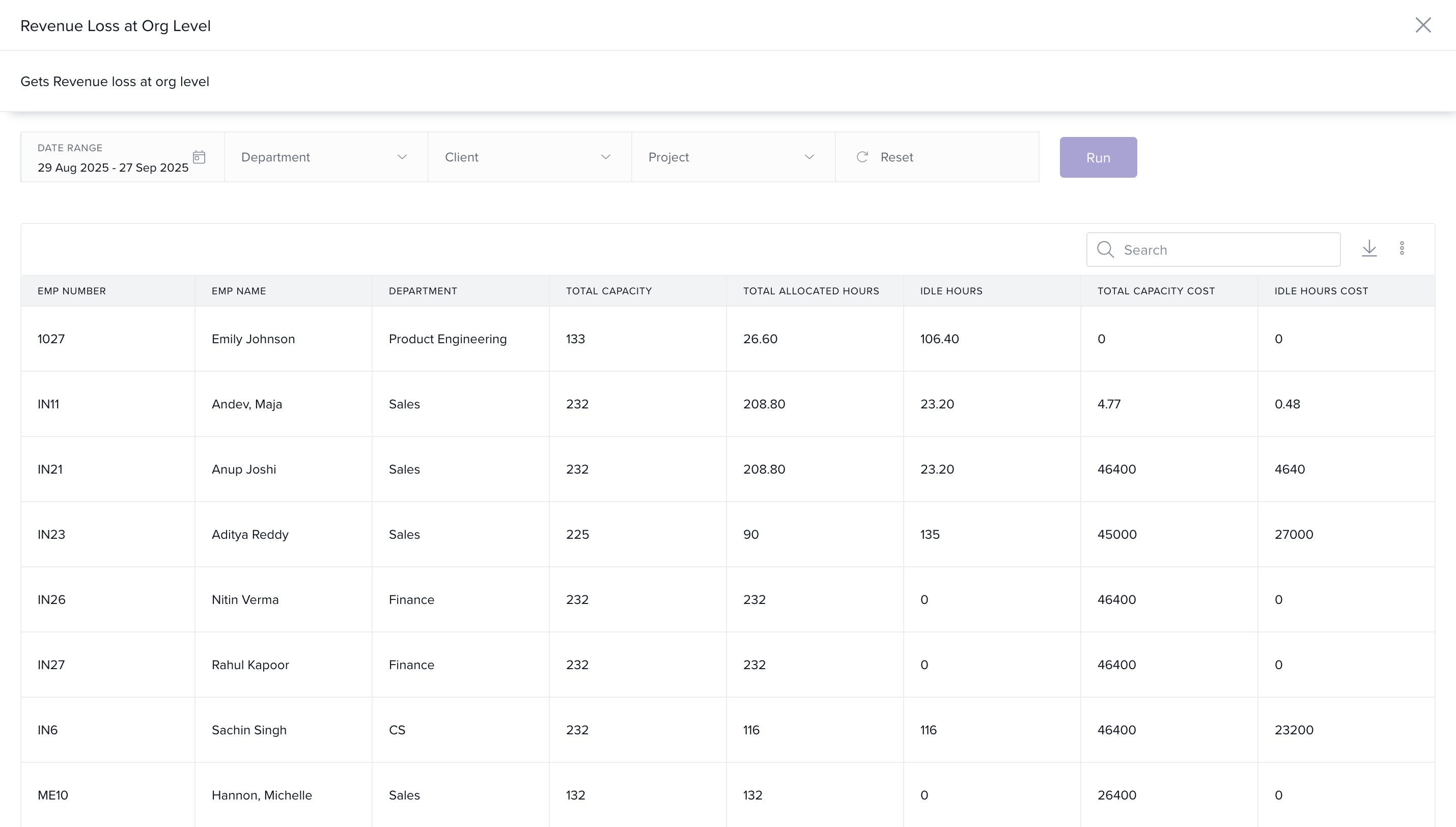
Use Case: Understand overall resource efficiency and calculate financial impact of unallocated time.
How It Connects with Other Modules
- Projects: Links resource allocation to revenue outcomes.
- Timesheets: Pulls actual hours worked to compare with allocated hours.
- Billing: Uses rate cards to calculate loss based on productivity.
FAQs
-
Q: How is Project Billing Loss calculated?
A: It’s based on the difference between allocated hours and approved hours, multiplied by the bill rate. -
Q: What does Idle Hours Cost represent?
A: It’s the cost of capacity not utilized across the organization. -
Q: Can I filter the data by client or department?
A: Yes, most reports support filters for granular analysis.
Troubleshooting
-
Report not showing expected data?
- Ensure resource allocations and timesheets are updated.
- Validate that bill rates and capacity data are configured correctly.
To discover more about the different reports available and how they can benefit your organization, please click here: Reports in Keka PSA
Comments
0 comments
Please sign in to leave a comment.