Managing bulk employee exits can be a challenging task, especially when it involves initiating mass resignations and settlements. Whether it's due to layoffs, organizational restructuring, or other reasons, having an efficient process to handle bulk employee exits is essential for maintaining compliance and ensuring smooth operations.
Keka HRMS offers an easy way to initiate bulk exit settlements, making the process streamlined and less time-consuming. This article walks you through the steps to manage bulk employee exits using Excel templates and a structured approach to settlements.
How to Bulk Initiate Employee Exit Settlements ?
To begin the bulk exit settlement process in Keka, follow these steps:
Navigate to the Org Section from the left navigation pane.
Under the Exits tab, you will find the Bulk Action section. Click on it.
In the Bulk Action section, select Initiate Employee Exit Settlement in Bulk.
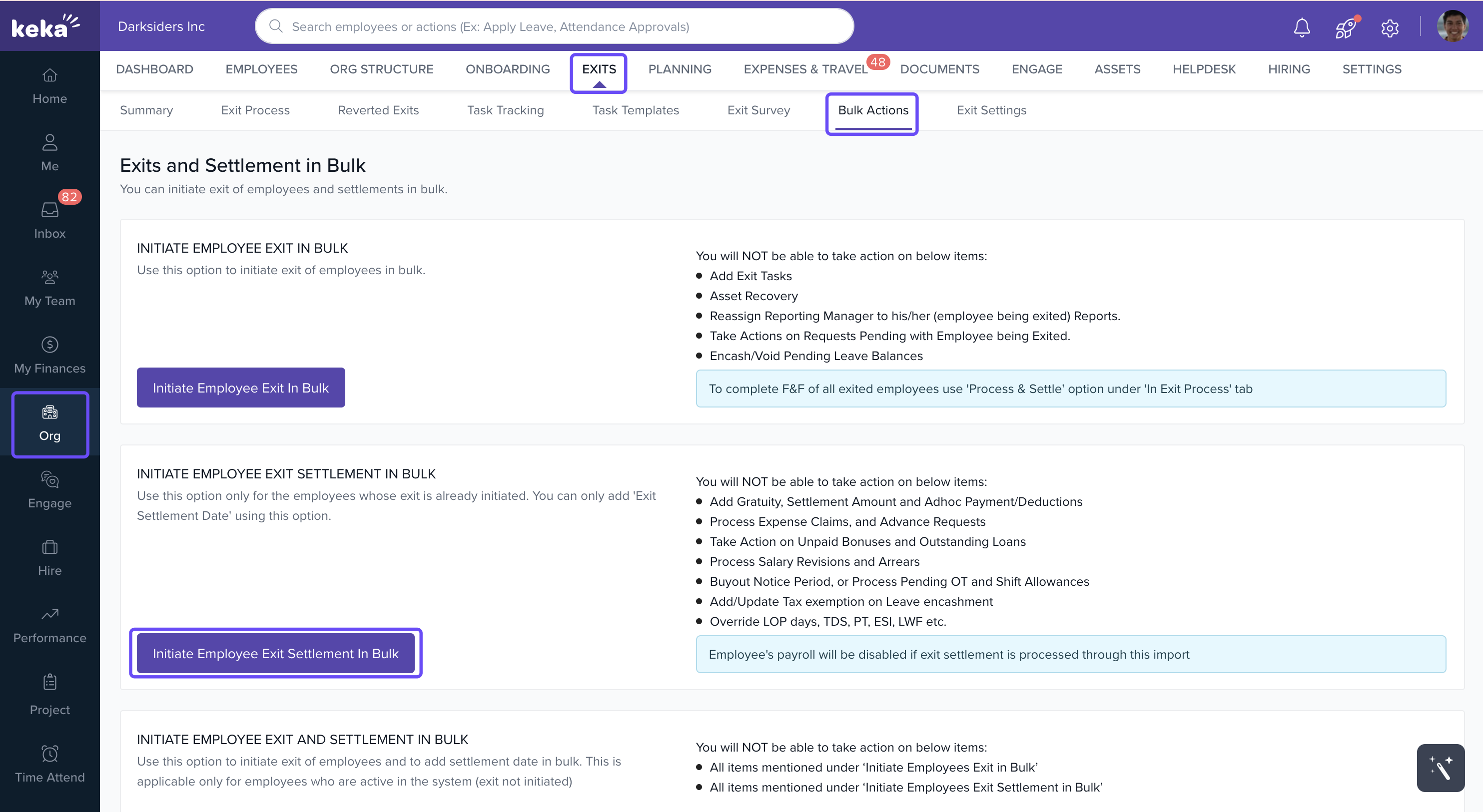
Click on the Download Excel Template option to download the template that you will need to fill out.
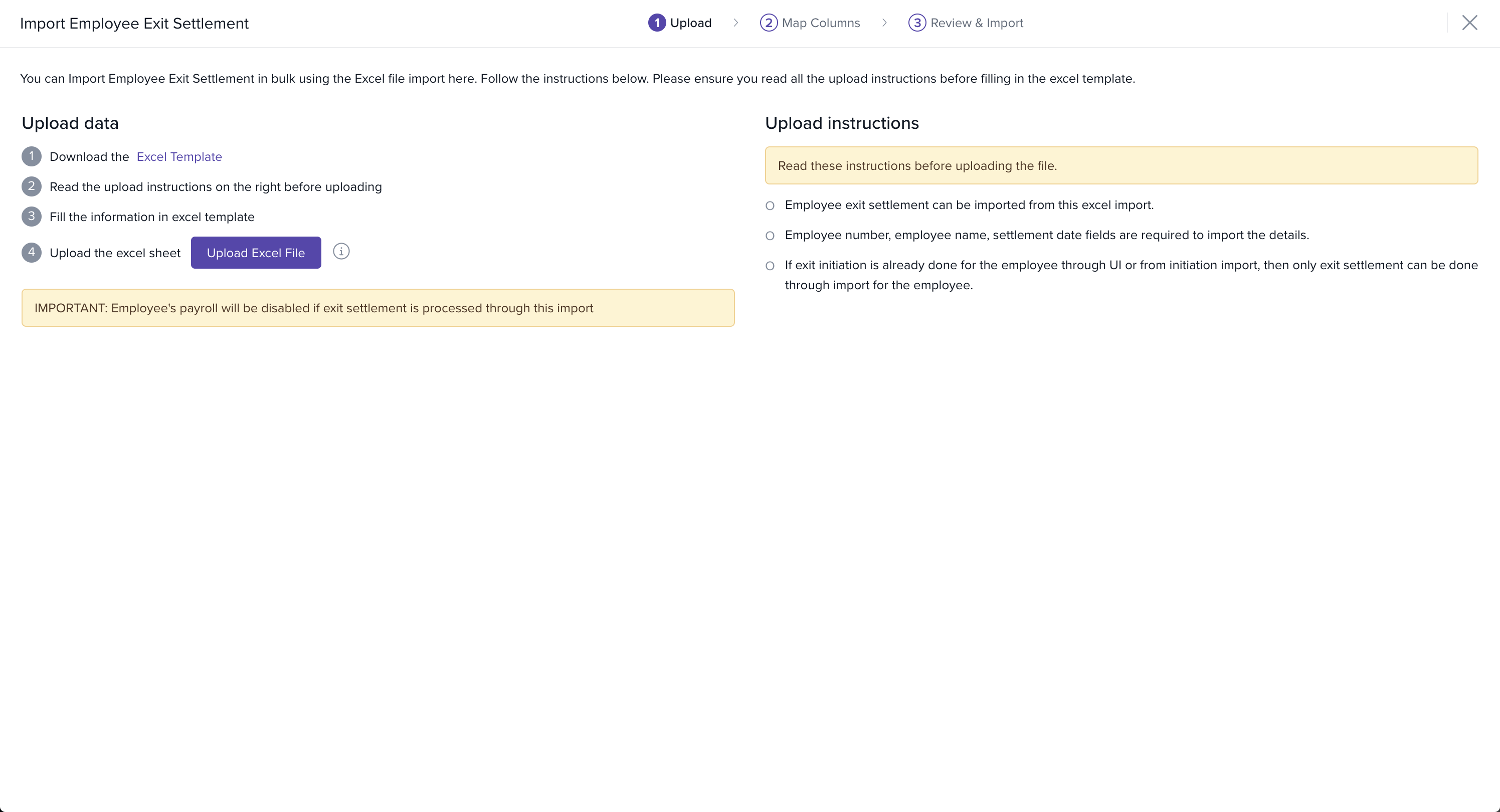
Open the downloaded Excel sheet and update it with the required employee details, including names, employee IDs, last working day, and other relevant information.
After updating the Excel template, go back to Keka and click on Upload Excel File to upload the completed document.
Once the file is uploaded, you will see two tabs:
Match Column Tab: Here, you need to ensure that each column in your file matches the correct data in the system. If there is any mismatch, you can choose to ignore the column.
Preview Data Tab: Review all the data to ensure there are no errors. Once everything looks good, click Complete to finalize the upload.
Note: When you use the option of "Initiate employees exit settlement in bulk", you will not be able to take actions on the below mentioned items:
1.Add gratuity, settlement amount and ad hoc payments/deductions
2.Process expense claims, and advance requests
3.Take action on unpaid bonuses and outstanding loans
4.Process salary revisions and arrears
5.Buyout notice period or process pending OT and shift allowances
6.Add/update tax exemption on leave encashment
7.Override LOP days, TDS, PT, ESI, LWF etc. Also, this import will disable the payroll profile of all the settled employees.
Hope you found this document helpful.
Comments
0 comments
Please sign in to leave a comment.