When an employee leaves the organization, conducting an exit survey helps gather valuable feedback about their reasons for departure. This process can shed light on areas for improvement, enhance employee retention strategies, and provide insights into workplace satisfaction. Keka allows you to easily manage the exit survey questionnaire, customize questions, and download comprehensive reports for better analysis.
Creating Exit Survey Form
To customize your exit survey form, follow these simple steps:
Access the Exit Survey Section
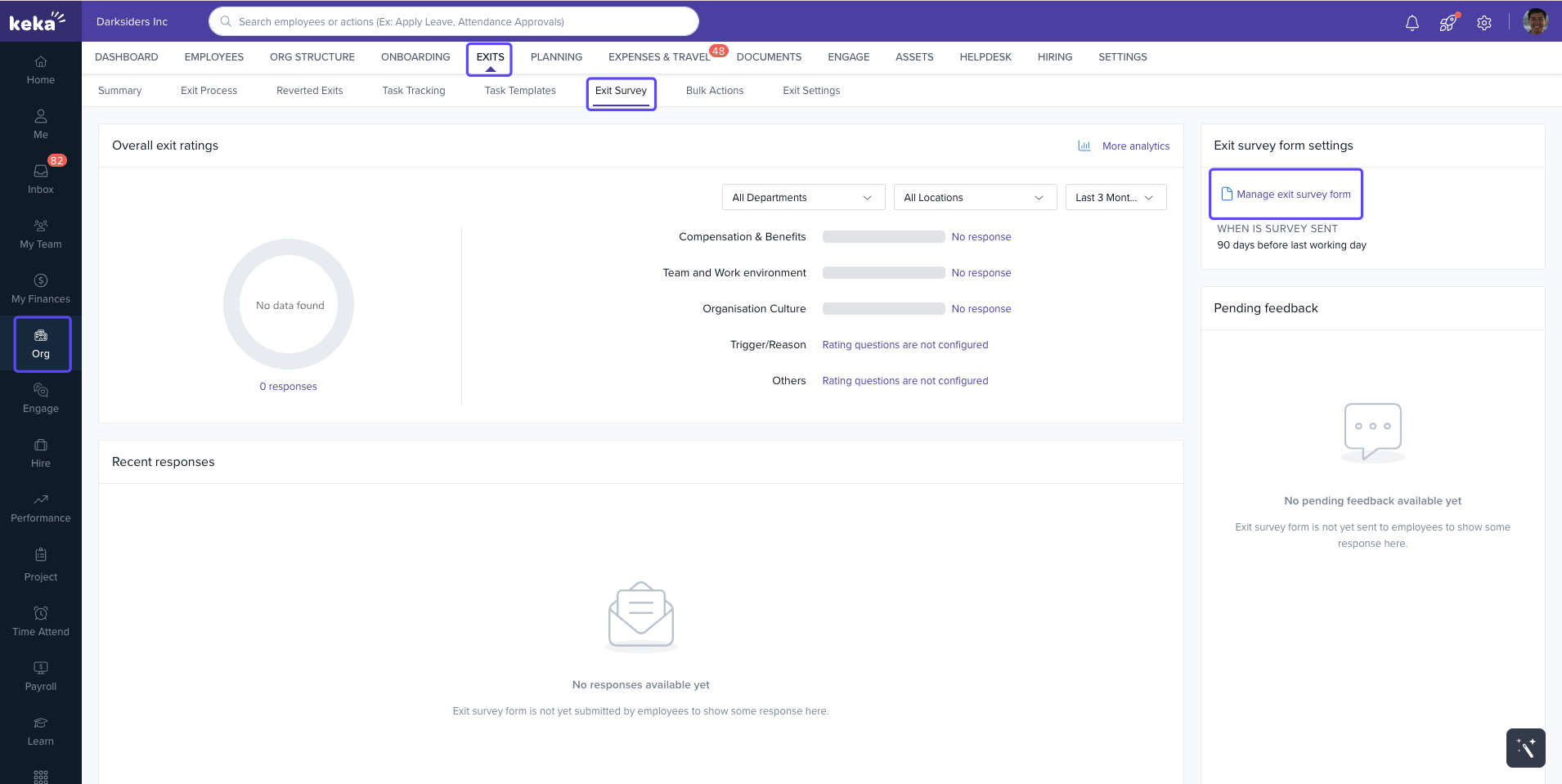
Navigate to Org from the left navigation pane.
Under the Exits tab, find the Exit Survey option and click on it.
In the Exit Survey Form Settings, click on the Manage Exit Survey Form hyperlink to customize the survey.
Add Questions to the Survey
In the Manage Exit Survey Form window, click Add Question to create a new question under the relevant category.
To edit existing questions, click the three dots beside the question and select Edit. After making your desired changes, click Update to save.
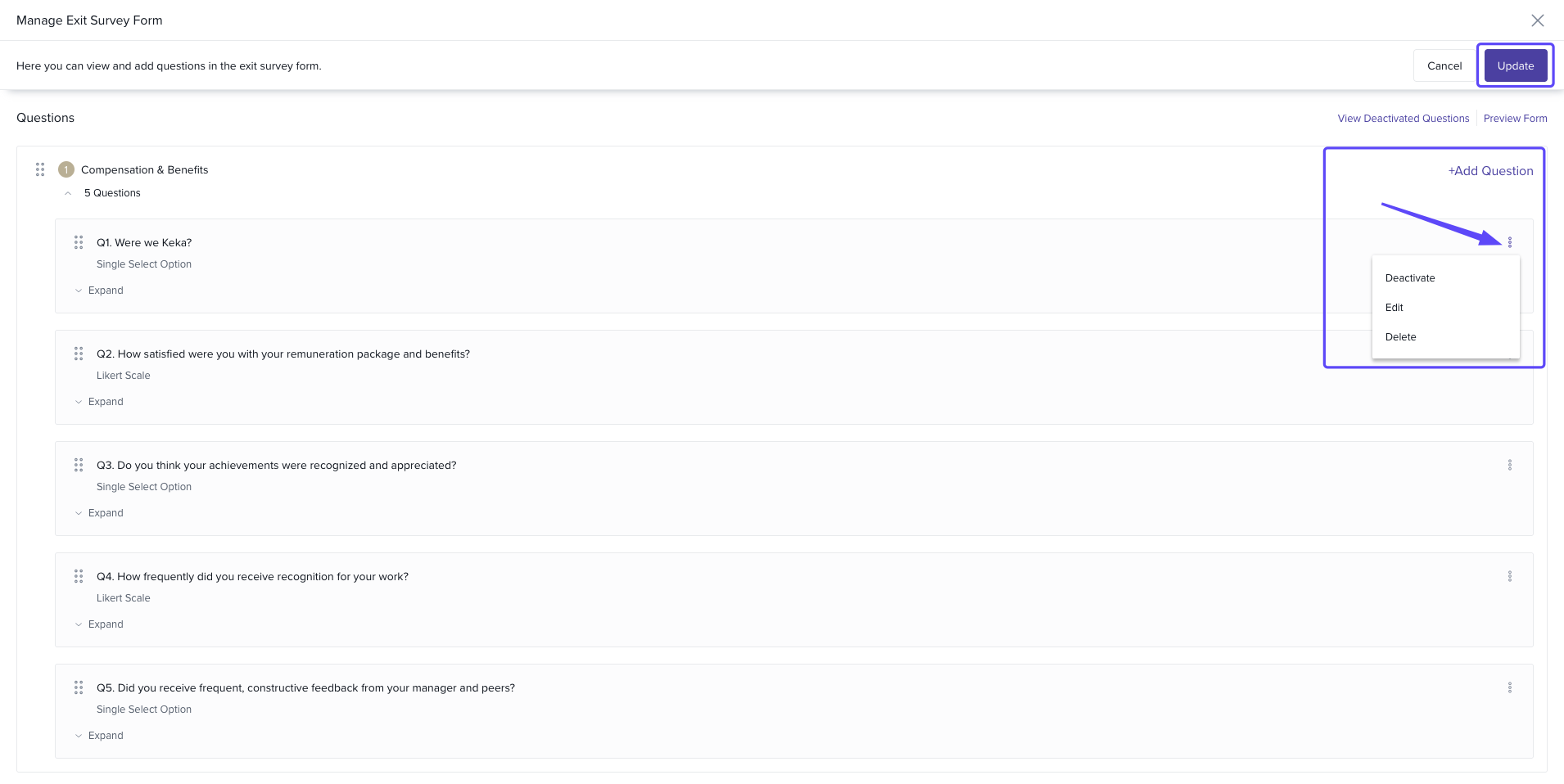
This allows you to tailor the exit survey questions to suit the specific needs and objectives of your organization.
Downloading Exit Survey Reports
Keka enables you to download a consolidated report containing all the responses from the exit survey, which can help in analyzing trends and gathering insights.
Follow these steps to download the exit survey reports:
Navigate to the Exit Survey Responses
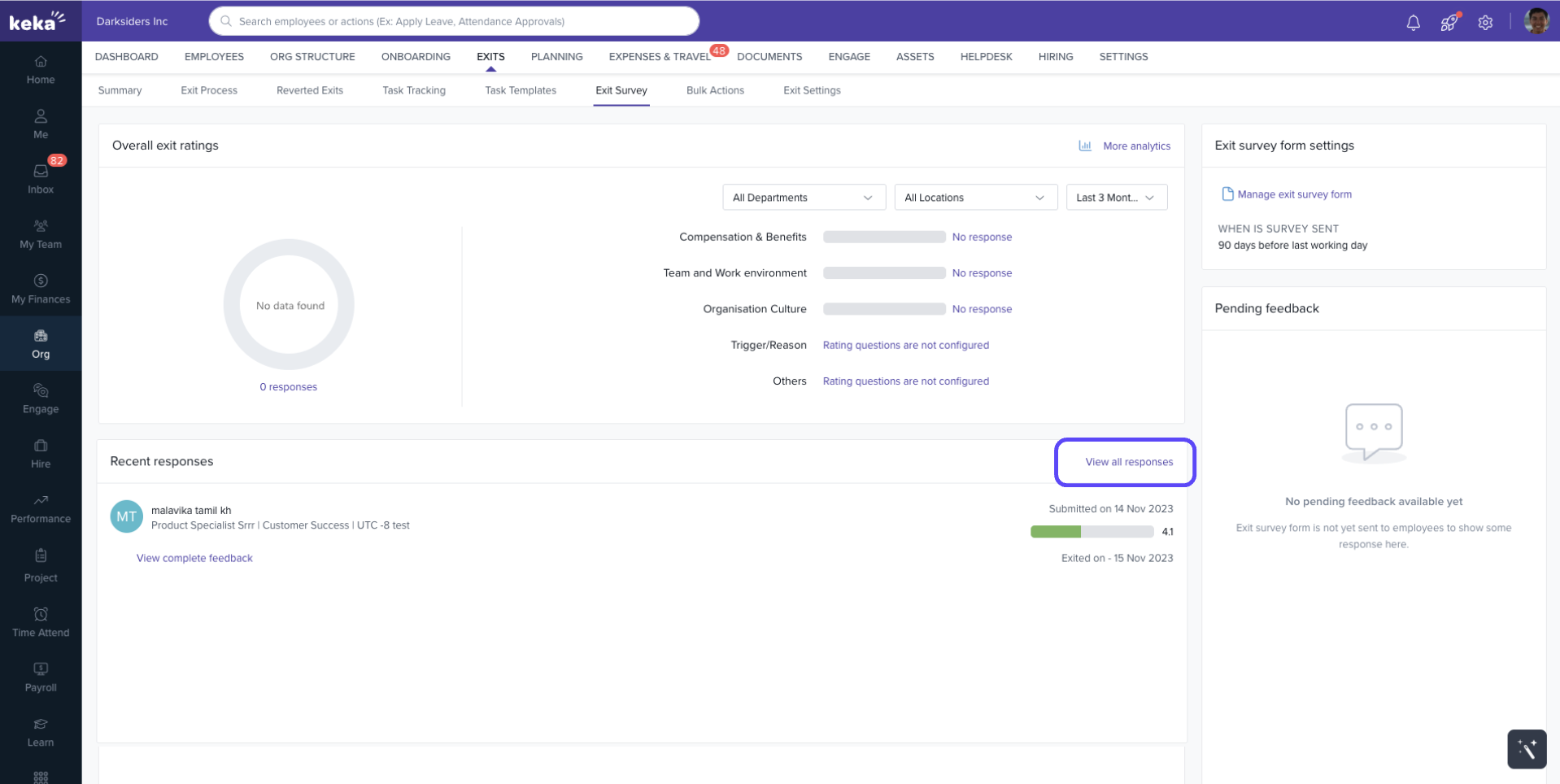
Go to Org from the left navigation pane, then click on Exits.
Under the Exits tab, click on Exit Survey and scroll down to find the View Responses option.
Download the Responses
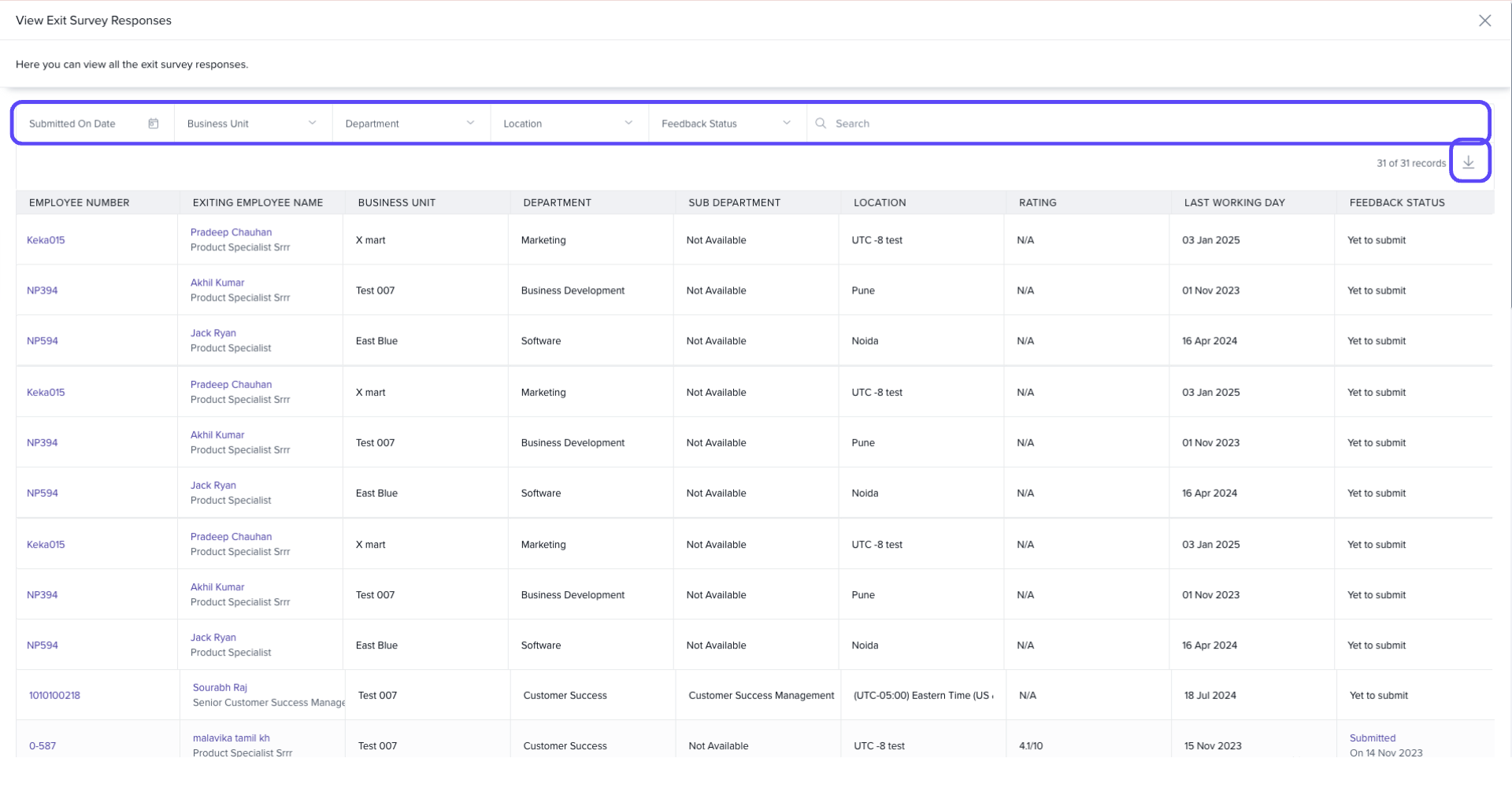
Once you click View Responses, you will be redirected to the View Exit Survey Responses screen.
Here, you can see the details of employees who have completed the survey. Use the filters to sort the data based on specific criteria (e.g., department, location, etc.).
Click the download icon to export the survey responses in an Excel sheet.
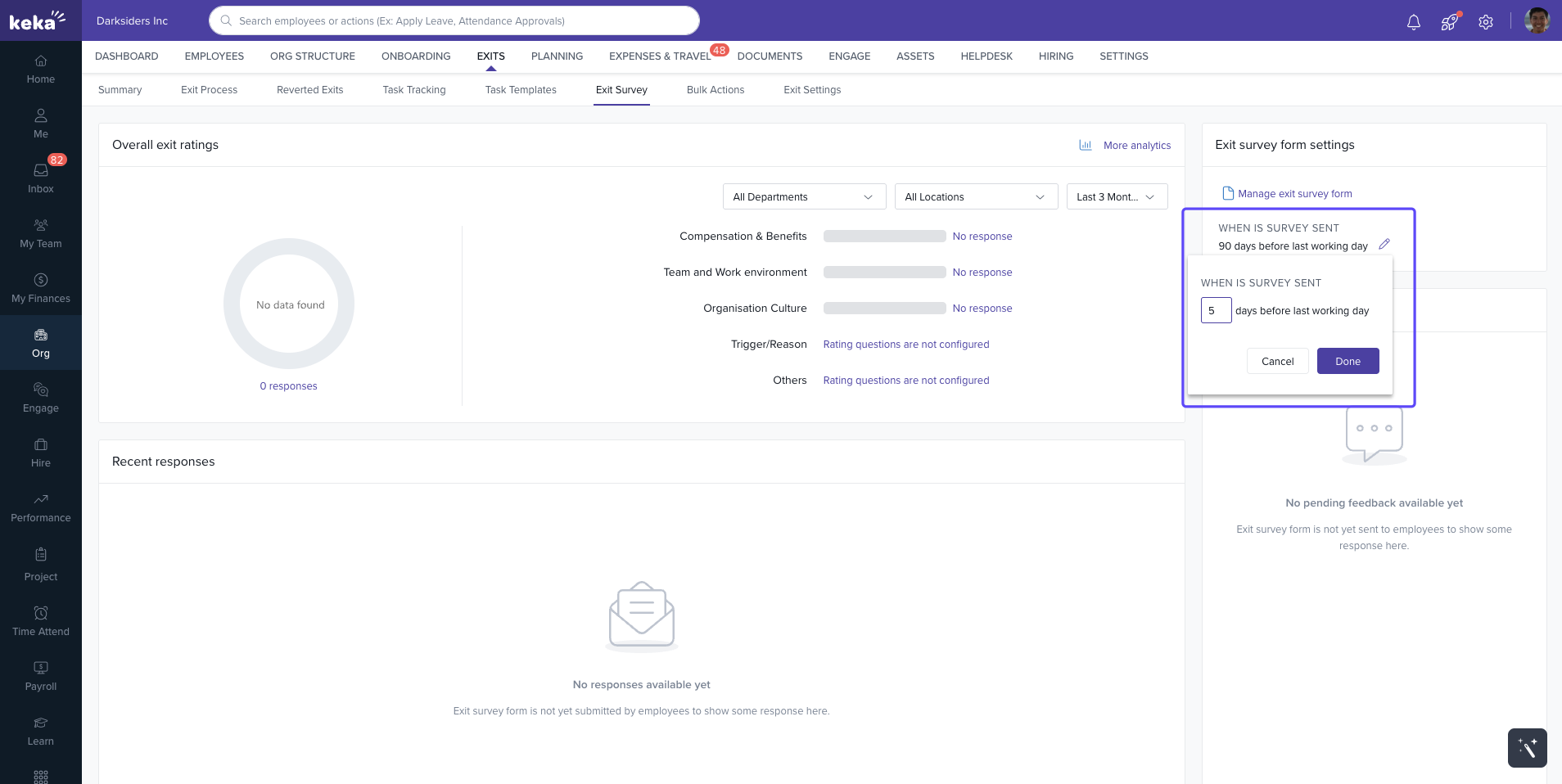
Additionally, you can set the date to send the survey to employees, and the system will automatically send it.
By using Keka’s exit survey management tools, you can gain valuable insights into employee turnover and improve retention efforts. If you have further questions or need assistance, feel free to reach out to our support team.
Comments
0 comments
Please sign in to leave a comment.