Even after an employee initiates the exit process, organizations may want to retain valuable talent through discussions, role adjustments, or revised compensation packages. Keka HR allows you to halt the exit process and retain an employee efficiently, ensuring all necessary actions are documented.
This guide explains how to cancel an employee’s exit process using two methods: from their profile or from the Org section.
To retain an employee who has already applied the resignation Make sure that the exit request has already been approved and it is in the Exit in process tab.
Retaining an Employee from the Employee Profile
Use the search bar to locate the employee and open their profile.
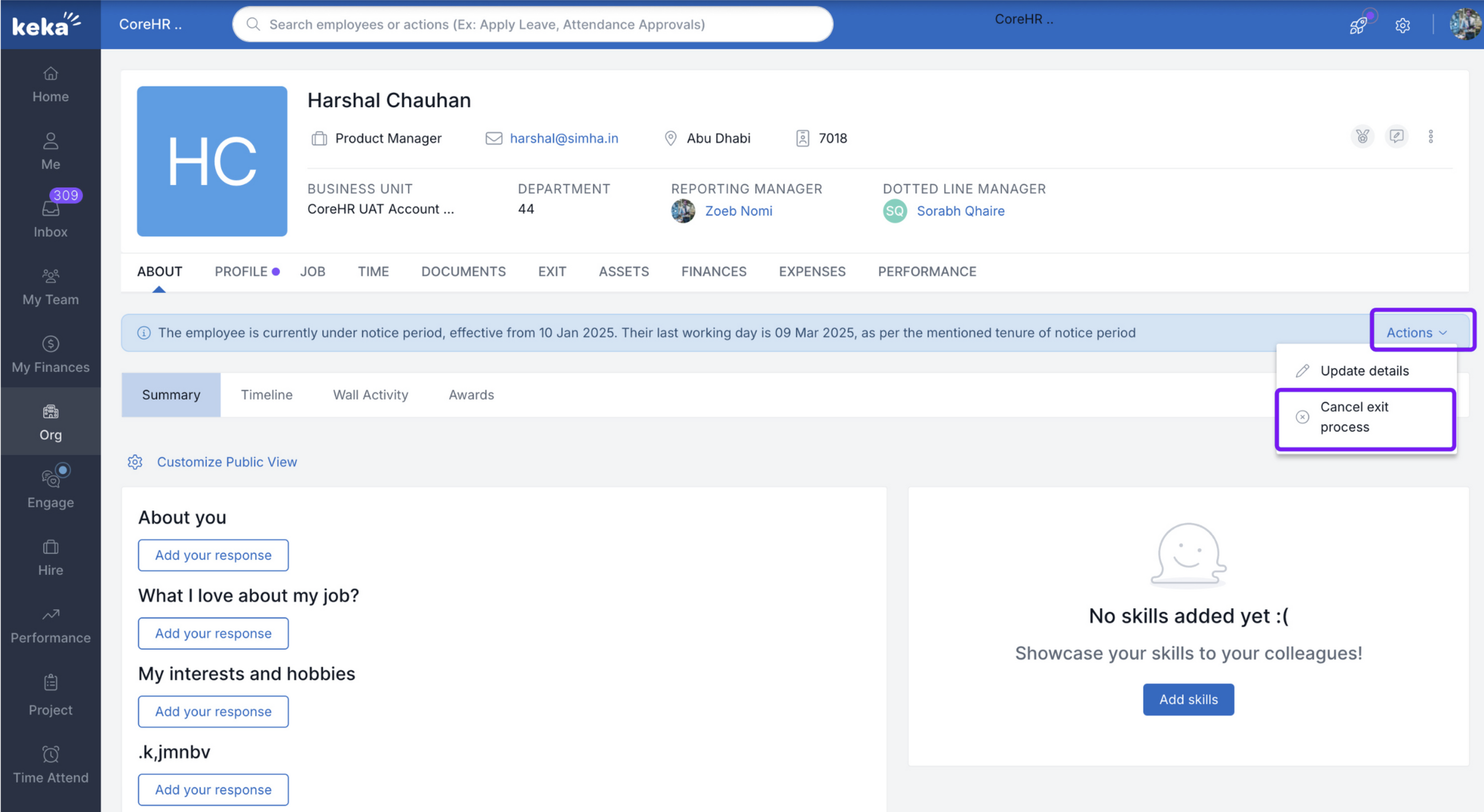
In the Actions section, click the dropdown menu and select Cancel Exit Process.
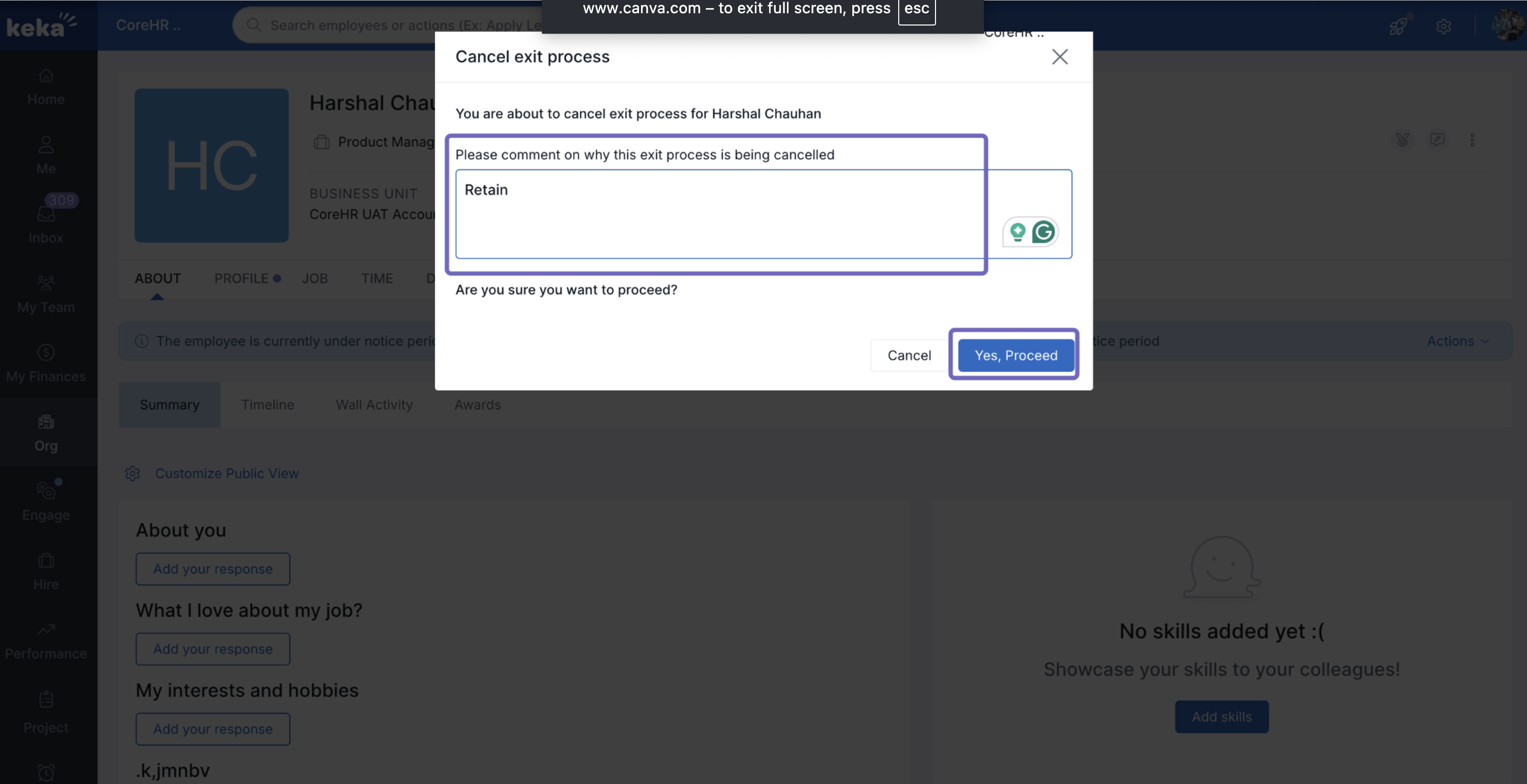
In the Cancel Exit Process window, enter a summary of discussions with the employee and the decisions taken to retain them.
Click Yes, Proceed to cancel the exit process and retain the employee in the system.
Retaining an Employee from the Org Section
If Exit is in Progress
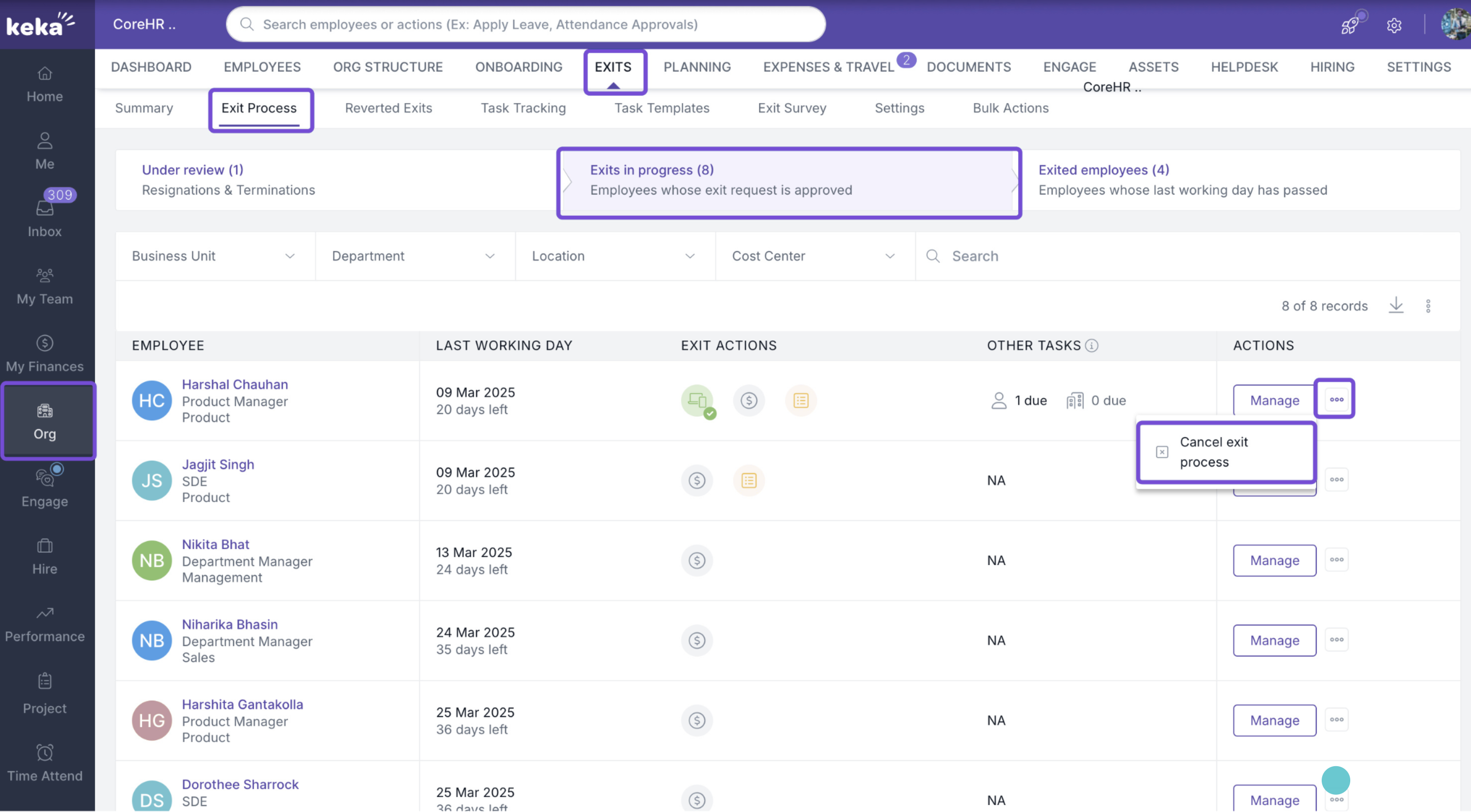
Navigate to Org from the left navigation pane and select the Exits tab.
Ensure the exit request has been approved and the employee is in the Exit in Process tab.
Locate the employee, click the three dots under Actions, and select Cancel Exit Process.
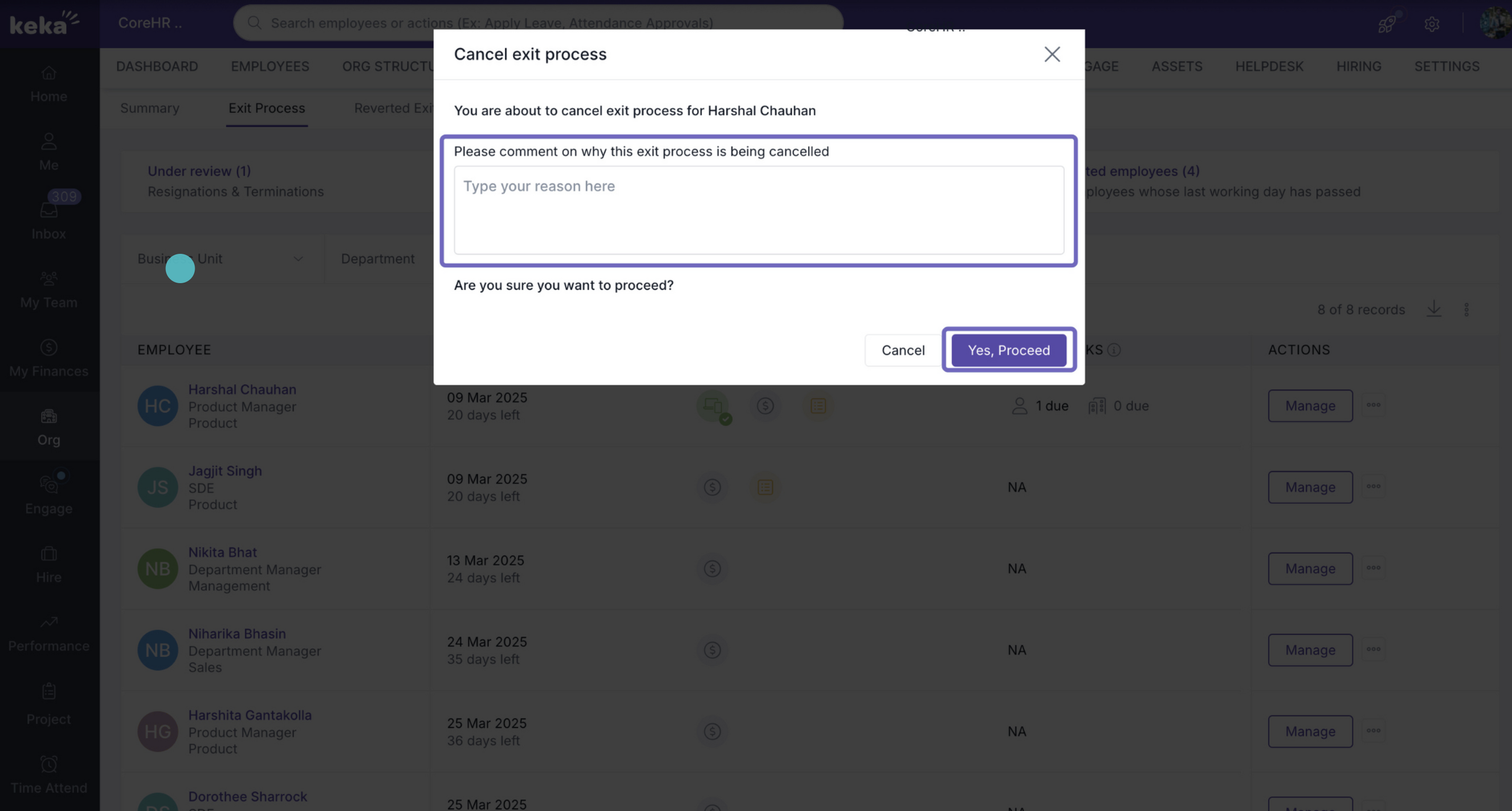
In the pop-up window, provide a summary of the discussions and decisions taken to retain the employee.
Click Yes, Proceed to cancel the exit and retain the employee in Keka HR.
If the Exit requested has already been Approved
- Navigate to the Exited Employees tab.
- Search for the employee you want to retain.
- Under Actions, click the three-dot menu and select Cancel & Rejoin.
- On the next page, fill in all the required details and click Save & Rejoin.
By following these steps, you can retain employees who are already in the exit process, ensuring smooth documentation and continuity within the organization.
Comments
0 comments
Please sign in to leave a comment.